
T3 Code
An app for running coding agents. It can drive PiG through a custom ACP agent or through its Pi RPC provider.

What works and what you need
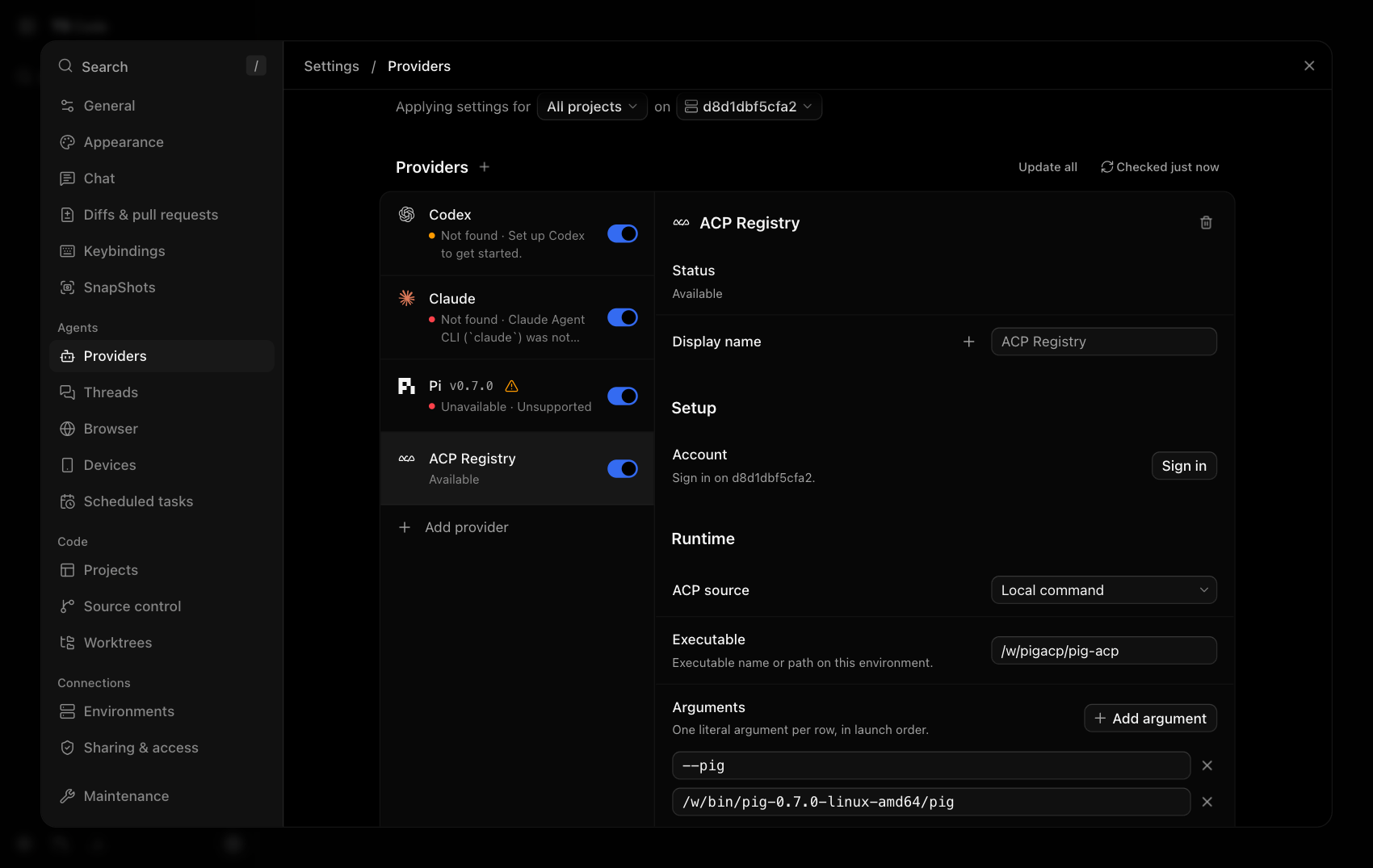
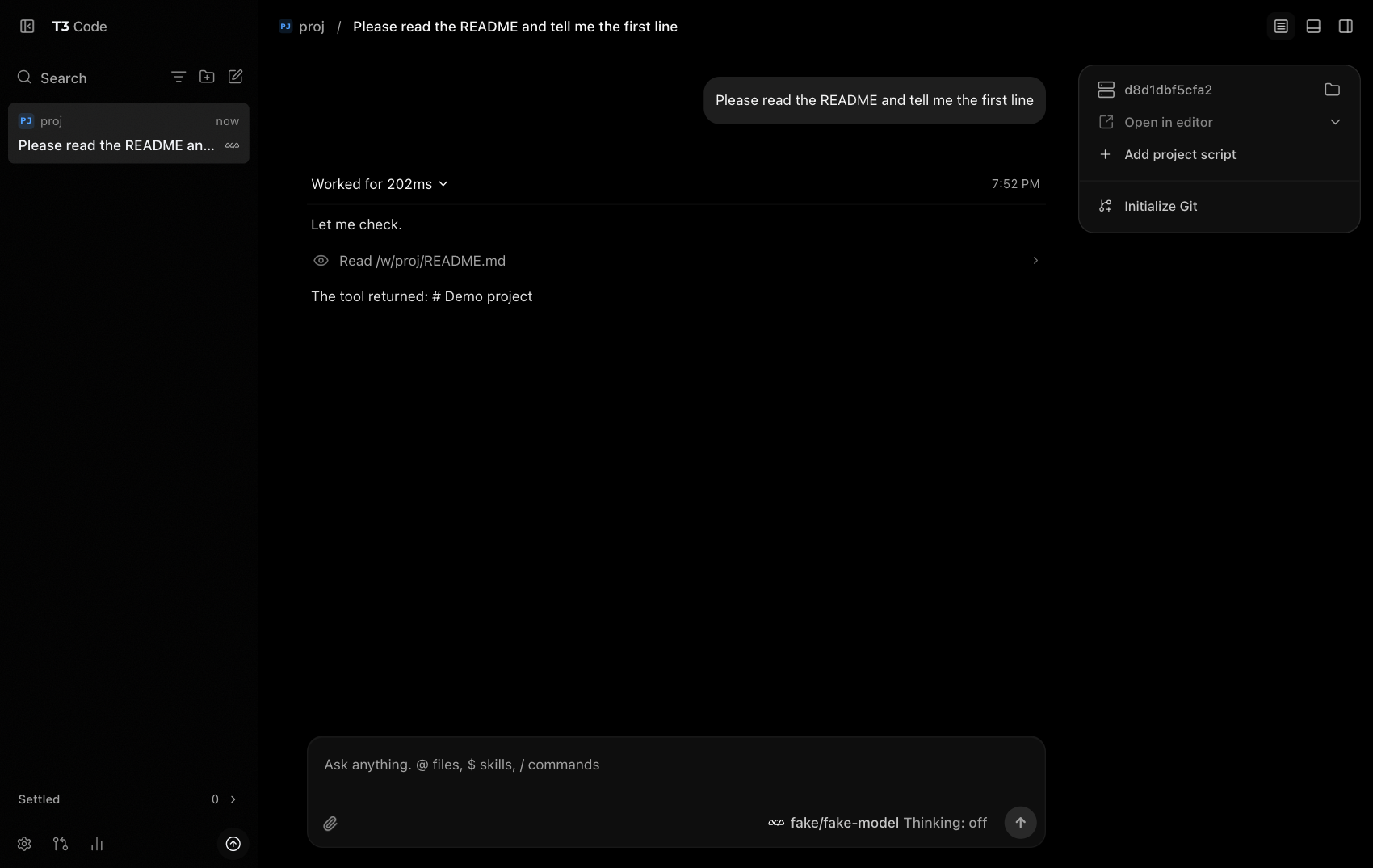
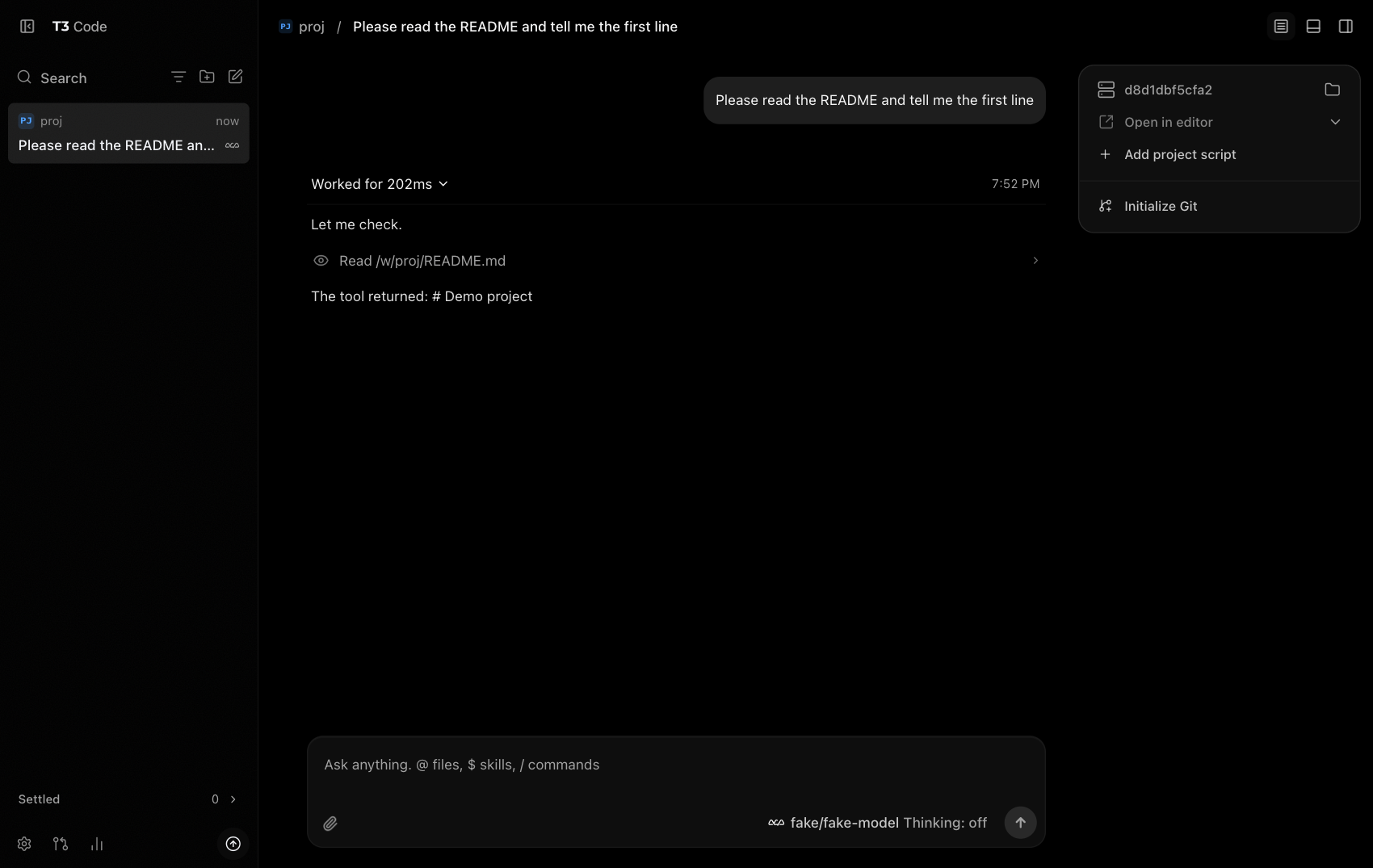
Needs: PiG ACP adapter (or Pi RPC provider). Both routes ran on PiG 0.7.0 against T3 Code 0.1.7 with a local scripted model and have not been rerun on PiG 0.8.0. Through ACP, T3 Code’s web UI showed PiG as Available and ran a thread with a read tool call. Through its Pi provider (pig --mode rpc), T3 Code 0.1.7 read PiG 0.7.0’s pig --version output (0.7.0+1.5.0) as an unsupported version of Pi and reported a status error. On PiG 0.8.0, pig --version prints the Pi version alone; whether T3 Code’s check now passes has not been run.
Uses pig-acp. Complete the one-time pig-acp setup first, then add the configuration below.
Setup
Custom ACP agent (ran on PiG 0.7.0)
Connection: ACP, through pig-acp.
Configuration: <T3 base dir>/userdata/settings.json (base dir = --base-dir or T3CODE_HOME; the default location was not verified)
Format: JSON, providerInstances.<id> = { driver: "acpRegistry", enabled, config: { source: "local", commandPath, commandArgs[] } }. In the web UI (T3 Code 0.1.7), Settings > Providers shows the instance with ACP source = Local command, an Executable field and an Arguments list (one argument per row); the same values can be set in settings.json.
{
  "providerInstances": {
    "pig": {
      "driver": "acpRegistry",
      "enabled": true,
      "config": {
        "source": "local",
        "commandPath": "/path/to/pig-acp",
        "commandArgs": ["--pig", "/path/to/pig"]
      }
    }
  }
}
Custom ACP agent (ran on PiG 0.7.0)
Ran (2026-11-07). T3 Code 0.1.7 (npx t3@0.1.7 serve --no-browser) in a container, its web UI opened in headless Chromium through a tunnel; pig-acp 0.2.1 and pig 0.7.0 (pig --version prints 0.7.0+1.5.0), Linux amd64 in a container, with a local scripted model (no real model, no key).
Not run. T3 Code's desktop app; real model.
Notes. Headless server plus the t3 CLI (2026-11-06), then the web UI in a browser (2026-11-07): provider status 'Available', thread with the Pig provider ran a prompt with a read tool call. Settings schema read from main commit 4cb6945 (2026-11-07 03:12Z). The T3 Code desktop app was not opened.
How to verify.
- Start: t3 serve --no-browser --base-dir <dir> <project dir>, then open the pairing URL it prints
- In a new thread, pick the Pig provider and send a prompt
Expected: The thread shows the reply and a collapsed work log with the read call.
Pi provider over RPC (ran on PiG 0.7.0)
Connection: Pi provider, pig --mode rpc.
Configuration: <T3 base dir>/userdata/settings.json, or Settings > Providers > Pi > Binary path in the app
Format: JSON, providerInstances.pi = { driver: "pi", enabled, config: { binaryPath, launchArgs } }; T3 runs `<binaryPath> --mode rpc ...` (and `<binaryPath> --version` for its status probe)
{
  "providerInstances": {
    "pi": {
      "driver": "pi",
      "enabled": true,
      "config": { "binaryPath": "/path/to/pig" }
    }
  }
}
On PiG 0.7.0, the provider status probe read pig --version (0.7.0+1.5.0) as Pi 0.7.0 and reported 'Pi 0.7.0 is unsupported. Update to Pi 0.80.5 or newer'. Threads still ran in the headless test, and a wrapper script that printed the Pi half (1.5.0) gave status ready. On PiG 0.8.0, pig --version prints the Pi version directly; whether T3 Code's check now passes on 0.8.0 was not run.
Pi provider over RPC (ran on PiG 0.7.0)
Ran (2026-11-06). T3 Code 0.1.7 headless (npx t3 serve; t3 project add; t3 thread start --provider pi --model fake/fake-model --wait); pig 0.7.0.
Not run. The Pi provider in the web UI as a working provider: on 2026-11-07 the web UI showed it as Unavailable (see the screenshot).
Notes. Same t3 CLI flow as above with --provider pi --model fake/fake-model. T3 uses Pi RPC commands get_state, get_commands, get_available_models, get_session_stats, get_messages, get_entries, clear_queue (all answered by pig in a direct probe), prompt, steer, abort, set_model, set_thinking_level, compact, new_session, switch_session, set_session_name, fork (by CLI --fork), extension_ui_response (from source; only the turn path was run). T3 passes `--extension <T3 MCP extension>`; pig accepted it in the test (not inspected which file).
How to verify.
- Set binaryPath to a wrapper script that prints the Pi half of the version
- Run: t3 thread start --provider pi --model fake/fake-model --wait
Expected: The thread runs and the provider status is ready.
Evidence
Sources and project
- github.com/pingdotgg/t3code/blob/main/packages/provider-acp-registry/src/settings.ts
- github.com/pingdotgg/t3code/blob/main/packages/provider-acp-registry/src/server/AcpRegistrySupport.ts
- github.com/pingdotgg/t3code/blob/main/packages/provider-pi/src/settings.ts
- github.com/pingdotgg/t3code/blob/main/packages/provider-pi/src/server/status.ts
- github.com/pingdotgg/t3code/blob/main/packages/provider-pi/src/server/adapter.ts
The name and logo belong to T3 Code’s owners. PiG is independent of T3 Code; no endorsement is implied.