
Nori CLI
Connects to PiG over ACP through pig-acp. Ran on PiG 0.7.0 with a scripted model.
What works and what you need
Needs: PiG ACP adapter. pig-acp, PiG’s ACP adapter, which ships as its own archive in every PiG 0.8.0 release. Nori CLI ran on PiG 0.7.0 with pig-acp 0.2.1 and a local scripted model, and has not been rerun on 0.8.0.
Uses pig-acp. Complete the one-time pig-acp setup first, then add the configuration below.
Setup
Connection: ACP, through pig-acp.
Configuration: ~/.nori/cli/config.toml
Format: TOML array of tables [[agents]] with name, slug, [agents.distribution.local] command, args
[[agents]]
name = "PiG"
slug = "pig"

[agents.distribution.local]
command = "pig-acp"
args = ["--pig", "/path/to/pig"]
# then switch with /agent inside Nori
Test record
PiG 0.7.0 run
Ran (2026-11-07). nori-ai-cli 0.29.0 (npm) in a terminal; pig-acp 0.2.1 and pig 0.7.0 (pig --version prints 0.7.0+1.5.0), Linux amd64 in a container, with a local scripted model (no real model, no key).
Not run. A real model.
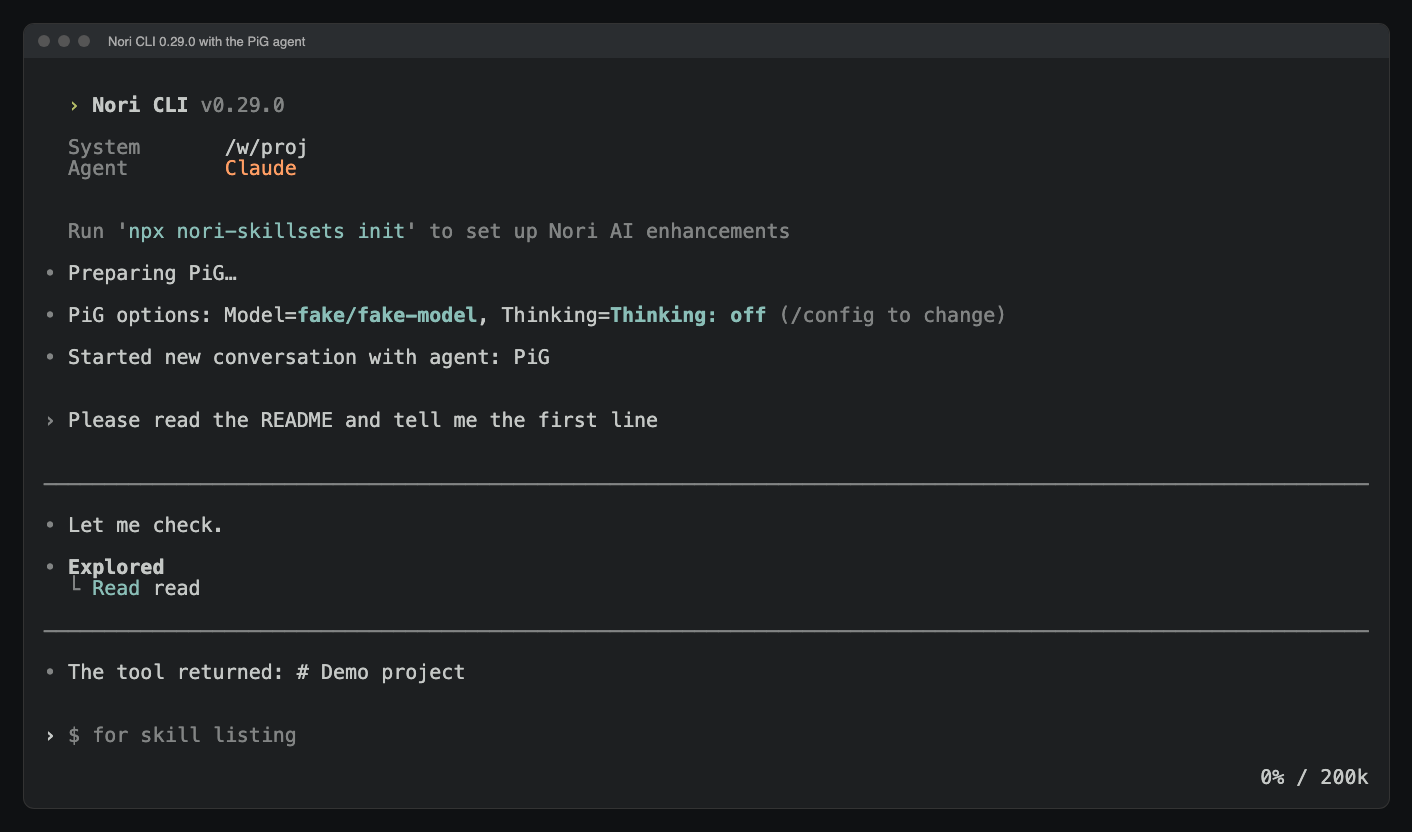
Notes. First run asks about approvals (answered 1); /agent listed 'PiG'; selected it, started a new session, sent a prompt.
How to verify.
- Add the [[agents]] block to ~/.nori/cli/config.toml
- Start nori, type /agent and choose PiG
- Type: Please read the README and tell me the first line
Expected: Nori prints "Started new conversation with agent: PiG" and shows Explored / Read read for the README.
Sources and project
The name and logo belong to Nori CLI’s owners. PiG is independent of Nori CLI; no endorsement is implied.