
herdr
Runs your coding agents in one terminal and shows whether each is idle, working, or blocked.
What works and what you need
Needs: Pi extension (or Pigpen packages). herdr’s own Pi extension, herdr-agent-state.ts, which PiG runs unchanged. It needs Node.js. On 2026-11-25 the Herdr desktop app 0.1.18 ran PiG 0.8.0 on macOS with a real model: one read tool call, then the answer. Optional Go packages are also published on npm: @pi-in-go/pigpen-herdr (0.3.0) and the @pi-in-go/pigpen-piglet-herdr (0.2.0) Piglet; they have not been rerun on 0.8.0.
Setup
herdr’s Pi extension (run on PiG 0.8.0)
Connection: Pi extension, loaded by PiG.
- Install herdr and PiG.$
curl -fsSL https://pi-in-go.dev/install.sh | sh - Have herdr write its Pi extension. It creates ~/.pi/agent/extensions only when ~/.pi/agent already exists.$
herdr integration install pi - PiG reads ~/.pig, not ~/.pi, so copy the extension over. Alternatively, set PIG_USE_PI_DIRS=1 so PiG reads ~/.pi directly.$
mkdir -p ~/.pig/agent/extensions && cp ~/.pi/agent/extensions/herdr-agent-state.ts ~/.pig/agent/extensions/ - Start pig in a herdr pane. herdr now tracks its state.$
pig
Published Pigpen packages or HERDR_AGENT hint
Connection: Pigpen extension, Piglet, or environment hint.
- Optional: install Pigpen’s Go extension (@pi-in-go/pigpen-herdr 0.3.0) or add the herdr Piglet (@pi-in-go/pigpen-piglet-herdr 0.2.0). Neither package was rerun on 0.8.0.$
pig piglet add npm:@pi-in-go/pigpen-piglet-herdr - Alternative in a terminal pane: set herdr’s hint on the command that starts PiG. Do not export it for the whole shell.$
HERDR_AGENT=pi pig
Test record
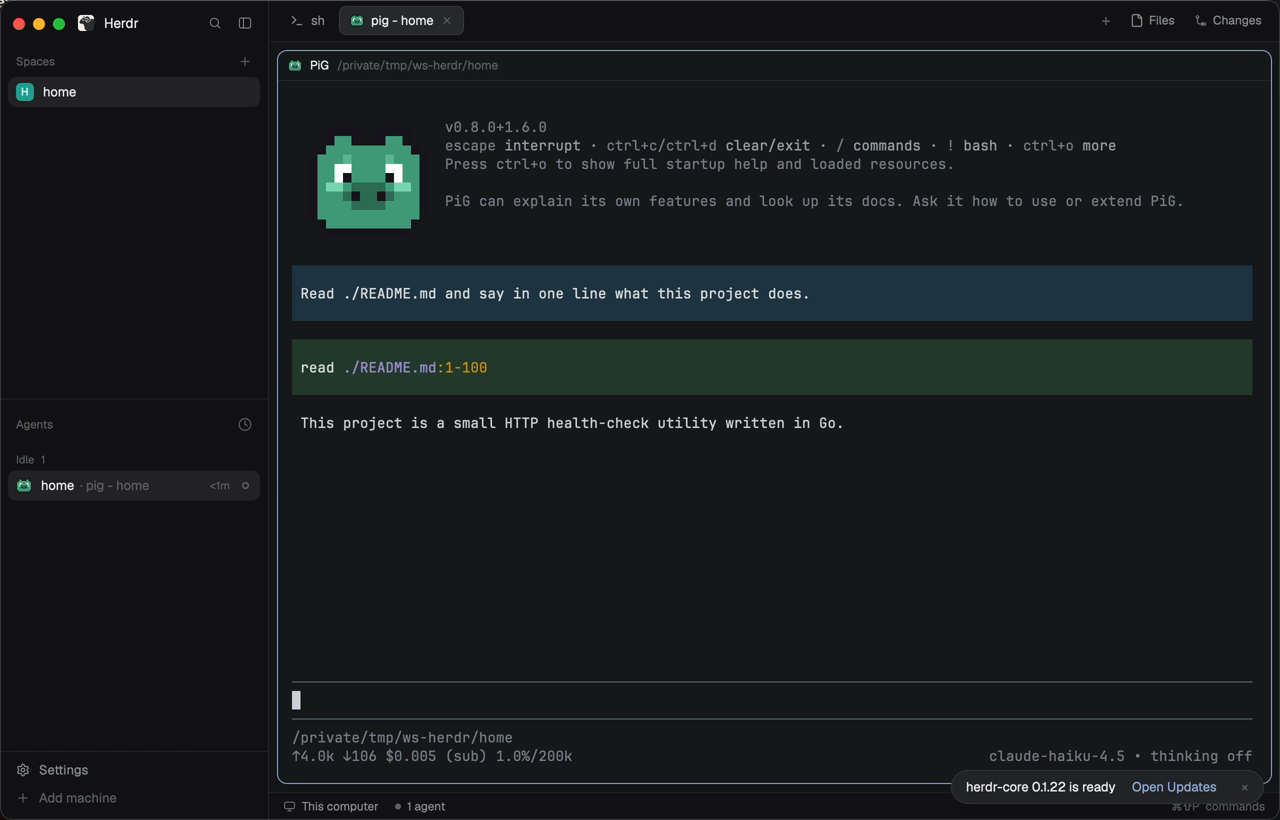
PiG 0.8.0 (macOS, real model)
Ran (2026-11-25). The Herdr desktop app 0.1.18 on macOS running PiG 0.8.0 in a pane, started from its agent menu, with a real model: one read tool call, then the answer.
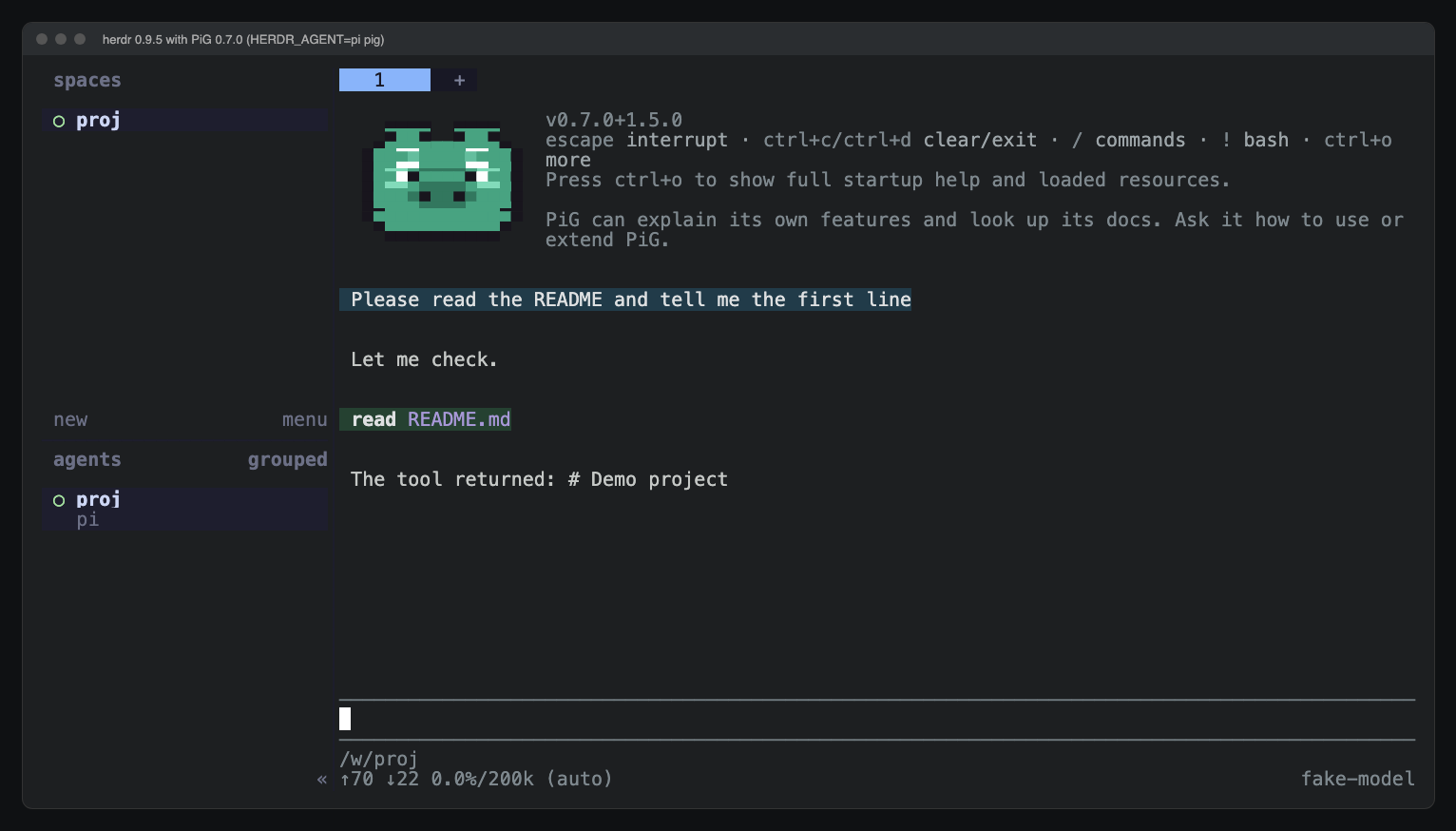
Earlier PiG 0.7.0 run (Linux, terminal)
Ran (2026-11-07). herdr 0.9.5 (Linux amd64) in a terminal; pig 0.7.0; the command HERDR_AGENT=pi pig run in a herdr pane.
Not run. Pigpen's herdr extension (@pi-in-go/pigpen-herdr) installed with pig install ran in the same pane, but herdr's agents list stayed empty in our run, so that route is not shown as working. herdr's own Pi integration file was not installed in the container (its installer found no ~/.pi/agent/extensions).
How to verify.
- Open herdr
- In a pane run: HERDR_AGENT=pi pig
Expected: herdr's sidebar lists the pane under agents (named pi) while PiG works.
Sources and project
- github.com/herdrdev/herdr
- www.npmjs.com/package/@pi-in-go/pigpen-herdr
- www.npmjs.com/package/@pi-in-go/pigpen-piglet-herdr
The name and logo belong to herdr’s owners. PiG is independent of herdr; no endorsement is implied.