A Pi extension is a TypeScript module. PiG can run it as it is, and it can also be ported to a Go extension that PiG links into a single binary. This guide covers both, and the Piglet that does the porting, pig-porter.
Step 0: decide whether to port
You want | Do this |
| Your Pi extension to work in PiG today | Nothing. PiG's extension host loads Pi TypeScript extensions. Install it the way you would in Pi, for example pig install npm:<package>. See Extensions and Packages. |
| One native binary with the extension inside (a Piglet Binary) | Port the extension to Go. A compatible Go extension can be compiled into the binary; a TypeScript extension runs as a separate process. |
| A smaller process footprint for an extension you use every day | Port it, then measure both versions on your own workload before you decide. The porter's workflow includes a measurement step. |
PiG does not port extensions whose function PiG already has built in. The first example in the porter's notes is MCP, which is built into PiG from 0.4.0, so no MCP adapter is ported.
Step 1: what pig-porter is
pig-porter is a Piglet from Pigpen, PiG's community package repository. It selects one Skill and one extension:
- the Skill
pigpen-pi-extension-port, a strict workflow: check that PiG's SDK covers what the extension uses, write the tests first, write the Go implementation, compare it against the original (differential equivalence), run a mutation check, build the binary, and publish a Package with provenance; - the extension
extension-equivalence, which gives the agent the tools for the proof steps:equivalence_gaps,equivalence_run,equivalence_twinsandequivalence_diff.
Two Piglets exist. pig-extension-porter is the focused one, and most people who port an extension want it. pig-porter extends it and is the umbrella for further porting work; today it adds nothing to it. (Source: the READMEs of pig-extension-porter and pig-porter.)
Step 2: add the porter Piglet
Prerequisites: pig 0.7.0 or later, network access to npm, and a configured model with a key for the porting session itself.
pig piglet add npm:@pi-in-go/pigpen-piglet-pig-extension-porter
pig piglet list
pig piglet validate pig-extension-porter
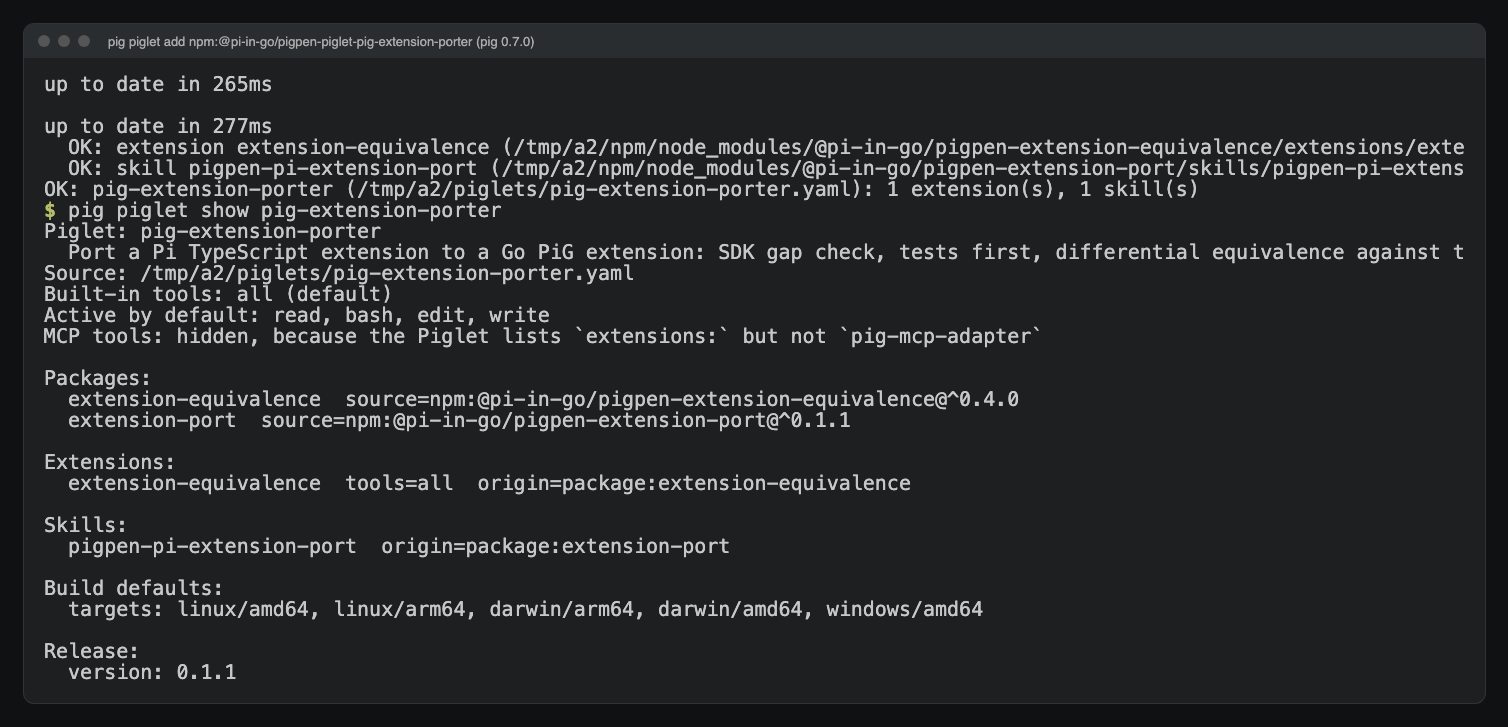
The Piglet is published to npm as @pi-in-go/pigpen-piglet-pig-extension-porter (and @pi-in-go/pigpen-piglet-pig-porter). Packages run code on your machine, so read what a package selects before you add it: pig piglet show pig-extension-porter lists its Packages, extensions and skills.
Step 3: verify the Piglet loaded
pig piglet validate prints one OK: line per extension and skill it resolved, and a final line with the counts. For pig-extension-porter the result is 1 extension(s), 1 skill(s): the Skill pigpen-pi-extension-port and the extension extension-equivalence. The screenshot below is that run.
Step 4: run a port
Start the Piglet with a model configured, then give the Skill the path of the original:
pig --piglet pig-extension-porter/skill:pigpen-pi-extension-port port <path-to-original.ts> to components/<name>The Skill's own instructions cover the session setup (an isolated session built with pigeq env) and each step. Its output is a Go extension, its tests, the evidence (traces recorded from the original under Pi, equivalence results, the mutation list) and a Package with provenance, for example components/dirty-repo-guard, which was ported from Pi's dirty-repo-guard.ts example (by Mario Zechner, MIT) with this workflow. Its port/PORT.md shows the mapping table and the evidence.
To fuse the result into one binary, see Build a Piglet.
What was tested for this guide
See the test record below. The install, validate and show steps were run. The porting session itself needs a real model and was not run for this guide, so Step 4 is taken from the porter's README and Skill.
Sources
- Pigpen: piglets/pig-extension-porter and piglets/pig-porter
- TypeScript to Go porting rules
- Pi, the reference implementation of the extension API