
Install
Install with PiG
pig install npm:statusline-piInstall with Pi
pi install npm:statusline-piPackages run code with your permissions and influence agent behavior. Catalog inclusion is not a security audit. Review the source before installing a third-party package.
Pi manifest JSON
The pi field of package.json.
{
  "image": "https://raw.githubusercontent.com/luongnv89/pi-extensions/main/assets/statusline-pi-150toks-haiku-4.5.png",
  "extensions": [
    "./src/index.ts"
  ]
}
README
Written by the package's publisher, shown as published in version 1.4.0 (README.md). PiG does not review it.
statusline-pi
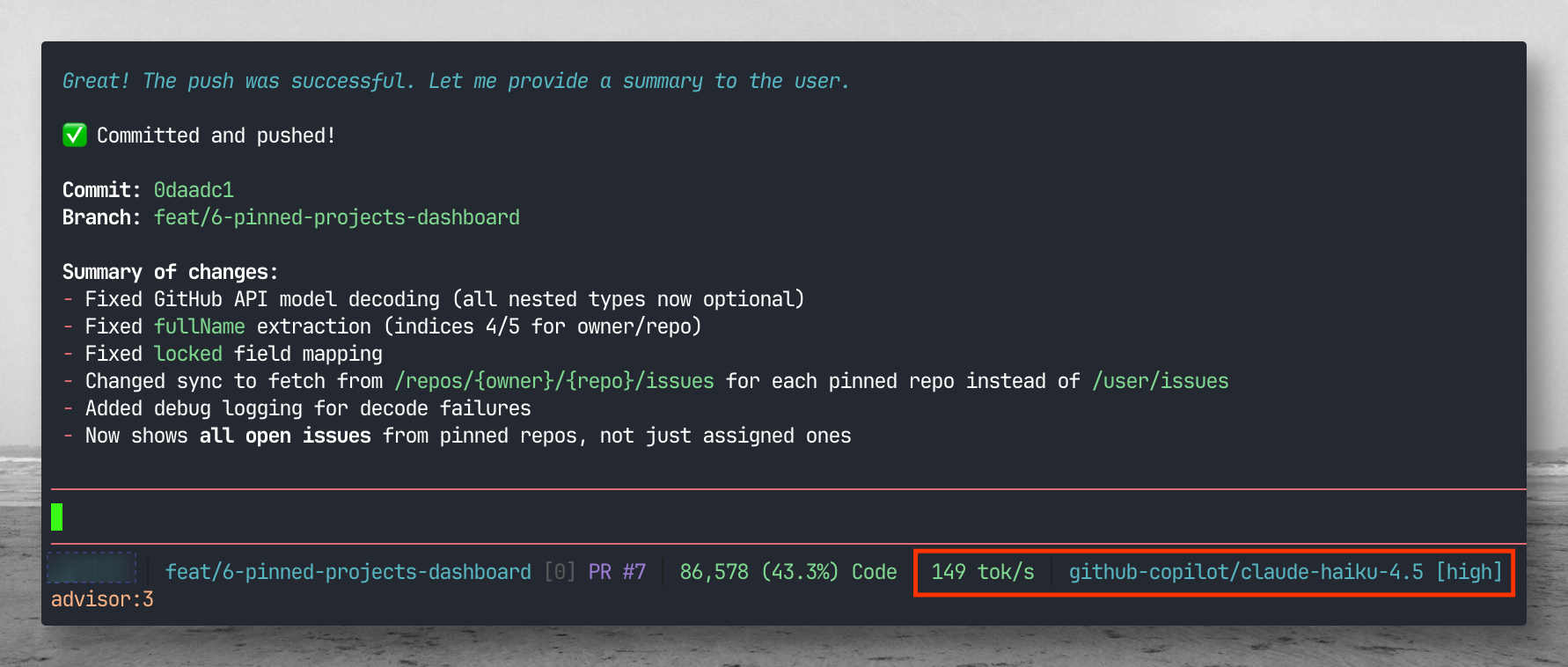
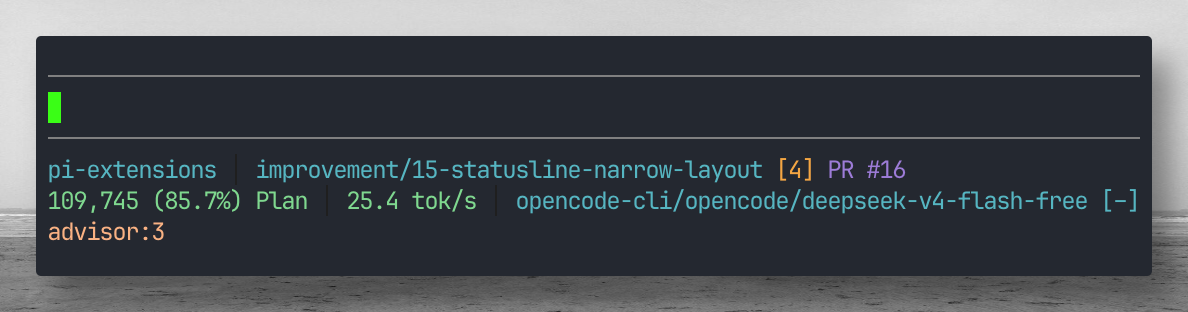
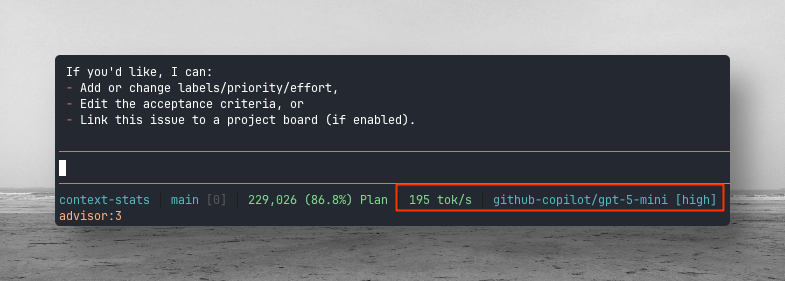
Compact project statusline footer for Pi.
Format:
current-dir │ branch [changed files] PR #x │ estimated session cost │ CPU % · MEM % │ remaining context tokens (percentage) context zone │ average response speed │ provider/model
Example:
pi-extensions │ main [2] PR #12 │ $0.18 │ CPU 42% · MEM 68% │ 😄 840,037 (84.0%) Plan │ 42.5 tps │ openai-codex/gpt-5.5
Context zone icons change with usage:
| Zone | Icon | Meaning |
|---|---|---|
| Plan | 😄 | Big grin — plenty of context room |
| Code | 🙂 | Small smile — good space for coding |
| Dump | 😐 | Flat mouth — heavy context building |
| ExDump | 😟 | Frown — near the limit |
| Dead | 😵 | Dizzy face — exhausted |
Behavior
- Installs as a Pi extension and enables automatically on session start.
- Replaces Pi's default footer with a compact responsive statusline.
- Uses one line when the terminal is wide enough, then wraps into multiple width-safe lines on narrow terminals so long branch names do not hide context, speed, or model details.
- Refreshes git change count and host CPU/memory usage every 5 seconds.
- Shows CPU and MEM utilization for the local machine (
CPU 42% · MEM 68%). CPU is derived fromos.cpus()time deltas (omitted until the second sample). Memory is(total - free) / total. Colors follow the same thresholds as other indicators: default success, warning at ≥85%, error at ≥95%. - Shows average model response speed as output tokens per second (
tps) across completed assistant responses. - Shows a warning when an OpenAI GPT model reaches 272,000 context tokens, the reported pricing breakpoint where the same token costs double. The warning is emitted once per threshold crossing.
- Shows an estimated accumulated session cost in USD, summed from each assistant response's token usage (
input,output,cache-read,cache-write) and the active model's per-million token rates from Pi's model catalog (aligned with pi.dev/models). This is an estimate only—actual billing may differ by provider, discounts, or OAuth subscriptions. - Updates the cost after each assistant response and when you switch models; omits the cost segment when the active model has no pricing, and displays
cost ?when usage was reported without a computable price. - Includes the active assistant response in the average while it is streaming, then keeps the completed average visible while idle.
- Checks for a GitHub PR associated with the current branch every 60 seconds using
gh pr view. - Omits the PR segment when
ghis unavailable or the branch has no PR.
Commands
/statusline-pi— open a compact enable/disable menu in the TUI (Escape or Close leaves the current state unchanged); outside the TUI it keeps the original toggle behavior./statusline-pi toggle|on|off— toggle or explicitly set the footer without opening a menu./statusline-refresh— force refresh git and PR data (also available from the TUI menu).
Compatibility
The menu is shown only when Pi supplies an extension context with mode === "tui" and hasUI. Older host runtimes that omit ctx.mode use the non-TUI fallback instead of opening UI/RPC dialogs: the bare /statusline-pi command toggles the footer.
Settings persistence
The deliberate /statusline-pi toggle is stored in the private, validated
~/.pi/agent/statusline-pi.json file (the path follows Pi's getAgentDir()).
The default remains enabled when no preference is present. Git, response-speed,
cost, system, and other footer state stays session-only; refreshes do not write
preferences.
Install
Published on npm: statusline-pi. Use Pi's package manager (pi install), not npm install alone.
pi install npm:statusline-pi
pi install npm:statusline-pi@1.3.1   # pin version
pi install -l npm:statusline-pi      # project-local (.pi/settings.json)
pi -e npm:statusline-pi              # one session, no install
Then run /reload in Pi (or restart).
pi list
pi update npm:statusline-pi
pi remove npm:statusline-pi
From pi-extensions (git):
cp -r extensions/statusline-pi ~/.pi/agent/extensions/