
Install
Install with PiG
pig install npm:pi-web-token-speedInstall with Pi
pi install npm:pi-web-token-speedPackages run code with your permissions and influence agent behavior. Catalog inclusion is not a security audit. Review the source before installing a third-party package.
Pi manifest JSON
The pi field of package.json.
{
  "extensions": [
    "./src/extension/index.js"
  ]
}
README
Written by the package's publisher, shown as published in version 0.1.0 (README.md). PiG does not review it.
pi-web-token-speed
Generation speed (tokens/second) for your LLMs, right inside the Pi Web chat UI.
This is a Pi Web plugin, not a terminal feature: it shows up in the browser, next to your sessions. The TUI keeps its own footer indicator and is not touched.
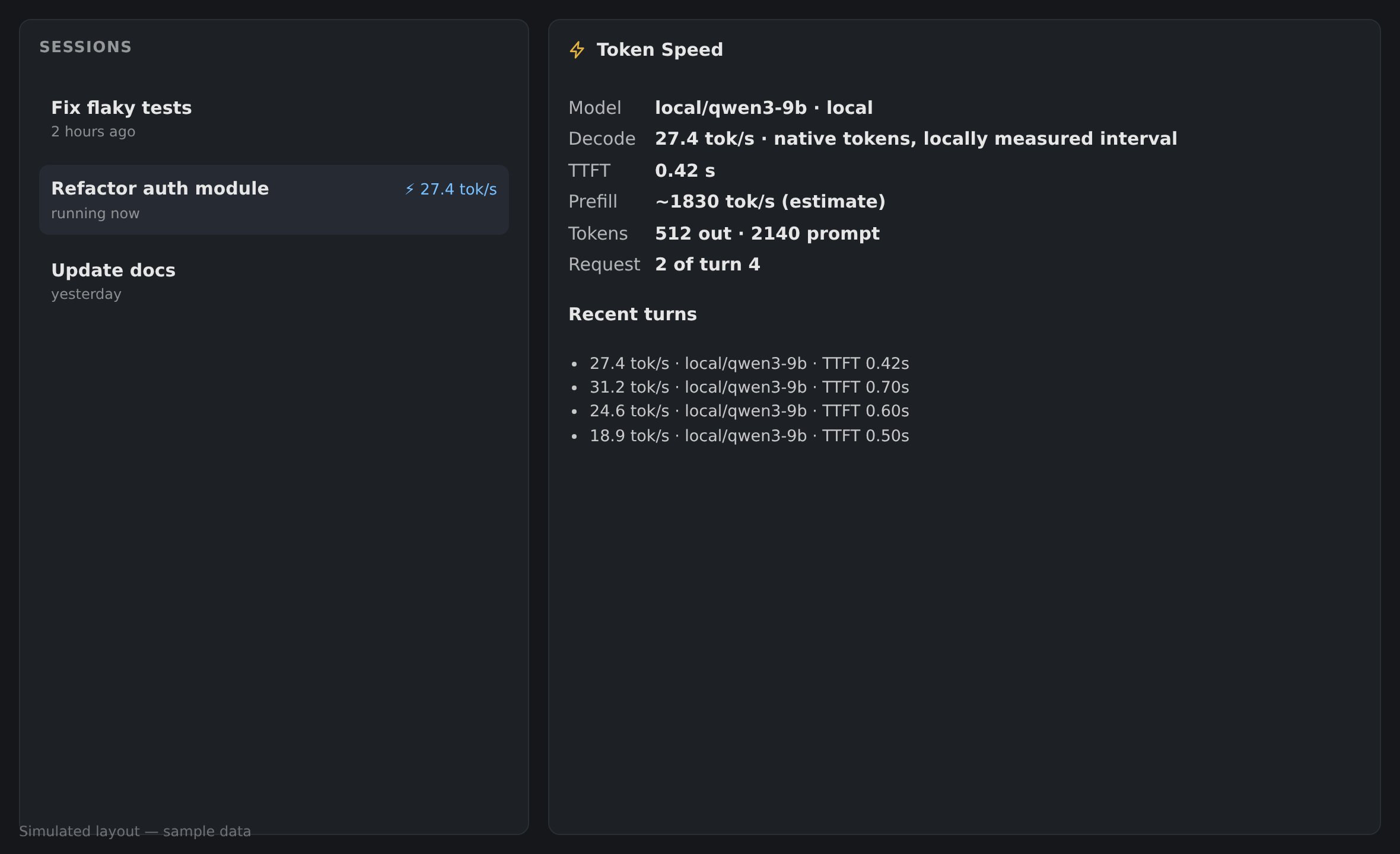
What you get
- On the session row:
⚡ 27.4 tok/swhile a model answers,≈ 24.1 tok/s(estimate) while streaming,N/Awhen it can't be measured. - In a "Token Speed" side panel: decode rate, TTFT, prefill estimate, token counts, and the last few turns.
How it works
Two pieces, no backend changes:
| piece | what it does |
|---|---|
| Pi extension | measures with native Pi hooks (before_provider_request, message_update, message_end) and publishes numbers on the session event bus |
| Pi Web plugin | relays them to the browser and renders the label and the panel |
The extension stays silent unless the web plugin is actually connected, so overhead is near zero when you're not using it.
| number | how it's computed | nature |
|---|---|---|
| decode tok/s | usage.output / (request end − first delta) | measured (native tokens, locally measured interval) |
| TTFT | first delta − request start | measured (includes network and server queue) |
| prefill tok/s | prompt tokens / TTFT | estimate, marked ~ |
| live rate | 3 s rolling window over streamed characters × learned tok/char ratio | estimate, marked ≈ |
Native token counts only arrive when a request finishes, which is why the in-progress number is a labelled estimate and never passed off as a measurement. Tool execution time is excluded by design.
Install
npm i pi-web-token-speed
or clone the repo. Below, <pkg> is the package folder: node_modules/pi-web-token-speed after the
npm install, or your clone. The link names stay pi-token-speed: that is the internal plugin id, not
the package name.
1. Pi extension (measures). Link the folder, not the single file:
ln -s <pkg> ~/.pi/agent/extensions/pi-token-speed
Then /reload in running sessions.
2. Pi Web plugin (displays).
mkdir -p ~/.pi-web/plugins
ln -s <pkg> ~/.pi-web/plugins/pi-token-speed
systemctl --user restart pi-web-sessiond
Reload the browser tab; enable it under Settings → PI WEB plugins if it isn't.
Restarting the session daemon interrupts active sessions and terminals. Do it when nothing is running.
Uninstall: remove the two symlinks and restart the daemon again.
Notes and limits
- The final rate uses native tokens but a locally measured interval, so it includes network and server queue — it is not the backend's internal decode time.
- The live rate stays an estimate until backends expose per-chunk usage.
- The live estimate calibrates from plain answers; in a tool-heavy session it keeps the default ratio.
- Values are ephemeral by design: nothing is written to transcripts or session files.
Development
npm test          # engine, protocol, extension, server, browser, installed APIs, reliability
npm run check     # syntax check
PTS_CDP_URL=http://localhost:9223 npm run screenshot   # regenerate docs/screenshot.png
The screenshot is rendered from a simulated layout with sample data — no transcripts, no hostnames.
License
MIT