
Install
Install with PiG
pig install npm:pi-vscode-srInstall with Pi
pi install npm:pi-vscode-srPackages run code with your permissions and influence agent behavior. Catalog inclusion is not a security audit. Review the source before installing a third-party package.
Pi manifest JSON
The pi field of package.json.
{
  "image": "https://raw.githubusercontent.com/Serhioromano/pi-vscode-sr/refs/heads/main/images/pi-vscode.png",
  "extensions": [
    "./src/index.ts"
  ]
}
README
Written by the package's publisher, shown as published in version 1.4.7 (README.md). PiG does not review it.
🔍 Pi VS Code
Secure code review bridge between Pi coding agent and VS Code. Every file mutation proposed by Pi opens a diff editor — you preview, edit, and approve or reject before anything touches disk.
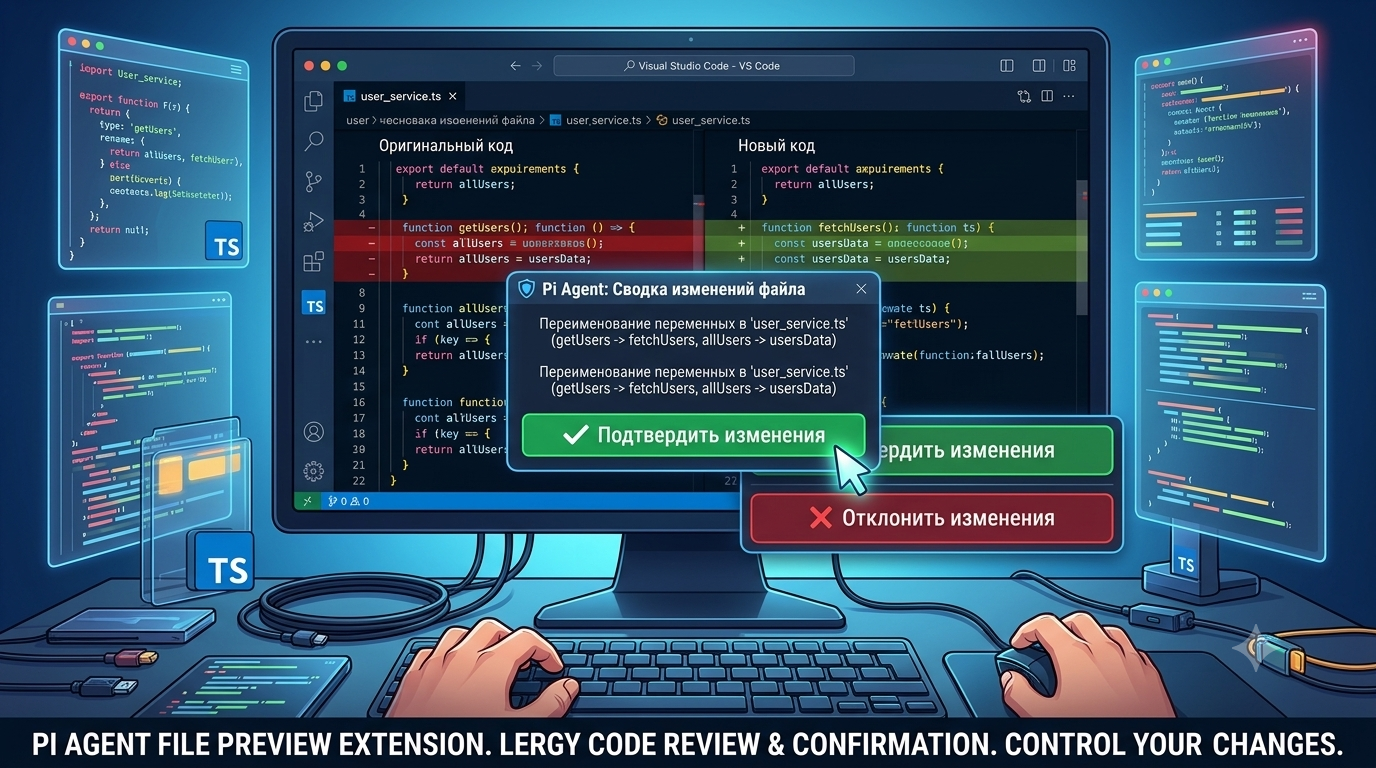
✨ How it works
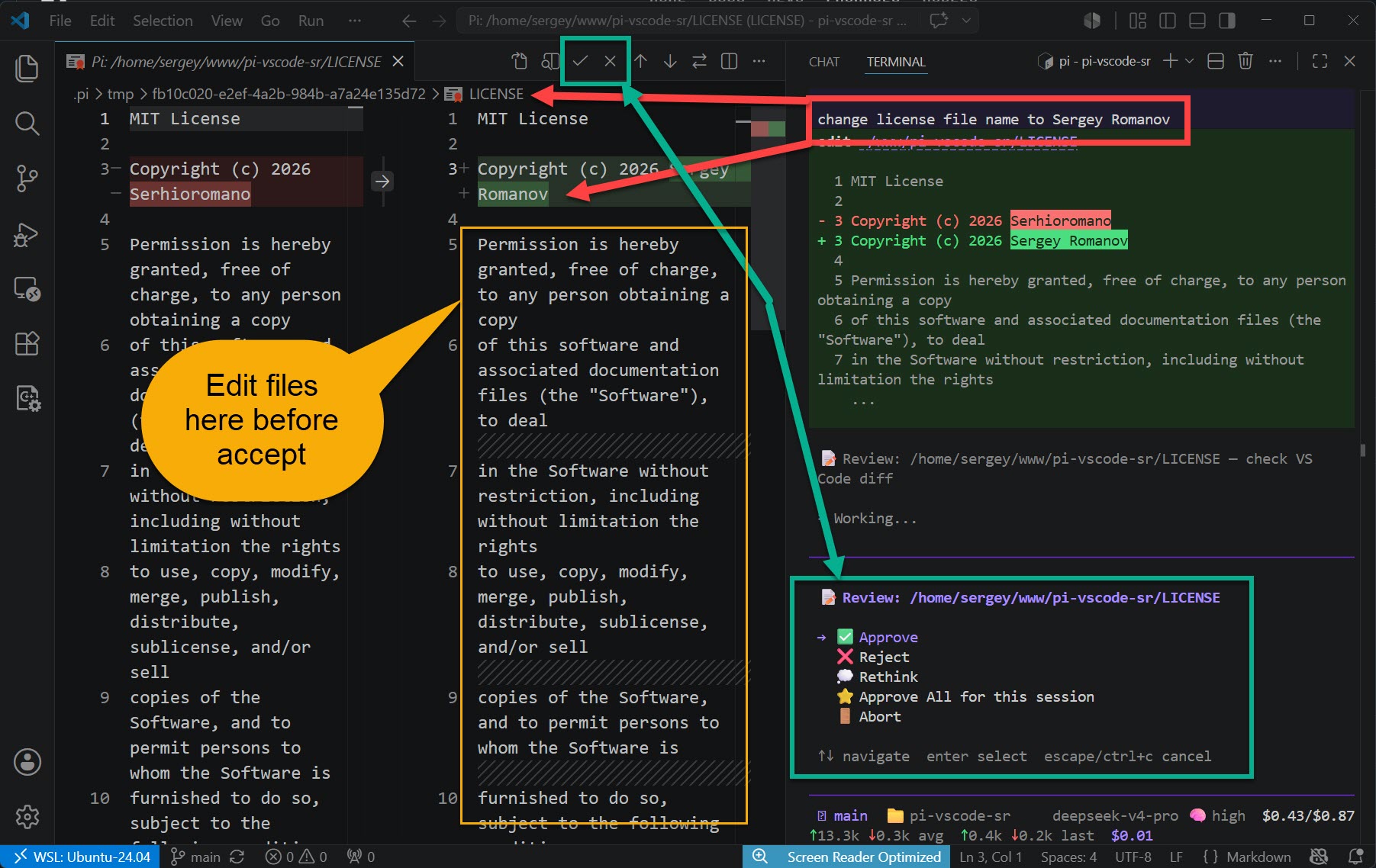
- Pi agent generates code changes
- Instead of writing directly, a review request is created
- VS Code opens a diff editor so you can inspect and even edit the proposed changes
- Choose what to do in a terminal selector:
| Option | Action |
|---|---|
| ✅ Approve | Apply this file's changes |
| ❌ Reject | Discard this file's changes — agent sees an error and must retry |
| 💭 Rethink | Open a text input dialog to give the agent feedback — e.g. «use async/await instead of promise chains». Changes are not applied, agent sees your feedback and can retry with corrections. |
| ⭐ Approve All | Auto-approve every future change for this prompt run. Clear on next prompt. |
| 🚪 Abort | Stop the agent session immediately. |
You can also approve/reject from the diff tab.
📦 Installation
[!IMPORTANT] Add into
.gitignorefile
- .pi/review-requests/
- .pi/review-results/
- .pi/tmp/
- .pi/.vscode-ready
1. Pi Extension
pi install npm:pi-vscode-sr
Or install locally (Recommended):
[!IMPORTANT] I recommend to install it locally because not every folder is a project of Visual Studio Code. Although there is a mechanism to detect if project is opened in VS Code or not anyway it could lead to unexpected behavior.
pi install npm:pi-vscode-sr -l
2. VS Code Extension
Install from marketplace:
serhioromano.vscode-pi-sr — Pi Agent Companion
Or search Pi Agent Companion in the VS Code Extensions panel.