
Install
Install with PiG
pig install npm:pi-tui-prompt-boxInstall with Pi
pi install npm:pi-tui-prompt-boxPackages run code with your permissions and influence agent behavior. Catalog inclusion is not a security audit. Review the source before installing a third-party package.
Pi manifest JSON
The pi field of package.json.
{
  "image": "https://media.githubusercontent.com/media/dimk90/pi-tui-prompt-box/e0ae300ca7aea2ed2d873e6c7d544951dc6b0564/doc/images/pi-tui-prompt-box.png",
  "extensions": [
    "./src/index.ts"
  ]
}
README
Written by the package's publisher, shown as published in version 0.2.0 (README.md). PiG does not review it.
pi-tui-prompt-box
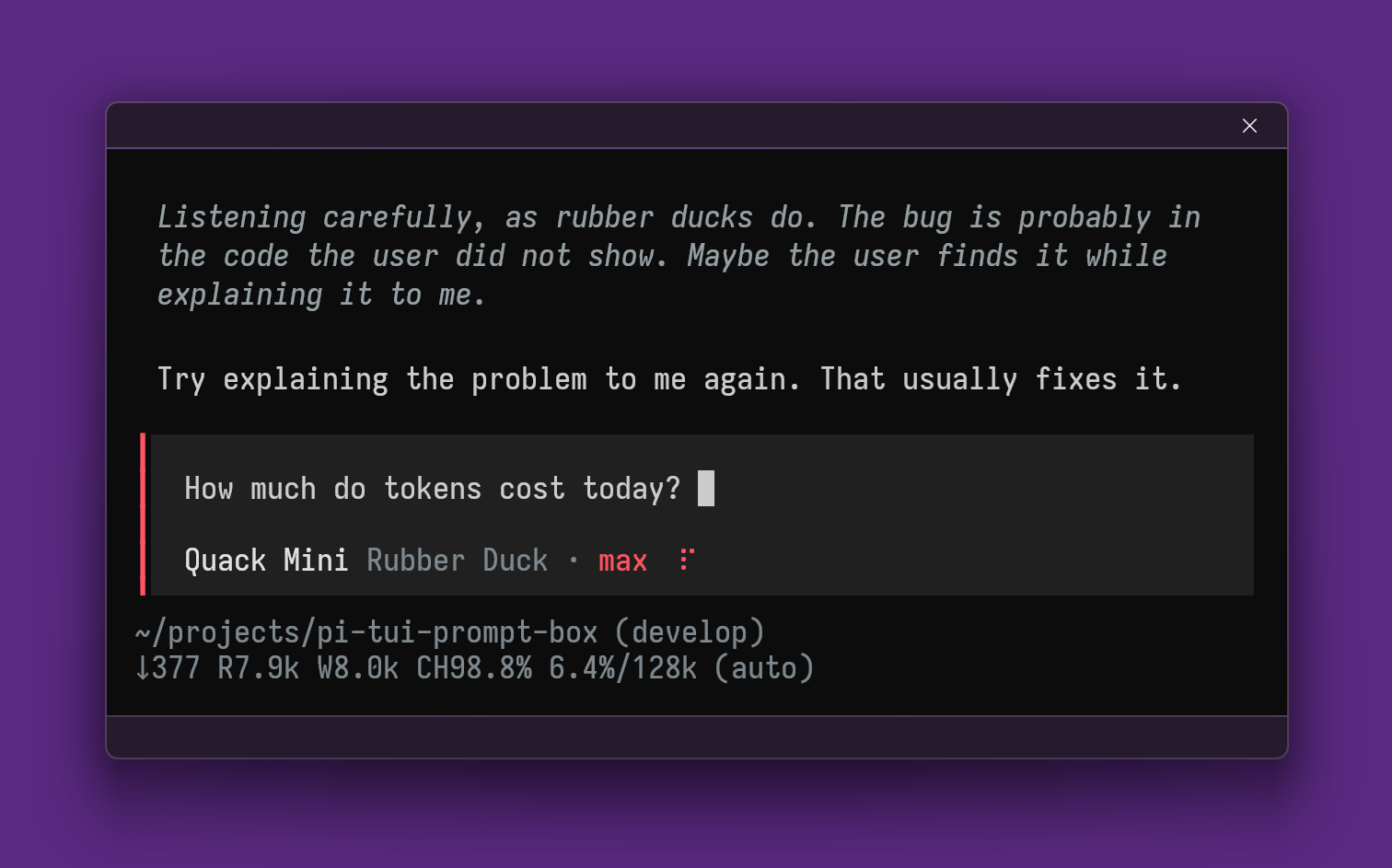


An alternative style for the prompt input in Pi: a filled prompt box with the model, thinking level, and busy indicator inside.
Your messages in the chat are drawn as the same boxes, which is optional. Other TUI components are only moved to line up with the prompt box. Their content and styling stay unchanged.
It is a building block, not a full theme: combine it with your favorite footer, completion menu, or any other styling extension.
Demo: Mode Colors
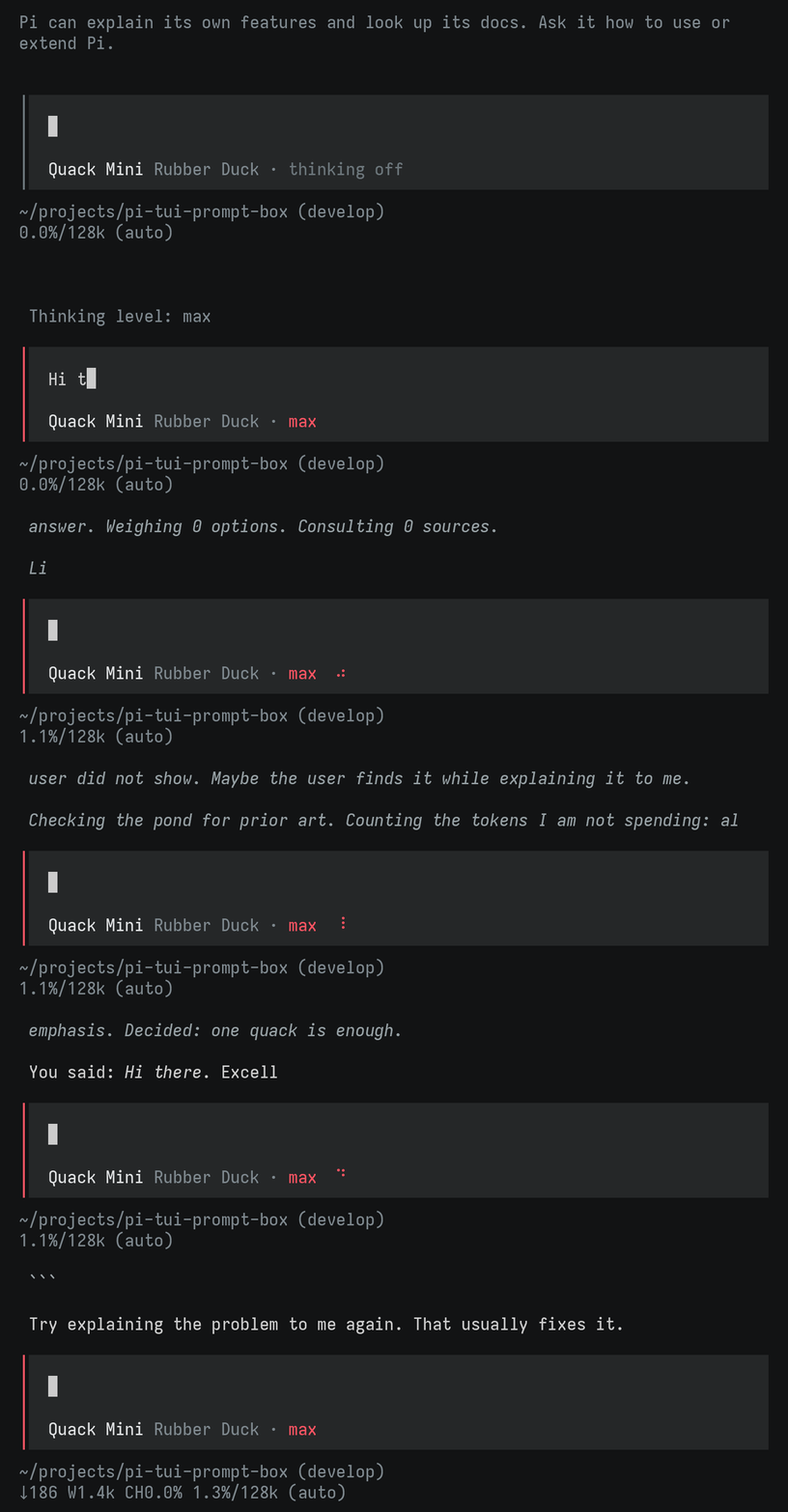
The accent bar and spinner colors show the selected thinking level:
Demo: Message Colors
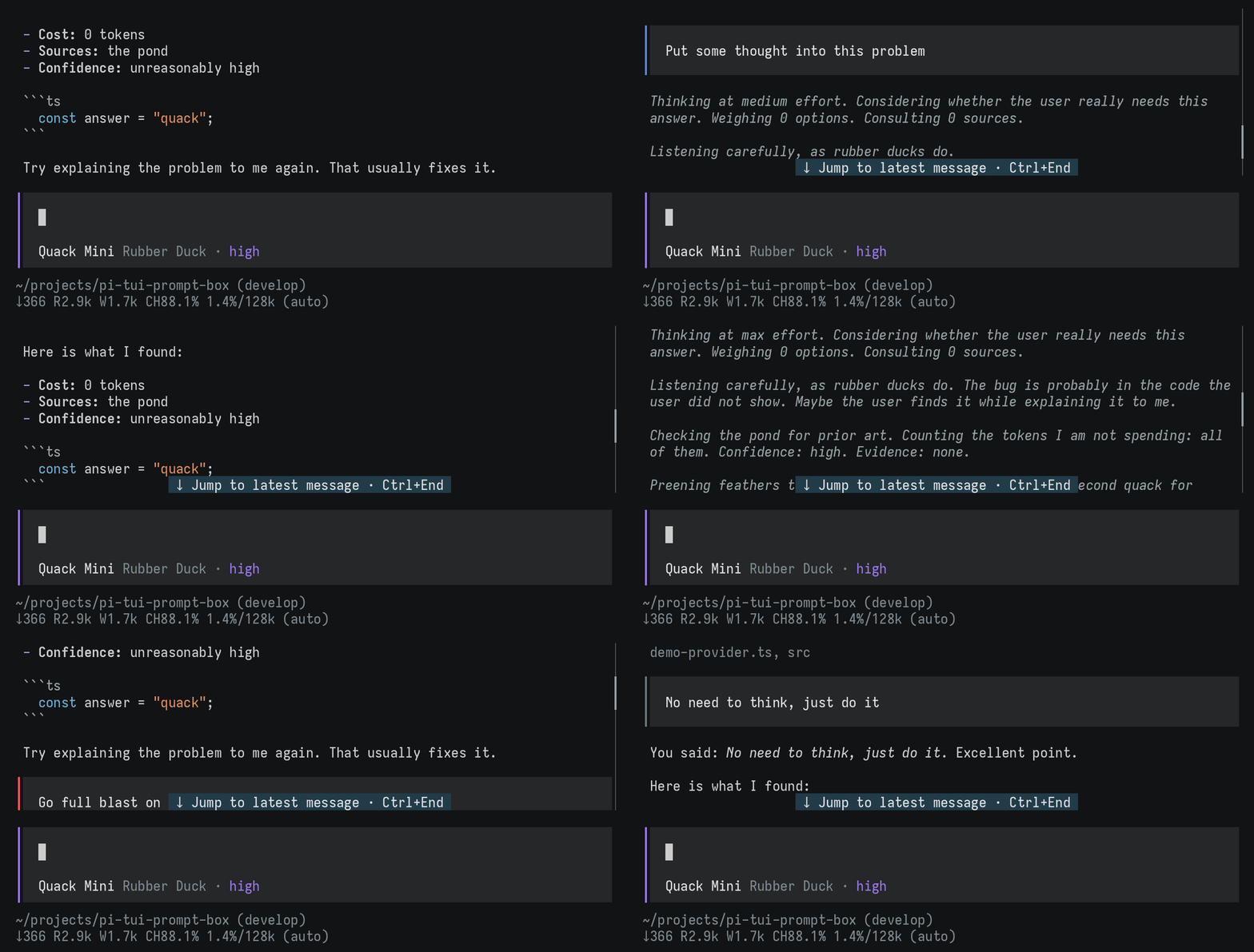
Each message in the chat keeps the color of the thinking level it was sent with:
Install
pi install npm:pi-tui-prompt-box
What It Changes
Moves the chat, widgets, dialogs, and footer right so they line up with the prompt box.
Removes the model, provider, and thinking level from the default footer, as the prompt box already shows them. Custom footers stay unchanged.
Moves Pi's busy indicator (spinner and message) into the prompt box. Custom spinner widgets stay unchanged.
Draws your messages in the chat as prompt boxes, colored by the thinking level they were sent with, and hides Pi's
Thinking levelchat status. This is optional.
Configuration
User message boxes are on by default. To keep Pi's own look for your messages
in the chat, create
~/.pi/agent/extensions/pi-tui-prompt-box.json and run /reload:
{
  "userMessageBoxes": false
}
Context Footprint
None. The extension only changes the terminal UI: it adds no tools, prompt sections, or messages to the model context.
My Other Stuff
📌 S-VHS - A terminal recorder used to create the demo GIFs.
📌 pi-context-view - Pi extension to visualize context usage and inspect its hidden parts.