
Install
Install with PiG
pig install npm:pi-timerInstall with Pi
pi install npm:pi-timerPackages run code with your permissions and influence agent behavior. Catalog inclusion is not a security audit. Review the source before installing a third-party package.
Video
Declared by the package manifest. Open the file ↗
Pi manifest JSON
The pi field of package.json.
{
  "video": "https://cdn.jsdelivr.net/gh/jojopirker/pi-timer@main/example.mp4",
  "extensions": [
    "./extensions"
  ]
}
README
Written by the package's publisher, shown as published in version 0.1.4 (README.md). PiG does not review it.
Pi Timer
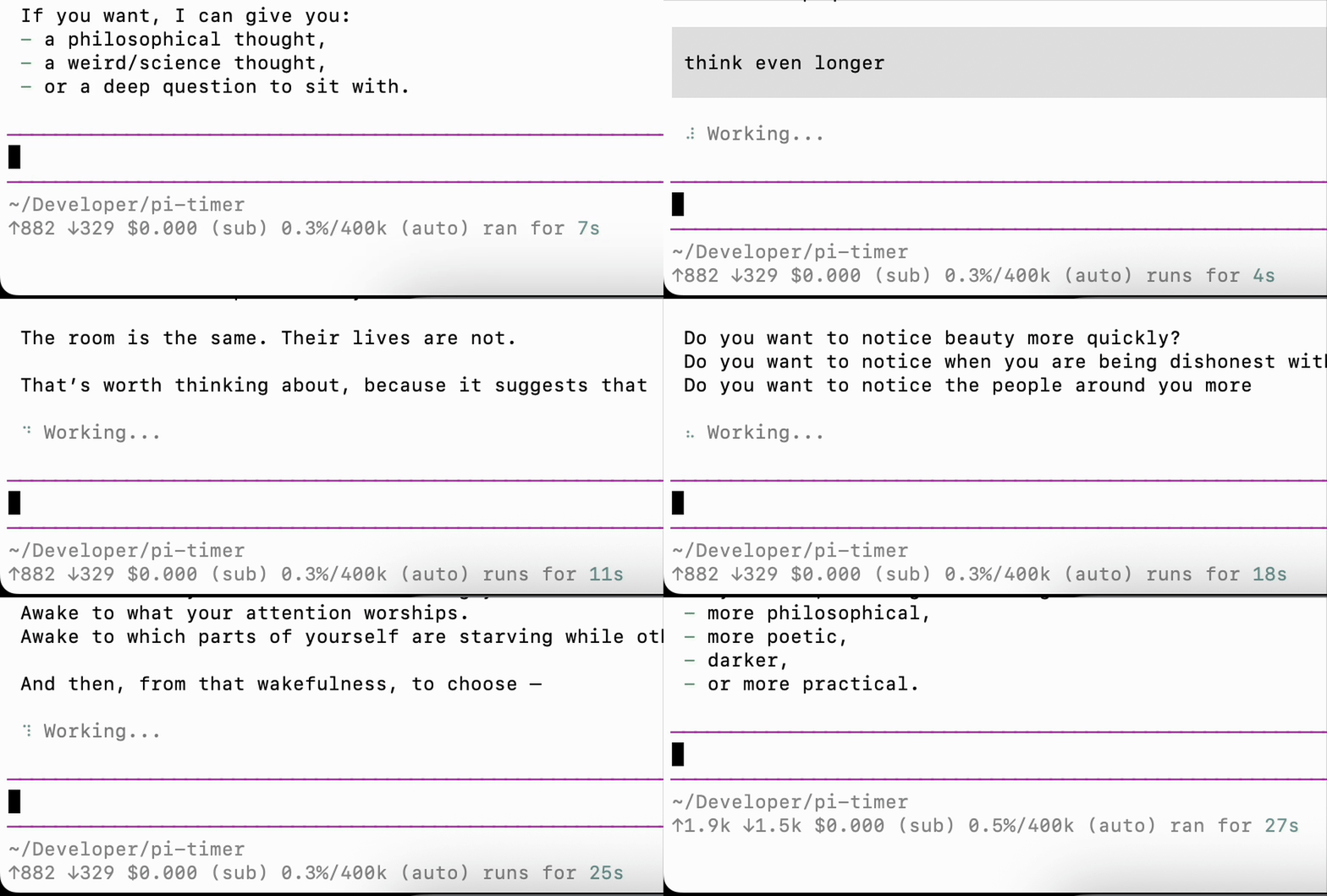
Pi extension that adds a per-run timer to the footer.
Install
pi install npm:pi-timer
From GitHub:
pi install git:github.com/jojopirker/pi-timer
From a local checkout:
pi install /absolute/path/to/pi-timer
Demo video: example.mp4
What It Does
- Shows a live timer while the agent is running
- Keeps the final duration visible after the run ends
- Resets on the next run
- Renders inline in the footer instead of on a separate status line
- Uses
runs forwhile active andran forafter completion
Local Development
Pi auto-discovers .pi/extensions/run-timer.ts in this repo.
pi
You can also load the package directly:
pi -e .
If Pi is already running, use /reload after edits.
Issues
If you hit a bug or want to request a feature, open an issue:
github.com/jojopirker/pi-timer/issues
Notes
Pi's extension API does not currently expose the built-in footer as a composable primitive. This package uses ctx.ui.setFooter() and recreates the default footer layout so the timer can appear inline.