
Install
Install with PiG
pig install npm:pi-stats-posterInstall with Pi
pi install npm:pi-stats-posterPackages run code with your permissions and influence agent behavior. Catalog inclusion is not a security audit. Review the source before installing a third-party package.
Pi manifest JSON
The pi field of package.json.
{
  "image": "./docs/poster.png",
  "extensions": [
    "./index.ts"
  ]
}
README
Written by the package's publisher, shown as published in version 0.1.10 (README.md). PiG does not review it.
pi-stats-poster


A year-to-date usage poster for pi, the coding agent: a
block-digit token total, a GitHub-style activity calendar, and your best
streak, active days and session count. Ported from opencode's TUI /stats
view (MIT) — see Credits and licence. Run /stats in
interactive mode; Escape, Ctrl+C (or q) closes it.
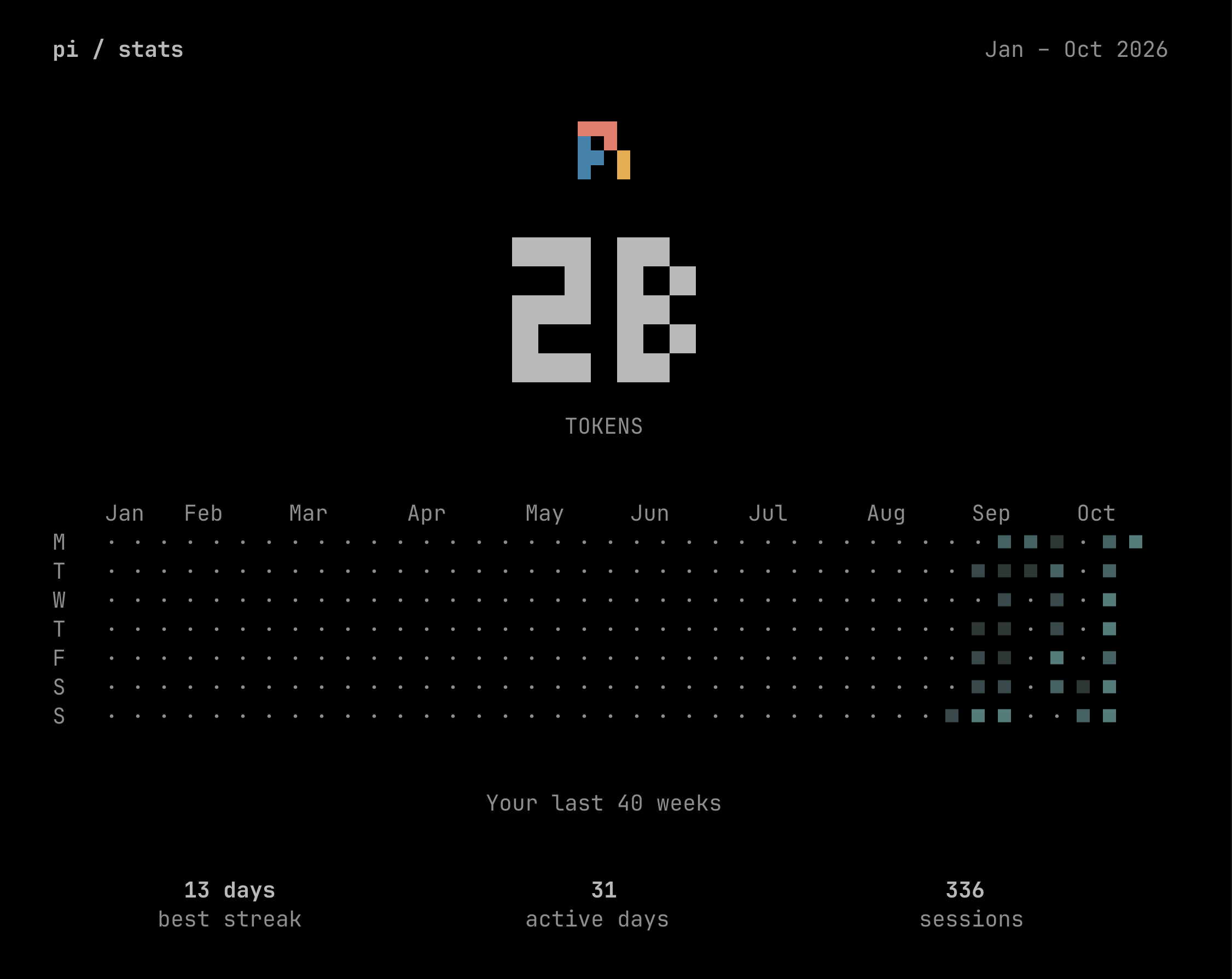
One machine's year to date. The calendar falls back to "Your last N weeks" when the terminal is too narrow to hold a full year.
What it shows
- The token total — every model call this year: assistant messages plus compaction and branch summaries. Cache reads are counted, which is why the number is large. Reasoning tokens already sit inside the output count, so they are not added twice.
- The calendar — a year of activity, one column per week, five shade levels.
- best streak / active days / sessions — the longest run of consecutive active days, the days with any activity at all, and the sessions that had some.
Install
From npm:
pi install npm:pi-stats-poster
From git, tracking main:
pi install git:github.com/xprnvd/pi-stats
Add @v0.1.10 to the git URL (or @0.1.10 to the npm spec) to pin a release.
To try it for one invocation without adding it to your settings:
pi -e npm:pi-stats-poster
From a local checkout:
pi install /absolute/path/to/pi-stats
Requirements
Built and tested against pi 1.3.0 or newer. The poster reads your session history, so it shows something only once you have used pi.
Privacy
The extension reads your session files under ~/.pi/agent/sessions to count
tokens. Nothing is sent anywhere: there is no network call, no telemetry
and no external service in this package. The data stays on your machine and in
your terminal.
A per-file cache of the parsed counts is written to
~/.pi/agent/pi-stats/cache.json. Delete it any time; it is rebuilt on the
next run.
Notes
/statsis also the command ofpreinpost/pi-stats, an unrelated pi package that aggregates usage as text instead of as a poster. pi does not warn when two extensions register the same command — it renames the duplicates, so with both installed you get/stats:1and/stats:2and plain/statsstops working. Install one or the other, not both.- The poster's total is not pi's footer total. The formula matches pi's own, but pi's footer reads more sources; see the differences table.
- Short terminals clip the metric labels. Below roughly 26 rows the
best streak / active days / sessionsrow is cut off, because the poster is drawn in the input dock and shares the screen with the transcript and the footer.
Documentation
- docs/differences.md — why it differs from opencode, and which file each part came from
- docs/counting.md — exactly what the poster counts
- docs/development.md — the package layout, the test suite and how to run it
- docs/releasing.md — publishing a release
Credits and licence
This is a port. The poster, the activity calendar, the block-digit font and the statistics assembly are adapted from opencode (MIT, © 2025 opencode); the exact mapping is in NOTICE, which also carries opencode's licence notice. This package is not affiliated with or endorsed by the opencode project.
The pi mark in the poster is reproduced from the pi coding agent.
MIT licensed — see LICENSE.