
Install
Install with PiG
pig install npm:pi-sparkInstall with Pi
pi install npm:pi-sparkPackages run code with your permissions and influence agent behavior. Catalog inclusion is not a security audit. Review the source before installing a third-party package.
Pi manifest JSON
The pi field of package.json.
{
  "image": "https://raw.githubusercontent.com/zlliang/pi-spark/main/assets/cover.png",
  "themes": [
    "./themes"
  ],
  "extensions": [
    "./index.ts"
  ]
}
README
Written by the package's publisher, shown as published in version 1.1.0 (README.md). PiG does not review it.

pi-spark
Pi package that polishes your daily experience.
Install
Install from npm:
pi install npm:pi-spark
Install from git:
pi install git:github.com/zlliang/pi-spark
pi-spark requires Pi 1.0 or later.
Features
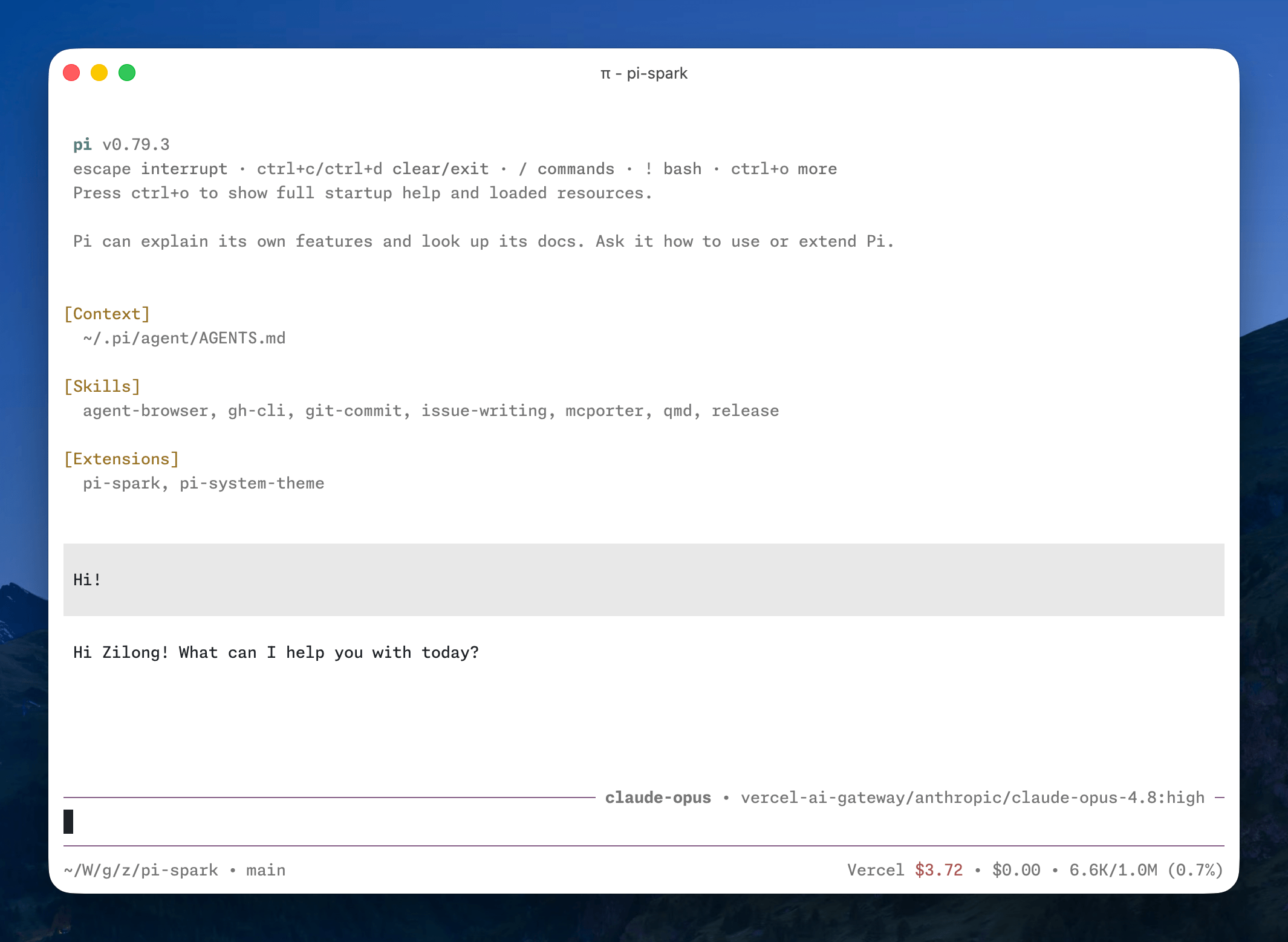
Compact TUI: editor and footer
pi-spark ships with a custom editor and footer, replacing the default ones. The compact TUI gives you a calm experience without distraction.
- The editor shows the current model and Pi's status indicators, such as working and compaction, on the top border. If you use presets, the active preset appears there too.
- The footer shows session information, extension statuses, cost, and context usage on one line.

Credits
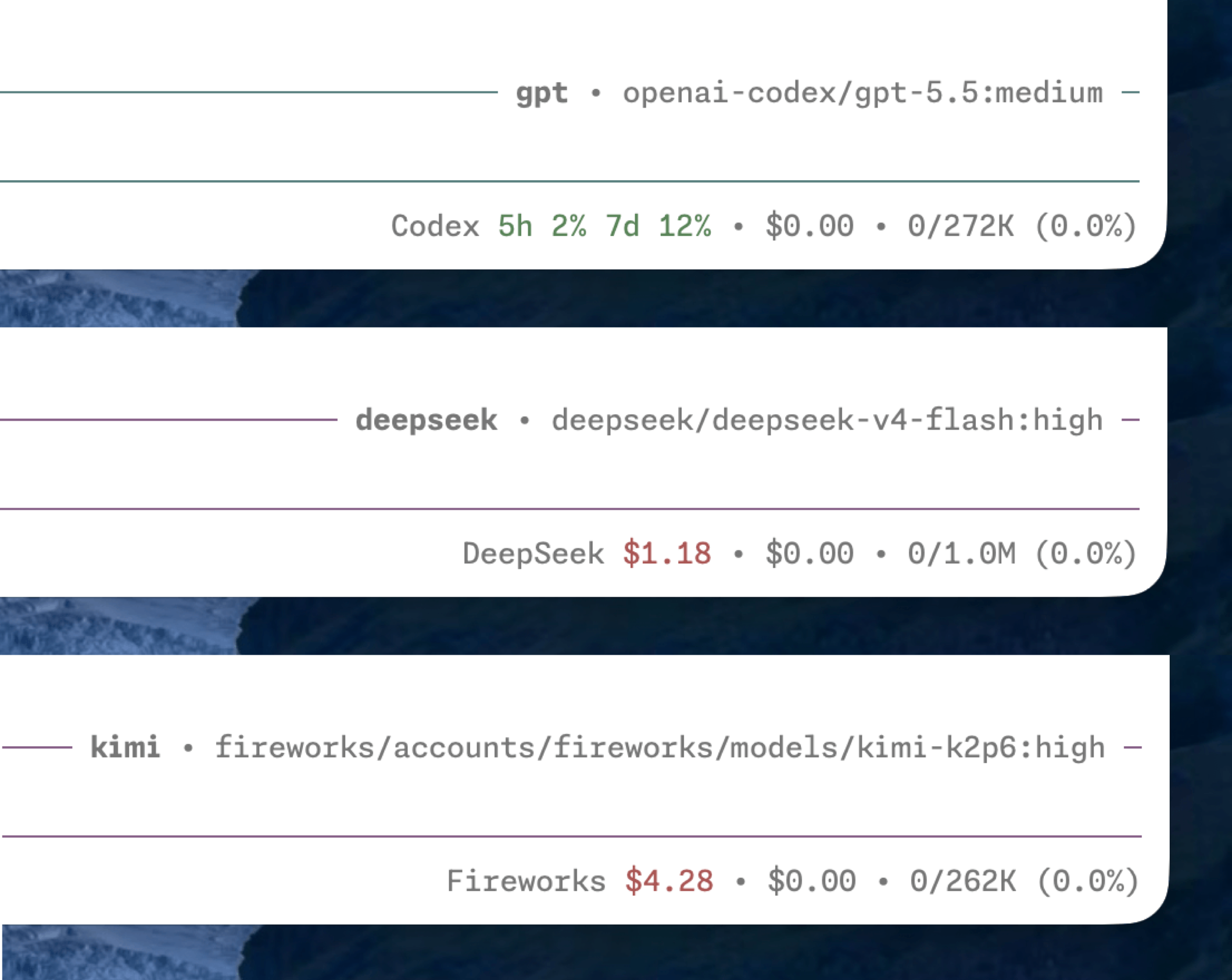
pi-spark shows the active provider's credit balance or rate-limit usage in the status line, so you can keep an eye on what's left without leaving the terminal.
- Supported providers: DeepSeek, Fireworks, Kimi Code, Moonshot, OpenAI Codex (legacy), OpenCode Go, OpenRouter, and Vercel AI Gateway.
- Most provider fetching follows CodexBar. Fireworks is the exception: its balance sits behind an internal gRPC API, reverse-engineered from the
firectlbinary (see Reverse-Engineering Fireworks Credits).
OpenAI Codex banked resets
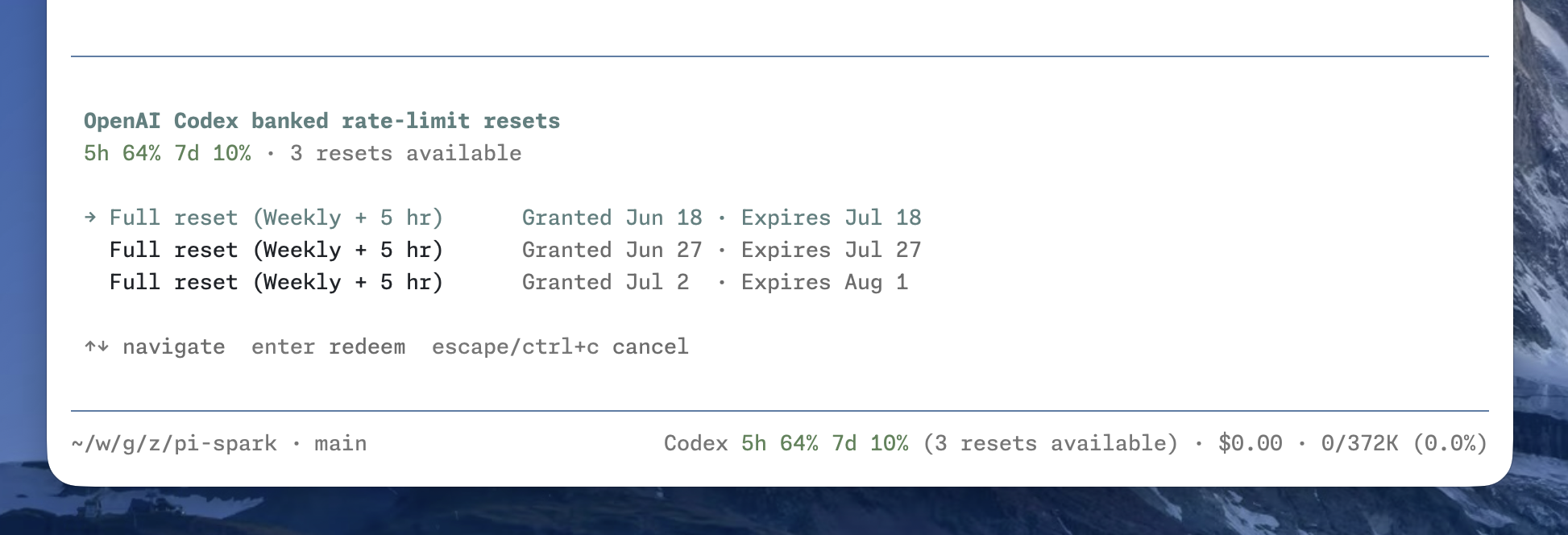
Banked rate-limit resets are saved benefits that can reset eligible Codex usage windows when redeemed. When available, their count appears after the usage windows. Run /codex-resets to inspect each reset and its expiration date, then select one to redeem. See OpenAI Codex Banked Rate-Limit Resets for the underlying behavior and internal APIs.
Peak/off-peak pricing
Pi does not currently support time-based pricing, so its cost estimates can be inaccurate for providers with peak/off-peak rates, such as DeepSeek. pi-spark updates model cost metadata so subsequent usage calculations reflect the current rate.

Presets
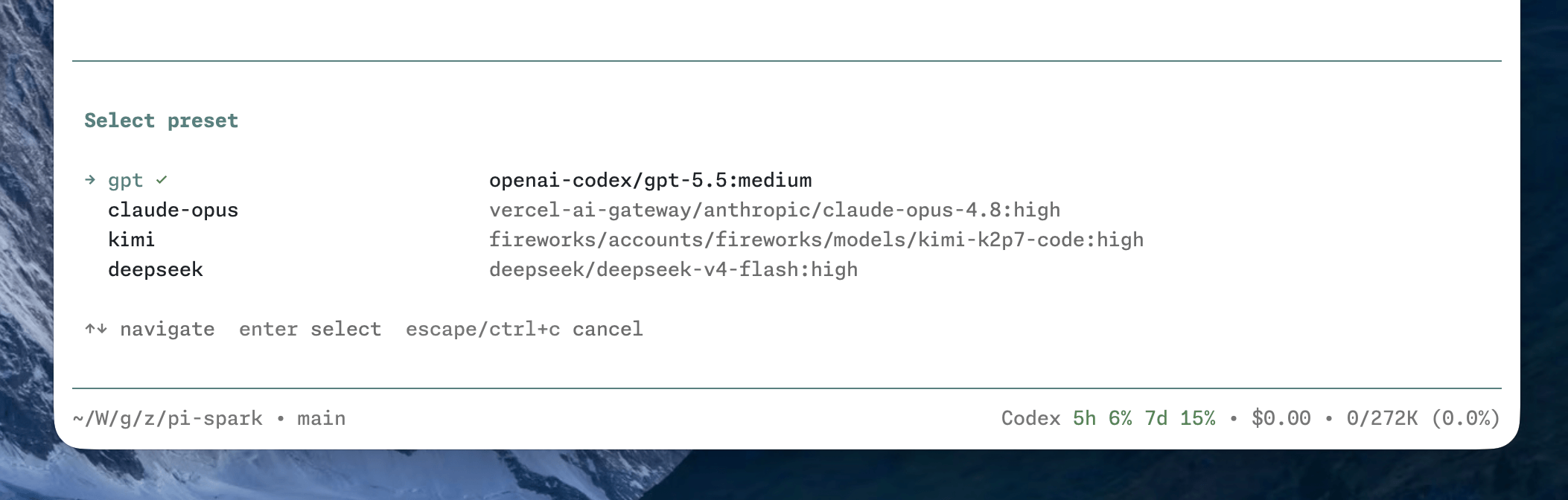
pi-spark lets you define named model presets in spark.json (see Configuration), so you can switch between models and thinking levels without retyping provider details. The active preset is shown on the editor's top border.
- Switch interactively with
/preset, or jump straight to one with/preset <name>. - Start pi on a given preset with
pi --preset <name>. - Cycle presets with
ctrl+super+p(forward) andctrl+shift+super+p(backward);superiscommandon macOS and needs a terminal that forwards it.
Recap
pi-spark generates a short recap of the current session after it goes idle, or on demand, inspired by Claude Code's session recap.
- A recap is generated automatically once the session stays idle past
recap.idleinspark.json. - Run
/recapto generate one manually at any time. - The recap generation can use its own model, configured separately from your working model.

Title
pi-spark names the session automatically after the first completed turn, so it's easy to find later in the session selector.
- Once the agent completes its first response and any tool calls from that turn, pi-spark generates a short title from the conversation and sets it as the session name.
- Generation is silent: nothing is shown in the UI, and the usage is recorded in a session entry like the recap.
- Sessions that already have a name are left untouched.
- The title generation can use its own model, configured separately from your working model.
Configuration
pi-spark reads config from ~/.pi/agent/spark.json and from the current project's .pi/spark.json. Project config overrides matching global fields.
For example:
{
  "editor": {
    "thinkingLevelIndicator": "model"
  },
  "footer": false,
  "presets": {
    "ultra": {
      "provider": "anthropic",
      "model": "claude-opus-5-5",
      "thinkingLevel": "high"
    },
    "high": {
      "provider": "openai-codex",
      "model": "gpt-6.1-sol",
      "thinkingLevel": "medium"
    }
  },
  "recap": {
    "idle": "5m",
    "provider": "openai-codex",
    "model": "gpt-6-luna",
    "thinkingLevel": "off"
  },
  "title": {
    "provider": "openai-codex",
    "model": "gpt-6-luna",
    "thinkingLevel": "off"
  }
}
References
All fields are optional. Each top-level feature runs with the defaults below unless you turn it off.
| Field | Value (or false) | Description |
|---|---|---|
credits | CreditsConfig | Shows the active provider's credit balance or rate-limit usage in the status line. |
editor | EditorConfig | Shows the current model and Pi's status indicators on the editor's top border. |
footer | FooterConfig | Shows session info, extension statuses, cost, and context usage. |
presets | { [name]: Preset } | Defines named model presets, keyed by name. |
recap | RecapConfig | Generates a session recap when idle or on demand. |
title | TitleConfig | Names the session automatically after the first completed turn. |
CreditsConfig
All supported providers are enabled by default. Set a provider to false to disable its credits status and pricing updates, or to true to override a global false in project config.
{
  "credits": {
    "providers": {
      "fireworks": false,
      "openai-codex": true
    }
  }
}
| Field | Value | Description |
|---|---|---|
providers | partial map of provider IDs to booleans | Enables or disables credits for individual providers. Valid IDs: deepseek, fireworks, kimi-coding, moonshotai, moonshotai-cn, openai-codex, opencode-go, openrouter, and vercel-ai-gateway. |
EditorConfig
The thinkingLevelIndicator field is optional and defaults to border.
| Field | Value | Description |
|---|---|---|
thinkingLevelIndicator | border (default) | Uses the thinking-level color for the editor border. |
model | Uses the thinking-level color for the model name and the dim color for the editor border. |
FooterConfig
The statusPosition field is optional and defaults to inline.
| Field | Value | Description |
|---|---|---|
statusPosition | inline (default) | Shows extension statuses on the same line as session info, cost, and context usage. |
below | Moves extension statuses to a new line below. |
Preset
Each preset must set all three fields.
| Field | Value | Description |
|---|---|---|
provider | string | Provider ID, e.g., anthropic. |
model | string | Model ID, e.g., claude-opus-4-8. |
thinkingLevel | ModelThinkingLevel | Thinking level for the preset. |
RecapConfig
All fields are optional. If the recap model configuration is incomplete, pi-spark falls back to the session's main model. thinkingLevel defaults to off (clamped to the model), so recap stays cheap regardless of your working thinking level.
| Field | Value | Description |
|---|---|---|
idle | number (ms) or duration string | How long the session must stay idle before a recap is generated. Accepts a millisecond number or a parse-duration string (e.g., "5m"); minimum 5000 ms, defaults to 5 minutes. |
provider | string | Provider ID for the recap model. |
model | string | Model ID for the recap model. |
thinkingLevel | ModelThinkingLevel | Thinking level for the recap model. Defaults to off. |
TitleConfig
All fields are optional. If the title model configuration is incomplete, pi-spark falls back to the session's main model. thinkingLevel defaults to off (clamped to the model), so title generation stays cheap regardless of your working thinking level.
| Field | Value | Description |
|---|---|---|
provider | string | Provider ID for the title model. |
model | string | Model ID for the title model. |
thinkingLevel | ModelThinkingLevel | Thinking level for the title model. Defaults to off. |
ModelThinkingLevel
Valid values: off, minimal, low, medium, high, xhigh, max.
Turn off the features you don't like
All features are enabled by default. Set a specific feature to false in spark.json to disable it.
For example, to disable the customized footer:
{
  "footer": false
}
Themes
pi-spark ships with two custom themes inspired by GitHub's VS Code themes:
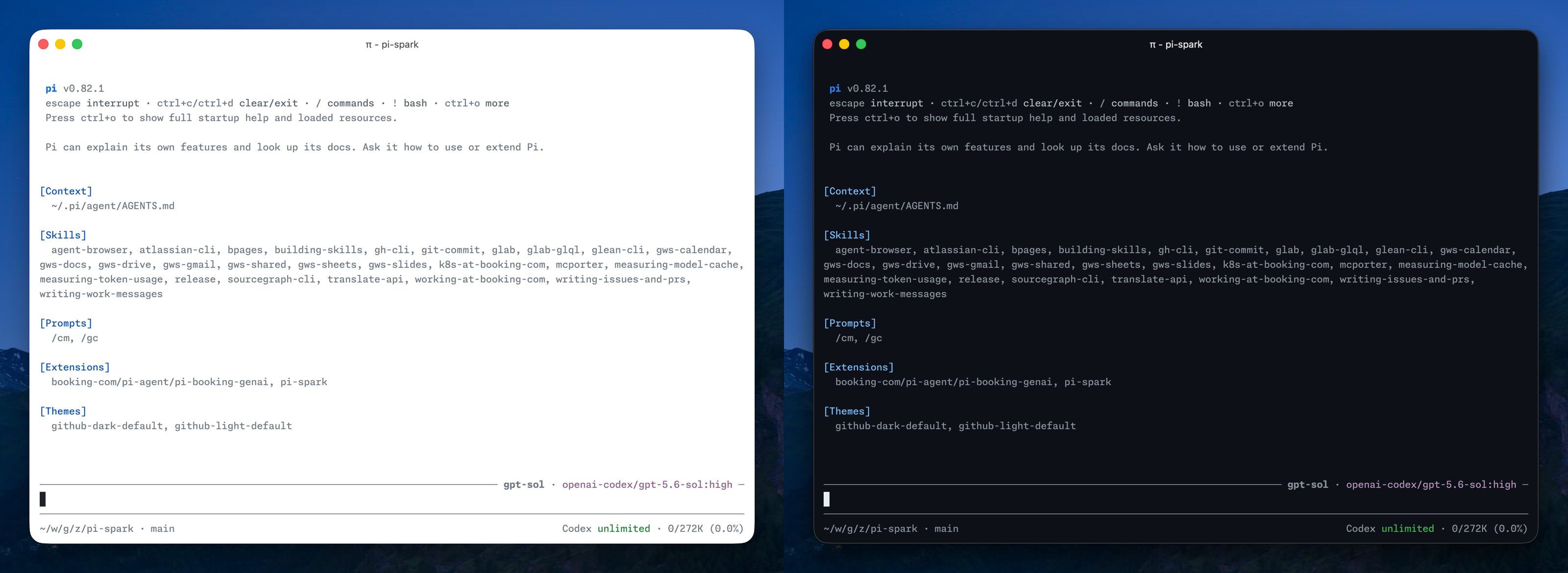
Select either theme in /settings, or configure automatic switching between them:
{
  "theme": "github-light-default/github-dark-default"
}