
Install
Install with PiG
pig install npm:pi-smart-fetchInstall with Pi
pi install npm:pi-smart-fetchPackages run code with your permissions and influence agent behavior. Catalog inclusion is not a security audit. Review the source before installing a third-party package.
Pi manifest JSON
The pi field of package.json.
{
  "image": "https://raw.githubusercontent.com/Thinkscape/agent-smart-fetch/master/packages/pi-smart-fetch/demo.gif",
  "extensions": [
    "./dist/index.js"
  ]
}
README
Written by the package's publisher, shown as published in version 0.3.23 (README.md). PiG does not review it.
pi-smart-fetch
pi-smart-fetch adds smarter web fetching tools to pi.dev.
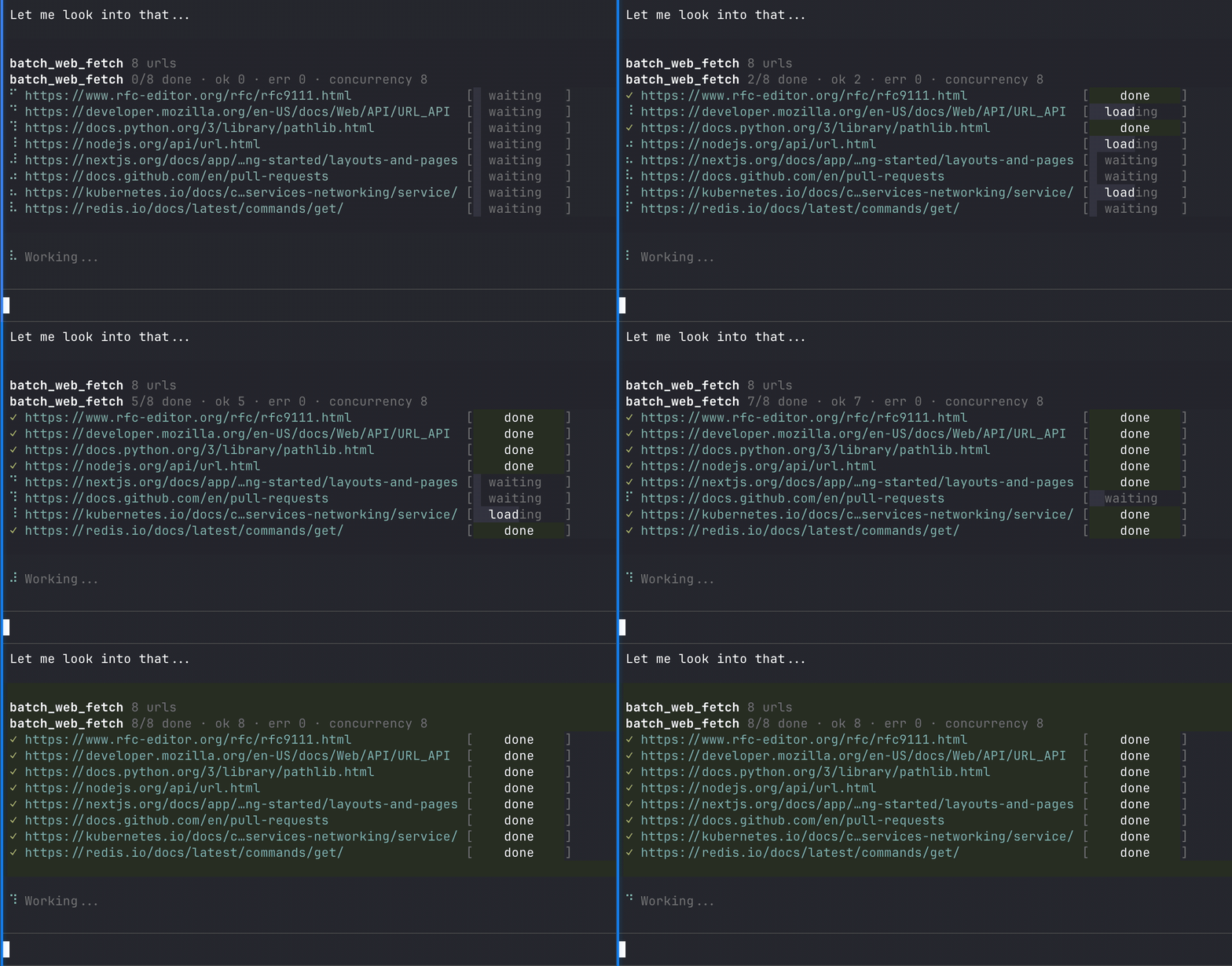
Features
- 🔐 Browser-like TLS/SSL + HTTP fingerprints — better success on bot-defended pages
- 🧹 Defuddle extraction — clean readable content instead of noisy HTML
- 🧠 Useful metadata — title, author, site, language, published date when available
- 📦 Downloads + large file support — stream attachments and binaries to temp files
- 🔁 Client-side
<meta>redirects — follows sane meta refresh redirects with loop limits - 🔗 Alternate content fallback — when extraction produces no/thin content, follows qualified
<link rel="alternate" type="...">entries in<head>that match the requested output format - ⚡ Batch fetch — fetch many URLs with bounded concurrency
- 📝 Multiple output formats —
markdown,html,text,json,raw
Site optimisations
This package works on general web pages, but some site types benefit especially from Defuddle's extractors and cleanup:
- YouTube pages and transcripts
- Reddit posts and comment threads
- X / Twitter posts
- GitHub pages, issues, PRs, and discussions
- Hacker News threads
- Substack posts
- Pages with code blocks, footnotes, math, and callouts
Notes:
- Defuddle is the cleanup layer: it strips common page chrome like nav, sidebars, related links, share widgets, and footers
- It does not execute JavaScript or solve interactive anti-bot/login flows
- If an HTML shell advertises alternate content in
<head>, smart-fetch can follow matching alternates such astext/markdown,text/plain,text/html, or JSON media types according to the requestedformat
Install
From npm:
pi install npm:pi-smart-fetch
From a local checkout:
gh repo clone Thinkscape/agent-smart-fetch
pi install agent-smart-fetch/packages/pi-smart-fetch
Pi tools
Registers:
web_fetchbatch_web_fetch
Synopsis:
web_fetch(url, browser?, os?, headers?, maxChars?, timeoutMs?, format?, removeImages?, includeReplies?, proxy?, verbose?)
batch_web_fetch(requests, verbose?)
For batch_web_fetch, each item in requests accepts the same parameters as web_fetch except verbose.
Fetched content remains available to the agent, while pi stores compact result
details in session history. The web_fetch history view shows metadata and
counts instead of a page preview, even when expanded. Sessions saved by earlier
versions remain readable.
Output formats
| Format | What you get |
|---|---|
markdown | Best default for readable page content |
html | Cleaned HTML output |
text | Plain text with markdown stripped |
json | Structured JSON for metadata-heavy workflows |
raw | Full raw server response without extraction or truncation — for further parsing |
Global defaults
Optional settings in ~/.pi/agent/settings.json or .pi/settings.json:
{
  "smartFetchVerboseByDefault": false,
  "smartFetchDefaultMaxChars": 50000,
  "smartFetchDefaultTimeoutMs": 15000,
  "smartFetchDefaultBrowser": "chrome_145",
  "smartFetchDefaultOs": "windows",
  "smartFetchDefaultRemoveImages": false,
  "smartFetchDefaultIncludeReplies": "extractors",
  "smartFetchDefaultBatchConcurrency": 8,
  "smartFetchTempDir": "/tmp/smart-fetch-pi"
}
| Setting | Default | Description |
|---|---|---|
smartFetchVerboseByDefault | false | Stored default for the compatibility verbose flag |
smartFetchDefaultMaxChars | 50000 | DefaultmaxChars limit |
smartFetchDefaultTimeoutMs | 15000 | Default request timeout in milliseconds |
smartFetchDefaultBrowser | chrome_145 | Default browser fingerprint profile |
smartFetchDefaultOs | windows | Default OS fingerprint profile |
smartFetchDefaultRemoveImages | false | Strip image references by default |
smartFetchDefaultIncludeReplies | extractors | Include replies/comments only when site extractors support them |
smartFetchDefaultBatchConcurrency | 8 | Default bounded concurrency for batch_web_fetch |
smartFetchTempDir | OS temp dir | Base directory for attachment and binary downloads |
Notes:
- Project
.pi/settings.jsonoverrides global~/.pi/agent/settings.json - Legacy
webFetch*aliases are still supported
Dev and publishing note
This repo uses Bun for local development, tests, and workspace scripts. Package publishing still goes through npm publish in CI so npm Trusted Publishing can be used.