
Install
Install with PiG
pig install npm:pi-polishInstall with Pi
pi install npm:pi-polishPackages run code with your permissions and influence agent behavior. Catalog inclusion is not a security audit. Review the source before installing a third-party package.
Pi manifest JSON
The pi field of package.json.
{
  "image": "https://raw.githubusercontent.com/Pringled/pi-extensions/main/assets/images/pi-polish-dark.gif",
  "extensions": [
    "./extensions/tools.ts",
    "./extensions/chrome.ts"
  ]
}
README
Written by the package's publisher, shown as published in version 0.1.14 (README.md). PiG does not review it.
pi-polish
Makes Pi's output look like Claude Code's: tool calls fold into short summary lines, and edits show as colored diffs.
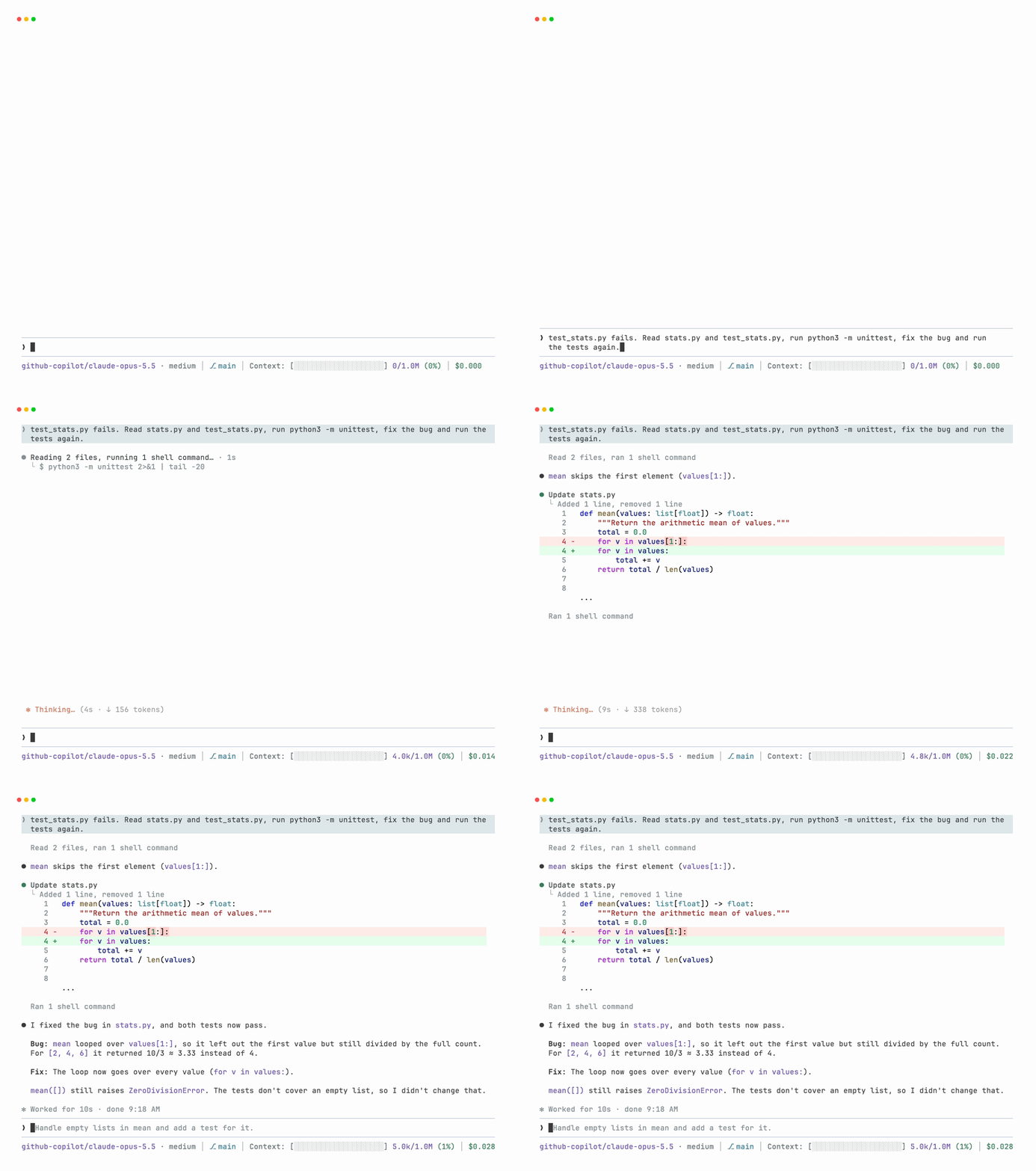
pi install npm:pi-polish
Features
- Shell commands, file reads, searches, MCP tool calls and codemode scripts in a row fold into one line that updates while they run (
Running 2 shell commands… · 5s, with the command and its latest output line below) and then sums them up (Ran 3 shell commands, read 2 filesorCalled 2 MCP tools). Click a row to see its commands under it, each with its own status dot and full output, and click again to fold it;ctrl+odoes this for every row. - Edits and new files show as diffs with syntax highlighting and the changed words marked, in colors that follow your Pi theme, dark or light.
- Reads, searches, shell commands and MCP calls show a pulsing dot in your theme's accent color while they run, then turn into a quiet grey row once done, with a red dot if one failed. Edits and writes keep a green dot with their diff.
- An orange status line shows what Pi is doing, how long it has been at it and how many tokens it has written. When Pi finishes, a dim line says how long it worked and when it was done.
- Tools from other extensions keep their own look, but without Pi's colored box: they sit under the same status dot as the other rows.
❯marks your messages and●marks Pi's replies.- A short instruction to the model to change files with Pi's edit and write tools instead of shell commands like
sed -i, so you see the changes as diffs.
Compatibility
pi-polish only changes how tools are drawn; the tools themselves run exactly as before. The chat styling (the markers and the status line) reaches into Pi's internal UI, so a new Pi release can break that part of the look until pi-polish is updated. Your sessions are never affected. Tested with Pi 1.4.
License
MIT