
Install
Install with PiG
pig install npm:pi-pimInstall with Pi
pi install npm:pi-pimPackages run code with your permissions and influence agent behavior. Catalog inclusion is not a security audit. Review the source before installing a third-party package.
Pi manifest JSON
The pi field of package.json.
{
  "image": "./assets/banner-v2.png",
  "extensions": [
    "./index.ts"
  ],
  "changelogPath": "./CHANGELOG.md"
}
README
Written by the package's publisher, shown as published in version 1.0.0 (README.md). PiG does not review it.
Pim
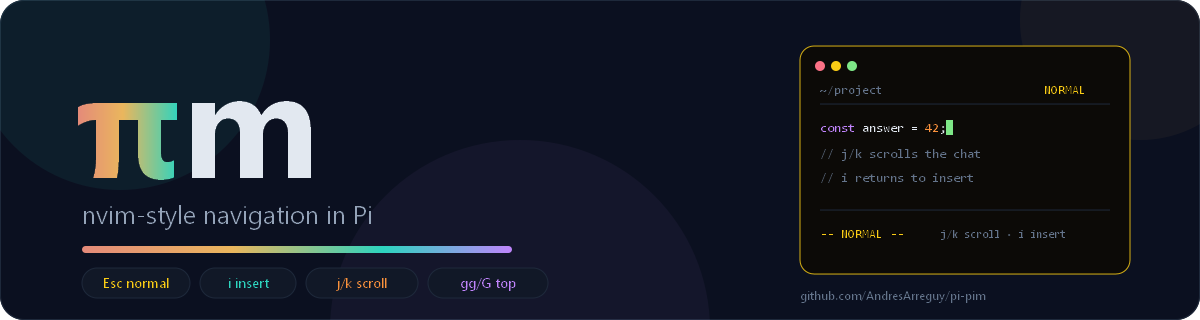

⭐ If Pim makes Pi feel like home, star the repo. It helps other Vim users find it.

Pim = Pi + Vim. A modal editor for Pi: type in insert mode, press Esc to
enter normal mode, and use j/k to scroll the chat transcript — not the
prompt history.
Features
- Insert mode — Pi's normal editor behavior.
- Normal mode —
Escfrom insert. - Chat scrolling —
j/kscroll the transcript one line;Ctrl+D/Ctrl+Uhalf page;Ctrl+F/Ctrl+Bpage;gg/Gtop/bottom. - Vim-style prompt editing —
h/l,0/$,x,i,a. - Mode indicator —
NORMAL/INSERTon the editor border. - No prompt-history hijack — insert-mode
↑/↓keep working as Pi normally does.
Keymap
Insert
Standard Pi editing: type, move, paste, autocomplete, Enter to submit,
Ctrl+... shortcuts. Esc switches to normal.
Normal
| Key | Action |
|---|---|
i | insert at cursor |
a | insert after cursor |
h / l | cursor left / right |
0 / $ | line start / end |
x | delete character |
j / k | scroll chat down / up one line |
Ctrl+D / Ctrl+U | half page down / up |
Ctrl+F / Ctrl+B | page down / up |
gg | scroll chat to top |
G | scroll chat to bottom |
Enter | submit the prompt |
Esc | pass through to Pi (interrupt / abort) |
Install
From GitHub:
pi install git:github.com/AndresArreguy/pi-pim
Pinned:
pi install git:github.com/AndresArreguy/pi-pim@v1.0.0
From a local clone:
git clone https://github.com/AndresArreguy/pi-pim.git
cd pi-pim
pi install .
Restart Pi or run:
/reload
Pim replaces the main editor via
ctx.ui.setEditorComponent(). Remove other custom-editor extensions if you have one installed; the last registration wins.
Requirements
- Pi 1.5.x.
- Node.js 22.6+.
- Fullscreen mode (
tuiMode: "fullscreen", Pi's default) for transcript scrolling. In regular mode the modal editing still works, butj/k,Ctrl+D/U,Ctrl+F/Bandgg/Ghave no transcript viewport to scroll.
How it works
Pim extends Pi's CustomEditor:
- On
session_startit callsctx.ui.setEditorComponent()with a modal editor. handleInputinterceptsEscand normal-mode keys.j/k, page keys andgg/Gcall the fullscreen TUI'sscrollBy,scrollToTopandscrollToBottom, so they move the transcript where agent responses arrive.- The bottom border is extended with the current mode.
It does not modify the prompt history or Pi's transcript.
Limitations
- Fullscreen-only transcript scrolling.
- This is a focused modal layer, not a full Vim: no operators (
dw,ciw), visual mode, registers, or:commands (yet). Escin normal mode keeps Pi's interrupt/abort behavior.
Development
git clone https://github.com/AndresArreguy/pi-pim.git
cd pi-pim
npm run check      # syntax check, no build step
pi install .       # load the local package
Edit index.ts, run /reload in Pi, and test in a fullscreen session.
Contributing
Contributions are welcome. Read CONTRIBUTING.md and the Code of Conduct. Issues and PRs can be in English or Spanish. Security reports: SECURITY.md.
⭐ Support
If Pim makes Pi feel like home, please star the repo:
Issues and pull requests are welcome.
Credits
Built on Pi by the Pi team.
License
MIT © 2026 Andres Arreguy.