
Install
Install with PiG
pig install npm:pi-pet-emoteInstall with Pi
pi install npm:pi-pet-emotePackages run code with your permissions and influence agent behavior. Catalog inclusion is not a security audit. Review the source before installing a third-party package.
Pi manifest JSON
The pi field of package.json.
{
  "image": "https://cdn.jsdelivr.net/npm/pi-pet-emote@0.2.0/docs/package-cover.png",
  "extensions": [
    "./src/index.ts"
  ]
}
README
Written by the package's publisher, shown as published in version 0.2.0 (README.md). PiG does not review it.
pi-pet-emote
Meet Mafe the dog and Leo the cat, reactive pixel-art companions beside your Pi prompt. Choose either pet: 24 reactions follow local session events—thinking, tools, questions, and results—with no model calls.
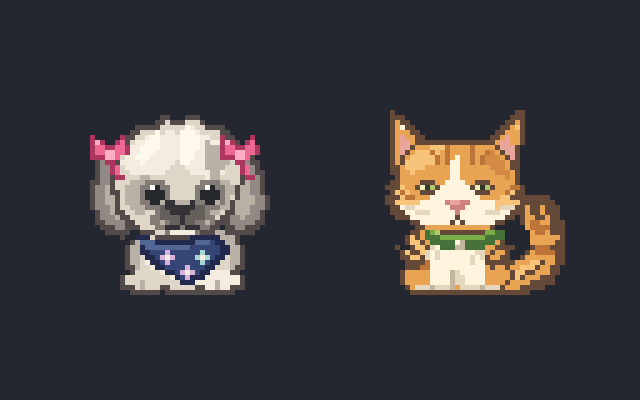
Requires Node.js 22.19+ and an interactive Pi session. Image support depends on your terminal; ASCII is the fallback.
Install
From npm:
pi install npm:pi-pet-emote
Or from GitHub:
pi install git:github.com/offluisangel/pi-pet-emote
Run /reload in Pi, then /emote demo to meet the pet. Choose one installation source, not both.
Uninstall
For an npm installation:
pi remove npm:pi-pet-emote
For a GitHub installation:
pi remove git:github.com/offluisangel/pi-pet-emote
Run /reload in Pi to unload the extension.
Commands
| Command | Action |
|---|---|
/emote | List available reactions. |
/emote pet | Choose Mafe or Leo; the active pet is marked. |
/emote <state> | Preview a reaction. |
/emote demo | Play the reaction sequence. |
/emote idle | Stop the preview and return to idle. |
Choosing a different pet switches immediately and stops any preview. Canceling or choosing the active pet changes nothing. Reactions, demo, and idle use the selected pet in this and future sessions.
License
MIT. Original code by Eiji Onchi and efolchmontiel; contributions by offluisangel.