
Install
Install with PiG
pig install npm:pi-personal-sidebarInstall with Pi
pi install npm:pi-personal-sidebarPackages run code with your permissions and influence agent behavior. Catalog inclusion is not a security audit. Review the source before installing a third-party package.
Pi manifest JSON
The pi field of package.json.
{
  "image": "./assets/banner-v5.png",
  "extensions": [
    "./index.ts"
  ],
  "changelogPath": "./CHANGELOG.md"
}
README
Written by the package's publisher, shown as published in version 1.2.1 (README.md). PiG does not review it.
pi-personal-sidebar

⭐ If this sidebar is useful, please star the repo. It helps other Pi users find it.

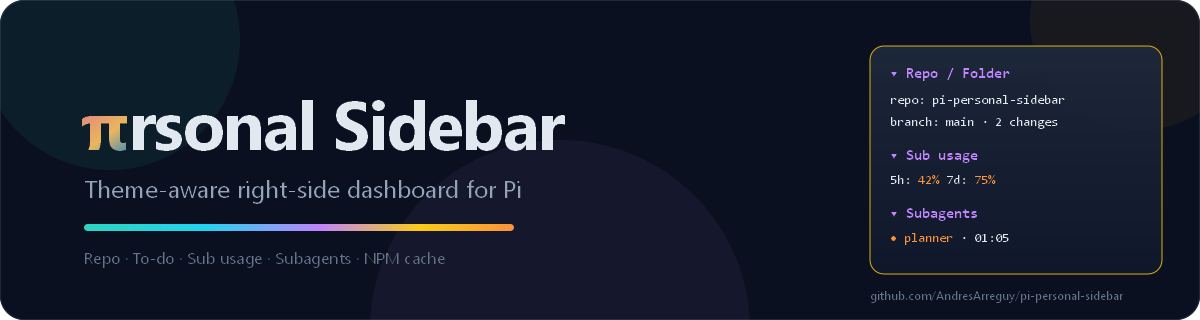
A theme-aware right-side dashboard for Pi: repository, todos, Command Code usage, running subagents and one-click npm cache cleanup — without covering the chat.
Pi has no native split-pane API, so the extension wraps Pi's fullscreen layout
root in an HStack and reserves a fixed right column. The transcript, editor
and footer reflow into the remaining width.
┌────────────────────────────────┬──────────────────────┐
│ chat / transcript / editor     │ ▾ Repo / Folder      │
│                                │ ▾ To-do              │
│                                │ ▾ Sub usage       │
│                                │ ▾ Subagents          │
│                                │ ▾ NPM cache          │
└────────────────────────────────┴──────────────────────┘
Features
- Repo / Folder — repository name, branch, dirty file count and local path.
- To-do — tasks from
rpiv-todo. Its own overlay is hidden so the list only appears once. - Sub usage — progress bars for the 5-hour, weekly and monthly quota (monthly fills with the billing-period spend), context-window usage, session token totals, cache-hit rate and cost, plus the current model and thinking level. Quota refreshes every 60s; context/tokens every 2s.
- Subagents — active
run_agentcalls with agent name, task preview and elapsed time. - NPM cache —
[ Clear NPM cache ]runsnpm cache clean --forceand, when available,pnpm store prune. A confirmation dialog is always shown. - Collapsible sections — bold titles with
▾ / ▸. Click a title with the mouse, or focus the panel and use the keyboard. - Theme-aware — no hardcoded colors. See Theme integration.
- Bilingual UI — Spanish/English, automatic by default.
Requirements
- Pi 1.5.x (fullscreen mode, the default).
- Node.js 22.6+.
- Optional:
@juicesharp/rpiv-todofor the To-do section. - Optional: a
commandcodeprovider login (orCOMMAND_CODE_API_KEY/COMMANDCODE_API_KEY) for the quota bars. Other providers still show context, tokens, model and thinking.
Install
From GitHub:
pi install git:github.com/AndresArreguy/pi-personal-sidebar
Pinned to a tag:
pi install git:github.com/AndresArreguy/pi-personal-sidebar@v1.2.1
From a local clone:
git clone https://github.com/AndresArreguy/pi-personal-sidebar.git
cd pi-personal-sidebar
pi install .
Optional todo provider:
pi install npm:@juicesharp/rpiv-todo
If you previously copied
personal-sidebar.tsinto~/.pi/agent/extensions/, remove it before installing this package. Loading both would create two layout wrappers and two sidebars.
Restart Pi or run:
/reload
Usage
/sidebar                              help
/sidebar toggle <git|todo|usage|agents|cache>
/sidebar focus                        keyboard focus (↑↓, Enter, Esc)
/sidebar hide | /sidebar show
/sidebar cache                        clear the npm/pnpm cache
/sidebar refresh                      refresh git, usage and todos
/sidebar width <28-56>                change the column width
/sidebar language [auto|es|en]        show or change the UI language
Ctrl+Alt+B toggles the sidebar. Hiding it gives the full width back to the
chat.
Mouse and keyboard
- Click a section title to collapse or expand it.
- Click
[ Clear NPM cache ]to run the cleanup. /sidebar focusthen↑ / ↓,Enter,Escfor keyboard-only use.- Dragging/resizing the terminal reflows the chat and the sidebar.
Theme integration
The sidebar uses the active Pi theme; no colors are bundled. A custom theme automatically applies to it.
| Part | Theme token / API |
|---|---|
| Panel background | terminal default (same as the chat) |
| Border | theme.getThinkingBorderColor(thinking) — the exact color Pi uses for the chat input border (yellow at high) |
| Section titles | mdHeading |
| Body text | text |
| Percentages and agent names | mdCode |
| Selected/focused row | selectedBg |
| Progress bars | success / warning / error by percentage |
| Todo icons | success, accent, dim |
| Errors | warning |
If the active theme does not define a token, Pi's normal fallback applies. No sidebar-specific theme is required.
Configuration
Preferences live in:
~/.pi/agent/personal-sidebar.json
{
  "width": 40,
  "hidden": false,
  "collapsed": [],
  "language": "auto"
}
width: 28–56 columns (default 40).hidden: toggled byCtrl+Alt+Bor/sidebar hide|show.collapsed: section ids (git,todo,usage,agents,cache).language:auto,esoren.
Language precedence:
PI_SIDEBAR_LANG > language in personal-sidebar.json > system locale
The panel hides itself when the terminal is narrower than 100 columns, so the chat keeps a usable width.
How it works
- On
session_start, the extension registers a zero-height anchor widget to obtain Pi's TUI instance. - It wraps the current layout root in a
SidebarLayout(HStack) with:- the original Pi UI as the growing left column;
- the sidebar as a fixed-width right column.
- It patches
tui.setLayoutRootso future roots are wrapped too. - On
session_shutdownit restores the original root and method.
The sidebar is not an overlay; it reserves real columns and never covers the transcript.
Development
git clone https://github.com/AndresArreguy/pi-personal-sidebar.git
cd pi-personal-sidebar
npm run check       # syntax check (no build step)
pi install .        # load the local package
Then edit index.ts, i18n.ts, quota.ts or session-usage.ts and run
npm test (Node's test runner) before /reload in Pi.
Limitations
- Fullscreen mode only. Regular mode (
tuiMode: "regular") shows a warning and leaves the sidebar off. - The layout integration patches
setLayoutRoot. A future Pi release that changes the fullscreen layout API may require an update. - Subagent progress is agent + task + elapsed time. Live child output is not
streamed by
run_agent. - Quota bars depend on the Command Code API and the current account plan. The monthly bar needs a subscription with a billing period; without one the sidebar falls back to the remaining credit balance. Other providers still show context, tokens, model and thinking.
Contributing
Contributions are welcome. Read CONTRIBUTING.md and the Code of Conduct. Issues and PRs can be in English or Spanish. Security reports: SECURITY.md.
⭐ Support
If this sidebar is useful, please star the repo. It helps other Pi users find it.
Issues and pull requests are welcome.
Credits
Built on Pi by the Pi team.
License
MIT © 2026 Andres Arreguy.