
Install
Install with PiG
pig install npm:pi-next-promptInstall with Pi
pi install npm:pi-next-promptPackages run code with your permissions and influence agent behavior. Catalog inclusion is not a security audit. Review the source before installing a third-party package.
Pi manifest JSON
The pi field of package.json.
{
  "image": "https://raw.githubusercontent.com/Pringled/pi-extensions/main/assets/images/pi-next-prompt-dark.gif",
  "extensions": [
    "./extensions/next-prompt.ts"
  ]
}
README
Written by the package's publisher, shown as published in version 0.1.4 (README.md). PiG does not review it.
pi-next-prompt
Suggests what you'll probably ask Pi next. When Pi finishes a reply, a suggestion shows up in grey in the empty input, such as "Go ahead and fix it, then run the tests."
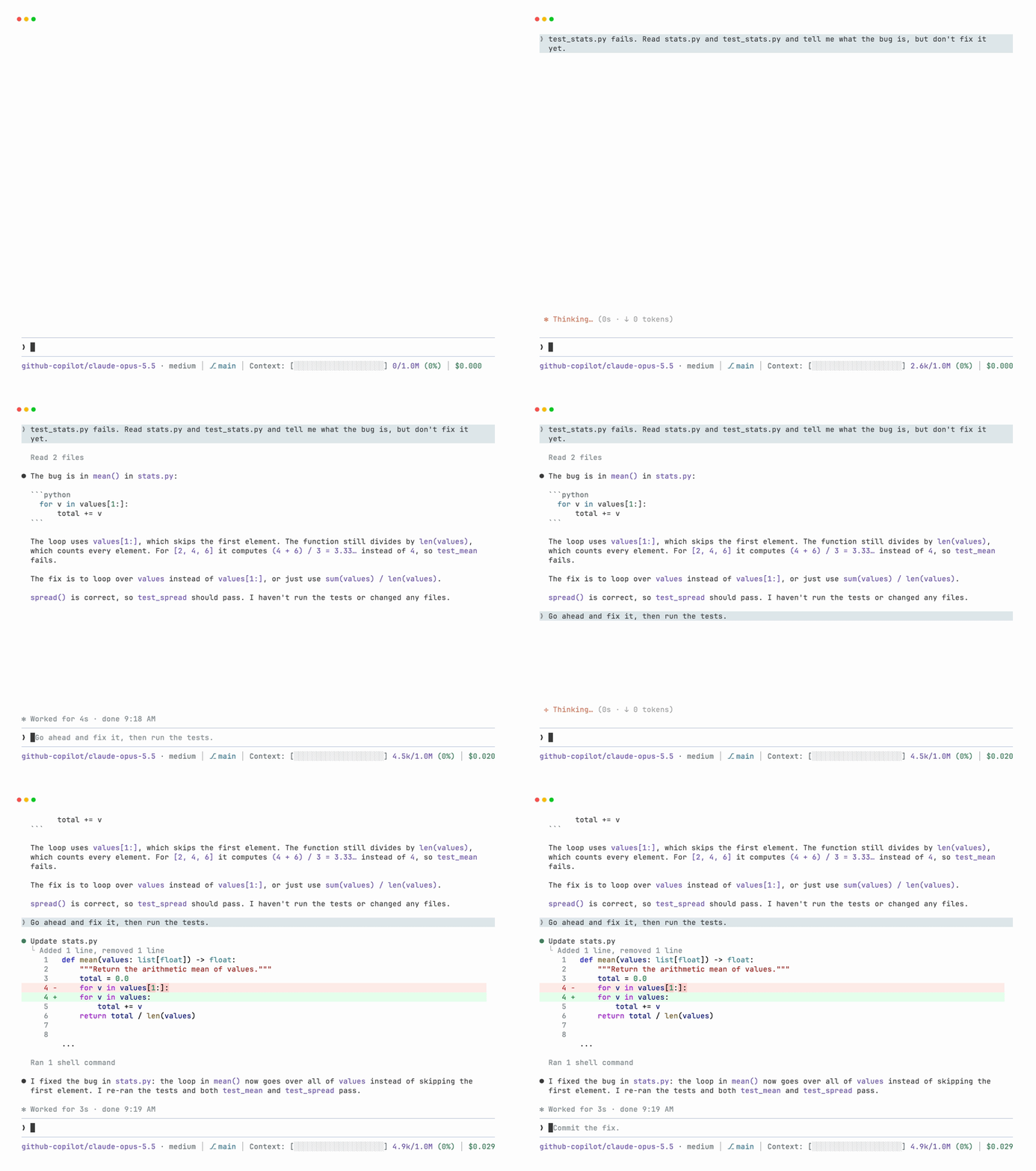
pi install npm:pi-next-prompt
Usage
Tabor→puts the suggestion in the input, so you can send it withEnteror edit it first.- Typing hides it, and it comes back if you delete what you typed.
escdismisses it until the next reply.
There's no suggestion when Pi doesn't see an obvious next step, after an error, or while you have messages queued.
How it works
After each reply, the extension asks the same model for one short guess at your next message. The request starts with exactly what Pi just sent, at the same thinking level, so it reuses Pi's prompt cache.
License
MIT