
Install
Install with PiG
pig install npm:pi-model-pickInstall with Pi
pi install npm:pi-model-pickPackages run code with your permissions and influence agent behavior. Catalog inclusion is not a security audit. Review the source before installing a third-party package.
Pi manifest JSON
The pi field of package.json.
{
  "image": "https://raw.githubusercontent.com/Pringled/pi-extensions/main/assets/images/pi-model-pick-dark.gif",
  "extensions": [
    "./extensions/model-pick.ts"
  ]
}
README
Written by the package's publisher, shown as published in version 0.2.0 (README.md). PiG does not review it.
pi-model-pick
A model picker for Pi with your favorite and recently used models at the top. Pi's own /model shows every model from every provider in one long list; this one puts the ones you use first.
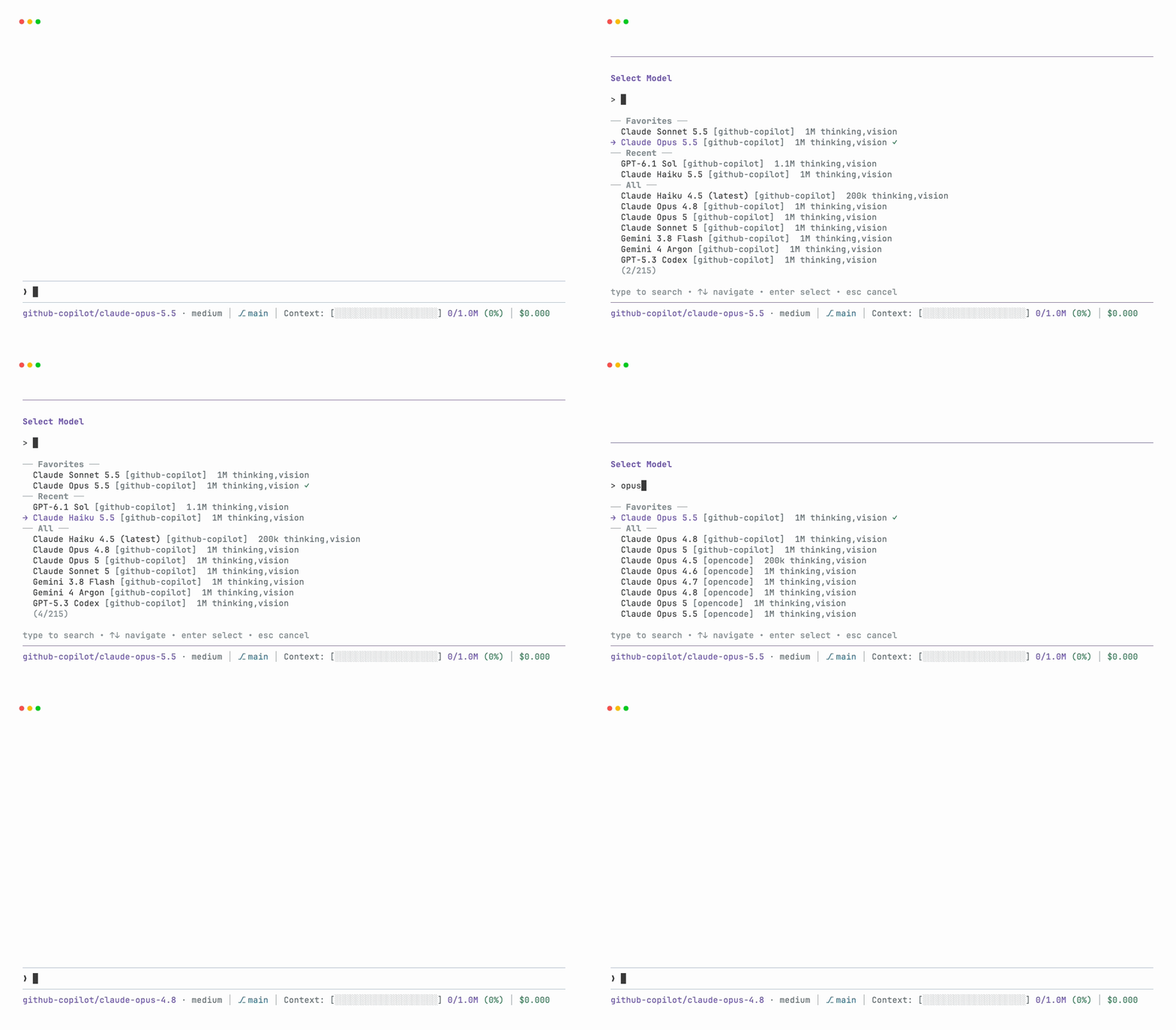
pi install npm:pi-model-pick
Usage
/pickorctrl+shift+mopens the picker: favorites first, then the last 8 models you used, then all models. Type to filter./favstars or unstars the current model.
Favorites and recents are kept in ~/.pi/agent/model-picker-state.json. Pi's own /model picker stays available.
Settings
A model you pick, with /pick, /model or ctrl+p, also becomes the default, so new sessions start on the model you used last. Resuming a session brings back that session's model without changing the default. To keep Pi's own behaviour, where only ctrl+s in /model saves a default, add this to ~/.pi/agent/settings.json:
"modelPick": { "rememberLast": false }
License
MIT