
Install
Install with PiG
pig install npm:pi-inspectInstall with Pi
pi install npm:pi-inspectPackages run code with your permissions and influence agent behavior. Catalog inclusion is not a security audit. Review the source before installing a third-party package.
Pi manifest JSON
The pi field of package.json.
{
  "image": "https://raw.githubusercontent.com/NikiforovAll/pi-inspect/main/assets/demo.png",
  "extensions": [
    "./extensions"
  ]
}
README
Written by the package's publisher, shown as published in version 0.6.0 (README.md). PiG does not review it.
pi-inspect


Introspection dashboard for the pi coding agent — see what's actually loaded into a session: tools, slash commands, skills, and the system prompt injected on init.
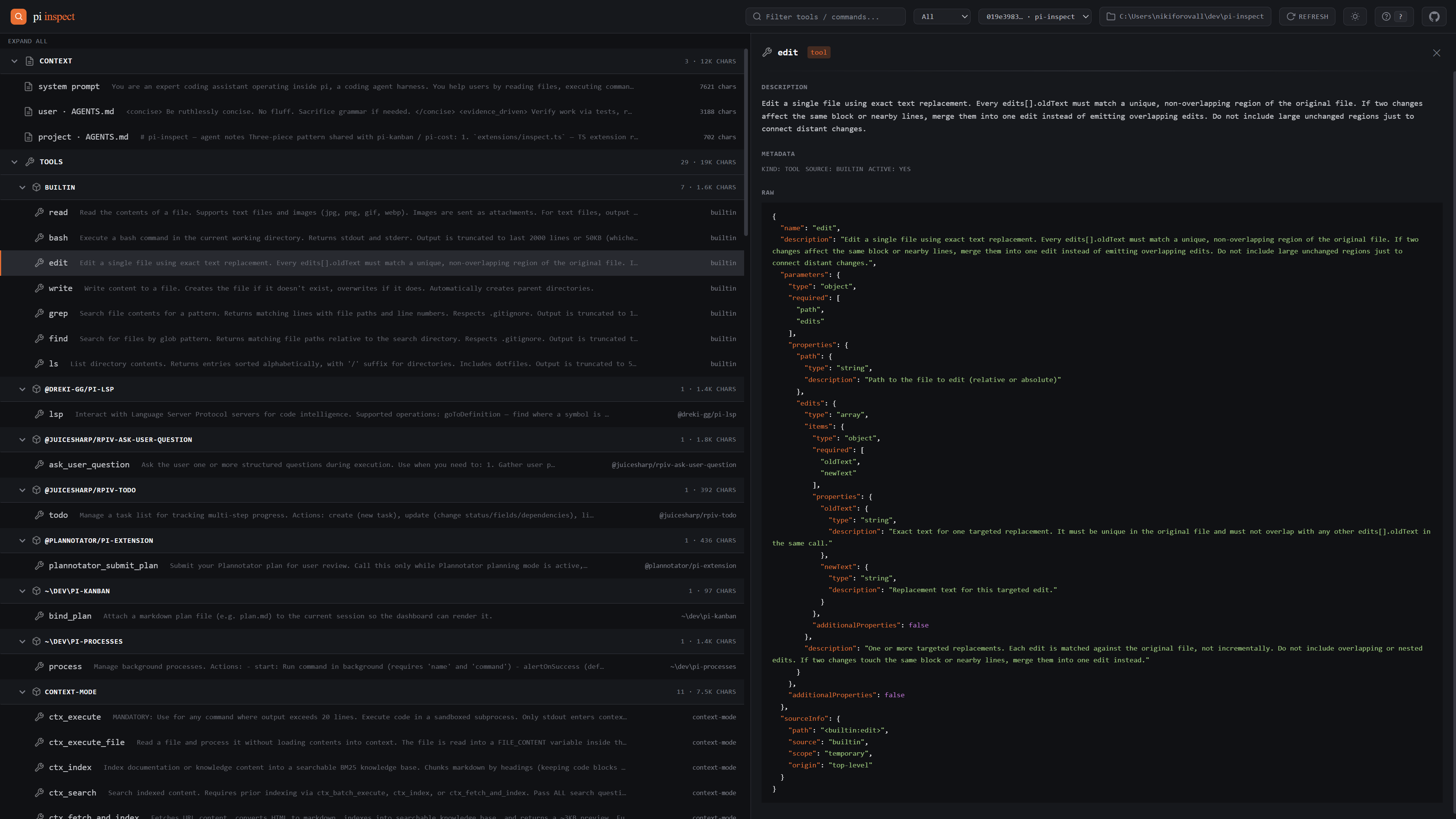
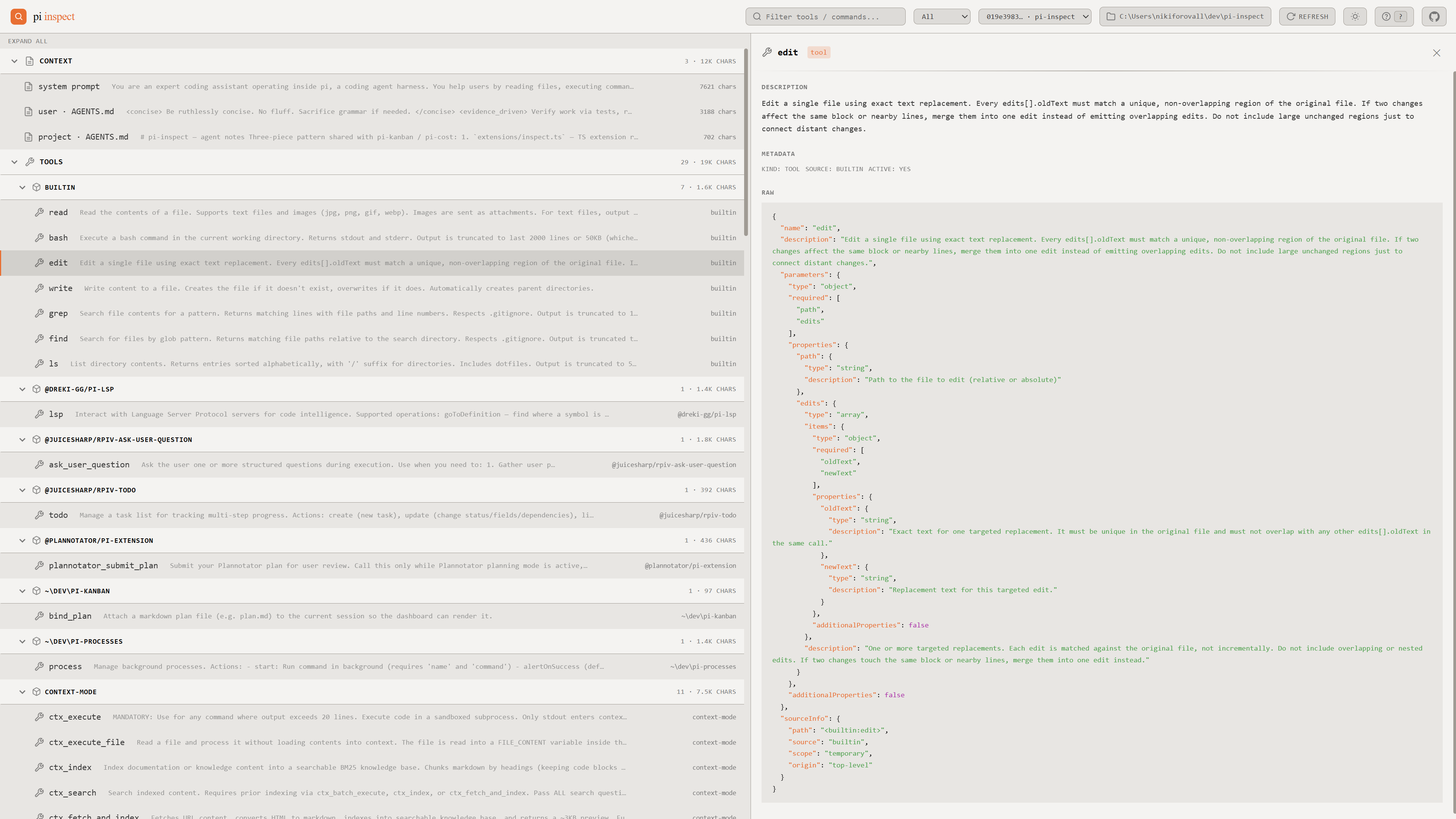
Installation
pi install npm:pi-inspect
Then use /inspect start | stop | restart | status | open | list | snapshot from inside pi.
Usage (inside a pi session)
| Command | What it does |
|---|---|
/inspect | Open the dashboard for the current session in your browser (http://localhost:5462/?session=<id>) |
/inspect <sessionId> | Open dashboard pinned to a specific past session |
/inspect snapshot | Re-capture the current session snapshot now |
/inspect list | Print all captured session IDs in the terminal |
/inspect open web|app | Open in browser or as a PWA window |
/inspect start / stop / restart / status | Manage the local server |
State is driven entirely through the ?session= URL param — share or refresh URLs to pin views. The in-page picker also writes to the URL.
A session is captured when it starts with pi-inspect loaded. If you open a session that was never captured, the picker marks it "not captured". Run /inspect snapshot in that session to capture it.
The theme follows your system setting until you toggle it with t.
Keyboard
| Key | What it does |
|---|---|
j / k, arrows | Next / previous row. Moving onto an item shows it. |
g / G | First / last row |
l / h | Expand a group / collapse it or go to the parent |
Enter | Open the row (toggle a group) |
e | Expand or collapse all |
/ | Search by name or source |
0–5 | Kind: all, context, tools, commands, prompts, skills |
s | Pick a session |
o | Open the item's file in your editor |
c | Copy the item's path |
r | Refresh |
t | Toggle light and dark |
Esc | Close the item, or leave an input |
? | Show all keys |
Sharing a snapshot
Click the share button in the topbar to copy a self-contained link of the current snapshot. The snapshot is deflate-raw compressed and base64url-encoded into the URL hash (#s=…) — no server, no upload, no account.
Recipients open the link on the hosted static dashboard at https://nikiforovall.blog/pi-inspect/ and see the exact same tools / commands / skills / system prompt. The page makes no network requests; everything is in the URL.
Heads up: the link includes the system prompt and cwd. Don't share secrets you wouldn't paste in chat.
What it captures
- Tools — name, description, parameter schema, source
- Slash commands — name, source
- System prompt — full text injected on init, split into system / user
AGENTS.md/ projectAGENTS.mdsections - Session meta — cwd, model, sessionId, sessionName, captured timestamp
Snapshots live at <agentDir>/inspect/snapshots/<sessionId>.json. The agent dir is PI_CODING_AGENT_DIR, or ~/.pi/agent when it is not set, as in pi.
Server options
| Flag | Env var | What it does |
|---|---|---|
--port <n> | PORT | Port. Default 5462. 0 picks a free port. The server prints the URL it listens on. |
--host <addr> | Listen address. Default 127.0.0.1. | |
--open | Open the dashboard in the browser | |
--no-open | Do not open the browser, also when --open is given | |
--session <id> | The session to open with --open |
A flag wins over its env var.
The server refuses POST requests whose Origin is not its own, so other web pages cannot delete snapshots or change settings. The API also answers only to localhost, 127.0.0.1, [::1] and the --host name, which blocks DNS-rebinding pages. With --host 0.0.0.0 or :: the API answers to every host name.
Embedding
A host such as the pi-kanban board can run the dashboard as a companion and frame it:
GET /api/companionreturns{ name, version, session }.sessionis the page for one session,/?session={id}.- Add
embed=1to the query of the framed URL. The dashboard then posts{ type: 'pi-companion:ready' }to its parent. - The parent answers with
{ type: 'pi-companion:theme', mode, colors }, and sends it again when its theme changes.modeislightordark.colorsholdsbgDeep,bgSurface,bgElevated,bgHover,border,textPrimary,textSecondary,textTertiary,textMuted,accent,accentText,success,warning, anderror, each a CSS color.
In embed mode the theme toggle and the GitHub link are hidden, and the theme is not saved. The page uses no browser dialogs, so it works in a sandboxed frame without allow-modals.
Development
npm install
npm test                        # node:test: snapshot store, routes, flags, server spawn, watcher
npm run typecheck:extensions    # type-checks extensions/inspect.ts against pi's types
node server.js --port 0 --no-open
Set PI_CODING_AGENT_DIR to point the server at another agent dir, for example a dev one.