
Install
Install with PiG
pig install npm:pi-image-compactInstall with Pi
pi install npm:pi-image-compactPackages run code with your permissions and influence agent behavior. Catalog inclusion is not a security audit. Review the source before installing a third-party package.
Video
Declared by the package manifest. Open the file ↗
Pi manifest JSON
The pi field of package.json.
{
  "image": "https://raw.githubusercontent.com/Don-Yin/pi-image-compact/main/assets/loop.gif",
  "video": "https://github.com/user-attachments/assets/0c29e6ea-4655-4c62-b5bc-14967bd5dcc7",
  "extensions": [
    "./src/compress.ts",
    "./src/budget.ts",
    "./src/prune.ts",
    "./src/status.ts"
  ]
}
README
Written by the package's publisher, shown as published in version 0.1.2 (README.md). PiG does not review it.

English · 简体中文 · Español · Русский
pi-image-compact
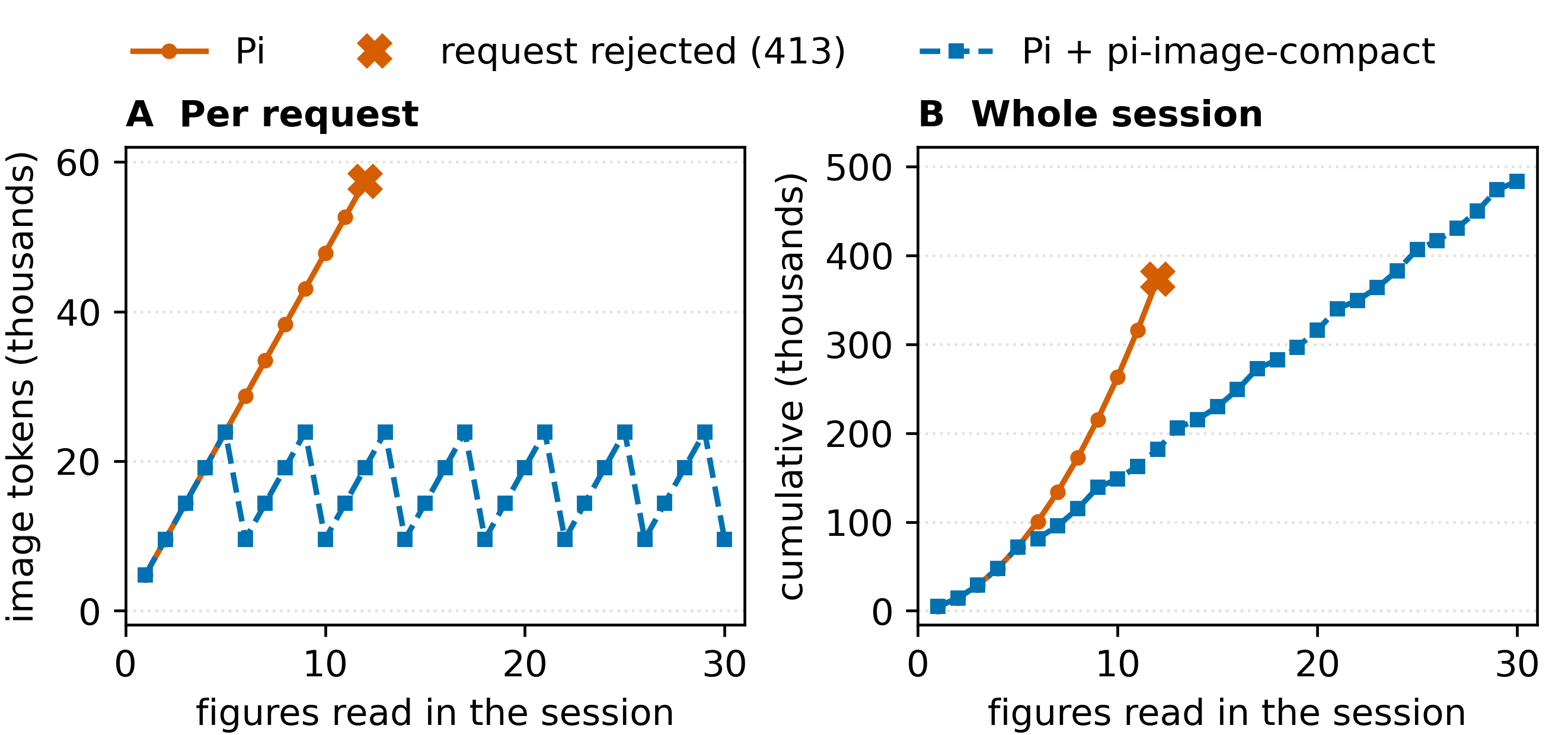
Keeps image-heavy Pi sessions small, so a pile of screenshots no longer ends in a 413 "request too large" error. In a modelled session of 12 large figures, every request stays under 16 MB and the session sends about half the image tokens (182k instead of 373k). On a public test set of 12 screenshots, plots and photos, WebP made the images a third smaller (3.22 → 2.16 MB).
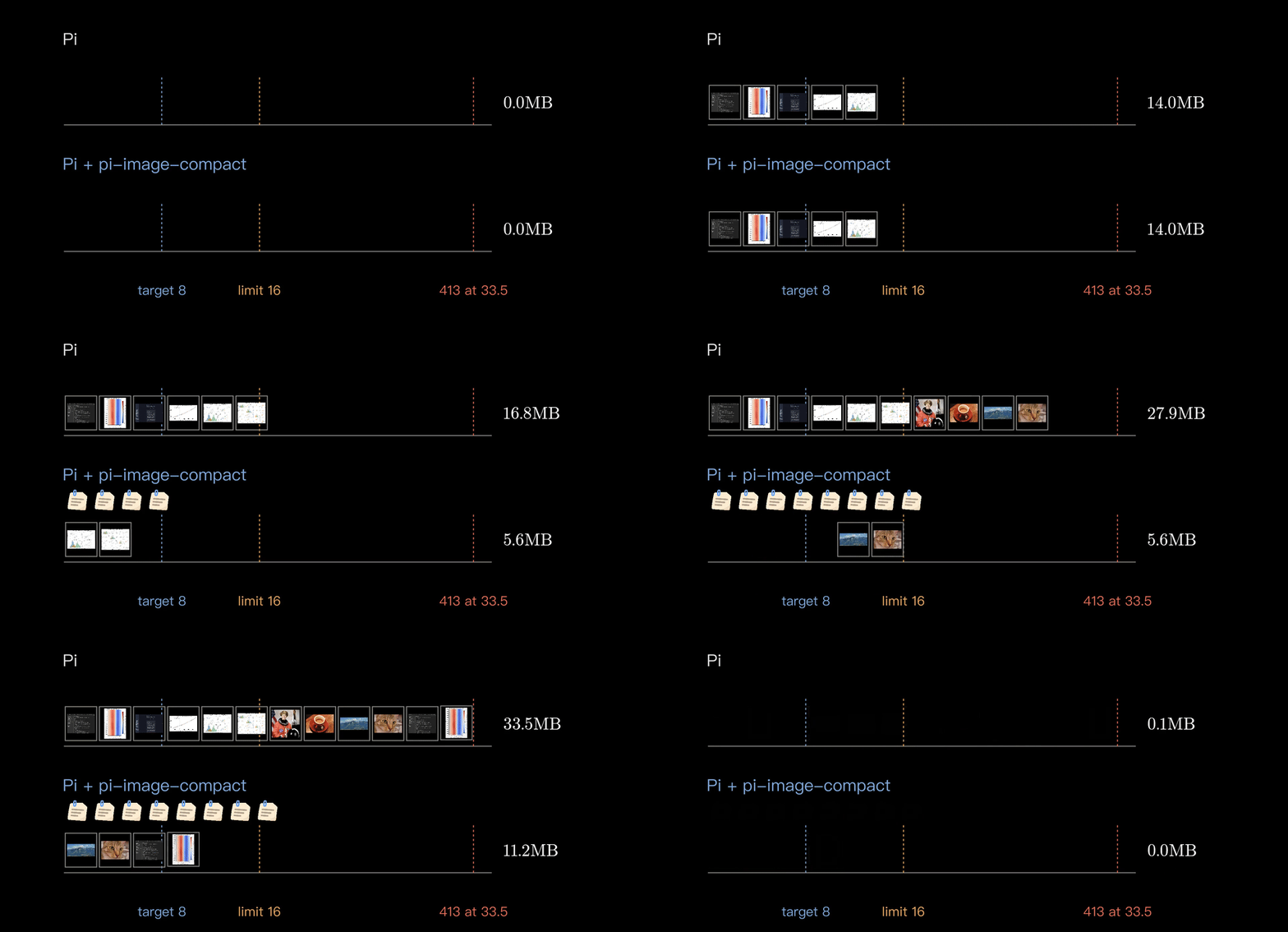
https://github.com/user-attachments/assets/0c29e6ea-4655-4c62-b5bc-14967bd5dcc7
Also on YouTube.
pi install npm:pi-image-compact
Four independent extensions; turn any of them off with pi config: compress · budget · prune · status
Development
npm install && npm test
Contributing
I am still learning, so ideas, issues and pull requests are all very welcome.
License
MIT