
Install
Install with PiG
pig install npm:pi-herdr-flockInstall with Pi
pi install npm:pi-herdr-flockPackages run code with your permissions and influence agent behavior. Catalog inclusion is not a security audit. Review the source before installing a third-party package.
Video
Declared by the package manifest. Open the file ↗
Pi manifest JSON
The pi field of package.json.
{
  "image": "https://raw.githubusercontent.com/Ryu-CZ/pi-herdr-flock/main/media/pi-preview.gif",
  "video": "https://raw.githubusercontent.com/Ryu-CZ/pi-herdr-flock/main/media/pi-preview.mp4",
  "extensions": [
    "./extensions/index.ts"
  ]
}
README
Written by the package's publisher, shown as published in version 0.4.1 (README.md). PiG does not review it.
pi-herdr-flock




Guides Pi to delegate work to a visible flock of Herdr terminals.
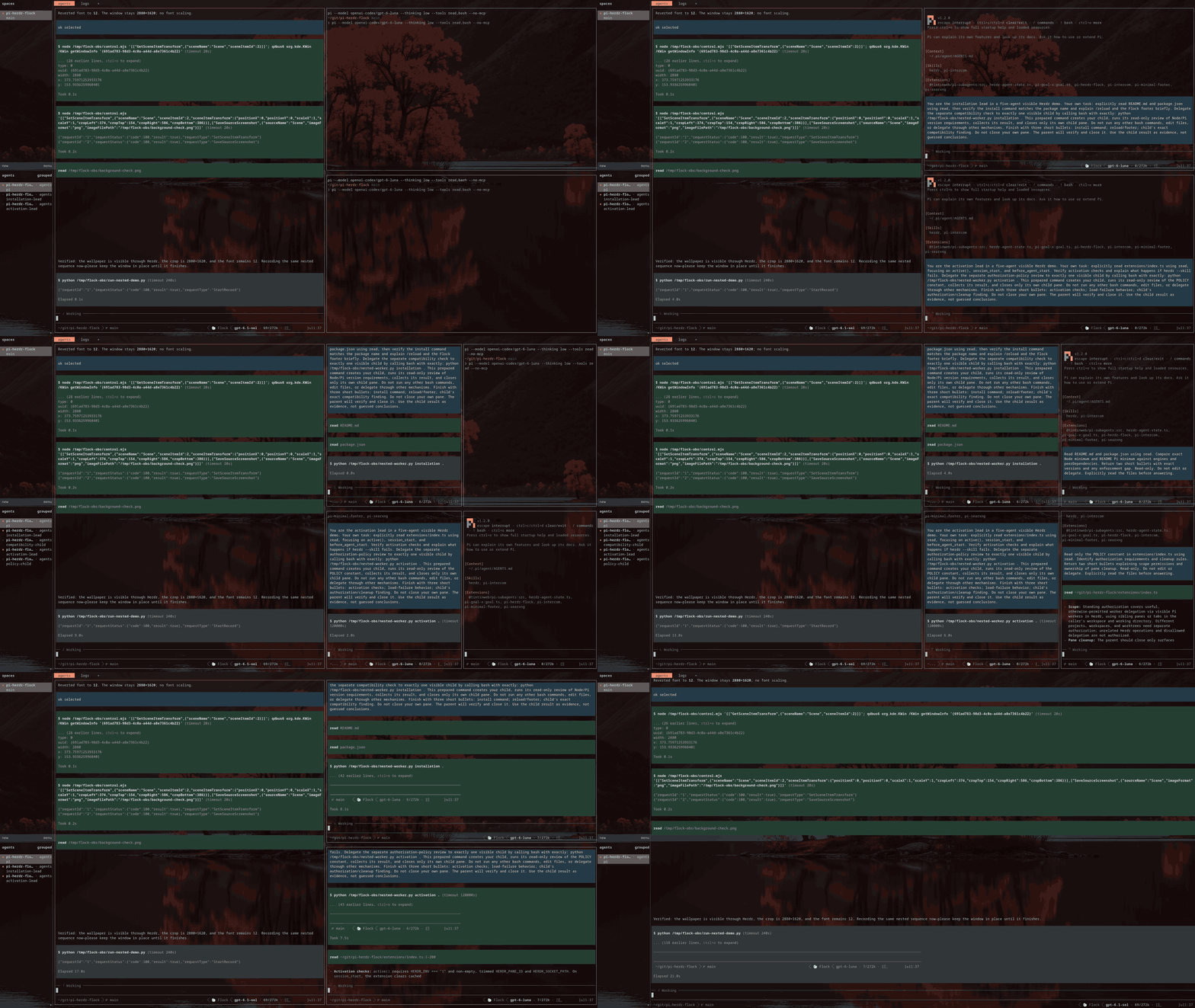
Demo: Pi delegates to two visible workers, each launches a child,
and all four worker panes close after results are collected.
Flock adds a short instruction to load the live herdr --skill manual before any Herdr control, plus a preference for visible Herdr workers when delegation is useful. It does not launch workers itself and stays inactive outside Herdr.
Install
Requires Pi 1.1.0 or later (1.x), Node.js 22.19.0 or later, and herdr on PATH. Tests cover Pi 1.1.0 and 1.5.0; CI also checks the latest Pi 1.x.
pi install npm:pi-herdr-flock
Run Pi inside Herdr. If Pi was already running, use /reload.
Status
The footer shows 🐑 Flock when instructions have loaded successfully. Compatible with pi-minimal-footer when extension statuses are enabled.
Customize the label in ~/.pi/agent/settings.json (or project .pi/settings.json):
{
  "piHerdrFlock": {
    "footerStatus": "🐑",
    "compact": true
  }
}
Run /reload after editing settings. An empty string hides the label without disabling the extension. Project settings override user settings. If no string is configured, the default is 🐑 Flock.
Deprecated: PI_HERDR_FLOCK_STATUS still works as a fallback when no string setting is configured. Use piHerdrFlock.footerStatus in Pi settings instead.
At startup, Flock checks that herdr --skill succeeds without adding its manual to context. If the check fails, Flock stays inactive and Pi shows a warning when a UI is available. Check that herdr --skill works on PATH, then use /reload. Before Herdr control, Pi is instructed to check HERDR_ENV=1 and read the full live manual; if loading fails or the output is empty or truncated, it must stop and report the blocker.
Delegation limits
Flock guides how Pi delegates; it is not a sandbox or a technical security boundary.
- You stay in control. Pi must still follow instructions like “don't delegate” or “don't edit files.”
- Workers stay local by default. Flock tells Pi to start workers in your current project and Herdr workspace.
- Herdr's own rules still apply. Flock adds no extra approval requirements for other projects or Git worktrees.
- Clean up afterward. Pi should close workers and panes it created after verifying results, leaving existing panes untouched.
- No hidden workers. If Herdr cannot run a visible worker, Pi should tell you—not quietly use a hidden one.
piHerdrFlock.compact defaults to true: only the load pointer and delegation preference occupy startup context. The full upstream manual is loaded on demand, not copied or maintained by Flock. Set compact to false to inject the full live manual at startup instead. Run /reload after changing it.
See the technical vision for development and design details.
MIT licensed.