
Install
Install with PiG
pig install npm:pi-glanceInstall with Pi
pi install npm:pi-glancePackages run code with your permissions and influence agent behavior. Catalog inclusion is not a security audit. Review the source before installing a third-party package.
Pi manifest JSON
The pi field of package.json.
{
  "image": "https://raw.githubusercontent.com/LinYS77/pi-glance/main/assets/themes.gif",
  "extensions": [
    "./index.ts"
  ]
}
README
Written by the package's publisher, shown as published in version 0.7.8 (README.md). PiG does not review it.



Install
# Try it for one session
pi -e npm:pi-glance

# Or install it
pi install npm:pi-glance
Restart Pi or run /reload.
Features
- Rounded editor — Pi's editing, history, autocomplete and keybindings stay unchanged.
- Adaptive status line — Git · Cost · Output throughput · Context · Tokens · Extensions · Model. Model is the last item hidden.
- Prompt stash —
alt+sputs input aside; press again to restore or swap. - Activity — bottom-border text, or sweeps for work/summaries and blinking for retries. Adjust speed, color, summary multiplier and blink rate.
- 22 palettes — light and dark choices with live preview.
No runtime dependencies. No telemetry.
Output throughput
tok/s is average output throughput, not raw decode speed: total provider-reported output tokens (including reasoning and tool calls), divided by the summed observed request durations. Reasoning is already included in output and is neither subtracted nor added again. Timing includes initial latency and thinking, but excludes tool execution, gaps between requests and blocking UI prompts.
Pi session-level retries exclude failed attempts and their backoff. SDK-internal or upstream retries may remain inside the observed request duration; their waiting time cannot be reliably separated.
~ marks the average of completed requests in the current run; it becomes final when the run settles. A fresh run clears the old rate. Missing or ambiguous boundaries, or invalid timing/output usage, show unknown; no tokens are guessed from chunks, and no speed cap is applied.
Configure
Run /glance for Appearance, Status line, Activity, and Input settings. Tab switches sections, arrows adjust, and S saves.
Full-width preview below. Closing preserves input and cursor.

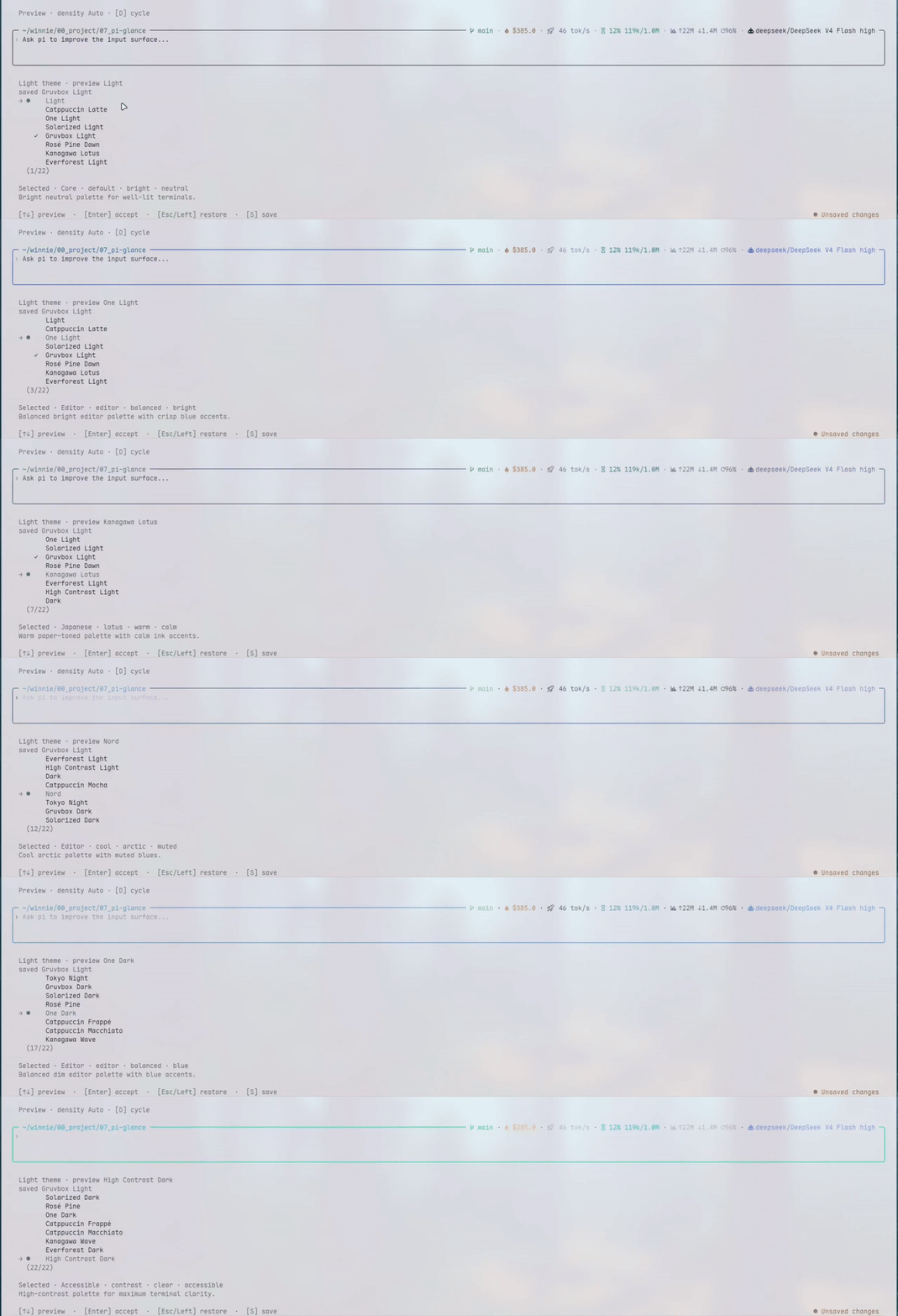
Previews use example data.
Notes
- Nerd Font icons are enabled by default. For regular fonts, select
Plainin/glance→ Appearance → Icons. - Activity defaults to Text. Choose Sweep under Activity for border effects.
- Git Summary shows changed files and tracked
+ / −lines. Local polling slows from 5 to 30 seconds while unchanged; activity brings refreshes forward. External edits are picked up by polling. Auto fetch checks upstream every 5 minutes; disable under Status line → Git. - Drafts persist per session until restored.
--no-sessionkeeps them in memory. - Extensions shows compatible plugins' status text. Toggle, reorder or inspect under Status line; empty groups stay hidden.
- Other editor or footer extensions may override parts of Glance's display.
- Requires Pi 1.0.0+ and Node.js 22.19.0 or newer.
Update
pi update npm:pi-glance
Contributing
Issues and pull requests are welcome. Development notes: CONTEXT.md.
License
MIT © 2026 linys77