
Install
Install with PiG
pig install npm:pi-gh-footerInstall with Pi
pi install npm:pi-gh-footerPackages run code with your permissions and influence agent behavior. Catalog inclusion is not a security audit. Review the source before installing a third-party package.
Pi manifest JSON
The pi field of package.json.
{
  "image": "https://raw.githubusercontent.com/championswimmer/pi-gh-footer/main/assets/banner.png",
  "extensions": [
    "./extensions/gh-footer.ts"
  ]
}
README
Written by the package's publisher, shown as published in version 0.1.2 (README.md). PiG does not review it.
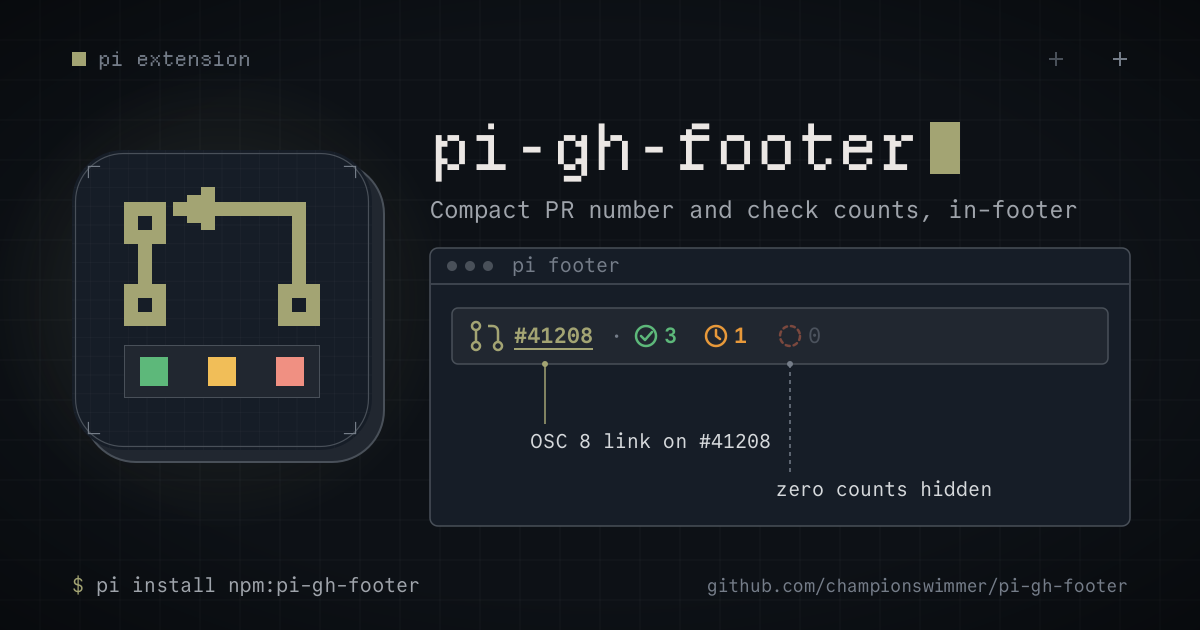


Compact PR status for Pi + pi-footer: #41208 · 3 1. Nerd Font glyphs, colored passed/running/failed indicators (only nonzero states appear), and an OSC 8 link on only the PR number.
Install
This extension needs pi-footer as the footer host:
pi install npm:pi-footer
pi install npm:pi-gh-footer
Disable pi-pr-status if installed (it writes the same status key), then reload Pi.
Requirements
Requires git, authenticated gh, a Nerd Font, and an OSC 8-capable terminal.
Why use it
- See your PR's number, state and check results in the Pi footer without leaving the terminal.
- Compact output: only nonzero passed/running/failed counts appear.
- The PR number is an OSC 8 link, so it opens the PR in one click.
- Picks up the current branch's PR, or a PR URL from your input, and refreshes every 30 seconds.
- Individual widgets let you arrange and style each part in pi-footer.
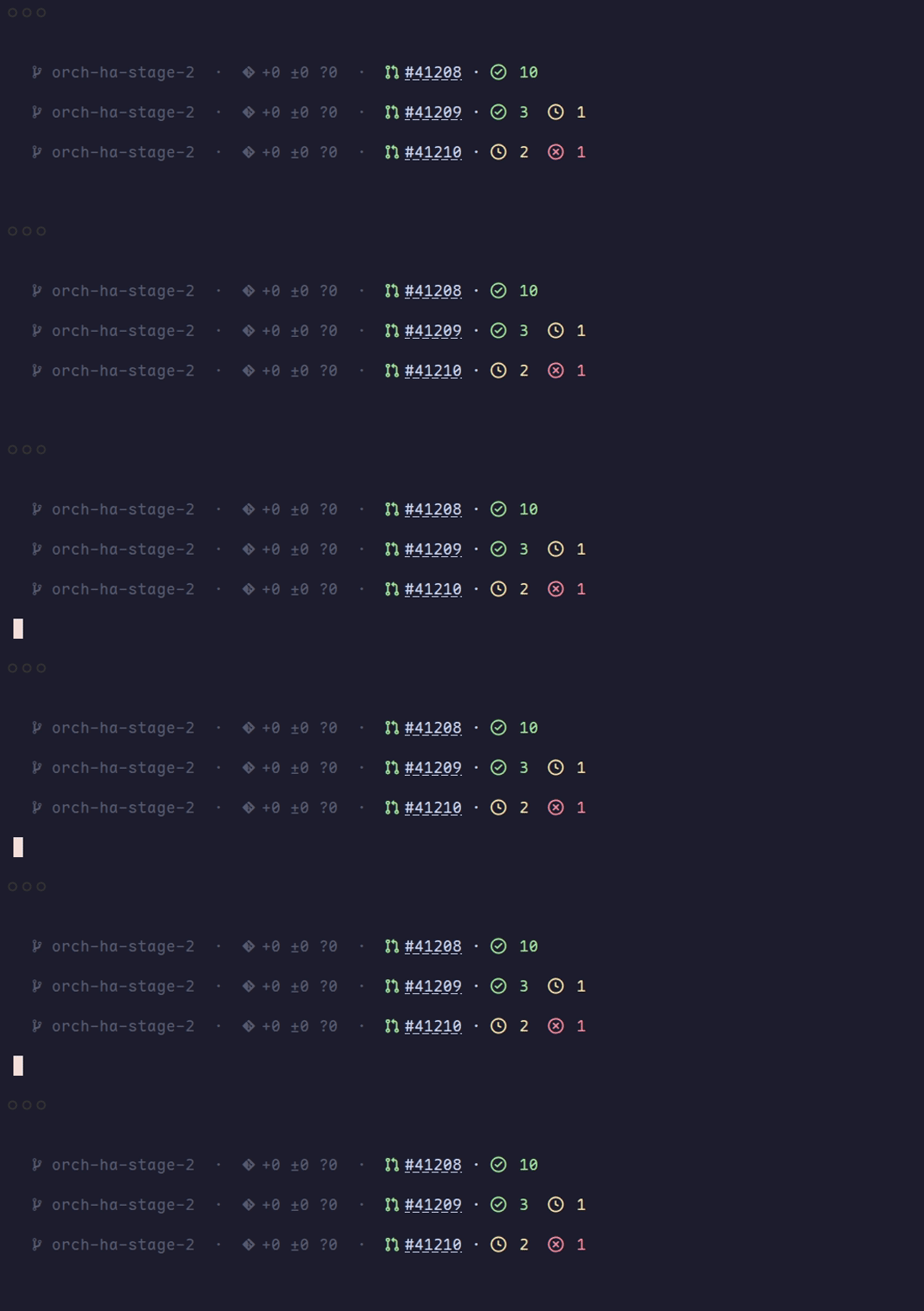
Maple Mono NF:
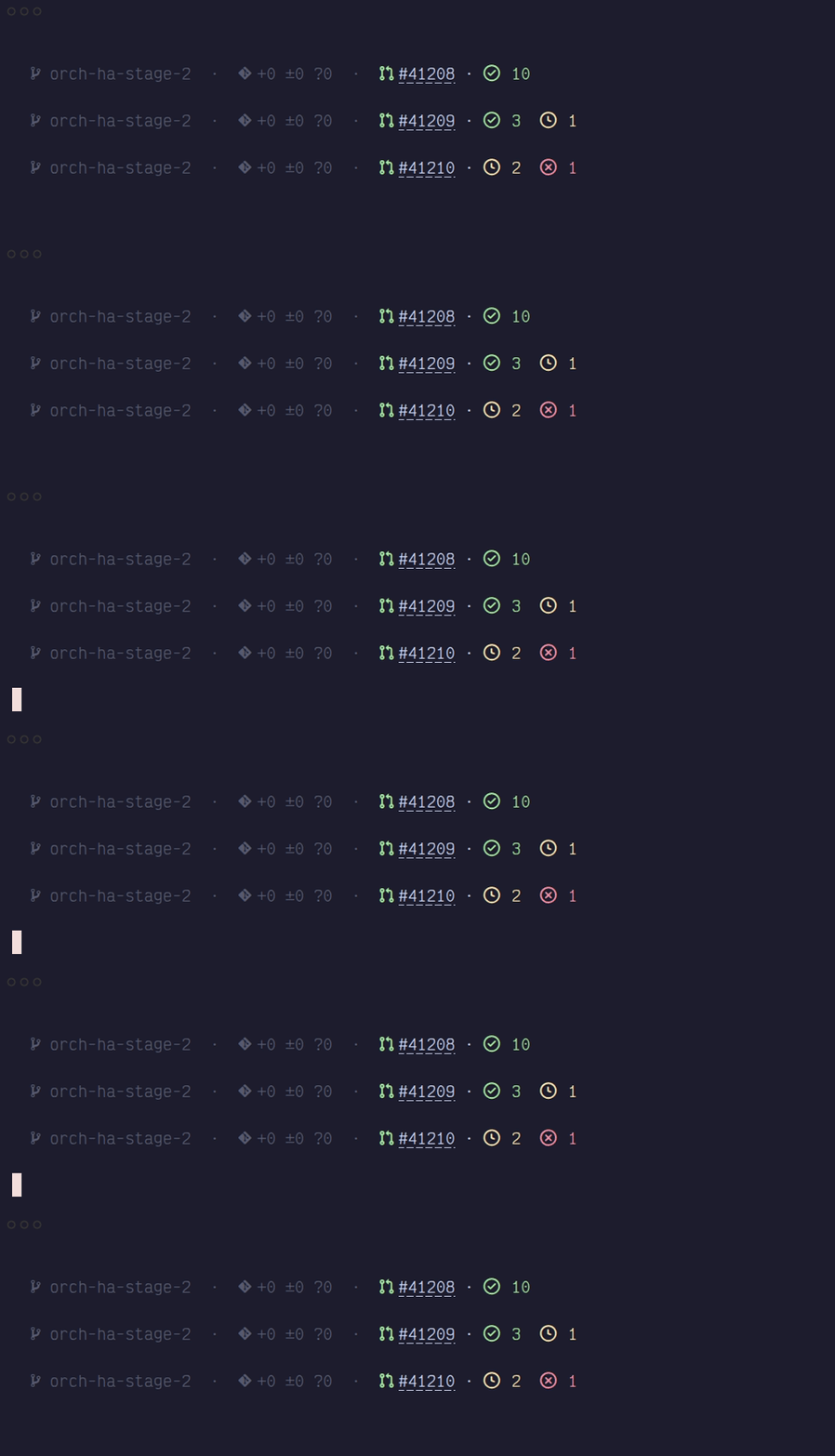
Victor Mono Nerd Font:
How to use
In /footer, choose one of:
- Extension Status:
externalStatusKey: "pr-status"— complete summary, compatible with existing footer config. Usefg: "default", no extra icon. - Event Value: set
widgetIdto any ID below and arrange/style widgets in pi-footer. Events usepi-footer:update-widgetwith{ widgetId, value: string | null }; missing PRs clear values.
| Event widget ID | Value |
|---|---|
gh-pr | complete colored summary |
gh-pr-number | linked #41208 |
gh-pr-state-icon / gh-pr-state | colored PR icon / open, merged, closed |
gh-pr-checks | colored check-circle / clock / x-circle + counts |
gh-pr-passed / gh-pr-running / gh-pr-failed | nonzero counts (otherwise cleared), for custom icons/colors |
gh-pr-repo / gh-pr-title | repository / title |
Example custom widgets: gh-pr-number with icon , then the three raw counts with icons , , and foregrounds green/yellow/red. The current branch's PR takes priority; otherwise a PR URL in user input is used. Updates every 30 seconds.
Development
Development: npm ci && npm test && npm run typecheck. Screenshots: vhs demo/maple-mono.tape / vhs demo/victor-mono.tape (from repo root; install the named fonts first).
Releasing
The first release (0.1.0) is published manually with npm publish --access public after logging in to npm. Do not push v0.1.0 after publishing it: the workflow would try to publish the same version again.
For subsequent releases, update the version in package.json and package-lock.json (for example, npm version patch --no-git-tag-version) and merge the change into main. Tag that commit with the matching version (for example, git tag v0.1.1 && git push origin v0.1.1). The release workflow checks the tag, runs typechecking and tests, and publishes to npm using trusted publishing. Stable releases use the latest dist-tag; prereleases use next.
Configure the npm trusted publisher for GitHub Actions with owner championswimmer, repository pi-gh-footer, workflow release.yml, no environment, and permission to publish. No npm token secret is needed.
Check out my other Pi extensions
— Real-time prompt cache hit rates and token metrics.
— Session task checklist with dependencies and a TUI renderer.
— Selects relevant skills and optionally filters tools for each task.
— Prunes verbose tool outputs from context while preserving history.
— Dot-grid visualization of context window token usage.
— Live tokens/sec and TTFT in the status bar.
— Delegate work to parallel subagents and monitor their progress.