
Install
Install with PiG
pig install npm:pi-feedbackInstall with Pi
pi install npm:pi-feedbackPackages run code with your permissions and influence agent behavior. Catalog inclusion is not a security audit. Review the source before installing a third-party package.
Pi manifest JSON
The pi field of package.json.
{
  "extensions": [
    "./extensions/feedback.ts"
  ]
}
README
Written by the package's publisher, shown as published in version 0.1.0 (README.md). PiG does not review it.
pi-feedback
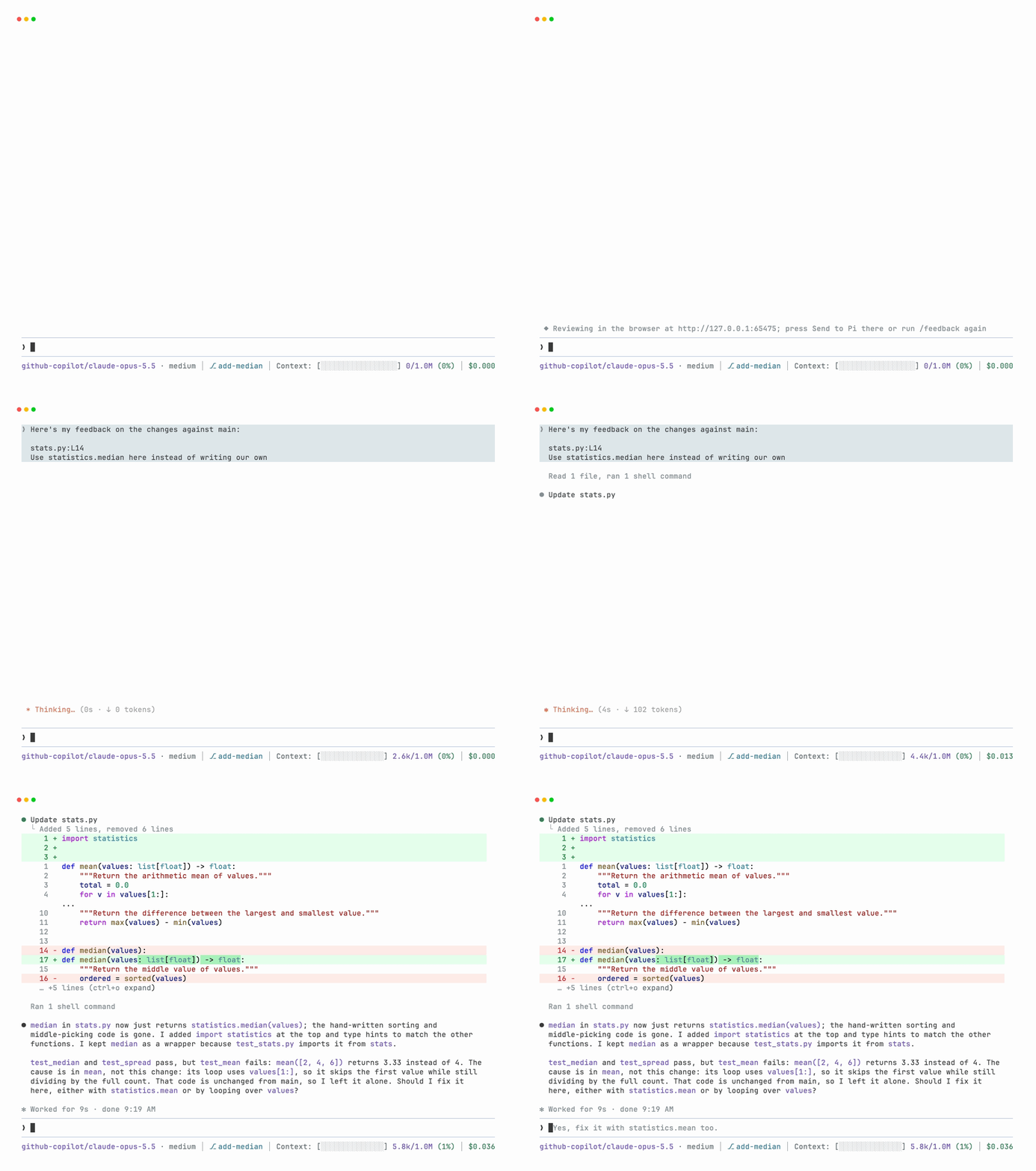
Give Pi feedback on its changes: look through them in a GitHub-style view in your browser, leave comments on lines, and send them all back to Pi in one go.
pi install npm:pi-feedback
This also installs difit, which draws the review page in your browser (about 235 MB with its own dependencies).
Usage
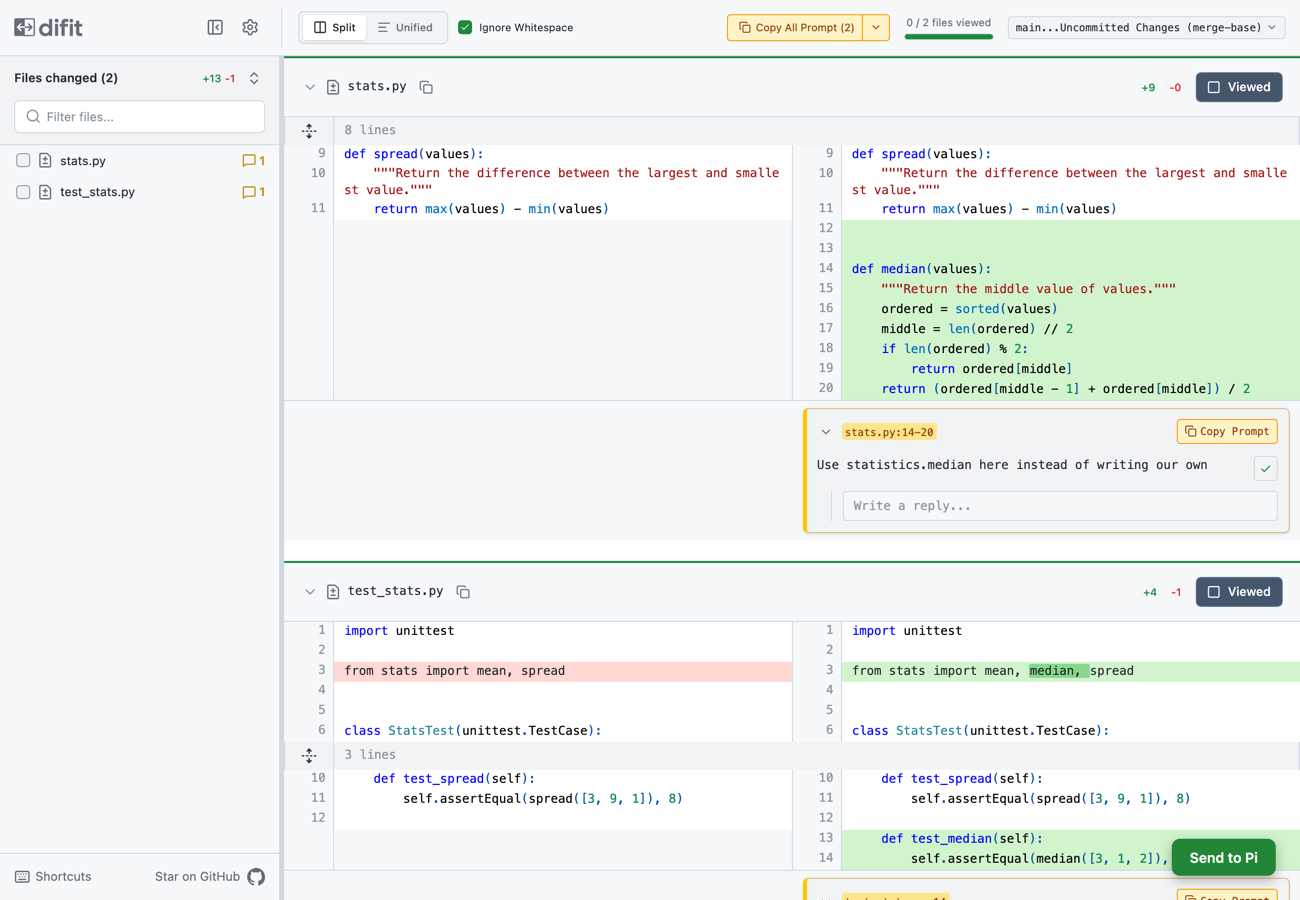
Run /feedback. Your browser opens with everything on the current branch since it left main, including uncommitted changes and new files. Click a line, or drag over several, to comment:
When you're done, press Send to Pi in the bottom-right corner, or run /feedback again in Pi. Your comments go to Pi as one message:
Here's my feedback on the changes against main:

stats.py:L14-L20
Use statistics.median here instead of writing our own

test_stats.py:L14
Also test an even number of values
If Pi is busy, the message waits until it's done. If you didn't leave any comments, nothing is sent. Closing or reloading the tab doesn't end it, and the view updates by itself when files change, so you can keep it open while Pi works.
/feedback devcompares with another branch instead of the default one.- On
mainitself,/feedbackshows your uncommitted changes. - If the browser didn't open, for example because Pi runs in a sandbox, the address is shown above Pi's input.
License
MIT