
Install
Install with PiG
pig install npm:pi-extension-settings-tuiInstall with Pi
pi install npm:pi-extension-settings-tuiPackages run code with your permissions and influence agent behavior. Catalog inclusion is not a security audit. Review the source before installing a third-party package.
README
Written by the package's publisher, shown as published in version 0.9.1 (README.md). PiG does not review it.
pi-extension-settings-tui



A declarative settings dialog and layered JSON persistence library for Pi extensions, built on @earendil-works/pi-tui. Define your schema once to get a themed TUI overlay, fullscreen mouse support, hardened Global/Project overrides, and automatic RPC/headless fallback.
- Declarative schema + strict TS inference —
defineSettingsandfield.*builders infer exact literal union types viatypeof schema.Type. - Single-overlay TUI + fullscreen mouse — tabs, searchable pickers, collapsible multi-select checklists, first-class Pi model + thinking level picker (Scoped/All + fuzzy search), inline editors, and custom sub-routes with native SGR mouse clicks and wheel scrolling.
- Global & Project layered overrides — stores only diffs from defaults, shows provenance dots (
●), and supports custom file names, path resolvers, or Pi session storage. - Hardened atomic I/O —
0o600temp-file writes withfsync, symlink refusal, 64 KiB cap, secret-key rejection, and optimistic concurrency checks. - Automatic RPC & headless fallback — builds a
ctx.ui.select/inputmenu in RPC mode and returns resolved settings cleanly inprint/jsonmode. - Zero runtime dependencies — pure ESM for Node
>=22.
Preview
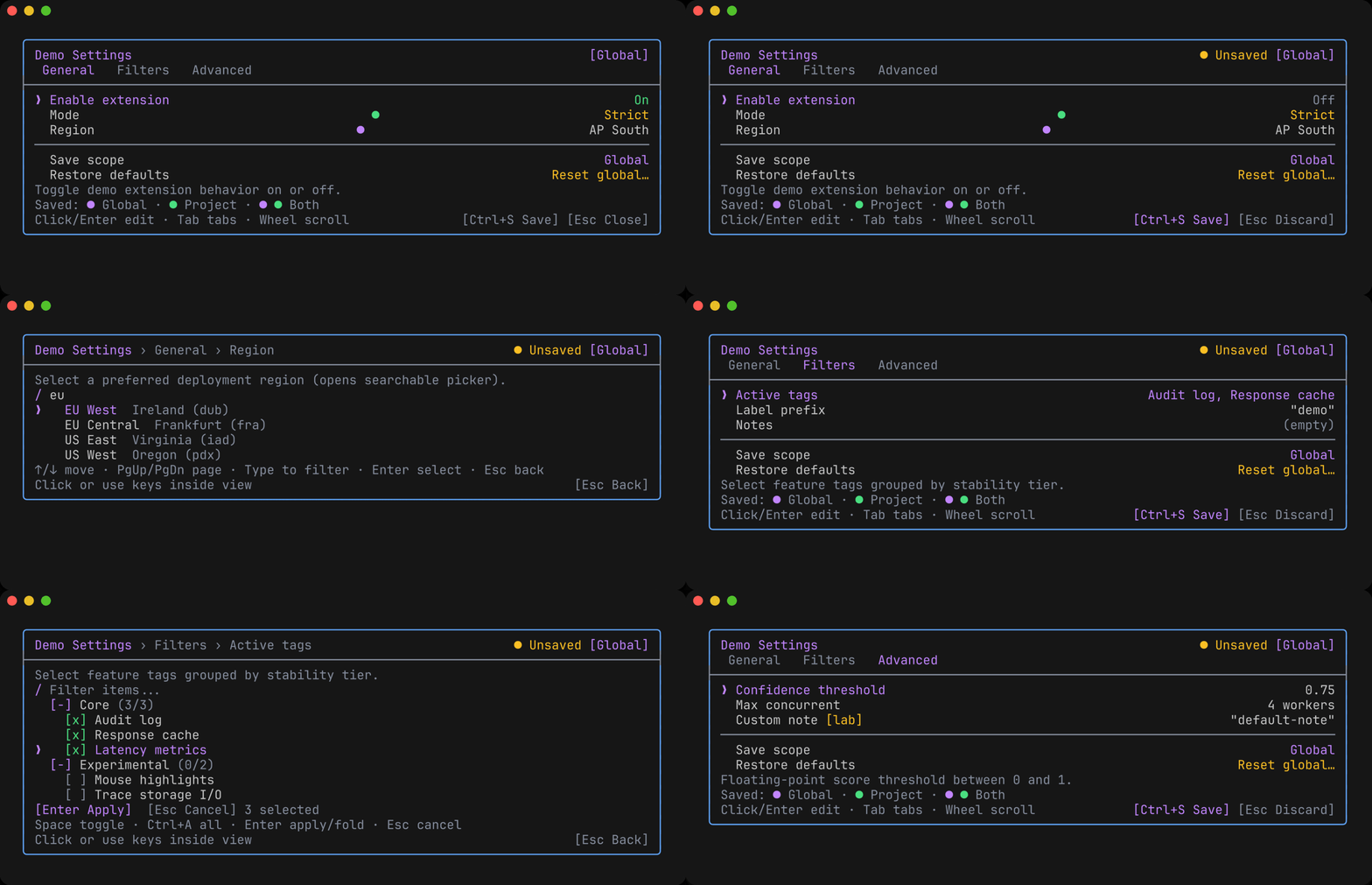
Supports fullscreen mouse clicks and wheel scrolling across tabs, searchable pickers, collapsible multi-select checklists, and Global/Project provenance dots (●).
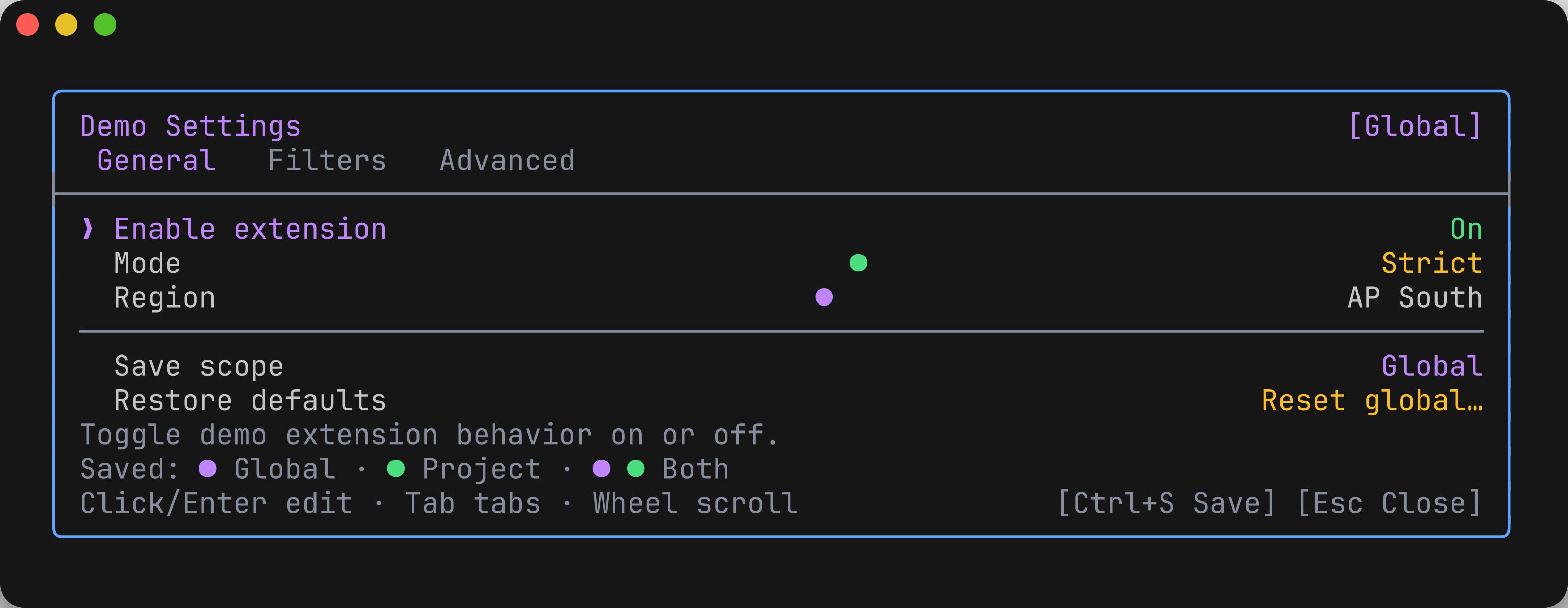
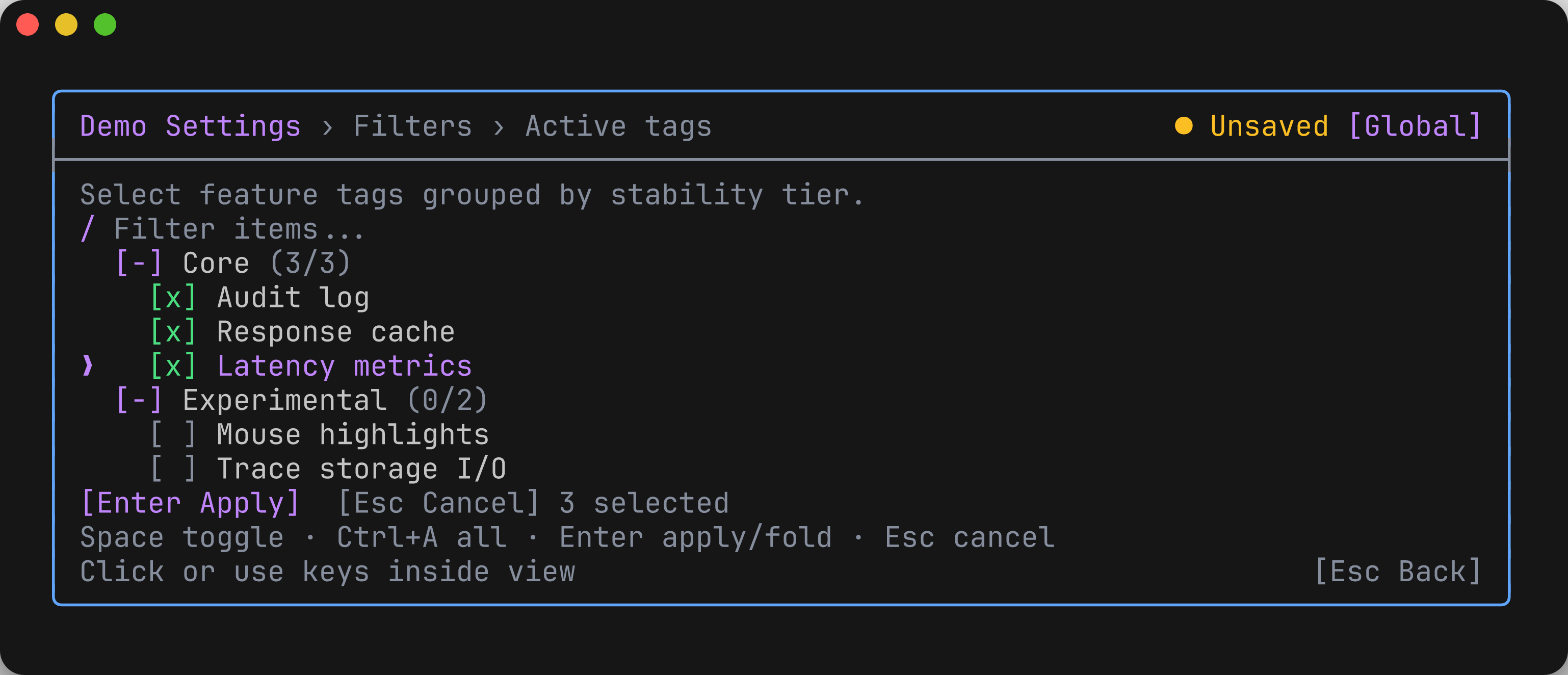
Static screenshots (main dialog & multi-select checklist)
| Settings Dialog | Multi-Select Checklist |
|---|---|
 |  |
Widget recordings (model picker, enum, multi-select, dynamic picker, text & number, viewer)
field.model | field.enum |
|---|---|
 |  |
field.multiSelect | field.picker |
 |  |
field.string / field.number | field.view |
 |  |
See Field Types for each widget's options alongside its recording.
Install
npm install pi-extension-settings-tui
@earendil-works/pi-coding-agent (>=1.5.0) and @earendil-works/pi-tui are optional peer dependencies — already provided inside Pi, and not required for the standalone /schema or /store subpaths.
Quickstart
import type { ExtensionAPI } from "@earendil-works/pi-coding-agent";
import { defineSettings, field, openSettingsDialog } from "pi-extension-settings-tui";

const schema = defineSettings({
  id: "my-extension",
  title: "My Extension Settings",
  settingsFile: "my-extension.json",
  tabs: [{ id: "general", label: "General" }],
  fields: {
    enabled: field.boolean({ tab: "general", label: "Enable extension", default: true }),
    mode: field.enum({
      tab: "general",
      label: "Mode",
      default: "balanced",
      options: [
        { value: "off", label: "Off" },
        { value: "balanced", label: "Balanced" },
        { value: "strict", label: "Strict" },
      ],
    }),
    maxRetries: field.integer({ tab: "general", label: "Max retries", default: 2, min: 0, max: 10 }),
  },
});

export type MySettings = typeof schema.Type;

export default function (pi: ExtensionAPI) {
  pi.registerCommand("my-settings", {
    description: "Open My Extension settings",
    handler: async (_args, ctx) => {
      await openSettingsDialog(ctx, { schema });
    },
  });
}
With settingsFile: "my-extension.json", settings automatically mirror to ~/.pi/agent/my-extension.json (Global) and <cwd>/.pi/my-extension.json (Project).
Documentation
| Guide | Covers |
|---|---|
| Getting Started | Full walkthrough, reading settings at startup, trying the demo extension |
| Field Types & Custom Sub-Routes | boolean, enum, multiSelect, string, number, integer, model, custom |
| Storage, Scopes & Security | Custom file names/paths, Global vs Project layers, session storage, hardening |
| TUI, Fullscreen Mouse & RPC Fallback | Keyboard/mouse controls, subpath exports, non-TUI fallback |
| Demo Extension | Runnable Pi extension showcasing every field type |
License
MIT © 2026 Arnav Gupta