
Install
Install with PiG
pig install npm:pi-extension-gbaInstall with Pi
pi install npm:pi-extension-gbaPackages run code with your permissions and influence agent behavior. Catalog inclusion is not a security audit. Review the source before installing a third-party package.
Pi manifest JSON
The pi field of package.json.
{
  "extensions": [
    "./dist/index.js"
  ]
}
README
Written by the package's publisher, shown as published in version 0.1.3 (README.md). PiG does not review it.
pi-extension-gba

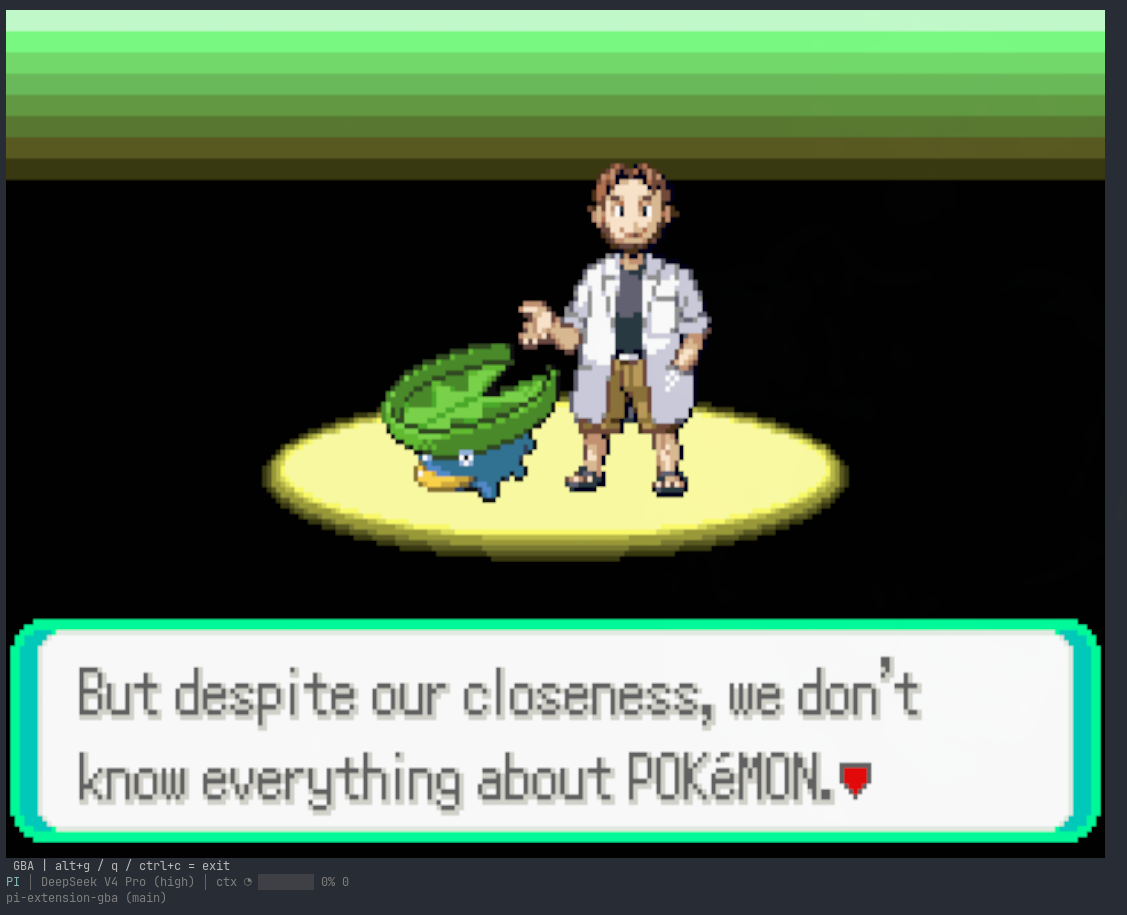
Play Game Boy Advance games inside pi — right in your terminal, while the agent works.
When the agent is busy thinking, the game takes over your screen. The moment it turns the conversation back to you, the chat reappears and your keystrokes go back to the prompt. No window switching, no context loss — just Pokémon in the gaps.
Why
Agents spend real seconds working. This extension fills that dead time with a full GBA emulator (a WebAssembly build of mGBA) rendered directly in your terminal via the Kitty graphics protocol. It auto-pauses, auto-saves, and auto-resumes around the agent's turns, so playing never interferes with the work.
Features
- Full GBA emulation — real mGBA core, save files (
.sav) and save states (.state). - Seamless hand-off — game shows on
agent_start, chat returns onagent_end. - Plays in your terminal — no separate window; rendered inline with Kitty graphics.
- Optional audio — opt-in, uses whatever audio tool you already have.
- Pick up where you left off — last ROM and state auto-resume on
/gba.
Requirements
- pi installed and working.
- A Kitty-graphics terminal — Ghostty, Kitty, or WezTerm. Terminals without Kitty graphics (and bare tmux) are detected and the extension self-disables with a warning instead of printing garbage.
- Your own
.gbaROM files — none are bundled. Use ROMs you legally own. - (Optional) an audio tool —
pw-cat,pacat,ffplay, oraplayon your$PATH, only if you want sound.
Install
From GitHub:
pi install git:github.com/WSeubring/pi-extension-gba
From a local checkout:
npm install && npm run build && pi install .
Add a ROM
Drop your
.gbafiles into:~/.config/pi/roms/gba/In pi, type
/gbato open the game picker (or resume your last game).
That's it — pick a ROM and play.
Playing
Type /gba to start. Inside the game, keys route to the emulator:
| Key | Button |
|---|---|
| Arrow keys | D-pad |
z | A |
x | B |
a | L |
s | R |
Enter | Start |
Backspace | Select |
alt+g / ctrl+c | Exit game mode |
Commands
| Command | Effect |
|---|---|
/gba | Resume last-played ROM; otherwise open picker (or warn if empty). |
/gba list | Always open the ROM picker. |
/gba <basename> | Load a ROM directly by filename (.gba suffix auto-appended). |
/gba reset | Soft reset current ROM (keeps .sav, discards .state). |
/gba mute | Mute audio (when audio is enabled). |
/gba unmute | Unmute audio (when audio is enabled). |
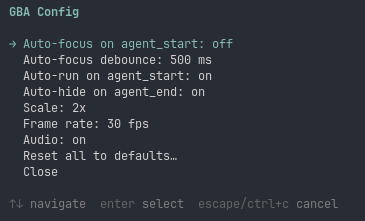
/gba config | Interactive options menu (scale, frame rate, auto-focus, audio...). |
/gba config reset | Wipe ~/.config/pi/gba.json; defaults restored on next activation. |
Shortcuts
| Shortcut | Effect |
|---|---|
alt+g | Toggle full-screen game mode (also exits with ctrl+c). |
alt+shift+g | Manual pause/resume — overrides the auto-transitions until the next ROM load. |
alt+m | Toggle audio mute (no-op when audio is disabled). |
Screenshots
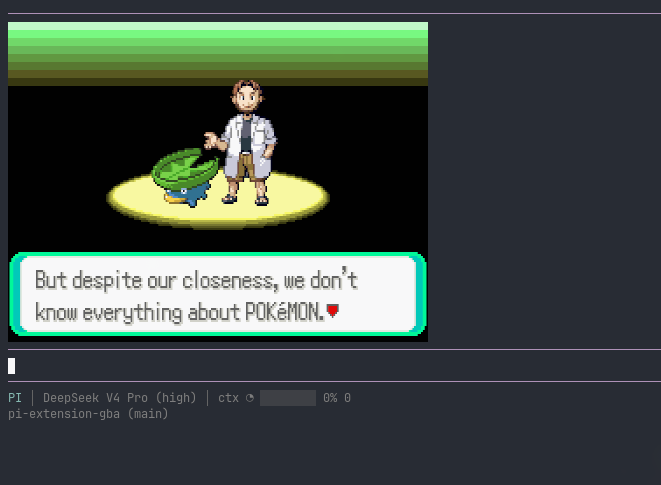
Inline widget rendering while you chat:
The /gba config options menu:
Advanced
How the hand-off works
By default the extension auto-enters full-screen game mode on agent_start
(with a short debounce so quick replies don't flash the screen) and returns to
the chat editor on agent_end.
.state snapshots are written on every pause; .sav SRAM is flushed on every
in-game save. Both auto-resume on the next /gba. alt+g remains a manual
override — enter game mode during agent_end, or exit mid-agent_start if you
need to type context.
Configuration
Persistent settings live in ~/.config/pi/gba.json; tune them via /gba config. Precedence is env var > config file > built-in default.
Environment variables
Scale, frame rate, audio, and the auto-focus/auto-hide behaviour are set in
/gba config. The variables below cover modes and diagnostics not exposed there.
| Var | Default | Effect |
|---|---|---|
PI_GBA_MINIMAL | unset | 1 = minimal mode: widget-only render + invisible input overlay, no lifecycle coupling. |
PI_GBA_DEBUG_CORE | unset | 1 restores mGBA core stdout traces (diagnostics only). |
PI_GBA_RENDER_TRACE | unset | 1 logs placement pins + every handleInput byte string to stderr. |
PI_GBA_AUDIO_TRACE | unset | 1 logs per-tick audio drain stats (samples, stdin backlog). |
PI_GBA_FRAME_DUMP | unset | Directory path — dumps a PNG every PI_GBA_FRAME_DUMP_EVERY frames (default 30). |
Audio
Audio is opt-in (default false). Toggle it in /gba config. The
extension auto-detects an audio tool on your $PATH, first found wins:
| Tool | Package (common distros) |
|---|---|
pw-cat | pipewire / pipewire-pulse |
pacat | pulseaudio-utils |
ffplay | ffmpeg |
aplay | alsa-utils |
If none is found, the extension activates with a one-time warning and falls back to silent mode. No native npm addon is required.
Development
npm run typecheck  # TypeScript type check (no emit)
npm test           # run all unit tests
experiments/ contains the standalone smoke scripts used to de-risk and verify
the emulator, render, and audio paths.
License
MIT for this extension (see LICENSE).
The bundled emulator core (vendor/mgba-wasm/dist/) is a custom WebAssembly
build of mGBA, licensed under the Mozilla Public License 2.0.
The exact source revision, patch set, and a reproducible Docker build are
documented in vendor/mgba-wasm/ (README.md + BUILD.md).
ROMs are not included. Use ROMs you legally own.