
Install
Install with PiG
pig install npm:pi-ebbInstall with Pi
pi install npm:pi-ebbPackages run code with your permissions and influence agent behavior. Catalog inclusion is not a security audit. Review the source before installing a third-party package.
Pi manifest JSON
The pi field of package.json.
{
  "extensions": [
    "./dist/index.js"
  ]
}
README
Written by the package's publisher, shown as published in version 1.2.0 (README.md). PiG does not review it.
pi-ebb
Learn while your agent thinks. Spaced repetition in the background of pi: one card above the editor while pi works, graded with one shortcut. A language, or any other facts you want to keep.
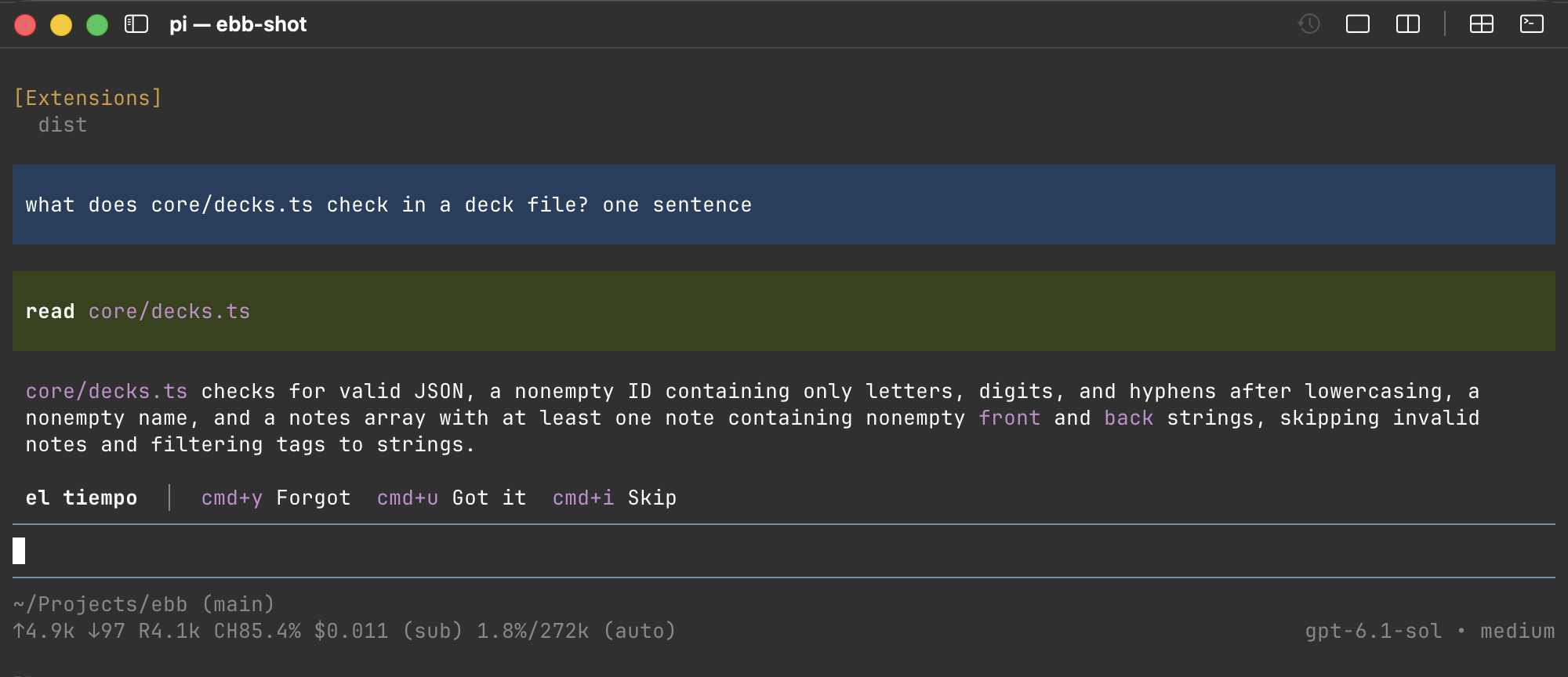
- No new habit. It uses the seconds you already wait for the agent.
- Never in your way. Grade with
cmd+y,cmd+uor a click; the editor keeps every key you type. No pop-up, ever. - FSRS-6, the scheduler of Anki: each card comes back just before you would forget it.
- Decks in one command, checked by back-translation, or a ready deck of about 2000 Spanish words.
Site and decks: https://r13v.github.io/ebb/
Install
pi install npm:pi-ebb
Use
/ebb install <file or URL>adds a deck file, for example about 2000 words of Castilian Spanish with Russian translations:/ebb install https://r13v.github.io/ebb/decks/es-ru.json./ebb add <topic>writes up to 9 new notes with the model of the session. Press1to9to tick a note,ato add the ticked notes,xor Escape to cancel./ebb decks,/ebb stats,/ebb pause [1h|30m|2d|off].
The card shows above the editor. The shortcuts never take a key the editor types:
cmd+y(super+yoff a Mac): Forgot, and Next after the answer.cmd+u: Got it.cmd+i: Skip.ctrl+0: hide or show the card.- Or click a button of the band. pi passes clicks in its fullscreen mode, the default.
cmd reaches pi in Ghostty and agterm, through the kitty keyboard protocol. Other terminals, such as Terminal.app and iTerm2, keep cmd for themselves: click the band there, or set your own keys in $XDG_DATA_HOME/ebb/pi.json and restart pi:
{"keys": {"forgot": "alt+1", "got": "alt+2", "skip": "alt+3", "toggle": "alt+0"}}
The scheduler is FSRS-6. The data is in $XDG_DATA_HOME/ebb/ (by default ~/.local/share/ebb/), shared with the Claude Code mod.
The full guide, the deck file format and the scheduling rules are in the repository.