
Install
Install with PiG
pig install npm:pi-costInstall with Pi
pi install npm:pi-costPackages run code with your permissions and influence agent behavior. Catalog inclusion is not a security audit. Review the source before installing a third-party package.
Video
Declared by the package manifest. Open the file ↗
Pi manifest JSON
The pi field of package.json.
{
  "image": "https://raw.githubusercontent.com/NikiforovAll/pi-cost/main/assets/overview.png",
  "video": "https://raw.githubusercontent.com/NikiforovAll/pi-cost/main/assets/demo.mp4",
  "extensions": [
    "./extensions"
  ]
}
README
Written by the package's publisher, shown as published in version 0.2.0 (README.md). PiG does not review it.
pi-cost


Cost dashboard for the pi coding agent — overview → project → session → message, with actual and estimated spend.
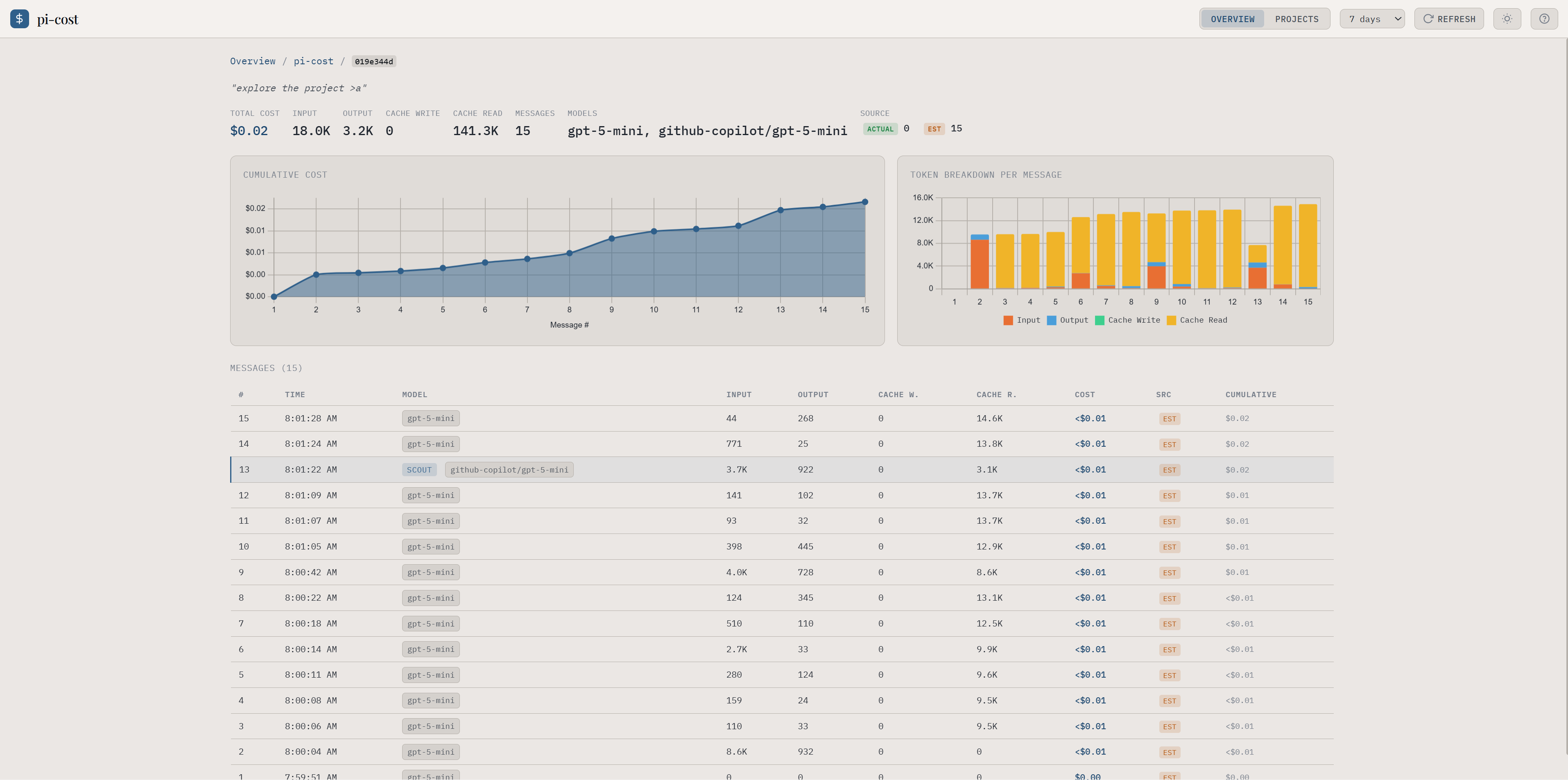
Documentation
User guide, cost-source model, keyboard shortcuts, and theme authoring all live there.
Installation
pi install npm:pi-cost
Then use /cost start | stop | restart | status | open from inside pi.
Or run standalone:
npx pi-cost
Open http://localhost:5461 — npm run dev auto-opens the browser. pi-cost reads the agent dir in PI_CODING_AGENT_DIR (default ~/.pi/agent).
The same numbers from the command line:
npx pi-cost overview --range 30d
npx pi-cost sessions --match refactor --json
npx pi-cost help
From source
git clone https://github.com/NikiforovAll/pi-cost
cd pi-cost
npm install
npm start              # http://localhost:5461
npm test               # node:test suite on synthetic sessions
pi --add ./extensions  # register as a pi extension
Screenshots
| View | Preview |
|---|---|
| Overview | 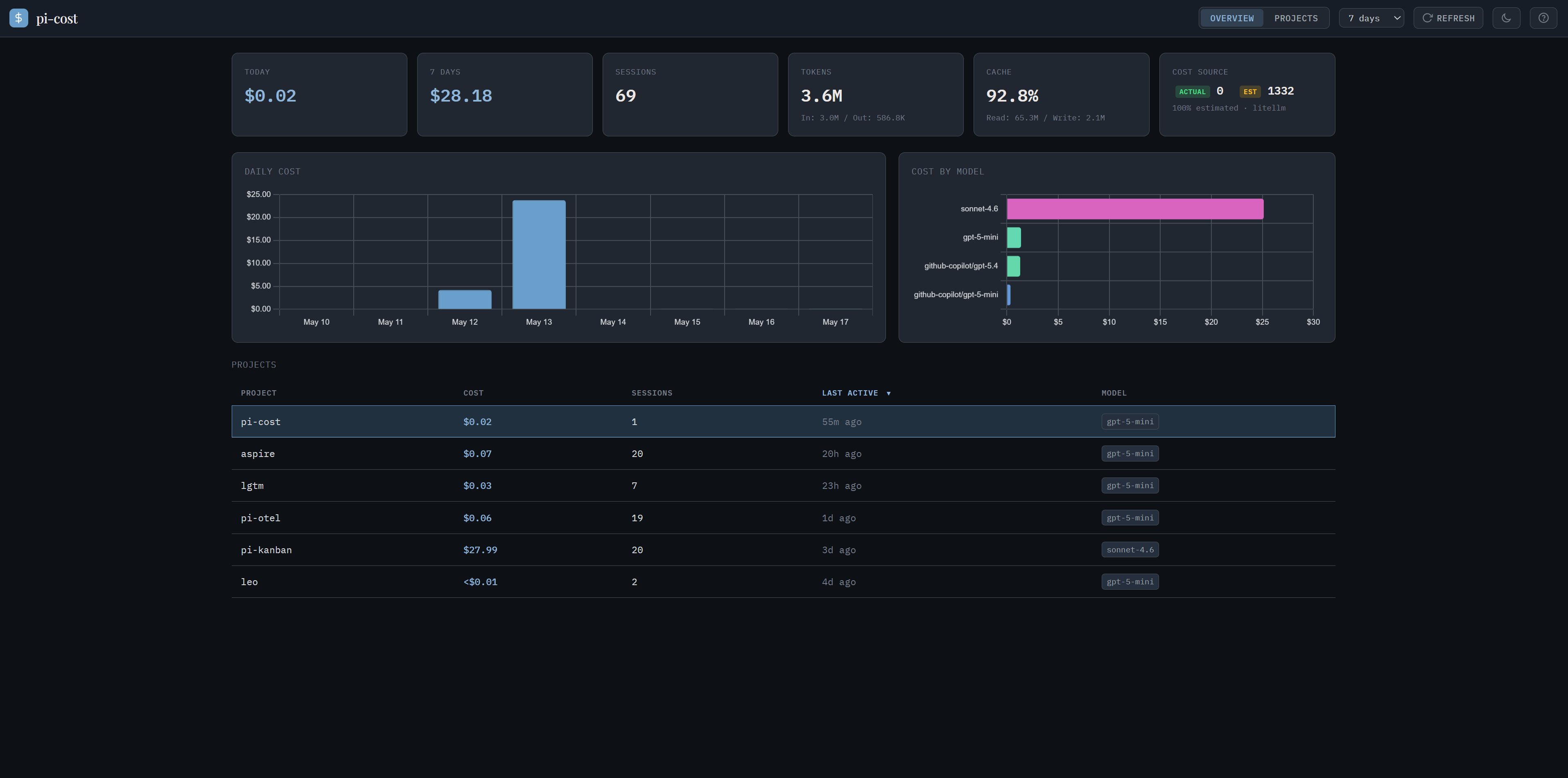 |
| Project | 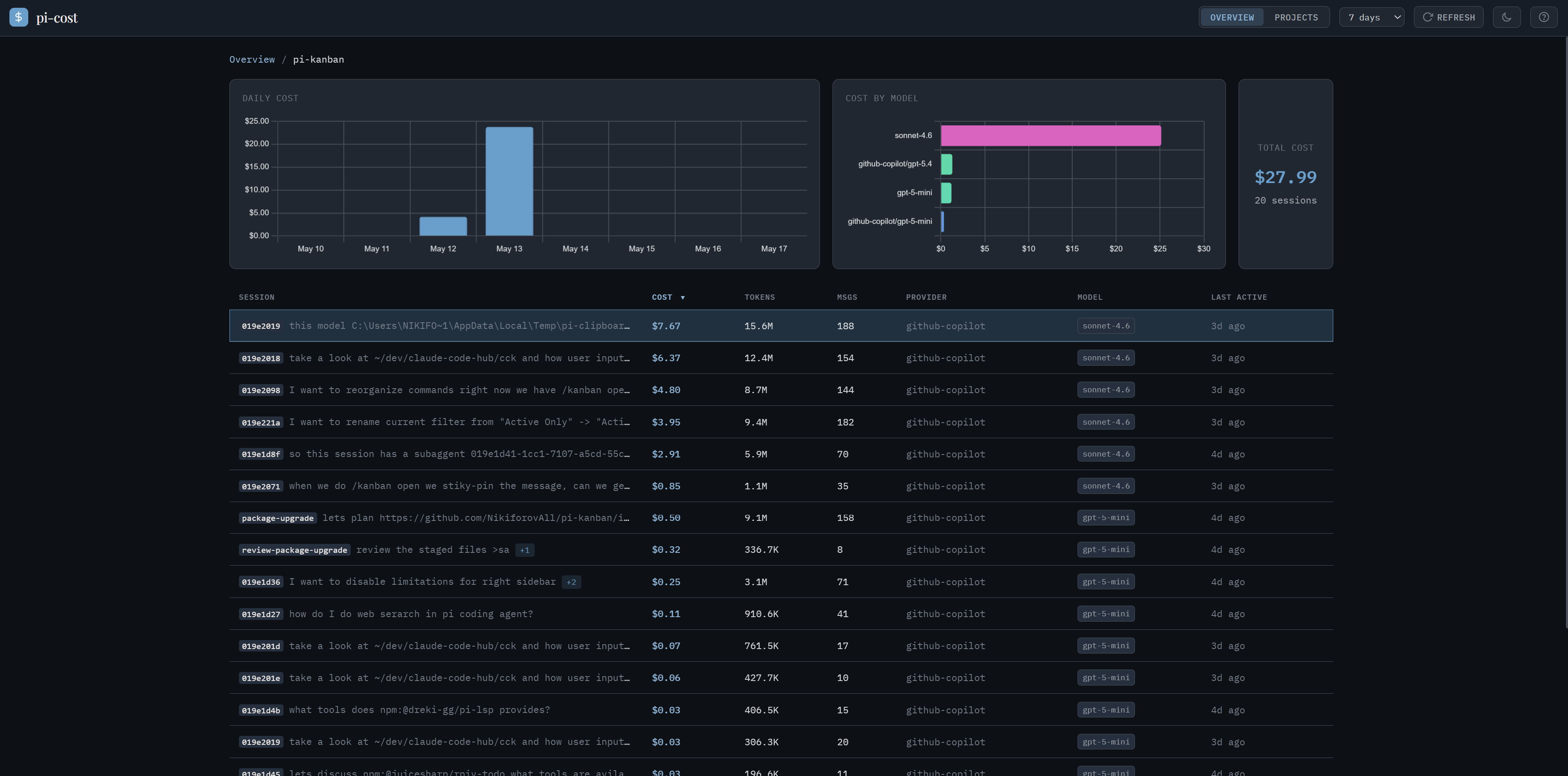 |
| Session | 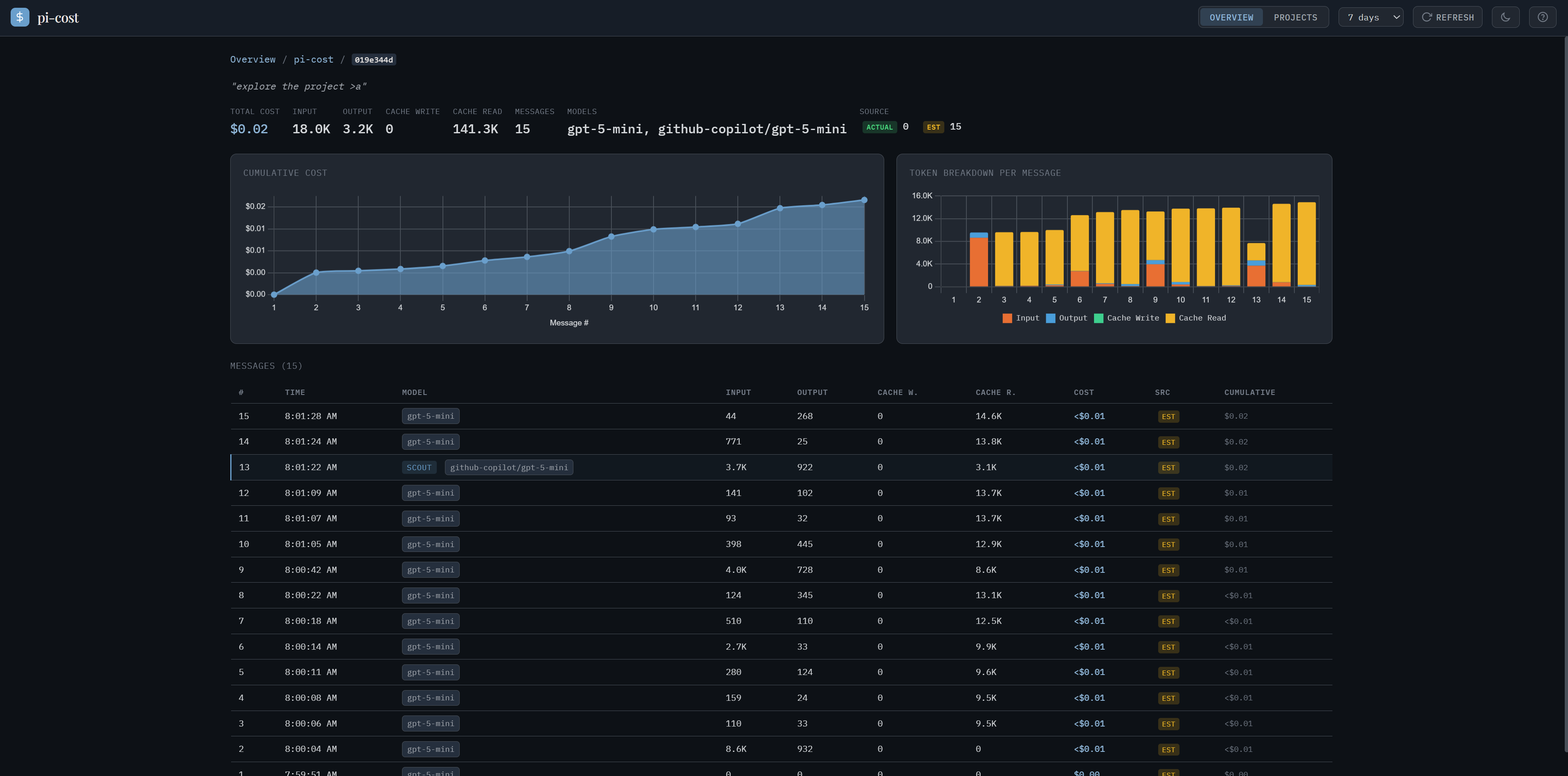 |
| Session (light) | |