
Install
Install with PiG
pig install npm:pi-copy-messageInstall with Pi
pi install npm:pi-copy-messagePackages run code with your permissions and influence agent behavior. Catalog inclusion is not a security audit. Review the source before installing a third-party package.
Pi manifest JSON
The pi field of package.json.
{
  "extensions": [
    "./extensions"
  ]
}
README
Written by the package's publisher, shown as published in version 4.0.16 (README.md). PiG does not review it.
pi-copy-message
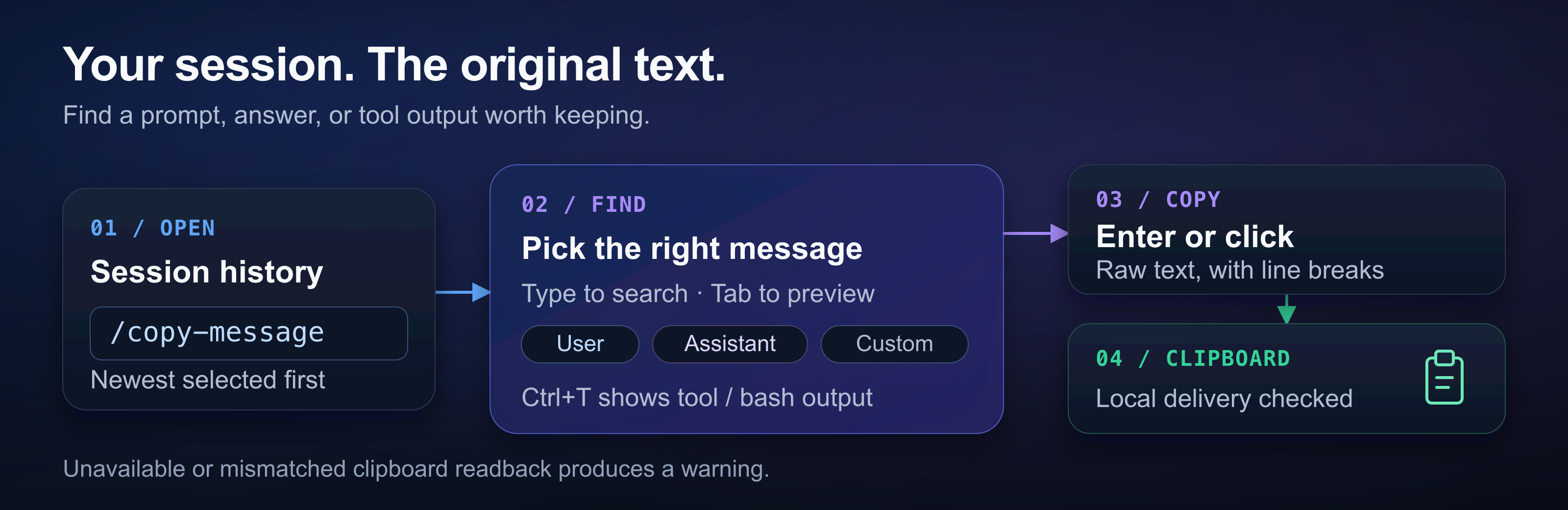
Copy message text from a Pi session with a searchable picker. The copied text keeps the original code, spaces, and line breaks.
Install and start
This extension requires Pi and Node.js. See the development guide for version requirements.
Run this command:
pi install npm:pi-copy-message
Start Pi. Run /reload if Pi is already open.
Enter this command in Pi:
/copy-message
Type words to search roles and message text. Use ↑ or ↓ to select a message. Press Enter to copy the message.
Use the picker
Messages appear from oldest to newest. The picker selects the newest visible message first.
User, assistant, and visible custom messages appear by default. Tool and bash messages stay hidden.
| Key | Action |
|---|---|
| Ctrl+T | Show or hide tool and bash messages |
| Ctrl+U / Ctrl+A / Alt+C | Show or hide user, assistant, or custom messages |
| Tab | Preview the selected message |
| Alt+M | Switch between raw text and text with role/time metadata |
| Esc / Ctrl+C | Cancel |
The picker uses your Pi selection bindings. Its key hints show those bindings.
Direct copies
| Command | What it copies |
|---|---|
/copy-user | Your most recent message with text |
/copy-message latest | The latest default-visible message in Pi's active context |
/copy-message 3 | The third default-visible message, counted oldest to newest |
/copy-message latest --with-meta | The latest message with its role and local time, when available |
latest follows Pi's active context, including context edits, omissions, and compaction. The picker, numbered copies, and /copy-user use stored messages on the current branch, including history before compaction.
Limits and clipboard
The picker requires interactive TUI mode. Direct commands also work outside TUI mode, where Pi may hide notifications.
The extension uses Pi's clipboard support and OSC 52 fallback. It reports “Copied” only after local clipboard readback matches the copied text.
On Termux, unavailable readback produces "Sent … to terminal clipboard; paste to verify." Termux Fold can receive clipboard writes without the optional Termux:API app needed for readback. Keep Termux visible and use its Paste action to check delivery.
Empty or mismatched readback still produces a warning. Unavailable readback on other platforms also warns. A failed write produces an error.
Over SSH or mosh, “Copied” confirms the clipboard of the machine that runs Pi. Pi also sends the text to your terminal with OSC 52, and the extension cannot verify that step. Paste into a local editor to check delivery.
Restart Pi after you change dependencies or the Pi runtime.
Docs and support
The reference lists all controls, command aliases, and clipboard details. The development guide covers tests and releases.
License
MIT · Mitch Fultz