
Install
Install with PiG
pig install npm:pi-collapse-toolsInstall with Pi
pi install npm:pi-collapse-toolsPackages run code with your permissions and influence agent behavior. Catalog inclusion is not a security audit. Review the source before installing a third-party package.
Pi manifest JSON
The pi field of package.json.
{
  "image": "https://raw.githubusercontent.com/xRyul/pi-collapse-tools/main/assets/demo.webp",
  "extensions": [
    "./index.ts"
  ]
}
README
Written by the package's publisher, shown as published in version 0.1.11 (README.md). PiG does not review it.
pi-collapse-tools
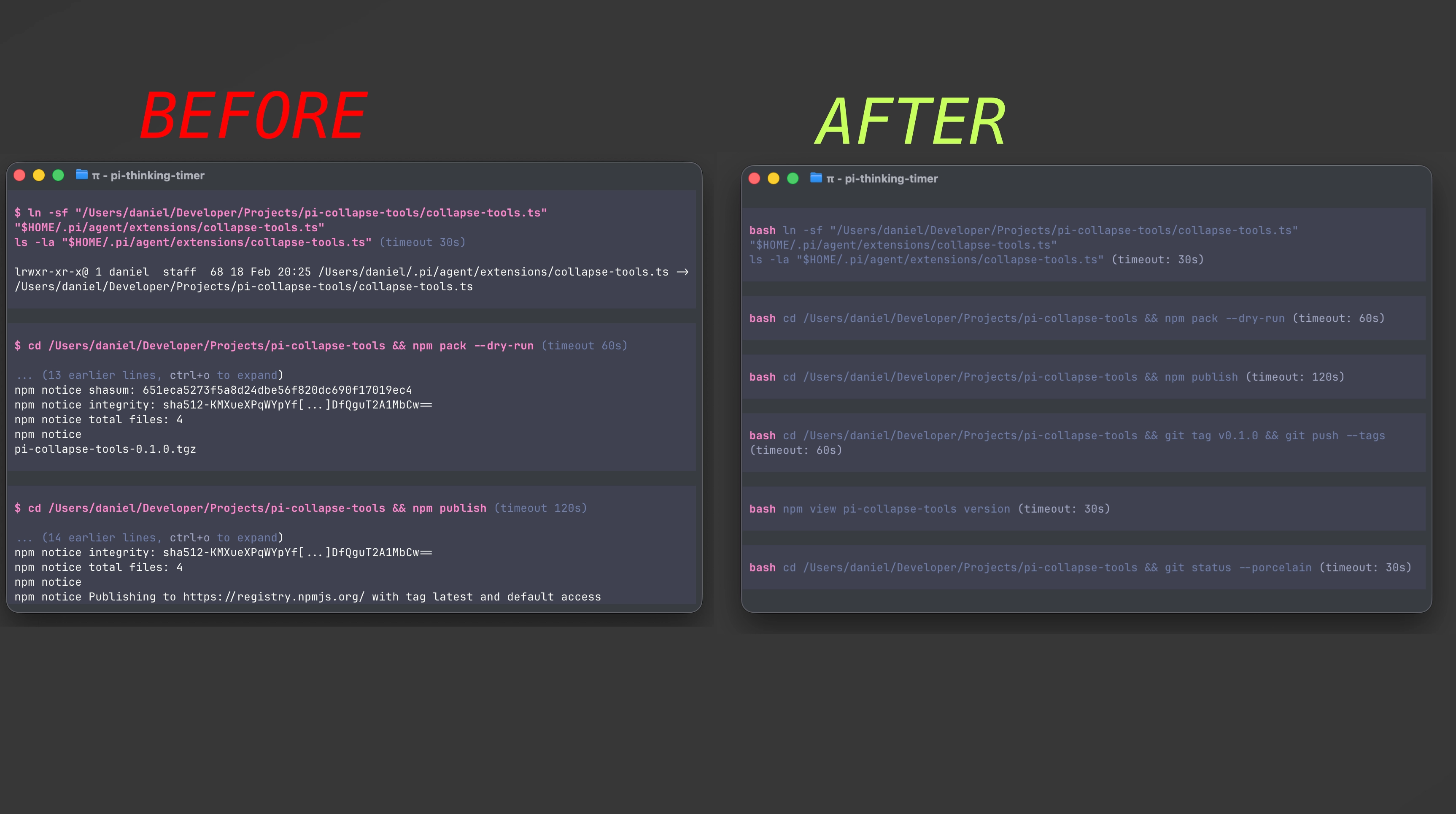
A pi extension that keeps your chat clean by hiding tool output by default.
- Tool calls still render with their key parameters (so you can see what ran).
- Tool results render nothing unless expanded.
- Press Cmd+O (macOS) / Ctrl+O (other terminals) to expand tool output.
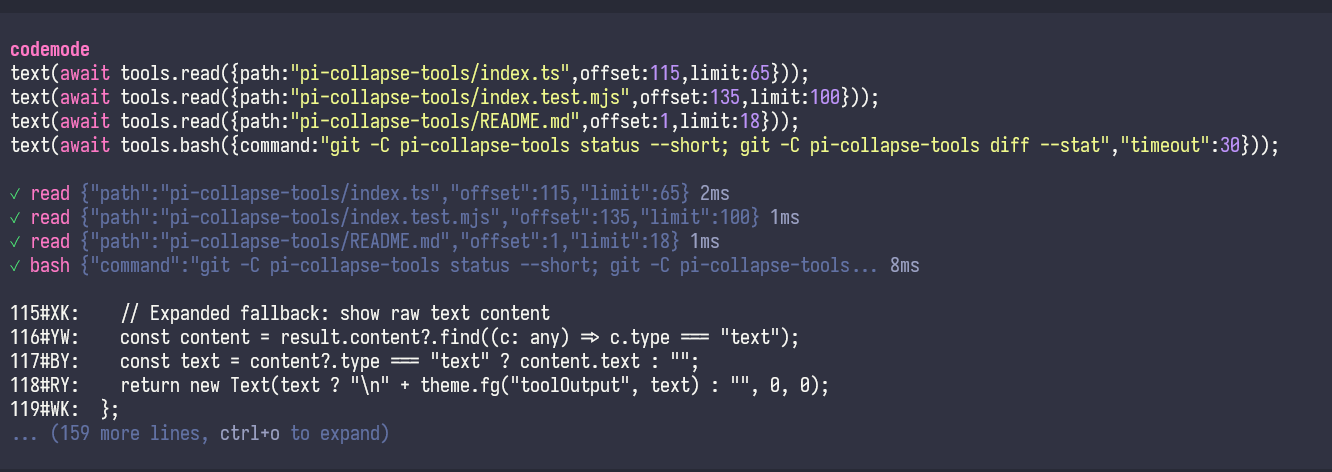
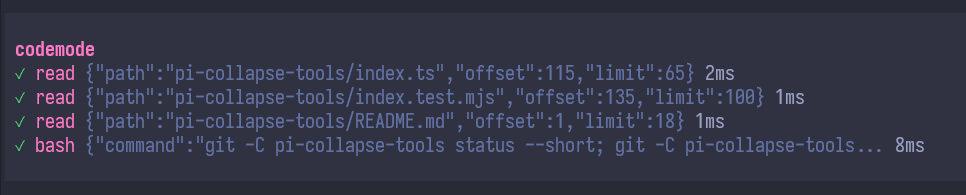
On Pi 1.0.1+, codemode keeps Pi's compact nested tool rows, including status icons, arguments, timings, and costs. Only the script and output are hidden until expanded. Other tool renderers are passed through unchanged.
The collapsed codemode header shows animated ••• while its script is being generated or executed. The dots disappear on completion or cancellation.
A plain elapsed-time counter appears below the tool rows if the script keeps running after the currently listed tools finish. It shows milliseconds below one second (e.g. 17ms), then seconds (e.g. 1.4s), and freezes on completion or cancellation.
Once codemode completes, the collapsed footer adds an estimated output-token count and its percentage of the active model's context capacity, e.g. 700ms · Tokens ~1,024 (0.512%). It counts the final content returned to the model, not intermediate output filtered away by the script or billed token usage. The percentage is omitted if context capacity is unavailable.
Codemode: before and after
Before
After
Install
Option A: Install from npm (recommended)
pi install npm:pi-collapse-tools
Restart pi (or run /reload).
Option B: Try without installing (temporary)
pi -e npm:pi-collapse-tools
Option C: Install from GitHub
pi install git:github.com/xRyul/pi-collapse-tools
What it does (technical)
This extension overrides pi’s built-in tools by registering tools with the same names, but only for the tools you enabled via --tools / --no-tools (default: read,bash,edit,write).
It delegates execution to the built-in implementations, but changes rendering so output is collapsed by default.
Examples:
- Default tools:
pi→ wrapsread,bash,edit,write - Read-only:
pi --tools read,grep,find,ls→ also wrapsgrep,find,ls - No tools:
pi --no-tools→ wraps nothing (does not re-enable tools)
Notes
- Because it overrides built-in tools, pi will show a warning about tool overrides at startup.
- If you use another extension that also overrides these tools, they may conflict.
Development
git clone https://github.com/xRyul/pi-collapse-tools
cd pi-collapse-tools
pi -e ./index.ts
License
MIT