
Install
Install with PiG
pig install npm:pi-codeblocksInstall with Pi
pi install npm:pi-codeblocksPackages run code with your permissions and influence agent behavior. Catalog inclusion is not a security audit. Review the source before installing a third-party package.
Pi manifest JSON
The pi field of package.json.
{
  "extensions": [
    "./extensions/pi-codeblocks.ts"
  ]
}
README
Written by the package's publisher, shown as published in version 0.2.0 (README.md). PiG does not review it.
pi-codeblocks
Framed Markdown code blocks with language labels, syntax highlighting, and a copy button for the Pi coding-agent TUI.
English · 한국어 · 日本語 · 简体中文 · Français · Español · Português (Brasil)
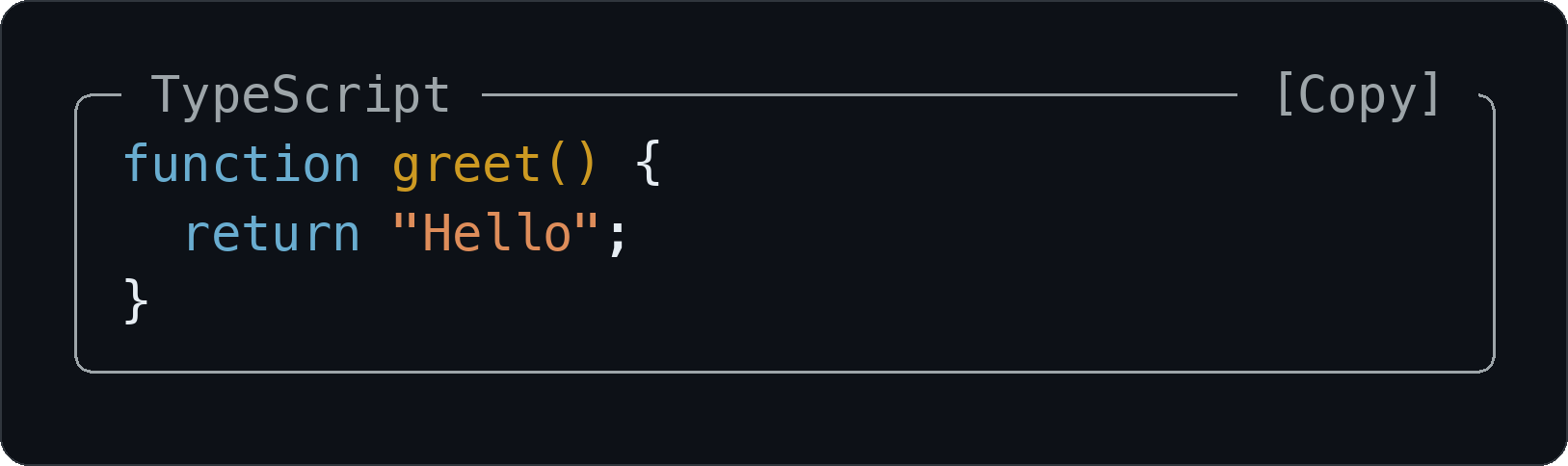
Requires Node.js 22.19.0+ and Pi 0.79.9+. Copy and Markdown repairs were tested from Pi 0.85.1; Pi 0.79.9 and 0.80.3 only draw frames.
Install
pi install /path/to/pi-codeblocks  # local checkout
pi install npm:pi-codeblocks       # after publication
Restart Pi or run /reload. To try without installing, run pi -e /path/to/pi-codeblocks/extensions/pi-codeblocks.ts. To uninstall, use pi remove with the same source.
Copy code
- Mouse:
[Copy]appears on finished, non-empty blocks in fullscreen when the block has at least 24 columns. The clicked button shows[Copied!]for 1.5 seconds after a successful write. At 40 columns or wider,[Borderless]temporarily removes only that block's vertical borders so dragging can select lines without│or|;[Bordered]restores them. The top/bottom rules stay visible. Dragging still selects rendered text. - Keyboard:
/codeblocks copycopies the first non-empty code block in the latest assistant reply on the active branch, including blocks inside quotes and lists. Blocks are numbered from the top of that reply, so/codeblocks copy 2copies the second. Invalid or out-of-range numbers, or a reply without code, leave the clipboard untouched. This command works in regular and fullscreen TUI, not in RPC, JSON, or print mode. - Copied text: Line breaks and indentation stay intact; tabs become the three spaces Pi displays. Fence markers, frame padding, and terminal controls are excluded. Both copy methods use Pi's code-block parsing and clipboard backend, and writes run in request order.
Markdown repairs
The extension repairs one-line fences and recognized shell-command boxes in finished assistant replies, for display only. Inner backticks and executable names in commands such as python -m pytest and go test ./... are preserved. Replies with display math, boxes inside multiline inline code, and boxes with ambiguous padding after a backslash are left unchanged. The extension does not execute code or modify stored messages.
Options
Set these environment variables before starting Pi. Unset or blank values keep the default. 0, false, no, and off disable a flag, regardless of case; other nonblank values enable it.
| Variable | Default | When enabled |
|---|---|---|
PI_CODEBLOCKS_LANG | on | Show the format name, such as JavaScript, TypeScript, or Text |
PI_CODEBLOCKS_COPY | on | Enable the mouse copy button; keyboard copy is independent |
PI_CODEBLOCKS_FILL | off | Shade blocks with the theme's neutral tool background |
PI_CODEBLOCKS_ASCII | off | Use +, -, and | borders with ... for truncation |
PI_CODEBLOCKS_BAR | off | Keep only the top border and give the code the full width |
Compatibility
Blocks use Pi's syntax highlighting and theme colors, and wrap within their available width. Mermaid and blocks narrower than 12 columns use Pi's rendering. Framing wraps Pi's private Markdown.prototype.renderToken; if it is unavailable, Pi renders normally. Use one code-block renderer extension at a time.
Local tests covered macOS ARM64 with Node.js 26 and Pi 0.79.9, 0.80.3, 0.85.1, 1.3.0, 1.4.0, and 1.5.0–1.5.2. The compatibility workflow covers macOS, Linux, and Windows. It does not test physical mouse clicks or the desktop clipboard.
Development
npm install       # TypeScript and Node types
npm test          # uses a local or global Pi installation
npm run typecheck # needs a local Pi install for its types
MIT · Changelog