
Install
Install with PiG
pig install npm:pi-cmux-theme-pickerInstall with Pi
pi install npm:pi-cmux-theme-pickerReview before installing
Packages run code with your permissions and influence agent behavior. Catalog inclusion is not a security audit. Review the source before installing a third-party package.
Pi manifest JSON
The pi field of package.json.
{
  "image": "https://raw.githubusercontent.com/victor-software-house/pi-cmux-theme-picker/main/assets/preview.png",
  "extensions": [
    "./extensions"
  ]
}
README
Written by the package's publisher, shown as published in version 0.3.0 (README.md). PiG does not review it.
pi-cmux-theme-picker
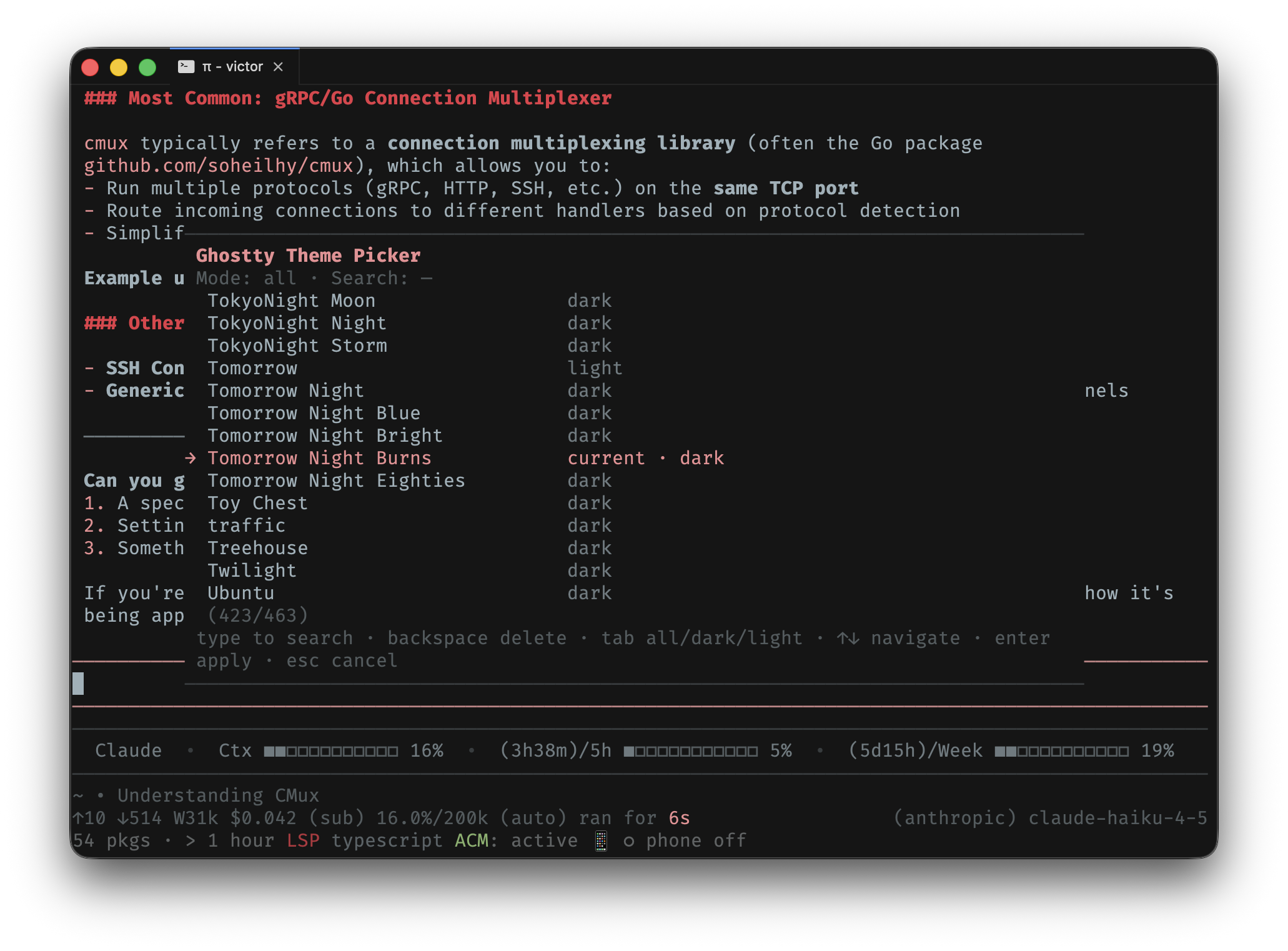
Live cmux terminal theme picker for Pi. Synchronises Pi and cmux themes with debounced preview.
What it does
/theme— opens an inline picker to browse, filter, search, and live-preview all bundled cmux (Ghostty) themes. Confirm with Enter, cancel with Esc./theme "Theme Name"— apply a named theme directly without opening the picker./theme-settings— toggle extension settings (auto-sync on session start).- Auto-sync (opt-in) — reads the active cmux theme and generates a matching Pi theme on session start.
Install
pi install pi-cmux-theme-picker
Usage
/theme              # Open the picker
/theme Catppuccin   # Apply a theme directly by name
/theme-settings     # Toggle auto-sync and other settings
Picker controls
| Key | Action |
|---|---|
Up / Down | Navigate themes with live preview |
Enter | Apply selected theme |
Esc | Cancel and restore original |
Tab | Cycle filter: all / dark / light |
| Type | Incremental search |
Backspace | Delete search character |
Settings
| Setting | Default | Description |
|---|---|---|
| Auto-sync on session start | off | Sync Pi theme from current cmux theme when a session starts |
How it works
- Reads cmux bundled Ghostty theme files from
/Applications/cmux.app/Contents/Resources/ghostty/themes/. - Converts the palette into a full Pi theme JSON (semantic colors, contrast-aware link picking, dark/light adaptation).
- Preview uses debounce + background prewrite — JSON file is written asynchronously;
setThemeandcmux themes setfire back-to-back with no I/O in between. - On confirm, writes a permanent
cmux-sync-{slug}.jsontheme file and cleans up old sync artifacts.
Requirements
- cmux installed at
/Applications/cmux.app - Pi with
@mariozechner/pi-coding-agentand@mariozechner/pi-tui
License
MIT