
Install
Install with PiG
pig install npm:pi-claude-code-tuiInstall with Pi
pi install npm:pi-claude-code-tuiReview before installing
Packages run code with your permissions and influence agent behavior. Catalog inclusion is not a security audit. Review the source before installing a third-party package.
Pi manifest JSON
The pi field of package.json.
{
  "image": "https://raw.githubusercontent.com/Phoobobo/pi-claude-code-tui/main/assets/screenshot.png",
  "extensions": [
    "./extensions/claude-code-startup.ts"
  ]
}
README
Written by the package's publisher, shown as published in version 0.1.14 (README.md). PiG does not review it.
pi-claude-code-tui
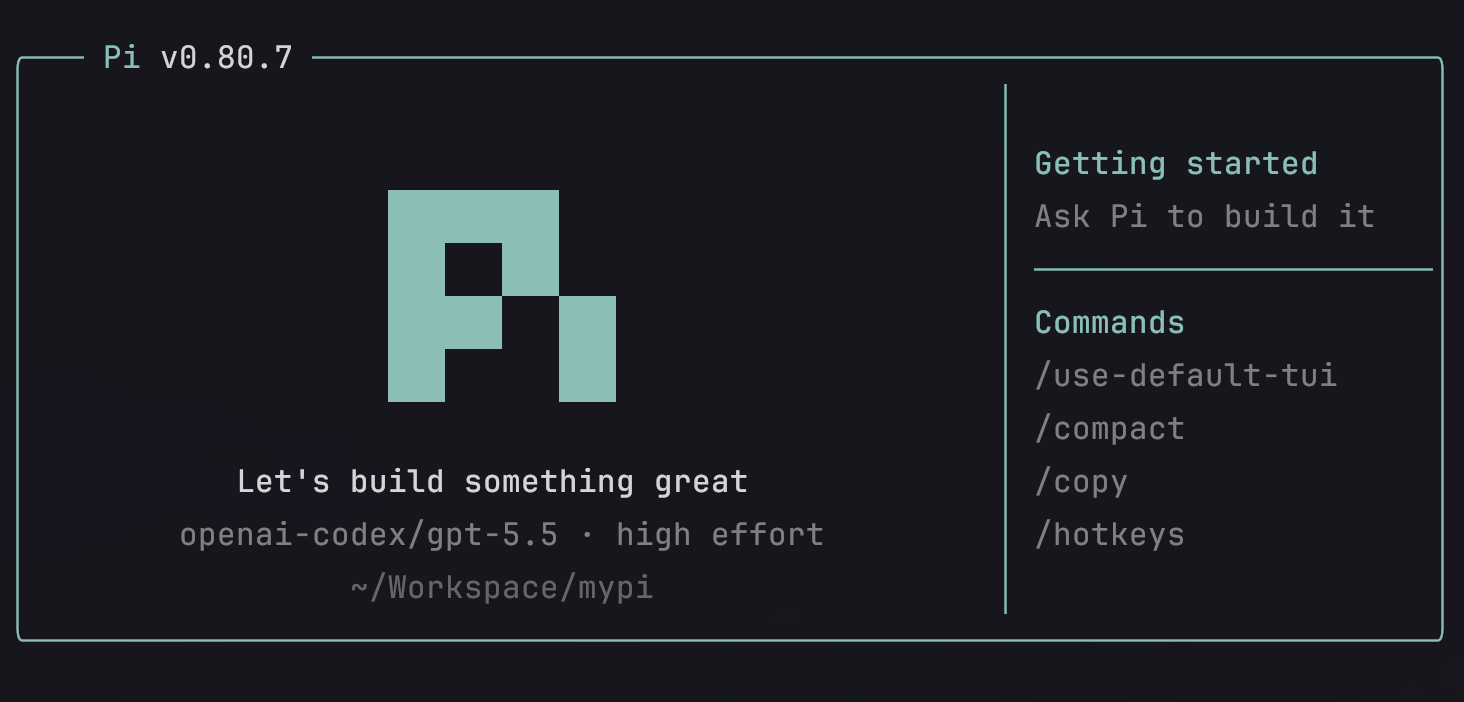
A pi package that gives startup a polished Pi header while keeping pi's original footer.
Installation
Install from npm globally for your user:
pi install npm:pi-claude-code-tui
Or install it only for the current project:
pi install -l npm:pi-claude-code-tui
Try it for one run without installing:
pi -e npm:pi-claude-code-tui
What it changes
- Header title: left-aligned
─── Pi v<pi version> ─────(theme accent color) - Animated Pi logo matching the dynamic color-changing mark from
curl -fsSL https://pi.dev/install.sh | sh, settling into the accent color - Center text:
Let's build something great - Shows current model (
provider/id), thinking effort, and cwd - Right-side tips panel on wide terminals (narrow sidebar with
…truncation) - Keeps pi's original input box and cursor
- Keeps pi's original footer and spinner, with Claude-style rotating working verbs
Local development
pi -e .
Commands
/use-claude-code-tui— switch to this package's look (Pi header)/use-default-tui— switch back to pi's built-in header, footer, and spinner
License
MIT