
Install
Install with PiG
pig install npm:pi-catppuccin-tuiInstall with Pi
pi install npm:pi-catppuccin-tuiPackages run code with your permissions and influence agent behavior. Catalog inclusion is not a security audit. Review the source before installing a third-party package.
Pi manifest JSON
The pi field of package.json.
{
  "themes": [
    "./themes"
  ],
  "extensions": [
    "./extensions/catppuccin-tui.ts"
  ]
}
README
Written by the package's publisher, shown as published in version 0.1.3 (README.md). PiG does not review it.
pi-catppuccin-tui
Exact Catppuccin themes for Pi, with optional Catppuccin-flavored TUI polish.
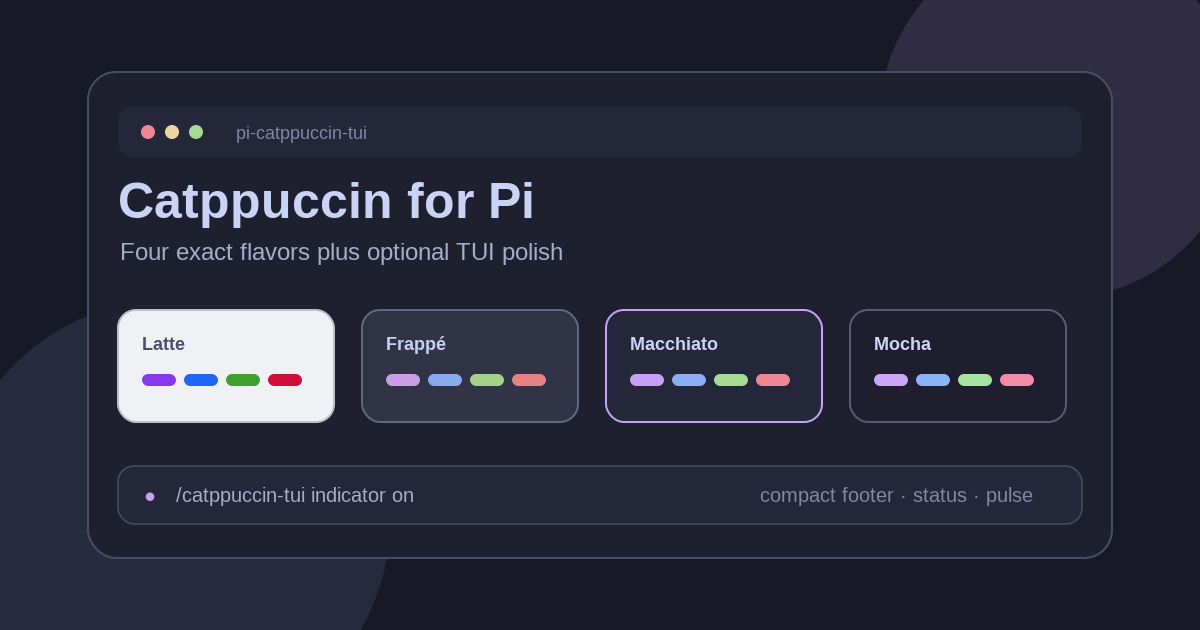
What is included
catppuccin-tui-lattecatppuccin-tui-frappecatppuccin-tui-macchiatocatppuccin-tui-mocha- Optional
/catppuccin-tuicommand for a working indicator, status text, and compact footer
The optional TUI enhancements are off by default. Installing the package gives you the themes and the command, but it does not replace your footer or spinner until you enable them.
Install
From npm after publish:
pi install npm:pi-catppuccin-tui
For local testing from this repository:
pi install /absolute/path/to/pi-catppuccin-tui
Select a theme
Open Pi settings:
/settings
Then choose one of:
Pi saves the selected theme in settings.json, so it should remain active after /new, /reload, and restart.
| Flavor | Pi theme name | Mood |
|---|---|---|
| Latte | catppuccin-tui-latte | Light, soft, readable |
| Frappé | catppuccin-tui-frappe | Muted dark pastel |
| Macchiato | catppuccin-tui-macchiato | Cozy terminal cockpit |
| Mocha | catppuccin-tui-mocha | Deep dark Catppuccin |
Macchiato is the signature flavor for this package.
Optional TUI enhancements
Enable one enhancement at a time:
/catppuccin-tui indicator on
/catppuccin-tui status on
/catppuccin-tui footer on
Enable everything:
/catppuccin-tui all on
Disable one enhancement:
/catppuccin-tui footer off
Reset all enhancements:
/catppuccin-tui reset
Notes:
indicatorchanges the inline streaming indicator to a small Macchiato pulse.statusadds a Catppuccin status entry to Pi's footer status area.footerreplaces the default footer with a compact Catppuccin telemetry line showing the current model, git branch, token counts, and cost.- Enabled enhancements persist after
/reloadand new sessions once you opt in./catppuccin-tui resetclears the saved opt-in.
Verify before publishing
npm run build:themes
find themes -name '*.json' -print0 | xargs -0 jq empty
npm run validate
npm pack --dry-run --json
Manual checks before publishing:
- Install the local package with
pi install /absolute/path/to/pi-catppuccin-tui. - Select each theme in
/settings. - Inspect editor borders, footer, markdown, tool boxes, diffs, and thinking-level colors.
- Toggle the optional enhancements with
/catppuccin-tui. - Run
/reloadand confirm enabled enhancements stay on.
Do not publish until the local install and visual pass are complete.
Palette source
Palette values are copied from the official Catppuccin palette:
- https://catppuccin.com/palette/
- https://github.com/catppuccin/catppuccin/blob/main/docs/style-guide.md
License
MIT