
Install
Install with PiG
pig install npm:pi-backgroundInstall with Pi
pi install npm:pi-backgroundPackages run code with your permissions and influence agent behavior. Catalog inclusion is not a security audit. Review the source before installing a third-party package.
Pi manifest JSON
The pi field of package.json.
{
  "image": "https://raw.githubusercontent.com/Pringled/pi-extensions/main/assets/images/pi-background-dark.gif",
  "extensions": [
    "./extensions/background.ts"
  ]
}
README
Written by the package's publisher, shown as published in version 0.4.5 (README.md). PiG does not review it.
pi-background
Lets Pi run long commands in the background instead of waiting on them. Pi starts the job, carries on or hands back to you, and gets a message when the job finishes or prints something it's waiting for.
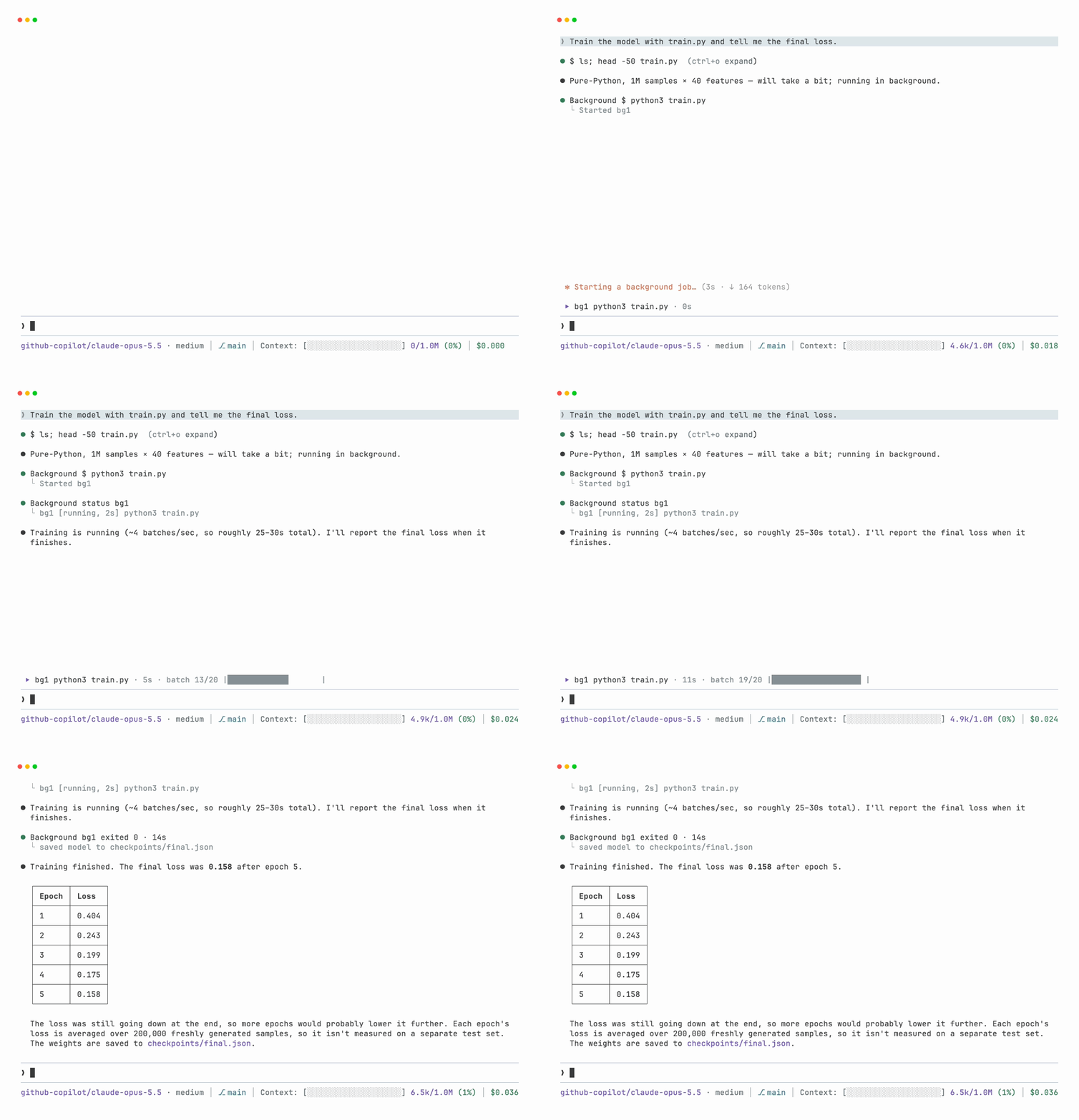
pi install npm:pi-background
Features
- Long commands like downloads, builds, test suites and training runs go to the background, and Pi hears back with the exit code and the end of the output when they finish.
- While a job runs, a line above the input shows it with its elapsed time and latest output, such as
⏵ bg1 python3 train.py · 4m12s · epoch 3/10 loss 0.41. A job that has printed nothing for 10 minutes showsno output for 12m30sinstead, so a stuck one stands out. With more than three jobs running, they share one line,⏵ 5 jobs, which adds1 silent for 10m+when one may be stuck;/bghas the details. /bgshows a job's last 20 lines of output, updating while it runs (/bg bg2for a specific job). Press esc to close it. Its list shows running jobs first, then the 10 latest finished ones.- Pi can wait for a specific line, such as a dev server's
listening onor a training run'sepoch 3, without checking again and again. - Jobs started together are reported together: when Pi starts several jobs at once, such as benchmarks to compare, it's woken once when the last one finishes instead of after each. You can keep chatting meanwhile, and a job that runs much longer doesn't hold the others back for more than 2 minutes.
- In
pi -pand--mode json, where Pi would exit as soon as it has answered, Pi waits for running jobs (up to 30 minutes, see Settings) and reads their results before it exits, instead of stopping them. Jobs waiting for a specific line, such as a dev server, never end on their own, so Pi doesn't wait for them. - A regular shell command still running after 2 minutes moves to the background on its own, so a slow command Pi didn't expect never holds up the turn. It shows in the jobs line, and Pi hears back when it ends. Press
ctrl+bto move a running command to the background sooner. If another extension already replaces Pi's bash, such as a sandbox, pi-background leaves it alone and runs background jobs through it instead.
You don't need to do anything differently: Pi decides when a job belongs in the background. You can also ask for it, for example "run the tests in the background and tell me when they're done".
Settings
The running jobs line has three levels. Set one in ~/.pi/agent/settings.json, for example "background": { "jobs": "compact" }.
jobs | What it shows |
|---|---|
full (default) | ⏵ bg1 python3 train.py · 4m12s · epoch 3/10 loss 0.41 |
compact | ⏵ bg1 python3 train.py · 4m12s |
off | Nothing |
In pi -p and --mode json, Pi waits up to 30 minutes for running jobs before it exits. Change it in ~/.pi/agent/settings.json with "background": { "exitWait": 120 } (in minutes), or set 0 for no limit, for very long jobs such as builds or training runs.
Tools
Pi gets three tools for this: bg_run starts a job, bg_status shows how it's doing and its latest output, and bg_kill stops it. Jobs run with the same environment and sandbox as Pi's own shell commands, and stop when you close Pi.
License
MIT