
Install
Install with PiG
pig install npm:pi-agent-teleportInstall with Pi
pi install npm:pi-agent-teleportPackages run code with your permissions and influence agent behavior. Catalog inclusion is not a security audit. Review the source before installing a third-party package.
Pi manifest JSON
The pi field of package.json.
{
  "image": "https://raw.githubusercontent.com/alexshpunt/pi-agent-teleport/v0.1.6/assets/agent-portal-gallery.webp",
  "extensions": [
    "./src/index.ts"
  ]
}
README
Written by the package's publisher, shown as published in version 0.2.13 (README.md). PiG does not review it.
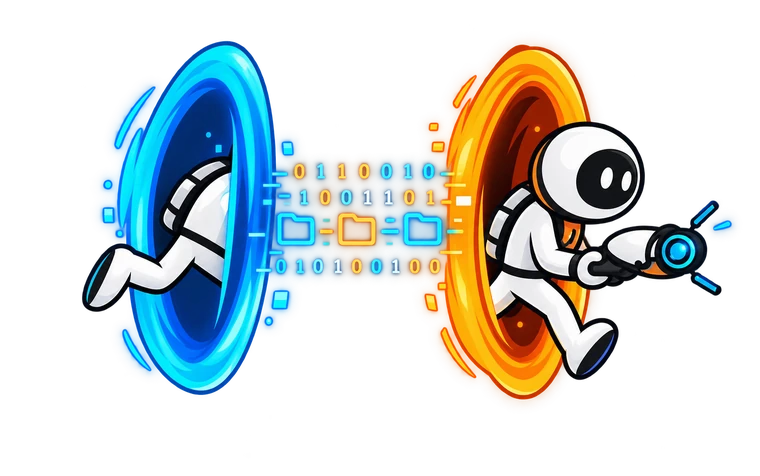
Pi Agent Teleport
Move a running Pi Coding Agent session between directories, Git worktrees, and remote machines.
Give your agent a teleportation gun.




Pi normally lives in the directory where you started it. Teleport lets the agent move to another directory, repository, Git worktree, or remote machine and jump back when the job is done. The conversation continues in the same session.
Install
pi install npm:pi-agent-teleport
Requires Pi 1.3 or newer, Node.js 22.19 or newer, and a saved Pi session.
Use it
Ask the agent in plain language:
Move this session to /root/dev/my-other-repo and continue there.

Create an isolated worktree for the login fix, move into it, and continue the task.

Go back to the previous repository and remove the worktree you created.

Show where this session has been.
The agent handles the move. There are no slash commands to remember.
Local moves work with or without Herdr and stay in the current terminal. Creating and removing worktrees uses Git without opening or closing Herdr panels. Other agents and unrelated panes stay open.
In an interactive terminal, Teleport reports the session's folder with the standard
OSC 7 sequence (ESC ] 7 ; file://<host>/<path> ESC \) when a session starts and after
every move, and ends it when Pi quits. Terminals that read OSC 7, such as Herdr App,
show the agent under its current folder, also on Windows, where Pi's process folder is
not visible to them. Inside herdr-core, the URI includes the reporter's PID and a
process token issued by its holder. Herdr uses the token to reject an old replay and
recognize Pi behind shell wrappers. Cores without process-token support need an update;
terminals opened before the update need to be reopened.
When Pi quits after a move, its last report inside herdr-core is a handoff
(&herdr-handoff=1): Herdr App then types a cd into the shell Pi returns to, so the
shell continues in the session's last folder. Without a move, or outside herdr-core,
Teleport clears the report instead, and the shell is shown in its own folder.
For a Windows UNC folder, Teleport puts the reporting machine in the URI's host and percent-encodes the UNC path. Herdr understands this form; other terminals may not. Print, JSON and RPC modes write nothing.
Remote machines
Move this session to ssh://buildbox/home/me/project, confirm where you are, then come back.
The agent really runs on the remote machine after moving; it is not just sending commands over SSH. The conversation and session identity follow it.
Before moving:
- Install the same Teleport build on both machines. Pi versions may differ; Teleport does not upgrade or downgrade either installation.
- Run Herdr on both machines. Add the destination as a saved direct Herdr machine.
Address it by its SSH alias. From a Herdr App terminal, its machine name works too,
as
hc machine lslists them:ssh://laptop-wsl/root/dev/projectandssh://mesh-workstation/root/dev/projectreach the same machine. Native Herdr machine IDs are not accepted as targets. When moving from an App-managed remote terminal to the computer hosting its window, Teleport identifies that desktop from the source workspace, tab and terminal instead. - Set up key-based SSH access and host-key trust. Put connection options in SSH config. The SSH server must allow remote forwarding: Unix sockets for Unix destinations, or loopback TCP for Windows destinations.
- Prepare the destination directory and configure Pi there with its own model and authentication. Teleport does not copy your repository, credentials, settings, or other extensions.
Keep the original computer awake and connected until the agent returns. Brief disconnections can recover, but a prolonged connection loss may need manual recovery.
If a move is reported as unconfirmed, ask the agent to inspect it before retrying. Destination readiness has no time limit after launch. Teleport cancels that startup only on a reported failure or an observed exit. The earlier Pi installation probe has a three-minute limit.
Herdr App from WSL
In a WSL terminal of the Windows Herdr App, Teleport finds the App's command-line
program and the machine name the App lists the terminal under, with no setup. The
program is the first found of PI_HERDR_APP_CLI, HERDR_APP_BIN, herdr-app or
herdr-app.exe on PATH, and the Windows installer's folder. The machine is read from
the App's listing by the terminal, tab and space IDs together. Set PI_HERDR_APP_CLI
to a full path, or PI_HERDR_APP_MACHINE to a machine name (empty for the App's own
machine), when the automatic choice is wrong.
Worktrees and safety
Ask Teleport to create a worktree when you want a separate checkout for a task. It only removes worktrees it created and recorded. Removal requires a clean checkout with no extra panes or running commands; there is no force option. Git refuses to delete an unmerged branch.
When Windows Pi works in a \\wsl.localhost\<distro>\... or \\wsl$\<distro>\...
folder, Teleport runs Git inside that WSL distribution. Git must be installed there.
Worktree metadata stays usable by Linux Git; no Windows safe.directory exception
or global Git configuration change is needed.
Changes must be committed or otherwise handled before removal. A worktree separates checkouts; it is not a security sandbox.
Teleport preserves the conversation, not unsaved in-memory state inside extensions. Those extensions need their own way to restore state after a move.
Technical documentation
See handoff and recovery for tool actions, Herdr behavior, state storage, failure handling, and development commands.
License
MIT