
Install
Install with PiG
pig install npm:percho-workbenchInstall with Pi
pi install npm:percho-workbenchPackages run code with your permissions and influence agent behavior. Catalog inclusion is not a security audit. Review the source before installing a third-party package.
Pi manifest JSON
The pi field of package.json.
{
  "image": "https://raw.githubusercontent.com/xueccci/percho-workbench-plugin/master/docs/workbench.png",
  "skills": [
    "./skills"
  ],
  "extensions": [
    "./extensions/percho-workbench.ts"
  ]
}
README
Written by the package's publisher, shown as published in version 0.1.1 (README.md). PiG does not review it.
percho-workbench
Give your installed Percho (Windows x64, 0.6.8 build 87476fa1) a real right-hand pane: an embedded browser plus the project file tree. The agent gets a workbench tool that drives the exact page you see.
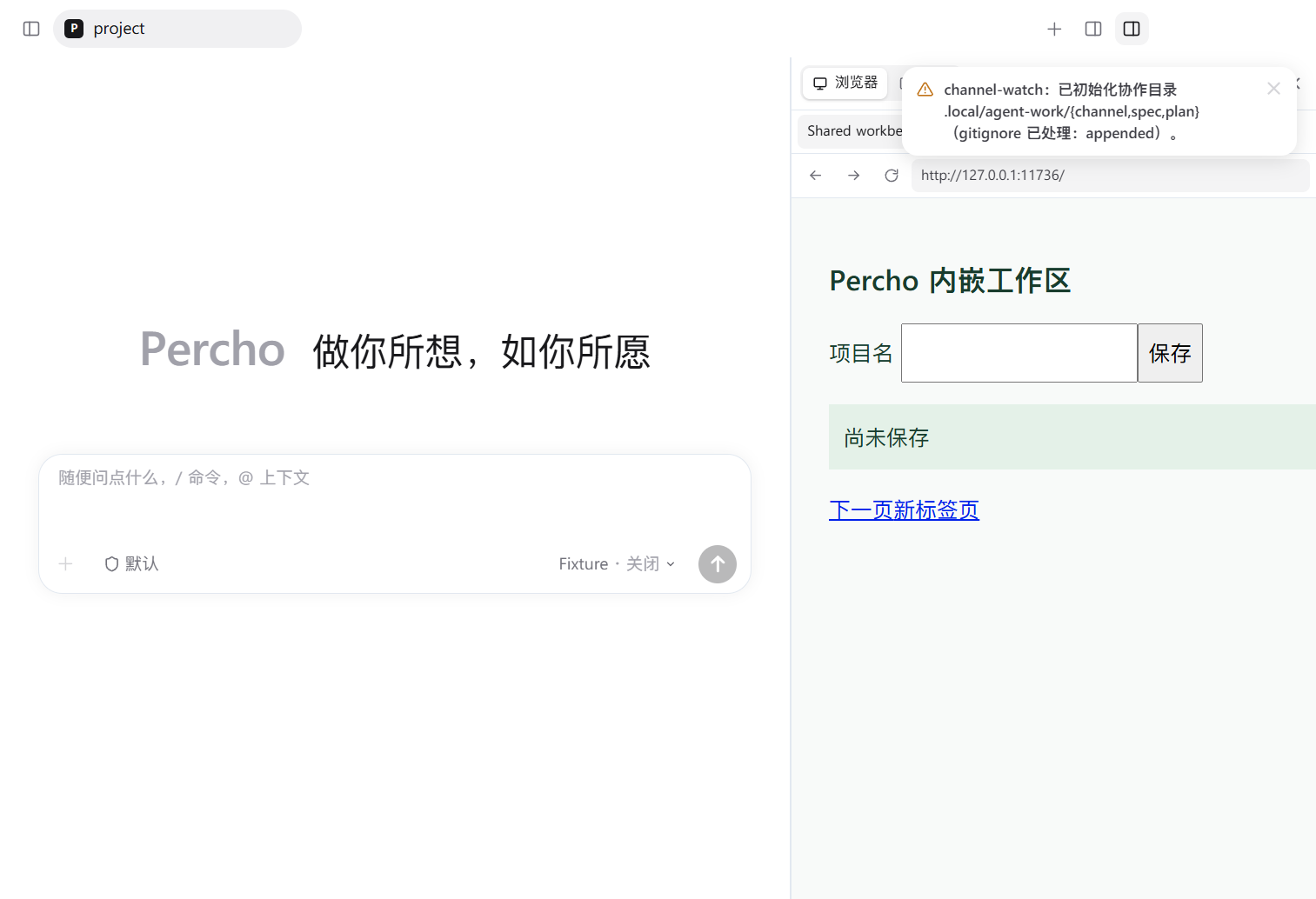
This package is a Pi package (pi-package keyword) that carries the installer. Install it, then let the extension patch Percho — it is reversible and refuses any other Percho build.
Install the package
pi install npm:percho-workbench
In Percho: Settings → Packages, install percho-workbench.
Use it
Ask the agent "给 Percho 装右侧工作区", or:
percho_workbench({ action: "detect" })   # find the Percho folder
percho_workbench({ action: "status" })   # is the patch installed?
percho_workbench({ action: "install" })  # close, patch, restart
percho_workbench({ action: "uninstall" }) # restore the original archive
install/uninstall close Percho after ~6 seconds, patch resources/app.asar, and start Percho again. Logs land in your temp folder.
After it restarts, open a local session and click the Workbench button next to the diff icon. Ask for anything browser-ish and the agent will use the built-in workbench tool.
Or bypass the agent:
powershell -NoProfile -ExecutionPolicy Bypass -File .\scripts\manage.ps1 install -Target "C:\path\to\Percho"
The equivalent standalone ZIP is on Releases.
What it changes
resources/app.asaris rewritten (only changed entries), original kept byte-exact inresources/.percho-workbench-plugin/.- Percho auto-update is disabled while patched; uninstall restores it.
- User profiles, sessions and credentials are untouched.
Limits
- Windows x64 only, Percho 0.6.8 build
87476fa1only; other builds are rejected. - Browser is Percho's own Chromium, not Ego Lite; no Ego profile or logins.
- Unofficial; not endorsed by Percho or ZCode. MIT, see
NOTICE.md.