
Install
Install with PiG
pig install npm:om-memory-systemInstall with Pi
pi install npm:om-memory-systemPackages run code with your permissions and influence agent behavior. Catalog inclusion is not a security audit. Review the source before installing a third-party package.
Pi manifest JSON
The pi field of package.json.
{
  "skills": [
    "./skills"
  ],
  "extensions": [
    "./dist/adapters/pi/extension.js"
  ]
}
README
Written by the package's publisher, shown as published in version 7.3.2 (README.md). PiG does not review it.

OMMS: Opinionated Modular Memory System



OMMS gives AI coding agents long-term project memory. It captures technical work, recalls relevant notes in later sessions and learns your working preferences. One shared engine serves OpenCode, Pi and Claude Code, so each host can retrieve memories captured by the others in the same project.
Memories are stored locally, by default in ~/.omms/data. Embeddings run
locally by default; the first use downloads a search model. Capture and profile
learning make additional model calls that can send conversation content to your
chosen provider and incur costs. Remote embeddings are optional. OMMS removes
text inside <private> tags before storage. See Configuration
for model choices and privacy controls.
Set up
Run one command. It finds OpenCode, Pi and Claude Code on your computer, shows what it will change and asks once before it installs OMMS into each host:
npx om-memory-system@latest setup
Add --dry-run to see the plan and change nothing, or --yes to skip the
question. Running it again changes nothing for a host that is already set up.
See CLI: setup.
You need these versions:
| Software | Minimum |
|---|---|
| Node.js | 22.14 |
| OpenCode | 2.0.22 (OpenCode v2 only; older versions cannot load OMMS) |
| Claude Code | 2.1.295 |
| Pi | 0.86.1 |
Automatic history import is enabled by default and makes model calls. To disable it before your first session, set
"autoBackfill": falsein~/.config/omms/omms.jsonc. See Automatic import.
To install into one host by hand, follow its section.
OpenCode
Add the package to ~/.config/opencode/opencode.json. Keep your existing settings.
On Windows, use %USERPROFILE%\.config\opencode\opencode.json.
{ "plugins": ["om-memory-system"] }
Or run:
opencode plugin add om-memory-system
Restart OpenCode. The OpenCode guide
covers plugin management and its additional cli.json configuration.
Pi
pi install npm:om-memory-system
Restart Pi. See the Pi guide.
Claude Code
Install the OMMS plugin using the Claude Code guide. Capture and profile learning require a configured external API; retrieval and manual memory operations remain available without it. A global npm install is optional.
Check it works
npx om-memory-system@latest doctor
It prints one row for each check with a plain fix for any row that fails, and exits 1 when a check fails. See CLI: doctor.
Model and web app
With no model settings, OpenCode and Pi use the session model. You can choose a host model or configure an external API under Settings. Claude Code uses only the external API. See Choosing the model for the selection order and credentials.
Start a host session, then open http://127.0.0.1:4747. Each host starts the shared web app when needed, unless it is disabled. Browse captured notes on Project memories, or ask your agent to search memory for an earlier decision.
Each host adds only the memories that match your prompt. An optional setting also adds matching memories to the first message of a new session. See Host differences.
Terminal command (optional)
A global install puts om-memory-system on your PATH:
npm install -g om-memory-system
om-memory-system --version
See the CLI reference for manual memory operations and history imports.
Inside OMMS
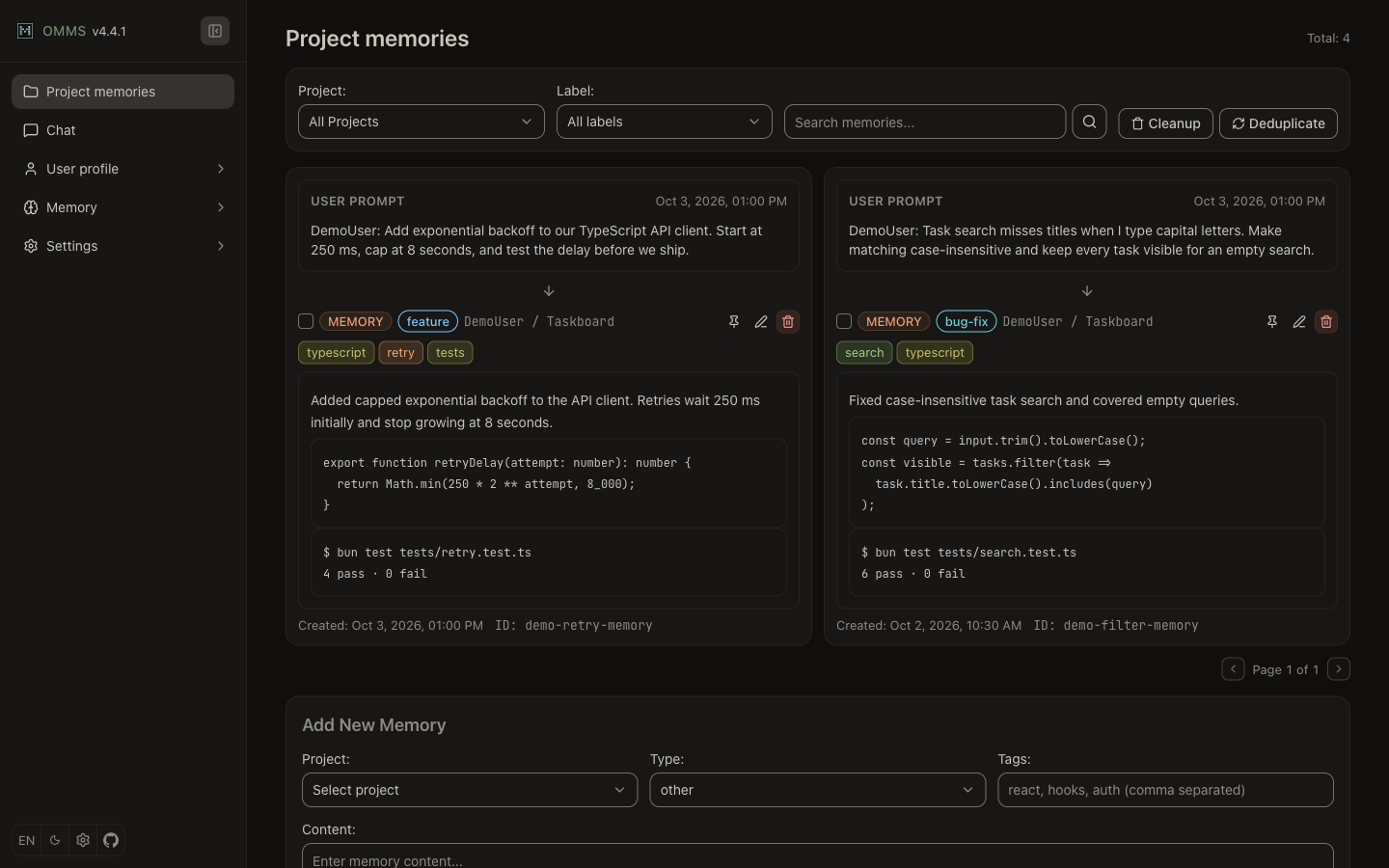
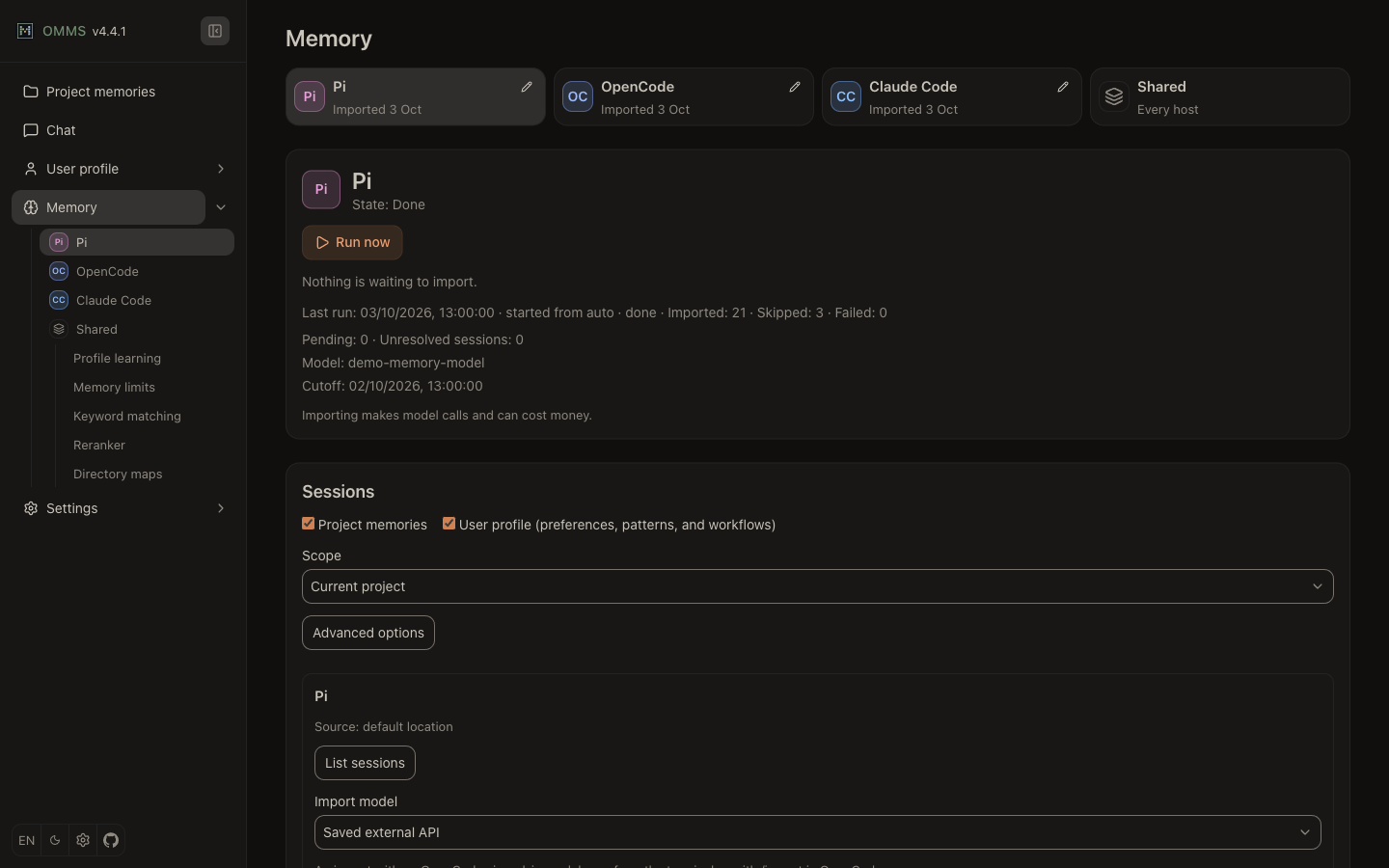
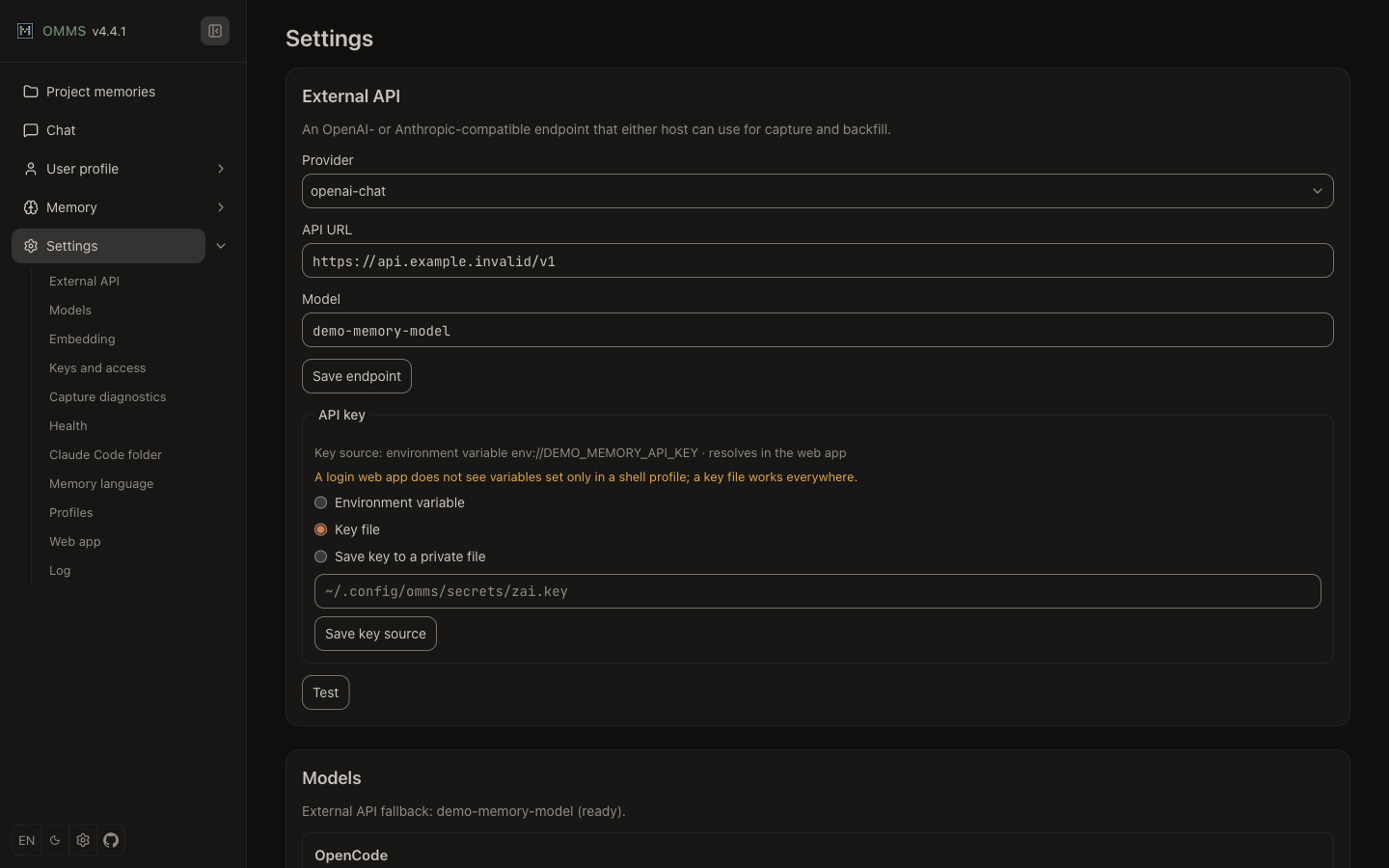
These screenshots use synthetic examples and configuration. All visible prompts, code snippets and outcomes are made up for the demonstration.
Project memories
Browse captured notes alongside example user input and technical outcomes.
Memory
Pick a host card (Pi, OpenCode or Claude Code) to see its import status, sessions and folders that need a map. The Shared card holds profile learning, memory limits and other settings that apply to every host. The cards also warn you when memories cannot be saved.
Memory spaces
Keep separate stores for separate lines of work. The Spaces item in the web app sidebar opens a page with one card for each space. Switching a space applies to every host. Memories can be copied or moved between spaces, exported to a shareable file and imported into a new space, and a space can read the spaces it links. See Memory spaces.
Memorisations
Save an exact note on purpose and fetch it later by ID, such as ms-4k7q2p, or by a close description. A memorisation stays out of automatic recall and cleanup, and the Memorisation page lists, labels, filters and deletes them. See Memorise and recall.
Settings
Choose models and manage access. Diagnostics show capture outcomes and component health.
Documentation
| Guide | Covers |
|---|---|
| Using memory | Daily use, capture, recall, memorisations and the user profile |
| Web UI | Starting the app, browsing memories and safe network access |
| Memory page | One card per host, imports, shared settings and avatars |
| Settings page | Models, credentials, diagnostics and profile identities |
| Configuration | Config files, model selection, privacy and embeddings |
| Moving projects | Folder moves, backup and restore |
| Updating and upgrading | Updates, version pinning and older stores |
| CLI reference | Terminal commands |
| Memory spaces | Separate stores, the Spaces page, backups and the space command |
| Skill learning | Opt-in turn recording, skill ranking and draft review |
| For developers | Building, testing and architecture |
| Contributing | Development workflow and pull requests |
History import guides: OpenCode,
Pi and Claude Code.
See UPDATES.md for host update commands and
CHANGELOG.md for release changes. Existing opencode-mem users
can follow the migration guide.
Licence
MIT. See LICENSE.md for copyright and attribution, and THIRD_PARTY_NOTICES.md for bundled dependencies.