
Install
Install with PiG
pig install npm:laguneInstall with Pi
pi install npm:lagunePackages run code with your permissions and influence agent behavior. Catalog inclusion is not a security audit. Review the source before installing a third-party package.
Pi manifest JSON
The pi field of package.json.
{
  "skills": [
    "./skills"
  ],
  "extensions": [
    "./lib/plugins/pi.js"
  ]
}
README
Written by the package's publisher, shown as published in version 0.21.0 (README.md). PiG does not review it.
🪼 Lagune AI




Instead of running a generic checklist, what if security existed before, during, and after development?
Give us a ⭐ on GitHub
It helps more people discover the project.
📘 Documentation


Get Started
Install and Update
Pick your agent:
| Install | Update |
|---|---|
 |
|
|
|
|
|
|
|
 |
|
|
|
 |
|
|
|
 |
|
|
|


[!NOTE]
- See the Install section for detailed instructions.
- Migrate from previous Lagune manifest-based setup.
Skills
Once installed, your AI agent unlocks a set of commands, all governed by the charter: secure new work as you build it, or run the full audit over a project.
[!TIP]
See real-world Prompt Samples 🪼
› First use
Start here, before building or auditing:
| Skill | What it does for you |
|---|---|
| /lagune-charter | Sets your project's security rules, the foundation every other skill builds on |
Examples
/lagune-charter
/lagune-charter @<PRD.md>
/lagune-charter <describe your project and what it does>
› Build (Universal)
Harden the work as you write it, with no flow to follow:
| Skill | What it does for you |
|---|---|
| /lagune | Builds what you ask and hardens it as it is written, guided by the charter |
Examples
/lagune let users upload a custom photo on their profile.
/lagune nothing happens when the user submits the form. Look into what it might be and fix it.
/lagune decouple and improve the payload logic
› Audit: the Blue Team flow
These five run in order. Each builds on the previous, so following the list top to bottom is all it takes:
| # | Skill | What it does for you |
|---|---|---|
| 1 | /lagune-charter | Sets your project's security rules, proposed for you or shaped by what you say |
| 2 | /lagune-detect | Reads your code and maps what your system does and where the risks are |
| 3 | /lagune-plan | Turns what detect found into a defense plan, with a fix for each finding |
| 4 | /lagune-harden | Applies the plan's fixes to your code, safely and one at a time |
| 5 | /lagune-verify | Proves each applied fix holds and closes out the ones that do |
Examples
You are a cybersecurity orchestrator:

- 0th sub-agent: /lagune-charter (only if no charter exists)
- 1st sub-agent: /lagune-detect
- 2nd sub-agent: /lagune-plan
- 3rd sub-agent: /lagune-harden
- 4th sub-agent: /lagune-verify

Loop: re-run harden and verify sub-agents until all findings are closed.
Combine them with your own skills, for example:
// ...

- 3rd sub-agent: /lagune-harden /engineering
- 4th sub-agent: /lagune-verify /code-review
› Special skills
| Skill | What it does |
|---|---|
| /lagune-specialize | Teaches Lagune a new security specialization from articles, exploits, or topics |
| /lagune-prove | Turns each detected finding into a runnable, defense-only proof for responsible disclosure |
[!TIP]
Security is not a cost, it is an investment: what you put in upfront, you save many times over in the incidents you never have 🙋🏻♂️
[!NOTE]
Some agents take the commands under the plugin's name, such as
/lagune:lagune-charter. Your agent's install page shows how to type them.
[!IMPORTANT]
See the full documentation for usage examples and more.
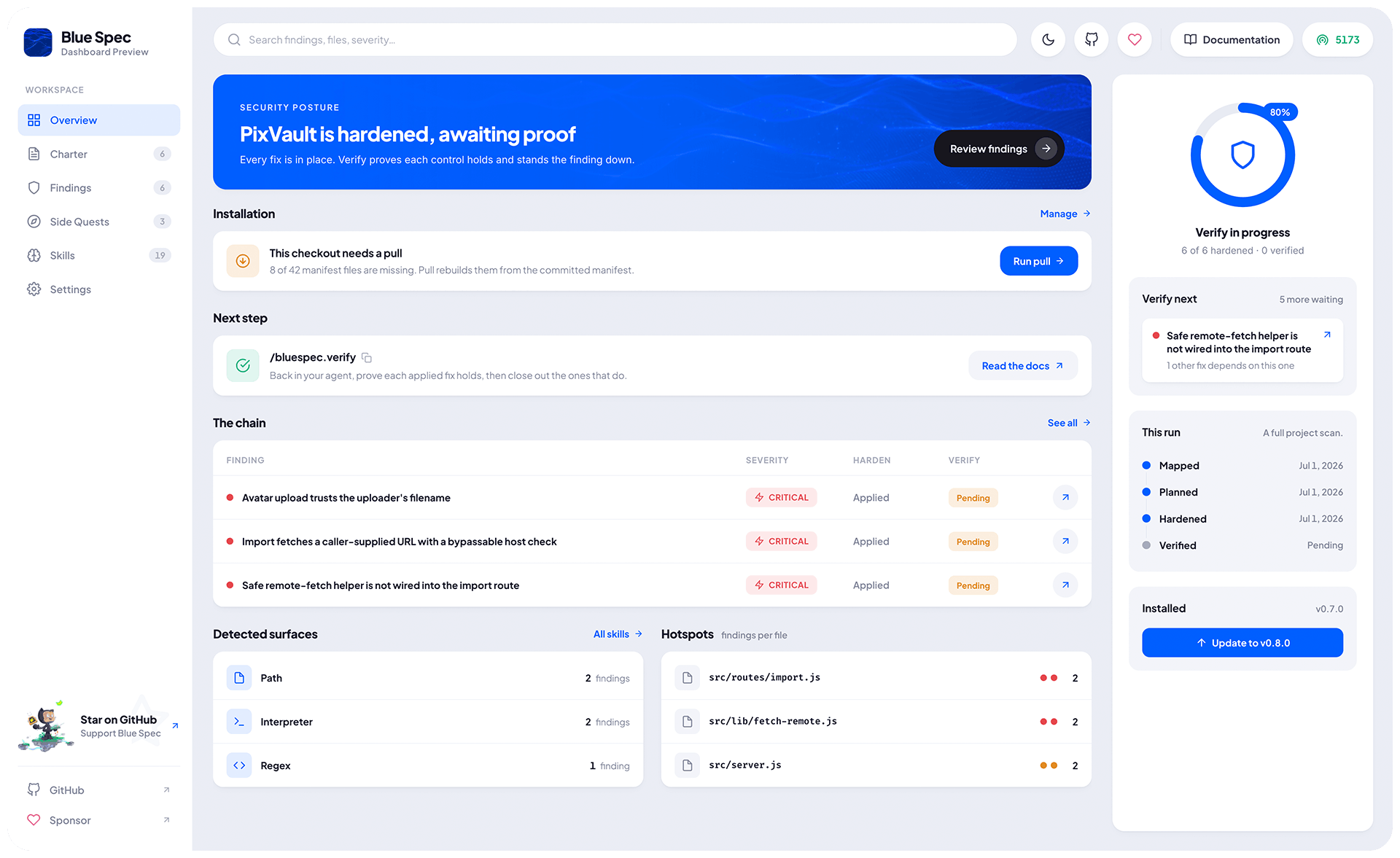
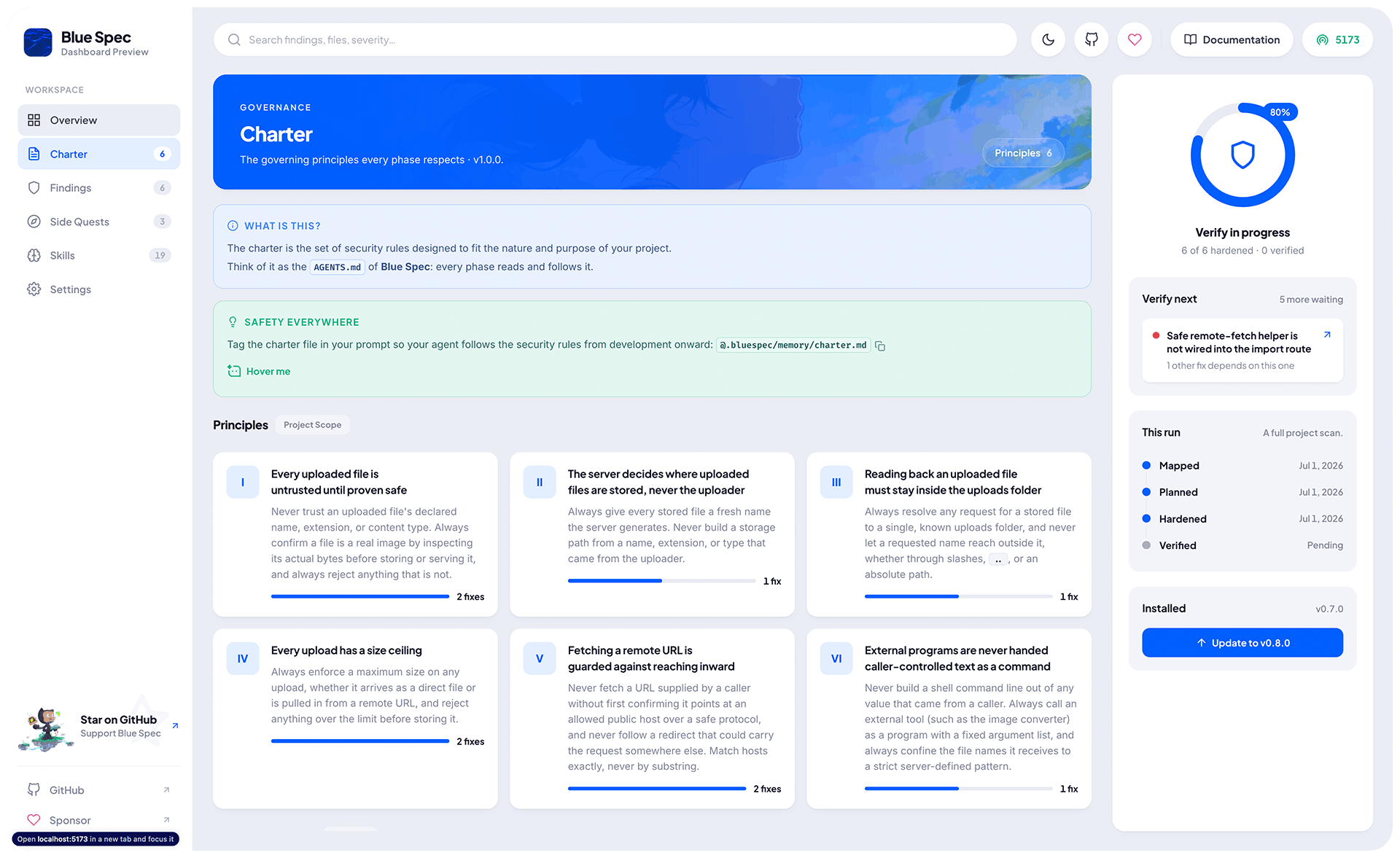
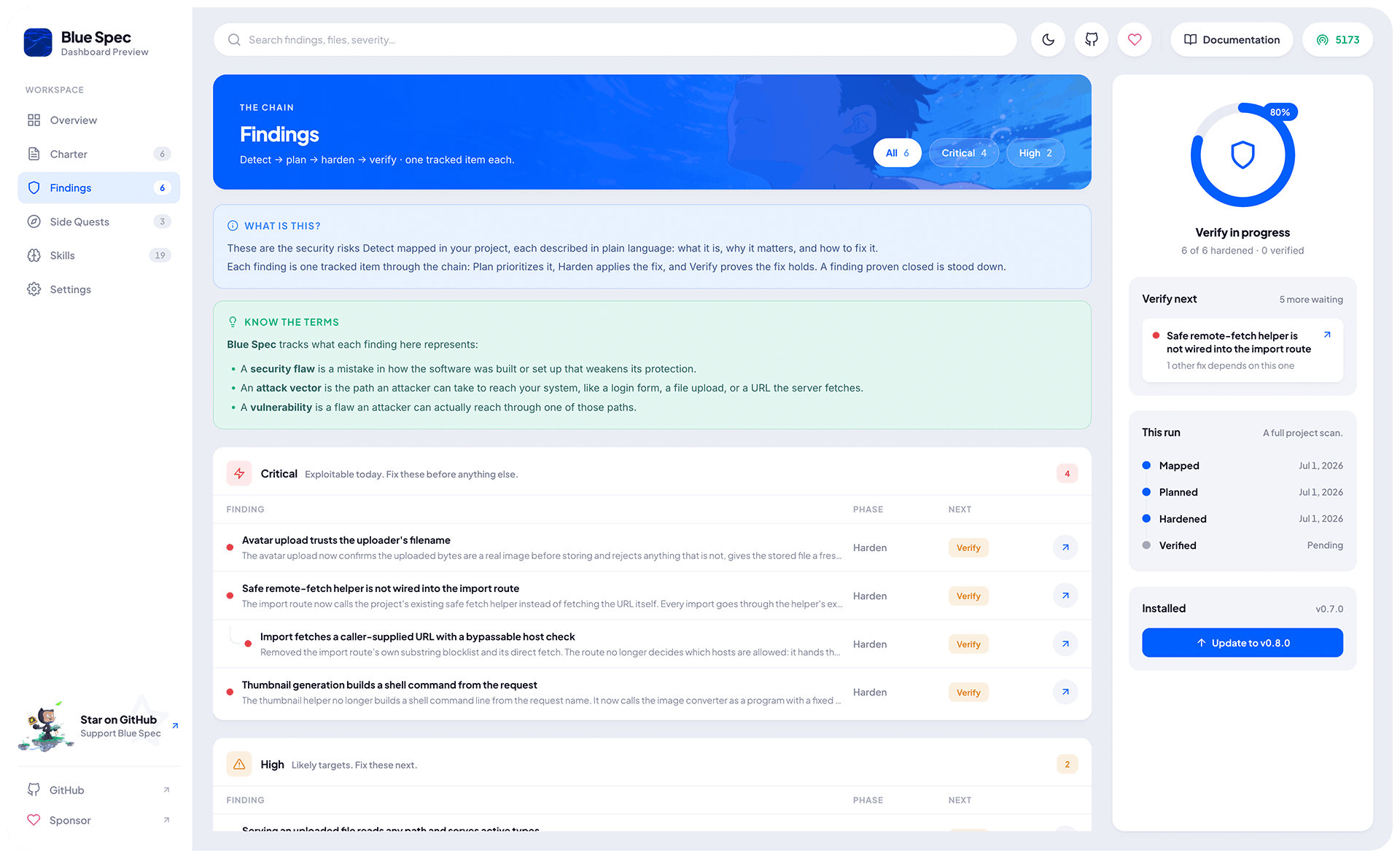
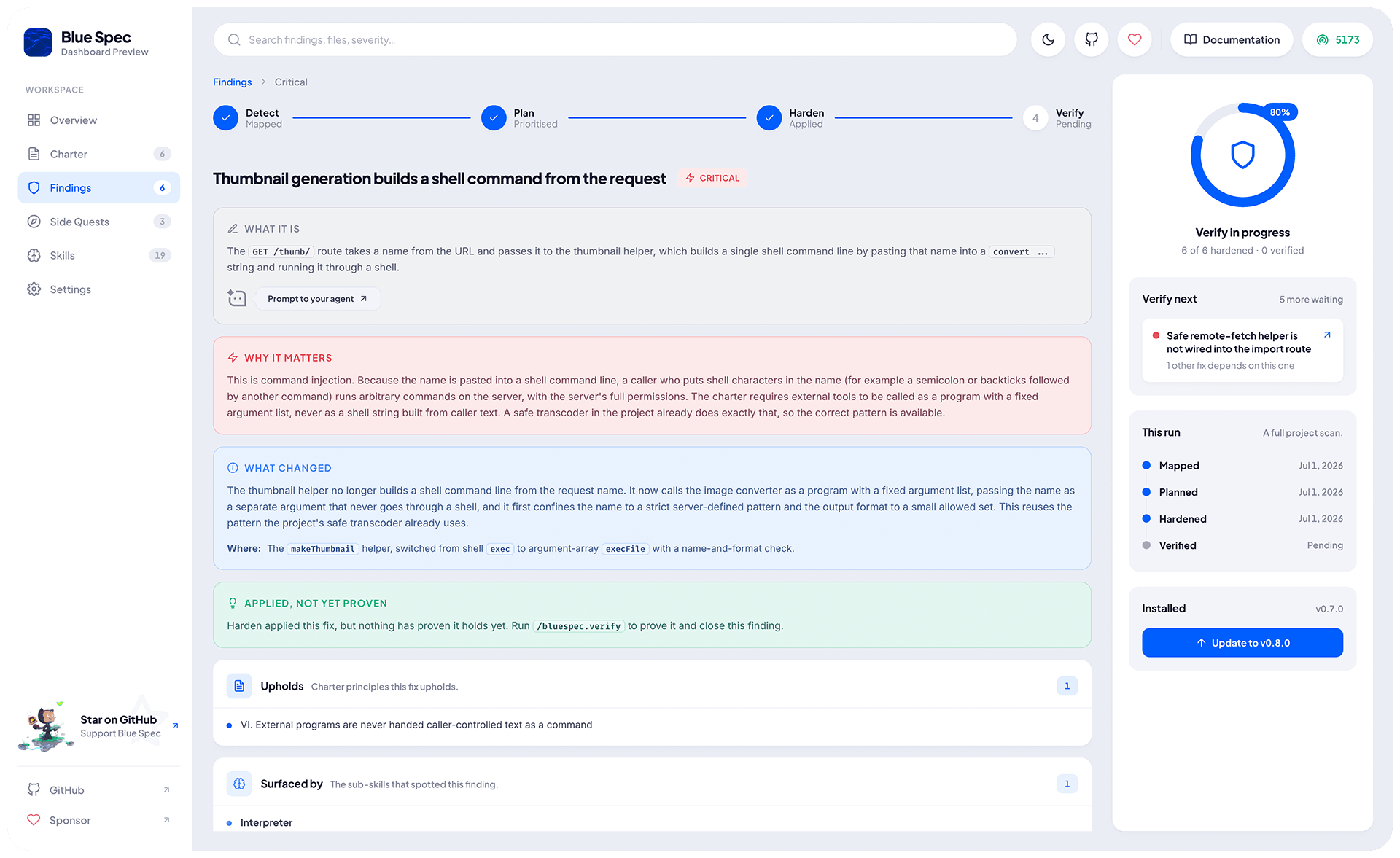
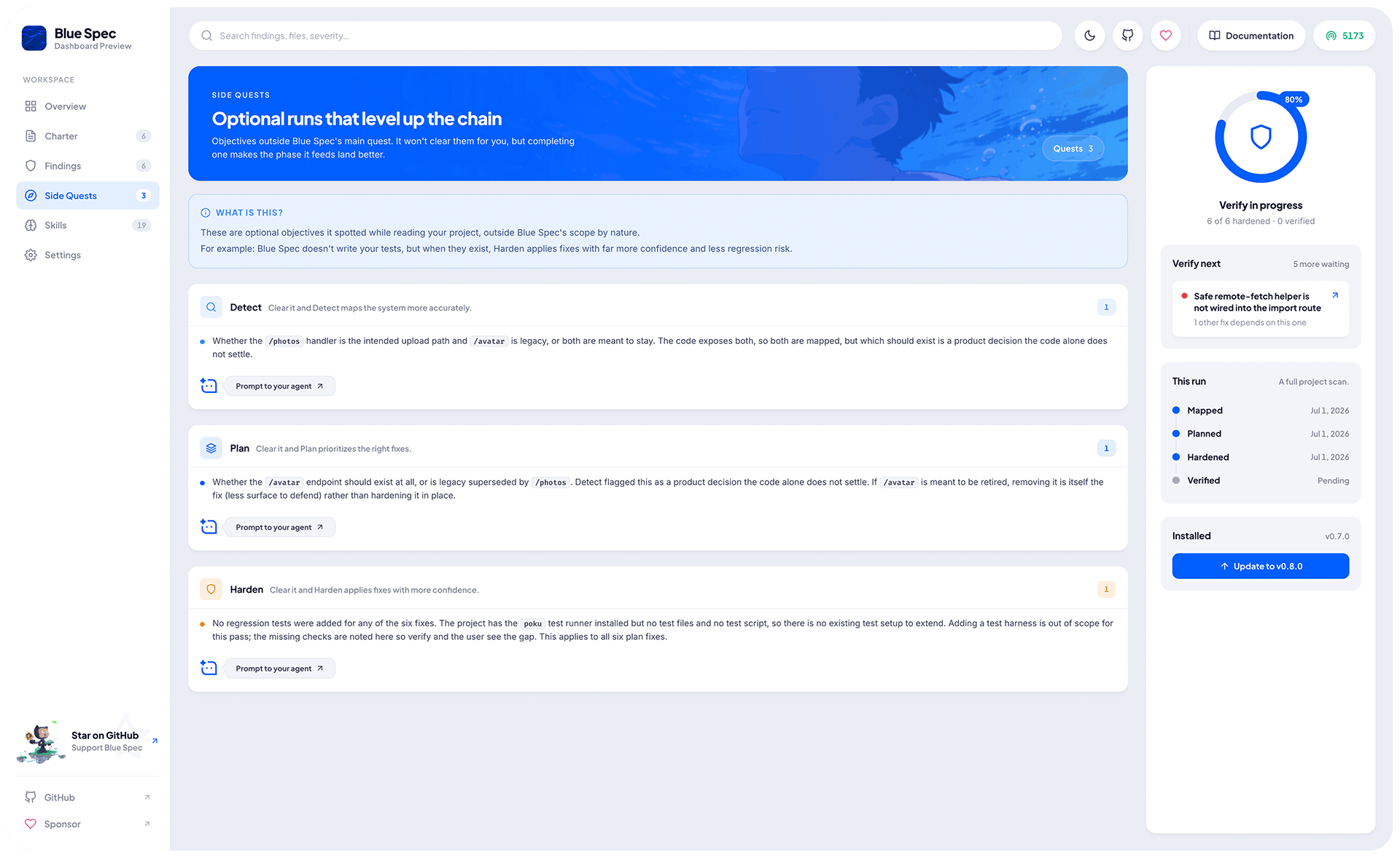
Dashboard
For an interactive live view of .lagune/, run:
npx lagune
It serves a dashboard and opens it on a random port:
- Live Reload
- Private and Local
- Follow the findings, fixes, and verdicts, and manage the categories, directly from your browser
- No
node_modulesorpackage.jsonis needed 📦
Overview
[!TIP]
- 🚪 Use
--portto specify a custom port.- ⏏️ Press
Ctrl+Cto stop.
Requirements
You will need Node.js (LTS) installed on your system.
Security
To report a vulnerability and see the supported versions, check the Security Policy.
Contributing
See the Contributing Guide and please follow our Code of Conduct 🚀
Acknowledgements
Partners
Partners get an exclusive logo across the repositories and landing pages, plus a spot on a dedicated partners page.
Help my work grow by becoming a partner 🖖
Supporters
Really thanks to everyone who has supported and keeps supporting my work.

Support my work by becoming a sponsor too ✨
License
Lagune is under the Apache License 2.0.
Copyright © 2026-present Weslley Araújo and contributors.
All product names, trademarks, and registered trademarks mentioned are the property of their respective owners and are used for identification purposes only.