
Install
Install with PiG
pig install npm:@zigai/pi-treeInstall with Pi
pi install npm:@zigai/pi-treeReview before installing
Packages run code with your permissions and influence agent behavior. Catalog inclusion is not a security audit. Review the source before installing a third-party package.
Pi manifest JSON
The pi field of package.json.
{
  "image": "https://raw.githubusercontent.com/zigai/pi-tweaks/master/extensions/pi-tree/assets/tree-preview-demo.png",
  "extensions": [
    "./src/index.ts"
  ]
}
README
Written by the package's publisher, shown as published in version 0.7.0 (README.md). PiG does not review it.
Pi Tree



A cleaner, more informative /tree for Pi.
Install
pi install npm:@zigai/pi-tree
Features
- Shows per-entry timestamps in
/tree. - Supports
off,relative, andabsolutetimestamp modes. - Uses Pi's configured tree label-timestamp keybinding, commonly
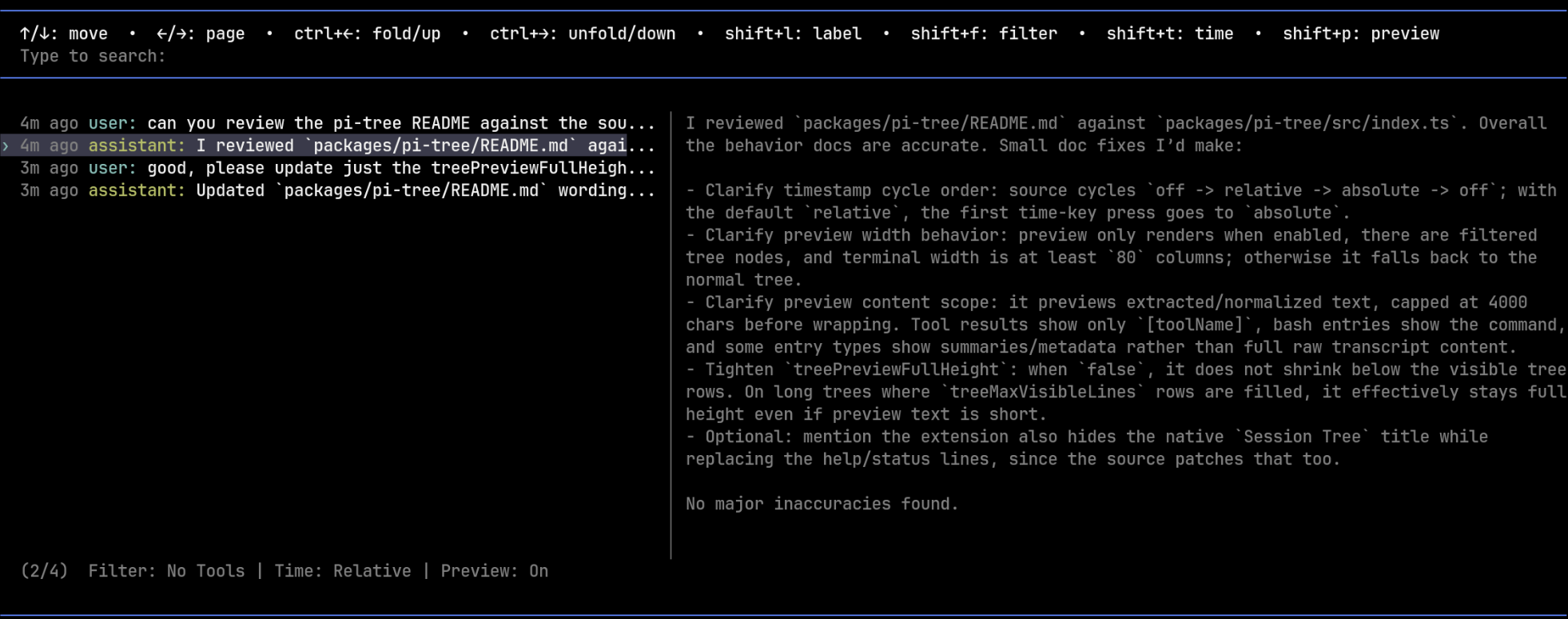
Shift+T, to cycle timestamp modes. - Adds an optional selected-entry preview pane on the right side of
/treewhen the terminal is wide enough. - Toggles the preview pane with
Shift+P. - Reads timestamp and preview choices from config.
- Can make
/treetaller withtreeMaxVisibleLines. - Can keep the preview pane at full height or shrink it to fit preview content.
Configuration
Global settings are stored in ~/.pi/agent/extension-settings/pi-tree.json.
| Option | Type | Default | Description |
|---|---|---|---|
treeTimestampMode | off | relative | absolute | "relative" | Timestamp style shown in tree entries. |
treeSelectedPreview | boolean | false | Show the selected tree entry preview. |
treeMaxVisibleLines | number | — | Maximum visible lines in the tree selector. |
treePreviewFullHeight | boolean | true | Allow the preview to use the selector's full available height. |
{
  "$schema": "./schemas/pi-tree.schema.json",
  "treeTimestampMode": "relative",
  "treeSelectedPreview": false,
  "treePreviewFullHeight": true
}
Development
npm install
npm run check
License
MIT