
Install
Install with PiG
pig install npm:@yusukeshib/pi-working-statusInstall with Pi
pi install npm:@yusukeshib/pi-working-statusPackages run code with your permissions and influence agent behavior. Catalog inclusion is not a security audit. Review the source before installing a third-party package.
Pi manifest JSON
The pi field of package.json.
{
  "image": "https://raw.githubusercontent.com/yusukeshib/pi-working-status/main/assets/preview.png",
  "extensions": [
    "./extensions"
  ]
}
README
Written by the package's publisher, shown as published in version 0.1.2 (README.md). PiG does not review it.
@yusukeshib/pi-working-status
A pi extension that replaces the plain Working... loader
with a live, detailed status line tracking the agent through every phase of a
turn — request, streaming, and tool execution.
What it looks like
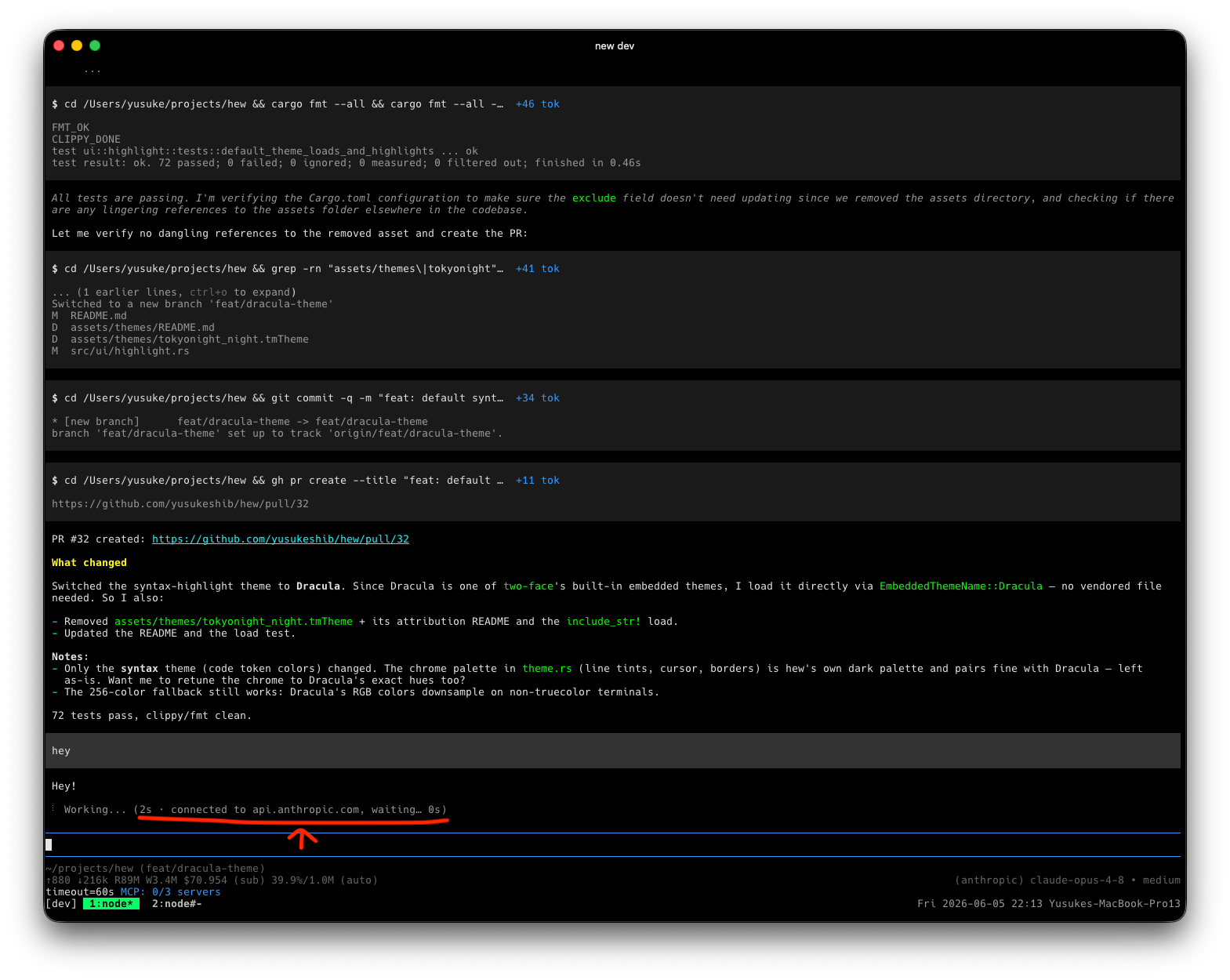
The detail in parentheses changes as the turn progresses:
Working... (0:02 · sending request to api.anthropic.com…)
Working... (0:04 · receiving reasoning stream… 240 tok · 1.2 KB)
Working... (0:07 · receiving text stream… 1.1k tok · 180 tok/s · 4.8 KB)
Working... (0:08 · ⚙ bash: npm test -- --watch=false)
Working... (0:09 · ⚙ running bash, read)
A fixed elapsed clock follows Working, and a detail segment shows the most
specific current activity:
| Detail | Meaning |
|---|---|
⚙ <tool>: <args> | single tool executing (command / path / pattern) |
⚙ running <tools> | multiple tools executing (deduped names, max 3) |
sending request to <host>… | request being sent (first ~0.4s) |
waiting for response… <n>s | request sent, awaiting any response |
receiving reasoning stream… | provider streaming a reasoning block |
receiving text stream… | provider streaming assistant text |
receiving tool call… | provider streaming a tool call |
connected to <host>, waiting… <n>s | headers received, awaiting first token |
HTTP <status> | last response returned a non-2xx status |
Streaming lines append token counts, tok/s, and decoded byte counts when the
provider reports them mid-stream (Anthropic, Bedrock, Mistral, Google). Model
id and context-window usage are intentionally omitted — pi's footer already
shows them.
Install
pi install npm:@yusukeshib/pi-working-status
Via git (no npm publish required):
pi install git:github.com/yusukeshib/pi-working-status
Try it without installing:
pi -e npm:@yusukeshib/pi-working-status
Command
/working-status [on|off]
/working-status off— restore pi's defaultWorking...message
While enabled, the animated spinner is replaced by a single static frame. pi's
default spinner repaints the whole TUI every 80ms; the live clock already shows
progress, so this cuts repaints during a turn to about once per second.
/working-status off restores the animated spinner.
/working-status on— re-enable the detailed status line/working-status— show the current on/off state
How it works
The extension subscribes to pi's turn lifecycle events
(before_provider_request, after_provider_response, message_update,
tool_execution_start/end) and a 1s ticker, then composes the status line
through ctx.ui.setWorkingMessage(). Token counts come from the provider's
streamed usage; tok/s and time-to-first-token are derived locally. Byte
counts are decoded payload size, not raw HTTP bytes.
License
MIT