
Install
Install with PiG
pig install npm:@xynogen/pix-welcomeInstall with Pi
pi install npm:@xynogen/pix-welcomePackages run code with your permissions and influence agent behavior. Catalog inclusion is not a security audit. Review the source before installing a third-party package.
Pi manifest JSON
The pi field of package.json.
{
  "extensions": [
    "src/extension.ts"
  ]
}
README
Written by the package's publisher, shown as published in version 0.2.21 (README.md). PiG does not review it.
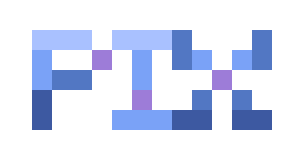
pix-welcome
Pi extension — welcome banner with startup health checks.
What it does
Renders the Pix pixel logo above the editor on session start and runs startup health checks in parallel while the banner is visible. Checks include: Pi version, auth status (at least one provider configured), loaded model + tool + skill counts, and gitignore hygiene. In a git repo where .pi/ is not ignored, it asks once per repo before it appends .pi/ to .gitignore. Each check updates the banner live as results arrive, showing ✓/⚠/✗ and a brief status. The banner auto-dismisses on the first user turn. No configuration required.
The banner replaces Pi's built-in startup header. On first load, pix-welcome sets quietStartup: true in ~/.pi/agent/settings.json. An explicit quietStartup value that you set is kept. The change takes effect on the next start.
Install
pi install npm:@xynogen/pix-welcome
Bundled in
@xynogen/pix-core. Install it alone only if you do not use pix-core.
Full distro
This package is part of Pix. The installer sets up Pi and the full distro. See Install for the notes for each OS.
# Linux / macOS
curl -fsSL https://raw.githubusercontent.com/xynogen/pix-mono/main/scripts/install.sh | sh
# Windows
irm https://raw.githubusercontent.com/xynogen/pix-mono/main/scripts/install.ps1 | iex
License
MIT