
Install
Install with PiG
pig install npm:@wichayutdew/pi-workflowsInstall with Pi
pi install npm:@wichayutdew/pi-workflowsPackages run code with your permissions and influence agent behavior. Catalog inclusion is not a security audit. Review the source before installing a third-party package.
Pi manifest JSON
The pi field of package.json.
{
  "extensions": [
    "./src/index.ts",
    "./src/herdr-workflow-state.ts"
  ]
}
README
Written by the package's publisher, shown as published in version 4.1.0 (README.md). PiG does not review it.

Pi Workflows
Make repeatable Pi agent work explicit, durable, and safe to continue.
Pi Workflows is a declarative, pauseable workflow harness for Pi. Define steps, tools, prompts, approvals, and closed outcome transitions in YAML; it provides bounded execution, durable checkpoints, main-session step policy, and a live status view without dictating your language, framework, or delivery process.
See it in action
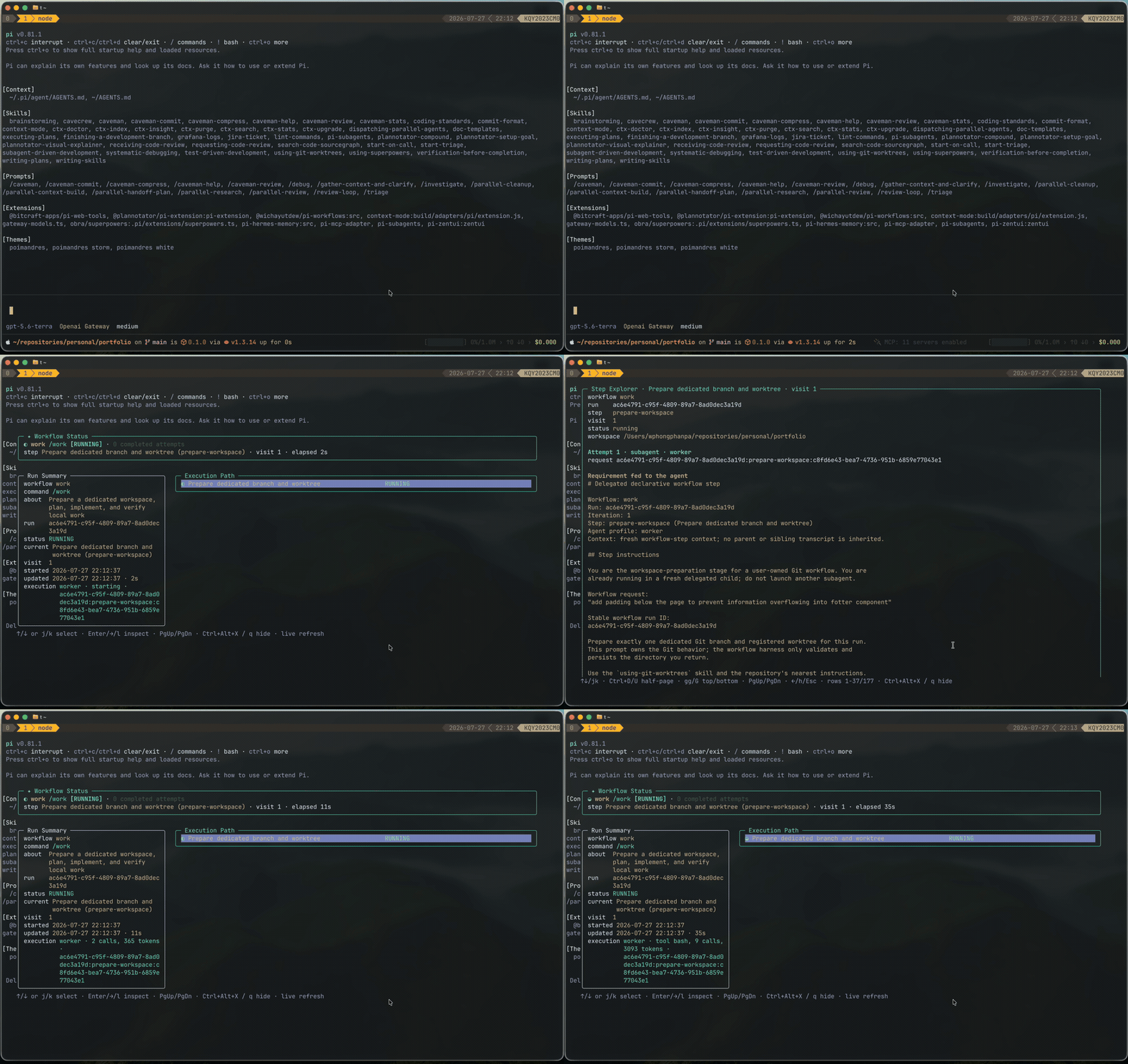
Animated preview — select it to download the full 73-second MP4.
At a glance
| Summary and status | Workflow details |
|---|---|
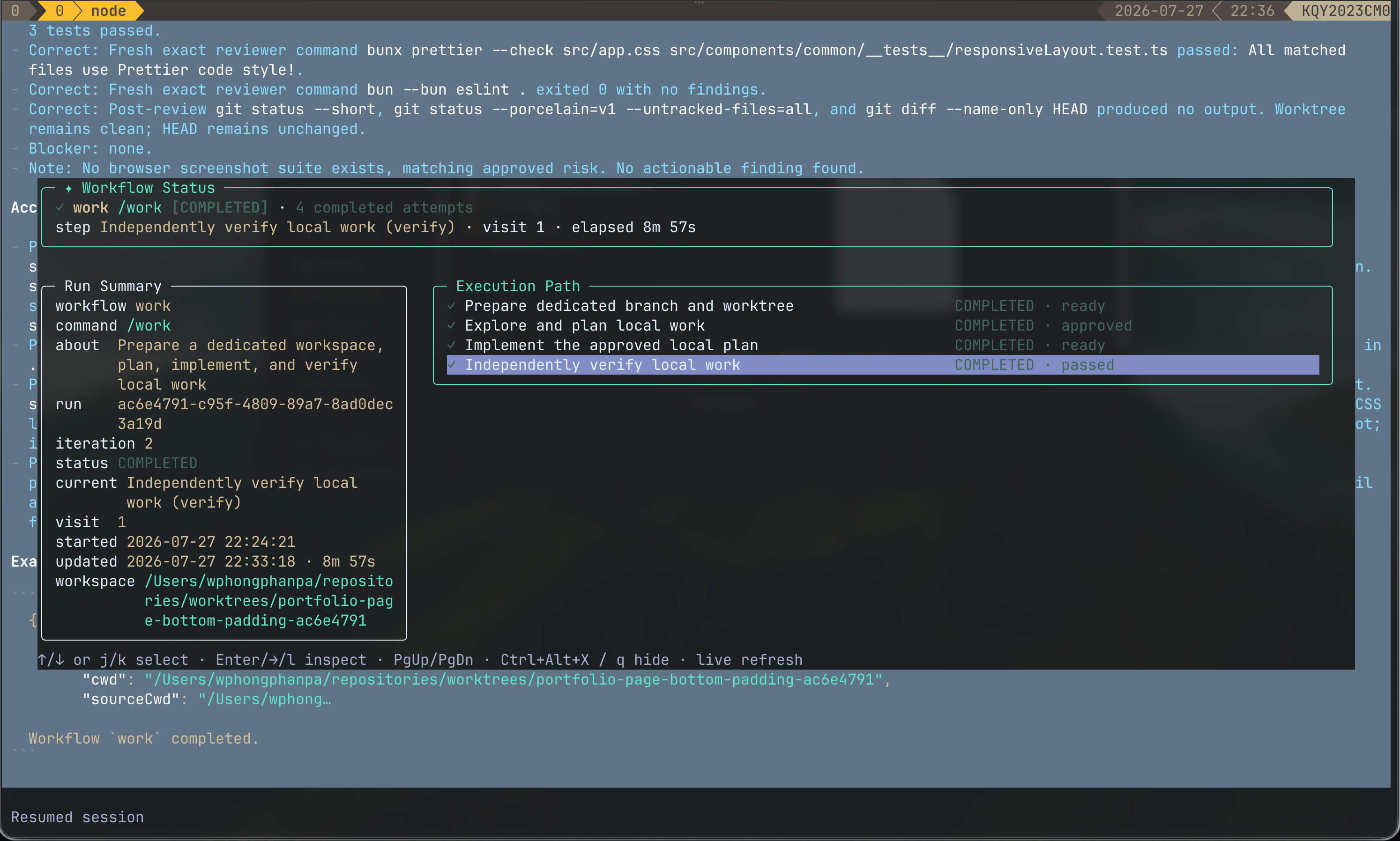 | 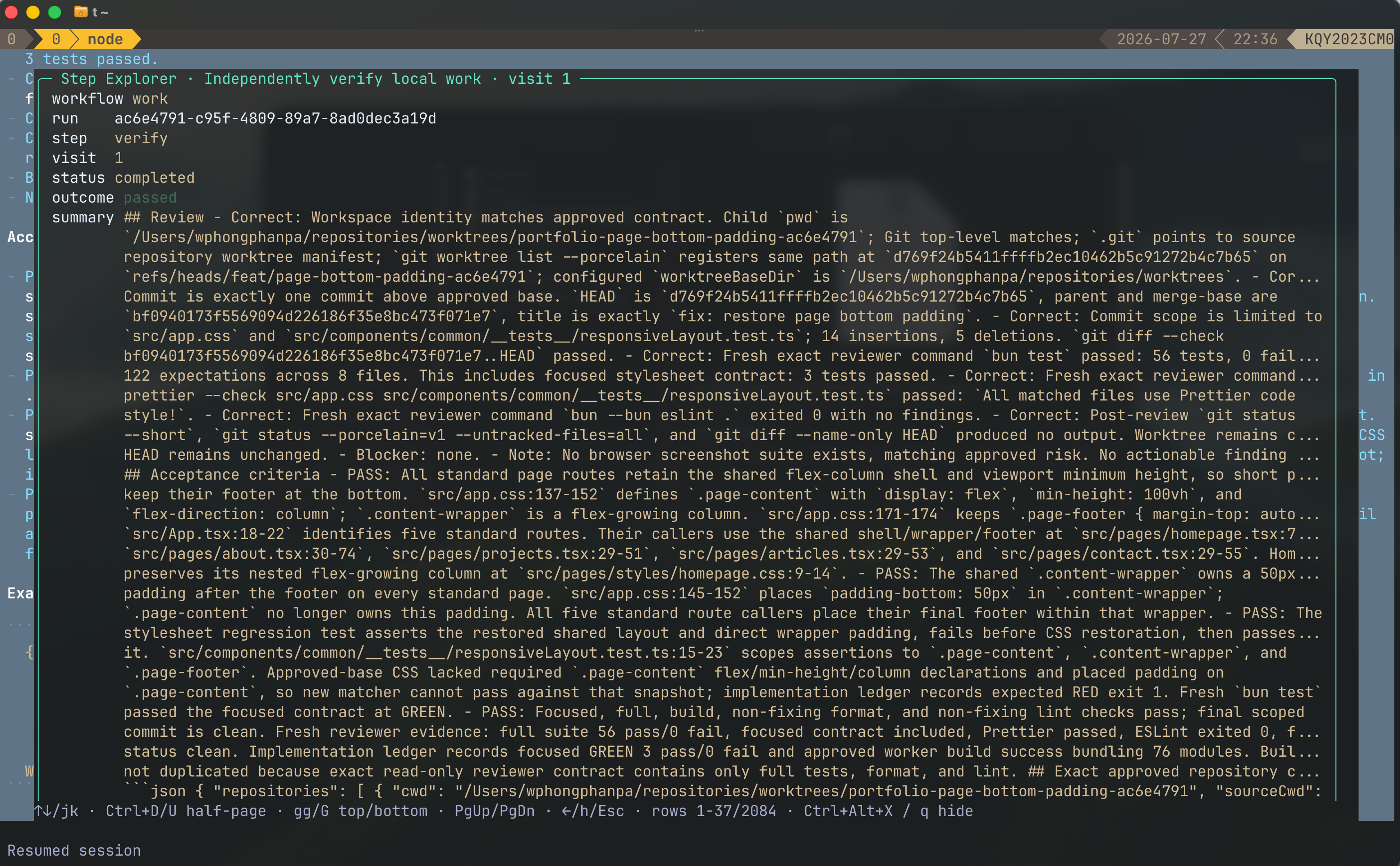 |
| See progress, approvals, and outcome at a glance. | Inspect each workflow step and its execution details. |
Why Pi Workflows
- Declarative & Structured: Turn multi-step agent tasks into clear, reviewable workflow definitions with predictable
ready,blocked,handoff, andgapstransitions. - Typed Handoffs: Models provide only concrete
completedandremainingitems; the extension validates their outcome semantics and renders canonical Markdown. - Durable Checkpoints: Pause for human approval or feedback and resume seamlessly without repeating completed steps.
- Safe Worktree Iterations: Keep worktree-bound iterations isolated and carry forward verified changes for follow-up enhancements.
- Resource & Loop Guarding: Enforce strict tool and Bash allowlists and halt runaway loops before they exceed step limits.
- Role Profiles: Assign workflow-owned roles (
scout,planner,worker,reviewer) with custom model and thinking overrides. - Live Terminal UI: Interactive status board, execution path visualization, step transcript inspection, and real-time cost ledger.
Closed outcome protocol
Every step chooses one of four outcomes:
ready: the active step is complete; transition to another step or$done.blocked: user input is required; transition only to$pauseand put the question inremaining.handoff: actionable active-step work remains; transition only back to the same step.gaps: an earlier step must refresh requirements or work; transition only to an earlier ordinary step.
Completion calls contain outcome, completed, and remaining. A ready
result uses exactly No active-step work remains. as its sole remaining item.
The extension—not the model—formats these fields into the durable Markdown
handoff. Gate artifacts and ready-only workspace bindings remain separate,
conditionally permitted completion fields.
Quick Installation
Install the published extension in Pi:
pi install npm:@wichayutdew/pi-workflows
Herdr workflow status
When Pi runs delegated workflow steps, the parent agent may be idle while child work continues. Pi Workflows includes a Herdr companion extension that reports workflow lifecycle state so the pane remains working until the workflow completes, pauses, or is interrupted.
The companion is inactive unless Herdr provides HERDR_ENV=1, HERDR_SOCKET_PATH, and HERDR_PANE_ID. It uses Herdr's existing managed Pi reporter, so it does not create a competing pane agent.
Reapply after a Herdr update
Herdr manages ~/.pi/agent/extensions/herdr-agent-state.ts; an integration update can replace the workflow lifecycle patch. Locate the installed package with pi list, change into that package directory, and run:
npm run patch:herdr
The script patches the managed integration at its default location. It is idempotent, so it is safe to run after every Herdr update. To patch a non-default integration path, set HERDR_PI_EXTENSION_PATH before running the script:
HERDR_PI_EXTENSION_PATH=/path/to/herdr-agent-state.ts npm run patch:herdr
Restart Pi or run /reload after patching. If Herdr's managed extension changes shape and the script reports an unsupported layout, do not edit it manually; update Pi Workflows or report the integration change.
Explore
- Getting started guide — install Pi Workflows and run your first workflow.
- Contribution guide — development setup, code conventions, test layers, and validation pipeline.
- Documentation → OpenWiki — architecture, workflow authoring, security, integrations, and development references.