
Install
Install with PiG
pig install npm:@vanillagreen/pi-skills-managerInstall with Pi
pi install npm:@vanillagreen/pi-skills-managerPackages run code with your permissions and influence agent behavior. Catalog inclusion is not a security audit. Review the source before installing a third-party package.
Pi manifest JSON
The pi field of package.json.
{
  "image": "https://raw.githubusercontent.com/vanillagreencom/kendex/main/pi-extensions/pi-skills-manager/assets/skills-manager.png",
  "extensions": [
    "./extensions/skills-manager.ts"
  ]
}
README
Written by the package's publisher, shown as published in version 2.0.6 (README.md). PiG does not review it.
@vanillagreen/pi-skills-manager
A skill browser and editor for Pi. You can find installed skills, insert their commands and manage skills you own.
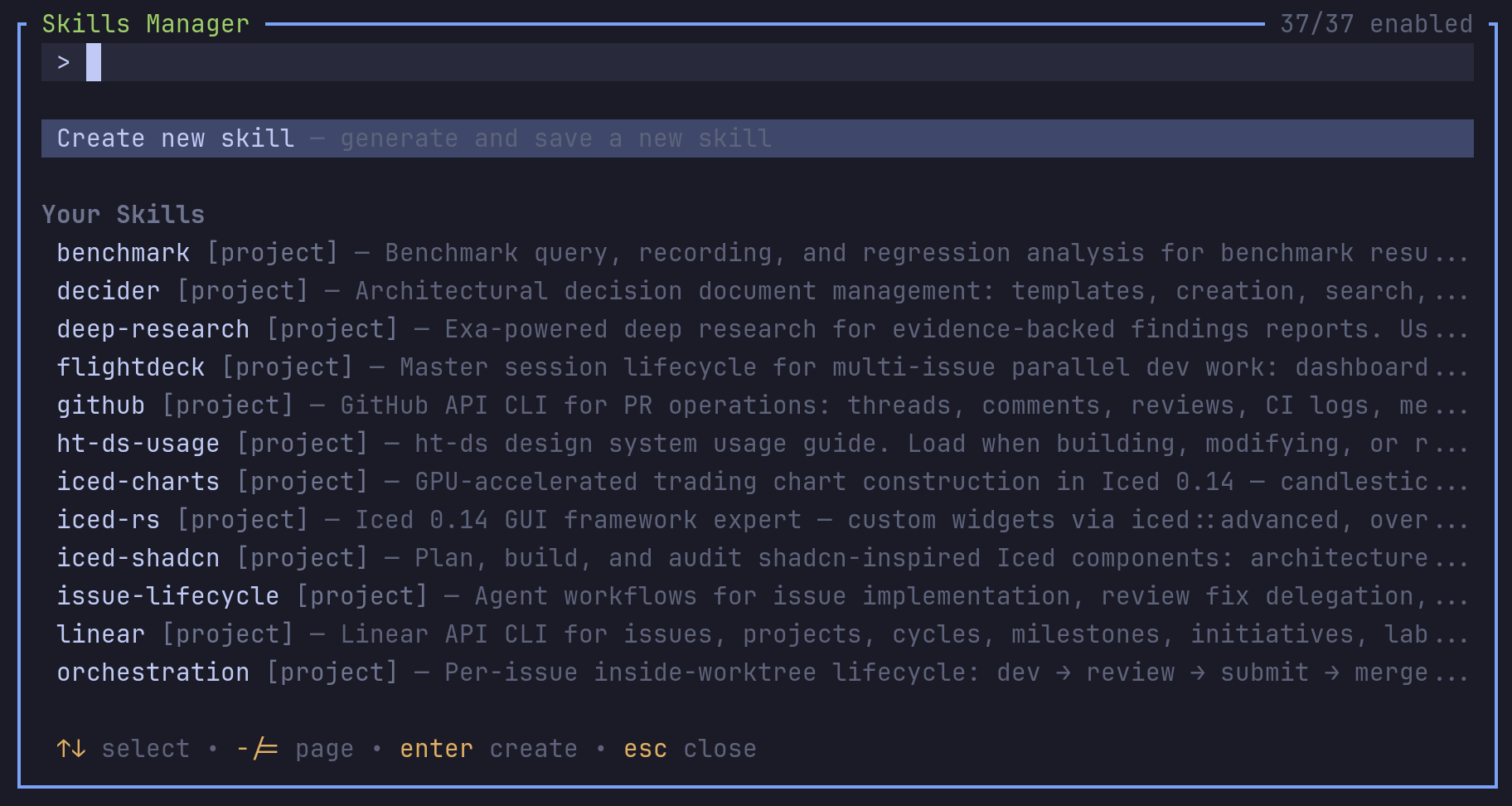
Features
- Search and preview project, user and package skills.
- Insert a selected skill command into the editor.
- Create, edit, rename and delete your own skills.
- Enable or disable installed skills.
- Optionally ask the current model to draft a skill.
Install
- npm:
pi install npm:@vanillagreen/pi-skills-manager. - kendex: add the declaration below to the project's
kendex.toml, or to~/.config/kendex/kendex.tomlfor user scope. Runkendex update-pi.
[pi-extensions."@vanillagreen/pi-skills-manager"]
source = "kendex"
Restart Pi after installation. Use kendex update-pi --check to preview the installation.
How it works
The manager reads the skills Pi has discovered. You select a skill to preview it or insert its command into the editor. Changes to enabled skills go to Pi's settings. Changes to skills you own write their files to the chosen location.
Memory use
- The skill list is loaded when
/skillopens the manager and released when it closes. A session that never opens it, with or without a UI, loads nothing. - The list holds each skill's name, description and metadata. To get them, opening the list reads each skill's file, and the list keeps no skill's body. The manager reads a skill's body from its file again when it shows that skill.
- While it is open, the manager also keeps one search string per listed skill, rebuilt when the list reloads, and the laid-out lines of the skill it previews at one width. Both go when it closes.
Setup
The settings editor writes project values to .pi/settings.json. The default user file is ~/.pi/agent/settings.json. PI_CODING_AGENT_DIR changes the user directory. Package values are stored under kendex.extensionManager.config["@vanillagreen/pi-skills-manager"].
Open /extensions:settings; settings appear under the Skills Manager tab. Project settings in .pi/settings.json apply only after Pi marks the workspace trusted. glyphStyle picks unicode or ascii symbols, and @vanillagreen/pi-tool-renderer's globalGlyphStyleOverride wins when set.
enabled: package toggle.hideStartupSkillsBlock: hide Pi's startup[Skills]list.aiGenerationEnabled,defaultCreateLocation: how and where a created skill is drafted.popupWidth,popupMaxHeight,listRows: overlay size; short terminals shrink the list so the controls stay visible.
Based on ideas from the MIT-licensed @kmiyh/pi-skills-menu; see THIRD_PARTY_NOTICES.md. Maintainer notes are in DEVELOPMENT.md.