
Install
Install with PiG
pig install npm:@tmustier/pi-tab-statusInstall with Pi
pi install npm:@tmustier/pi-tab-statusReview before installing
Packages run code with your permissions and influence agent behavior. Catalog inclusion is not a security audit. Review the source before installing a third-party package.
Pi manifest JSON
The pi field of package.json.
{
  "image": "https://raw.githubusercontent.com/tmustier/pi-extensions/main/tab-status/assets/tab-status.png",
  "extensions": [
    "tab-status.ts"
  ]
}
README
Written by the package's publisher, shown as published in version 0.1.6 (README.md). PiG does not review it.
tab-status
Manage as many parallel Pis as your mind can handle without forgetting any of them.
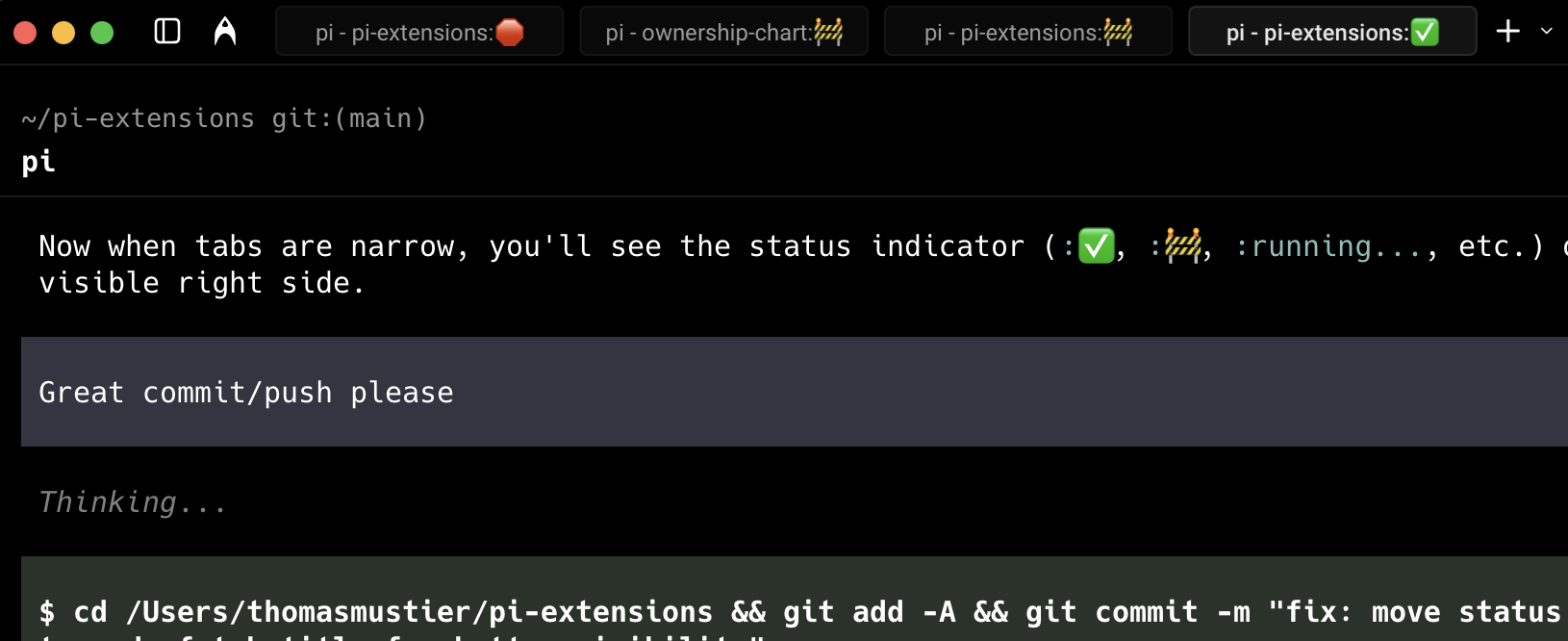
Adds little modifiable indicators to tab titles:
- ✅ means done and committed
- 🚧 means done without a commit - Pi might need you to answer a question
- 🛑 means the agent is blocked (no messages or tool calls for 180s while running) or stopped due to an error
running...means agent turn in progress - you can check back later
The more tabs you have open, the better it is. Currently tracks one active session per tab.
Install
Pi package manager
pi install npm:@tmustier/pi-tab-status
pi install git:github.com/tmustier/pi-extensions
Then filter to just this extension in ~/.pi/agent/settings.json:
{
  "packages": [
    {
      "source": "git:github.com/tmustier/pi-extensions",
      "extensions": ["tab-status/tab-status.ts"]
    }
  ]
}
Local clone
ln -s ~/pi-extensions/tab-status/tab-status.ts ~/.pi/agent/extensions/
Or add to ~/.pi/agent/settings.json:
{
  "extensions": ["~/pi-extensions/tab-status/tab-status.ts"]
}
Todo
- Status indicators in terminal tabs
- Central location to view and navigate to specific tabs across terminal windows
Changelog
See CHANGELOG.md.