
Install
Install with PiG
pig install npm:@timmygod/pi-web-localInstall with Pi
pi install npm:@timmygod/pi-web-localPackages run code with your permissions and influence agent behavior. Catalog inclusion is not a security audit. Review the source before installing a third-party package.
Pi manifest JSON
The pi field of package.json.
{
  "skills": [
    "./.pi/skills"
  ],
  "extensions": [
    "./.pi/extensions"
  ]
}
README
Written by the package's publisher, shown as published in version 0.0.1 (README.md). PiG does not review it.
pi-web (Remote Control Your Pi)




English · Español · Français · Deutsch · 中文 · 日本語 · Bahasa Indonesia · Bahasa Melayu · Tiếng Việt · ไทย · Filipino · မြန်မာ · ភាសាខ្មែរ · ລາວ
Drive your pi coding agent from your phone, tablet, or laptop — anywhere on your network, or remotely over Tailscale.
It's a full PWA, so you can install it and use it like a native app on any device. Think of it as your own personal AI workspace — like Claude's Cowork, but with different models — chat across models, code from your phone, or turn it into a personal assistant that lives on your machine.
Make it yours: switch themes and fonts, and use it in your own language — pi-web ships with multiple languages and you can add your own. More features are on the way, but it won't get bloated: anything you don't need can be turned off in settings.
Why this local-model edition?
The original pi-web remains the upstream foundation for shared features and fixes. This edition keeps that experience, then adds a reliability layer for models running on your own machine or elsewhere on your LAN—where generation is often slower, memory is finite, and a long context can stall an otherwise healthy session.
| Area | Upstream pi-web | This edition |
|---|---|---|
| Model/runtime policy | Standard pi-web behavior | Per-session Auto / Local / Cloud mode, with endpoint-aware local detection and a persistent manual override |
| Long-context handling | Normal pi compaction behavior | Local Mode compacts proactively at 65% and checks again inside long tool-call loops before the next model request |
| Compaction safety | Standard summaries | Bounded rolling checkpoints, one tighter rewrite for invalid/capped output, and no-progress detection instead of endless re-compaction |
| Interrupted runs | Normal worker and error handling | Bounded recovery for context overflow, thinking-only stops, and selected transport interruptions, with persistent loop breakers |
| Manual rescue | Standard context details | Force Compact remains available as an explicit recovery path without erasing the conversation |
| Compatibility and releases | Original project and release line | Local-only safeguards stay behind Local Mode; Cloud Mode preserves upstream behavior, and upstream changes are reviewed and released here independently |
This is not a rewrite or a replacement for upstream. It is a deliberately maintained operating profile for people who want local-model privacy and control without accepting fragile long-running sessions. See the user guide for the user-facing workflow and local-model edition development for the implementation and synchronization policy.
[!WARNING] pi-web is currently in beta. Things will change and break!
[!TIP] New here? Read the user guide → for a full tour of features, install steps, and tips. (Other languages →)
Screenshots
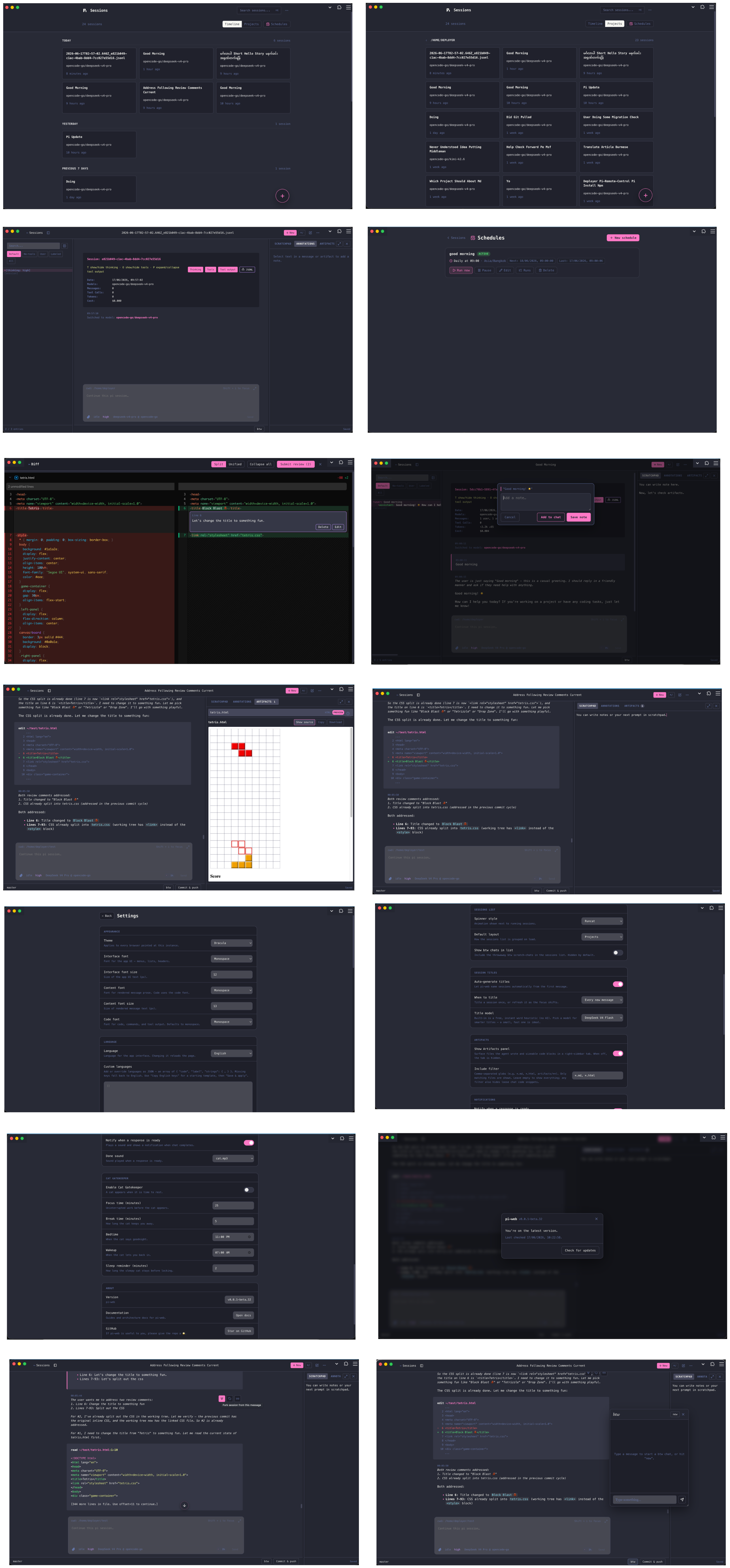
Desktop
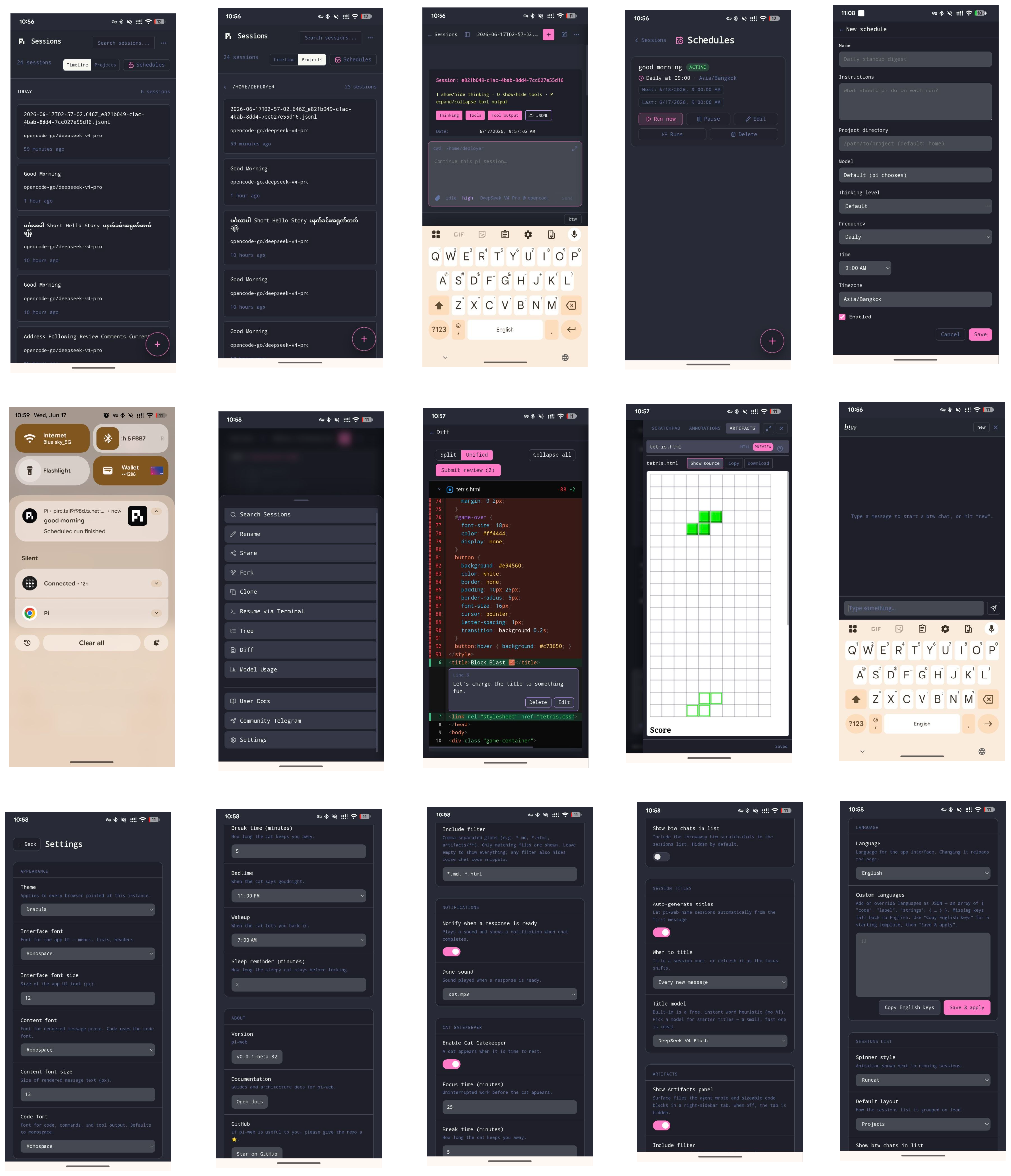
Mobile
How It Fits Together
 pi (terminal)                 Browser (phone / tablet / laptop)
      │                                │
      │  writes JSONL                  │  HTTP + SSE
      ▼                                ▼
 ~/.pi/agent/sessions/  ←───  pi-web (Go HTTP server)
                                      │
                    ┌─────────────────┼─────────────────┐
                    │                 │                 │
              pi --mode rpc      fsnotify         tailscale serve
            (per‑session       (live reload)      (remote HTTPS
             chat worker)                           via MagicDNS)
- pi writes conversation JSONL to
~/.pi/agent/sessions/as it works. - pi-web is a Go server that reads those files, renders them in the browser, and streams live updates via SSE.
- pi --mode rpc workers handle browser-initiated chat — one per session, reaped after 10 min idle.
- fsnotify watches the sessions directory so the browser reloads within milliseconds of new output.
- Tailscale Serve publishes the localhost server as an HTTPS endpoint on your tailnet.
Install
pi install npm:@timmygod/pi-web-local@beta
That's it — it downloads the matching binary, sets up auto‑start, and registers the /web, /pi-web, /remote, and /refresh commands.
Once installed, open http://127.0.0.1:31415 in your browser. From pi, use /web to open the current session in your browser instantly. If Tailscale is running on your machine, pi-web automatically publishes an HTTPS endpoint on your tailnet — use /remote from pi to get a QR code and URL for any device on your tailnet.
macOS remote access: Install and open Tailscale interactively, approve the administrator prompt, and sign in. Then run
/pi-web restart, followed by/remote.
For manual installs, binary downloads, or building from source, see user-docs/install.md.
Pi Integration
After pi install npm:@timmygod/pi-web-local@beta, you get:
| Command | What it does |
|---|---|
/web | Open the current session in your browser (SSH-aware: skips browser and shows URL only) |
/pi-web | Show status, version, start/stop/restart the server, or update |
/remote | Show a QR code and URL for remote access over Tailscale |
/refresh | Pull new messages written from remote browsers back into the terminal session |
Session auto-titling is built into pi-web itself and configured on the /settings page. It's on by default and names sessions automatically. You can choose:
- When to title — once per session, or on every new message (the default).
- Title model — a free, instant built-in word heuristic (no AI) by default, or pick a model (e.g. a small/fast one) for smarter, model-written titles.
The package also installs the pi-web binary to ~/.pi/agent/bin/pi-web and sets up auto-start on login.
Auto-Start on Login
The pi install npm:@timmygod/pi-web-local@beta command sets this up automatically:
| OS | Mechanism |
|---|---|
| macOS | launchd plist at ~/Library/LaunchAgents/com.pi-web.plist |
| Linux | systemd user service at ~/.config/systemd/user/pi-web.service |
| Windows | HKCU Run-key entry launching a hidden starter in ~/.config/pi-web/ |
To set a token for remote access, create ~/.config/pi-web/env:
PI_WEB_TOKEN=your-token-here
For more details (manual setup, custom ports, non-loopback binds), see user-docs/install.md.
Development
make setup   # install frontend deps and download Go modules
make check   # frontend test/build + Go test/vet
make build   # setup if needed, build frontend, then build ./pi-web
For upstream synchronization, local-model testing, and the parallel release workflow, see Local-model edition development.