
Install
Install with PiG
pig install npm:@spences10/pi-themesInstall with Pi
pi install npm:@spences10/pi-themesPackages run code with your permissions and influence agent behavior. Catalog inclusion is not a security audit. Review the source before installing a third-party package.
Pi manifest JSON
The pi field of package.json.
{
  "image": "https://raw.githubusercontent.com/spences10/my-pi/main/assets/pi-package-preview.png",
  "themes": [
    "./themes"
  ]
}
README
Written by the package's publisher, shown as published in version 0.0.11 (README.md). PiG does not review it.
@spences10/pi-themes



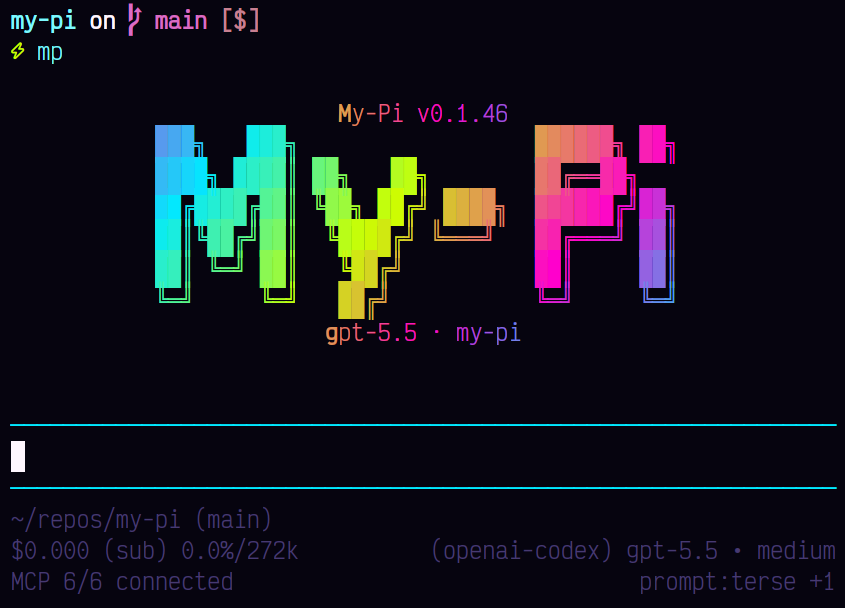
Make Pi feel like your workspace instead of a default terminal app.
pi-themes bundles polished color themes for the Pi coding agent,
giving sessions clearer contrast, mood, and visual hierarchy.
Install
pi install npm:@spences10/pi-themes
Then choose a theme in /settings, or persist one in Pi settings
JSON:
{
	"theme": "tokyo-night"
}
Upstream Pi boundary
Pi natively discovers, validates, and selects package themes. Hot
reload applies only to Pi's watched active custom-theme file in the
global theme directory, not to theme assets resolved from an installed
package. This package contains only curated theme JSON and declares
its themes/ directory through the native pi.themes package
manifest; it ships no extension or theme-loading wrapper.
Use Pi's global or project theme directories for a single personal theme. Install this package when you want its maintained collection of coordinated palettes as one native Pi package.
Included themes
- Catppuccin Mocha
- Dracula
- Gruvbox Dark
- Night Owl
- Neon Afterglow
- Neon Noir
- Nord
- One Dark
- Rosé Pine
- Solarized Dark
- Tokyo Night
Bring your own themes
Keep personal, team, or brand-specific themes outside this default
pack. Pi loads custom themes from ~/.pi/agent/themes/*.json,
project-local .pi/themes/*.json, --theme <path>, or any installed
package with a pi.themes manifest entry.
A minimal standalone theme package looks like this:
{
	"name": "@your-scope/pi-your-themes",
	"files": ["themes", "README.md"],
	"pi": {
		"themes": ["./themes"]
	}
}
Put theme JSON files in themes/, publish the package, then install
it:
pi install npm:@your-scope/pi-your-themes
Development
This package is included in the Vite+ workspace, but its package-level build and test scripts are currently no-ops because it ships static theme assets.
pnpm --filter @spences10/pi-themes run check
pnpm --filter @spences10/pi-themes run build