
Install
Install with PiG
pig install npm:@shortdiv/pi-agent-hopperInstall with Pi
pi install npm:@shortdiv/pi-agent-hopperPackages run code with your permissions and influence agent behavior. Catalog inclusion is not a security audit. Review the source before installing a third-party package.
Pi manifest JSON
The pi field of package.json.
{
  "image": "https://cdn.jsdelivr.net/npm/@shortdiv/pi-agent-hopper/images/preview.png",
  "extensions": [
    "./index.ts"
  ]
}
README
Written by the package's publisher, shown as published in version 0.1.1 (README.md). PiG does not review it.
pi-agent-hopper
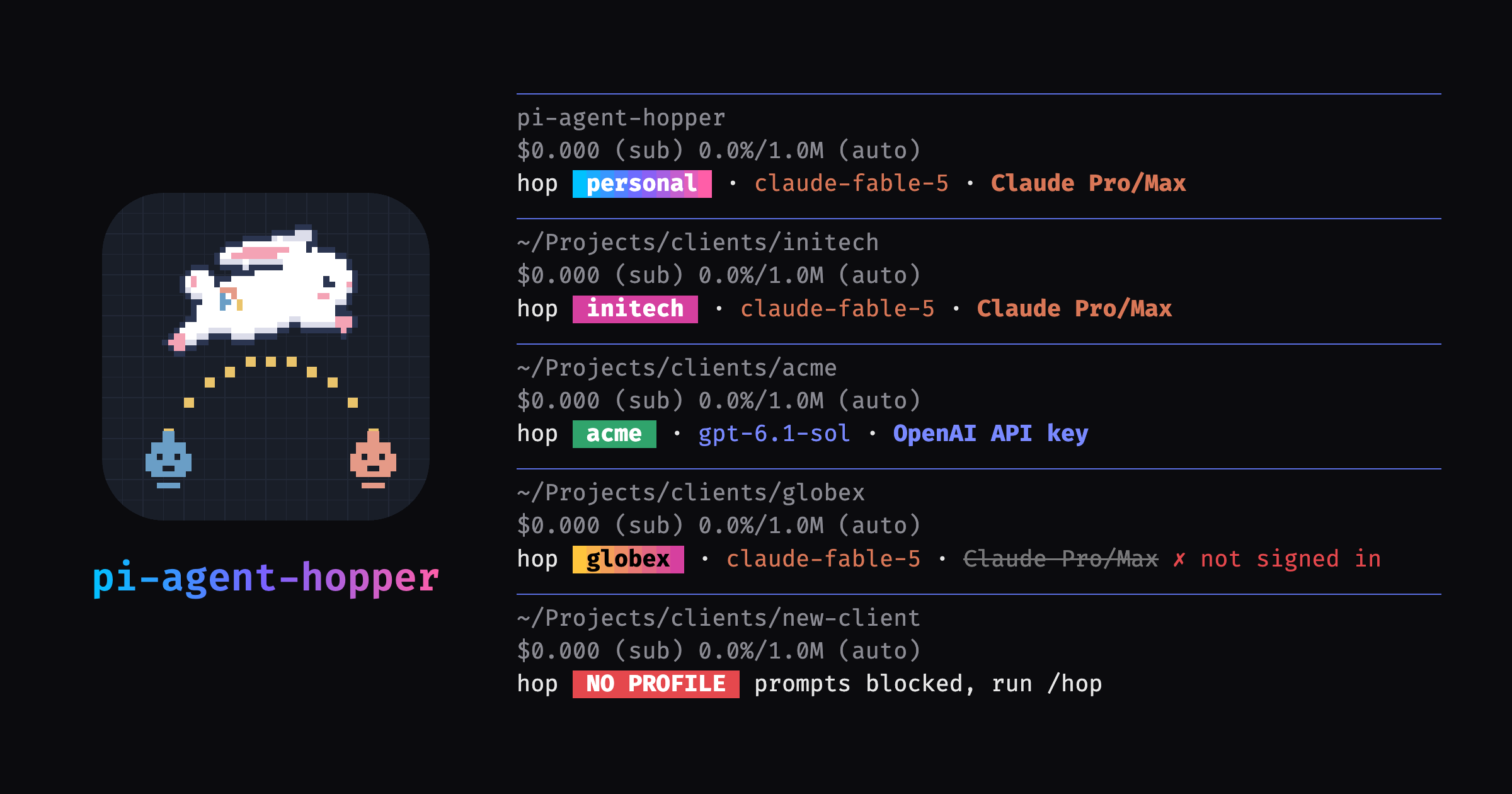
Keep work and personal AI logins apart in Pi. Each project folder maps to a profile so you never have to worry about mixing subscriptions. /hop switches profiles by hand, overriding the default settings.
Setup
pi install npm:@shortdiv/pi-agent-hopper
The first time Pi runs with agent-hopper, it writes an example config, which Pi doesn't load. Copy it to make your own:
cp ~/.pi/agent/agent-hopper.example.json ~/.pi/agent/agent-hopper.json
Then edit the folders. It looks like this:
{
  "piLogin": "personal",
  "folders": {
    "~": "personal",
    "~/clients": "block",
    "~/clients/acme": "acme",
    "~/clients/globex": "globex"
  },
  "colors": { "globex": "#ffc53d", "personal": ["#00c2ff", "#7b61ff", "#ff5ea8"] }
}
Then start Pi in each client folder and run /hop → Sign "" into a provider once for each subscription or API key that profile needs.
How to use
/hop
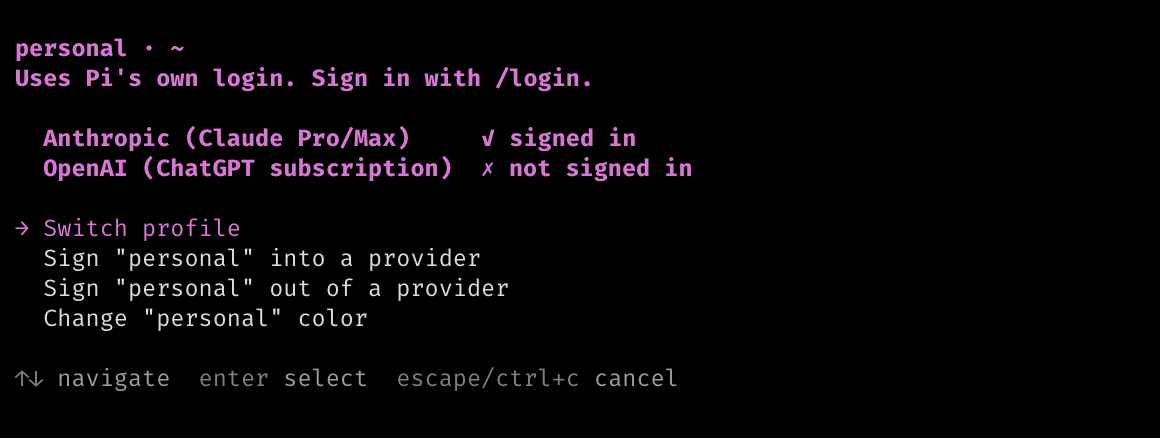
Switch profile changes the profile for this session only. You can choose a saved profile, Pi's own login, or a new profile. Resuming or
/reloading keeps the choice, and forks and/newstart from the folder mapping again.
Back to folder mapping appears after a switch, when the badge shows
(switched). It undoes the switch.
Sign into a provider / Sign out of a provider adds or removes one login for the profile: a subscription or an API key, or for Bedrock a bearer token or an AWS profile. Keys are typed into a masked prompt and checked with the provider before they're saved. For your
piLoginprofile,/hopfills in Pi's/loginor/logoutfor you.
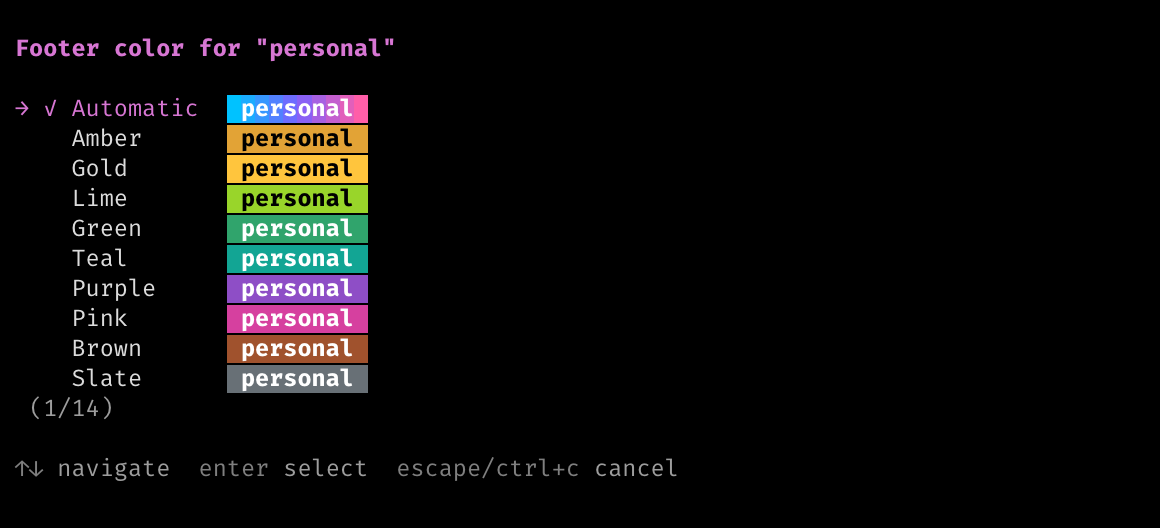
Change "[profile]" color picks the badge color, with a live preview of each option. You can also enter your own hex value, or several for a gradient.
Security
- Storage: credentials are stored in
~/.pi/agent/agent-hopper/profiles/<name>.jsonas plaintext JSON, readable only by you (0600). This is no different from Pi's ownauth.json, which doesn't encrypt config - Network: saving a key sends a check request to make sure keys are valid as long as the provider has a free
GEThealth end point - Limits:
- Pi's bash tool and other subprocesses still inherit your shell's keys, so start client sessions from a clean shell, with direnv for instance
- Tools the agent runs (
gh,aws, …) use their own logins (this won't work for those)
Found a problem? Open an issue, or report it privately
How it works
Pi resolves every request's credentials through the provider's auth handlers.
Credentials use Pi's auth.json format, one file per profile (see Security). Token refreshes run under a cross-process lock, so concurrent sessions on the same profile never use up each other's refresh token.
To remove a profile, sign it out of each provider with /hop, or delete its file.
Be mindful that Anthropic bills Claude Pro/Max use through third-party tools like Pi as extra per-token usage
FAQ
How do folders map to profiles?
In agent-hopper.json, and the longest matching folder wins. Sign a profile in with /hop → Sign into a provider, or create one with /hop → Switch profile → New profile.
How is this different from /login?
/login signs in Pi's own login, and /hop signs in a profile. piLogin names Pi's login (here personal), so personal work needs no second sign-in. Client profiles never use it.
How do I stop an unmapped folder from using my personal login?
Map the parent folder to "block". Unmapped client folders then block prompts until you pick a profile with /hop.
What if a profile isn't signed in to the model I'm using?
The prompt is blocked. There's no fallback to another login or to keys in your shell.
Can I run client and personal sessions at once?
Yes. Each Pi session uses its own folder's profile.
How do I change colors?
For client badges, use /hop → Change color, or colors in the config. For the model and subscription text, use agentColors. Values are a hex color, a list of hex colors for a gradient, or "none".
License
MIT