
Install
Install with PiG
pig install npm:@senad-d/micmeInstall with Pi
pi install npm:@senad-d/micmePackages run code with your permissions and influence agent behavior. Catalog inclusion is not a security audit. Review the source before installing a third-party package.
Pi manifest JSON
The pi field of package.json.
{
  "image": "https://raw.githubusercontent.com/senad-d/micme/main/img/demo.gif",
  "extensions": [
    "./src/extension.ts"
  ]
}
README
Written by the package's publisher, shown as published in version 0.5.0 (README.md). PiG does not review it.



Local voice-to-text for pi.
Tap a shortcut, speak, and paste the transcript into pi's editor.
MicMe is a Pi extension for coding prompts. It records your microphone with ffmpeg, transcribes locally with whisper.cpp or another local backend, and inserts the transcript into pi.
| MicMe demo |
|---|
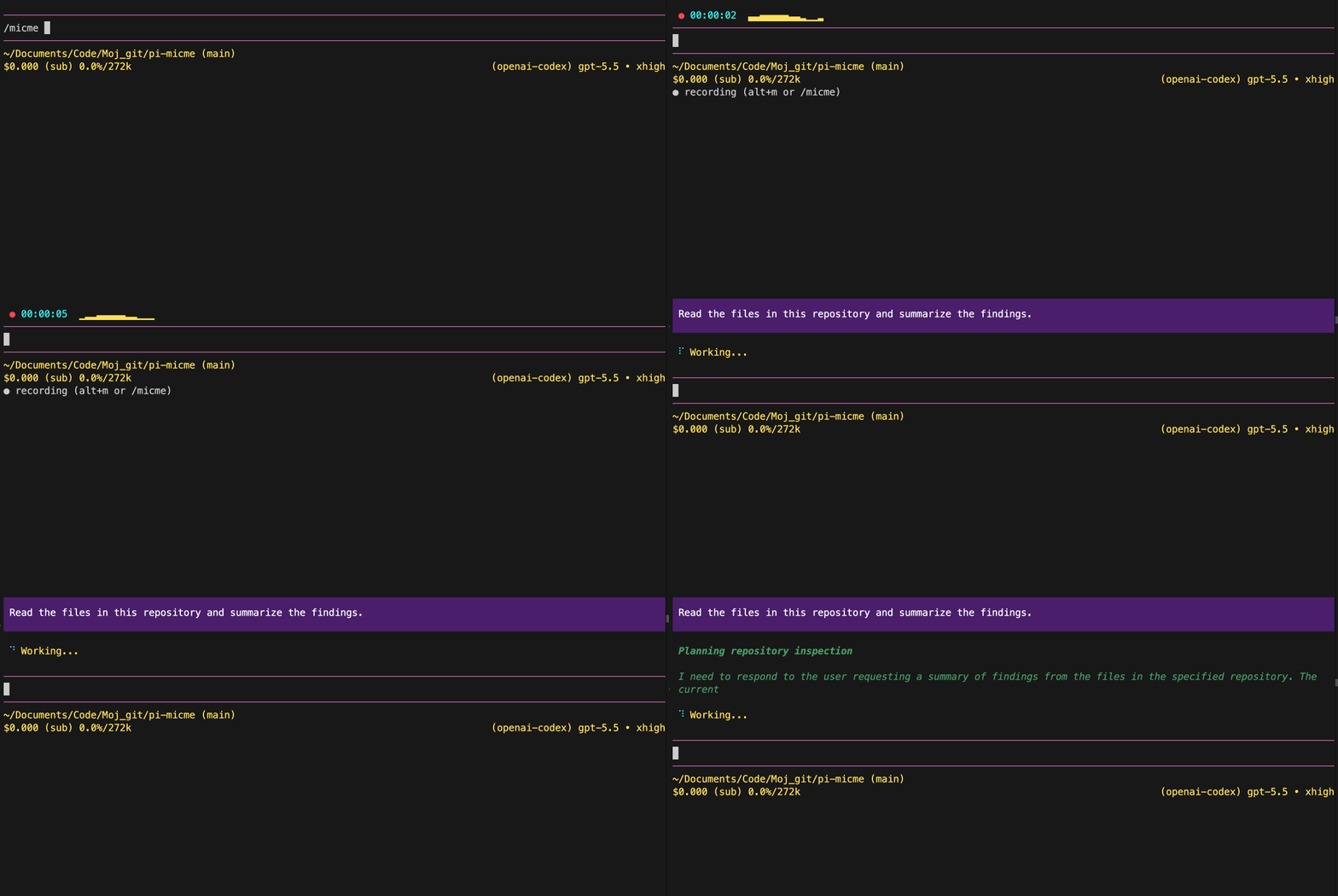
|
- Local-first: no telemetry and no cloud STT service by default.
- Review-first: review dictated text in the editor by default. Live dictation in a Pi RPC client requires explicit replay.
- Pi-native: install globally, project-locally, from git, or from a source checkout.
- Configurable: use
/micme conf,micme.json, or shell variables.
Security: pi packages run with your full system permissions. Micme can use your microphone, spawn local commands, write
MICME_*settings, and optionally download Whisper model files. ReadSECURITY.md.
Table of Contents
- Quick Start
- Installation
- Pi Compatibility
- Backend Setup
- Configuration
- Live Dictation
- Commands
- Models and Backends
- Troubleshooting
- Diagnostics
- Update and Uninstall
- Development
- Publishing
- License
Quick Start
pi install npm:@senad-d/micme
Install a local backend. On macOS:
brew install ffmpeg whisper-cpp
Start pi and configure Micme:
pi
/micme conf
/micme devices
Use it:
- Press
alt+m/Option+mto start recording. - Speak your prompt.
- Press
alt+magain to stop. - Review the pasted transcript and press Enter.
Micme is toggle-based. Press-and-hold recording is not used because terminal key-up events are not portable. A toggle received while Micme is starting, stopping, transcribing, or finalizing is rejected with a warning; wait for that operation to finish before toggling again.
Installation
| Scope | Command | Notes |
|---|---|---|
| Global | pi install npm:@senad-d/micme | Loads in every trusted pi project. |
| Project-local | pi install npm:@senad-d/micme -l | Writes to .pi/settings.json in the current project. |
| One run | pi -e npm:@senad-d/micme | Try without changing settings. |
| Git | pi install git:github.com/senad-d/micme@<tag> | Pin a tag or commit. |
| Local checkout | pi -e . | Develop or test this repository. |
Source checkout:
git clone https://github.com/senad-d/micme.git
cd micme
npm install --ignore-scripts
npm run doctor
pi -e .
Use the checkout globally while developing:
pi install /absolute/path/to/micme
Pi Compatibility
Micme declares * as the peer dependency range for both @earendil-works/pi-coding-agent and @earendil-works/pi-tui. These published ranges are not a compatibility guarantee. CI pins both packages to 1.6.0 and tests only that version: it typechecks every production TypeScript file against their declarations and loads the default extension through Pi's jiti-based loader.
Before adopting another Pi release, review both published peer ranges and update the development pins and the contract test together.
Backend Setup
Micme does not bundle executable binaries or model weights. The setup below is for the default clip mode. For live dictation, use the same recorder setup and see Live Dictation for the worker.
| OS | Install | Device setting |
|---|---|---|
| macOS | brew install ffmpeg whisper-cpp | Run /micme devices, then set MICME_AUDIO_DEVICE=<audio id> or MICME_AVFOUNDATION_INPUT=:<audio id>. |
| Linux | Install ffmpeg and whisper.cpp with your package manager, Nix, Homebrew, or source build. | MICME_PULSE_SOURCE=default |
| Windows | winget install Gyan.FFmpeg, then install/build whisper.cpp. | Choose Microphone device in /micme conf, or set MICME_DSHOW_AUDIO_DEVICE=Microphone Name. |
List devices inside pi:
/micme devices
macOS device listing outside pi:
ffmpeg -hide_banner -f avfoundation -list_devices true -i ""
If whisper-cli is not on PATH, set it explicitly:
MICME_WHISPER_CPP_BIN=/path/to/whisper-cli
MICME_WHISPER_CPP_MODEL=/path/to/ggml-small.en.bin
Configuration
Micme reads settings from shell environment variables and from micme.json in the selected agent directory (normally ~/.pi/agent). Shell variables win. /micme conf writes only MICME_* keys to that same file. See Micme config handling for directory precedence and which files to trust.
If this file is malformed or its top level is not an object, Micme refuses recording, model download, device discovery, and transcription before starting external work; /micme conf remains available so you can locate the file. After fixing it, reopen settings to discover devices and models.
Config saves are serialized in-process and across Pi processes with micme.json.lock, then atomically replace the file with mode 0600. Each save re-reads the latest file while holding the lock and changes only its requested MICME_* keys, preserving $schema and other metadata. Saves commit in lock-acquisition order, so the last successful save to the same key wins. Micme waits up to five seconds for the lock; on timeout it leaves the existing config and lock untouched because it cannot safely assume another writer's lock is stale. Remove a leftover lock directory manually only after verifying that no Pi process is saving Micme settings.
Numeric settings such as the transcription timeout and clip sample rates use bounded integer values. The timeout accepts 1000..3600000 ms and also bounds live stages such as model readiness, PCM acknowledgments, and finalization. See micme.schema.json for ranges and defaults.
The usual setup path is to run:
/micme conf
You can also edit the JSON manually. Minimal micme.json:
{
  "$schema": "https://raw.githubusercontent.com/senad-d/micme/main/micme.schema.json",
  "MICME_LANGUAGE": "en",
  "MICME_TRANSLATE_TO_ENGLISH": "off",
  "MICME_TRANSCRIBE_BACKEND": "auto",
  "MICME_AUTO_DOWNLOAD_MODEL": "1",
  "MICME_AUTO_SUBMIT": "0",
  "MICME_KEEP_AUDIO": "0"
}
For temporary one-off overrides, set shell variables when starting pi, for example MICME_KEEP_AUDIO=1 pi.
Common settings:
| Variable | Meaning |
|---|---|
MICME_TRANSCRIBE_BACKEND=auto | In clip mode, prefer a custom command, then whisper.cpp, then Python Whisper. In stream mode, use micme-live. |
MICME_TRANSCRIPTION_MODE=clip | Default: transcribe after recording stops. Set stream for live dictation. |
MICME_LANGUAGE=en | Transcription language when translation is off. Use auto for detection with multilingual weights. |
MICME_TRANSLATE_TO_ENGLISH=off | “Translate from” option. Leave off, or set the spoken source language code such as hr, bs, de, or tr to output English. |
MICME_AUTO_SUBMIT=0 | Review in the editor. Set 1 to send eligible results automatically. Live RPC results always require explicit replay. |
MICME_SHORTCUT=alt+m | Toggle shortcut. Use terminal syntax (alt+m, ctrl+space, f8) or a printable character such as §. Restart or /reload after changing. |
MICME_VALIDATE_AUDIO=1 | Clip transcription and optional refinement: reject near-silent audio and fail closed if ffmpeg omits or truncates max_volume. With a custom recorder and no ffmpeg, Micme warns and skips this guard. Set 0 to disable it. |
MICME_RECORD_SAMPLE_RATE=auto | Clip recording sample-rate override. Leave auto to use the input's native rate. Stream capture is fixed at 16 kHz. |
MICME_RECORD_SYNC=1 | Preserve wall-clock recording duration from ffmpeg timestamps in the built-in recorder. |
MICME_RECORD_METER=0 | Clip only: meter from raw.wav by default. Set 1 to meter from a second ffmpeg stdout branch. Stream mode meters the PCM it reads. |
MICME_AVFOUNDATION_DROP_LATE_FRAMES=0 | macOS only: ask AVFoundation not to drop late frames when capture lags. |
MICME_KEEP_AUDIO=0 | Delete successful recording audio. Set 1 to keep each recording under ./micme-rec/rec-###/ for debugging. |
MICME_MODEL_DIR=~/.cache/whisper.cpp | Model cache/discovery directory. |
See micme.example.json for the full JSON template.
Live Dictation
In a paced speech test on a four-core CPU, base.en showed the first relevant words in about 1.5 seconds. All five runs at each terminal width passed the relevance check on the words visible while speaking; an occasional draft was still wrong. small.en produced more accurate final text on that recording but fell behind while speech was in progress. Stream mode is experimental: these measurements used recorded speech, not a microphone. See Models and Backends to select a weight.
Set up or migrate
- Build and install
micme-live. Installing Micme does not build the worker.whisper-streamis not a substitute, andwhisper-cliis not needed for live decoding itself. - Use the same microphone settings as clip mode:
MICME_AVFOUNDATION_INPUT(orMICME_AUDIO_DEVICE) on macOS,MICME_PULSE_SOURCEon Linux, andMICME_DSHOW_AUDIO_DEVICEon Windows. A legacy SDL capture ID does not select a device in the new worker. - Select stream mode in
/micme confor setMICME_TRANSCRIPTION_MODE=streaminmicme.json. Live decoding requiresMICME_TRANSCRIBE_BACKEND=autoorwhisper.cpp. Switching modes in settings resets Stream final pass (off for stream, on for clip) without changing your model or device. To opt in to refinement, turn it on after switching to stream. - Run doctor to check the resolved worker, speech recognition (ASR) weights, speech detection (VAD) weights, and language. Before opening the microphone, Micme provisions missing supported weights if enabled and waits for the worker to load both models. If setup fails, fix the reported issue or choose clip mode; Micme does not silently fall back to another backend.
Example micme.json when the worker is not on PATH and the VAD file is stored outside the model cache:
{
  "MICME_TRANSCRIPTION_MODE": "stream",
  "MICME_TRANSCRIBE_BACKEND": "auto",
  "MICME_LIVE_BIN": "/path/to/micme-live",
  "MICME_VAD_MODEL": "/path/to/ggml-silero-v5.1.2.bin"
}
Use existing paths, or omit MICME_LIVE_BIN to find micme-live (micme-live.exe on Windows) on PATH and omit MICME_VAD_MODEL to use the standard cached weight. The same keys can be set in the shell and take precedence over JSON. See Models and Backends for ASR selection and Model downloads for cache paths, provenance, and offline setup.
Migrating from whisper-stream: MICME_WHISPER_STREAM_BIN, MICME_STREAM_CAPTURE, MICME_STREAM_STEP_MS, MICME_STREAM_LENGTH_MS, MICME_STREAM_KEEP_MS, MICME_STREAM_MAX_TOKENS, MICME_STREAM_KEEP_CONTEXT, MICME_STREAM_WORDS_PER_CHUNK, MICME_STREAM_FLUSH_MS, and MICME_STREAM_VAD_THRESHOLD are ignored. Stored values are left intact. Use MICME_LIVE_BIN and the OS microphone settings instead; old SDL indices and numeric tuning values do not map to the new worker. MICME_STREAM_FINALIZE_WITH_CLIP and MICME_STREAM_DIAGNOSTICS still apply.
Dictate and review
Micme opens one recorder and feeds its PCM to a local Worker v1 process. The worker loads its models once per recording and gates recognition on detected speech. A Live: draft, when shown, can change while you speak; it is not editor text, cannot be replayed, and is never auto-submitted. If decoding falls behind, Micme can skip draft updates while still feeding the audio. Stopping drains the remaining samples before completing the transcript.
- TUI: Only finalized words are appended to the editor. If Micme detects added editor text during dictation, it keeps that text and does not replace the dictated portion or auto-submit on stop. Simply clearing or trimming Micme's suffix does not count as an addition.
- RPC: Micme cannot read the host's editor. It saves the completed transcript for the session and never writes or sends it automatically in stream mode. With auto-submit off, explicitly running
/micme lastreplaces the RPC prompt, so save any existing text first. With auto-submit on, that command sends the transcript or queues it as a follow-up; turn auto-submit off first if you want to review it.
If a live recording fails, /micme last can replay the words confirmed before the error. If no words were confirmed, it still replays the previous saved transcript, if any.
Capture and optional refinement
Live capture is a growing 16 kHz mono signed 16-bit little-endian PCM WAV. The built-in recorder applies MICME_AUDIO_FILTER once during capture if MICME_PROCESS_AUDIO is enabled and the filter is nonempty. A custom MICME_RECORD_COMMAND takes precedence: it must write that WAV to {audio} while recording, append samples without rewriting them, and finalize the WAV lengths on stop. The hook owns any filtering; Micme does not filter its output.
MICME_STREAM_FINALIZE_WITH_CLIP=0 is the default. Set it to 1 to refine a successful live result with recognized words using the selected clip backend. Refinement needs that backend's normal setup. It uses a verified private copy of the exact PCM sent to the worker, not a second microphone recording or a reopened recorder pathname. It does not apply another filter pass. If verification or refinement fails, Micme warns and keeps the confirmed live text available via /micme last without replacing or auto-submitting it. With no recognized words, Micme skips refinement and does not send anything.
Commands
| Command | Description |
|---|---|
/micme | Toggle recording. |
/micme conf | Open the TUI configuration screen. |
/micme devices | Show compact audio/video capture device inventory. |
/micme last | Replay the last saved transcript in this session. Pastes for review or sends/queues with auto-submit on. For live RPC, see replay behavior. |
/micme audio | Show the last kept audio directory. |
/micme help | Show short help. |
Models and Backends
In clip mode, MICME_TRANSCRIBE_BACKEND accepts whisper.cpp, python, custom, or auto. The whisper.cpp clip backend uses whisper-cli or whisper-cpp, Python Whisper uses the whisper CLI with MICME_WHISPER_MODEL, and the custom backend uses MICME_TRANSCRIBE_COMMAND.
For both the whisper.cpp clip backend and the live worker, MICME_WHISPER_CPP_MODEL selects a local model file. MICME_DEFAULT_WHISPER_CPP_MODEL overrides the model by name instead, resolving ggml-<name>.bin in MICME_MODEL_DIR. Leave both unset for the built-in defaults: small.en for clip (small for translation), base.en for English live dictation, and base for live language detection, non-English input, or translation. Saved model choices are not changed. See Model downloads for weight sources and how to disable automatic downloads.
Translation uses Whisper's built-in translate task and requires compatible multilingual weights. When resolving by model name with translation enabled, Micme maps .en names to multilingual names (small.en → small, base.en → base) and maps large-v3-turbo to large-v3. Clip mode can resolve a corresponding sibling file for an explicit whisper.cpp path; stream mode keeps the explicit path and rejects known incompatible choices. In stream mode, known English-only weights use English for MICME_LANGUAGE=auto and reject other languages.
Advanced users can replace the recorder or clip transcriber. These are clip-mode examples:
MICME_RECORD_COMMAND=ffmpeg -hide_banner -loglevel error -f avfoundation -i :0 -af aresample=async=1:first_pts=0 -ac 1 -y {audio}
MICME_TRANSCRIBE_COMMAND=whisper-cli -m /path/to/model.bin -f {audio} -otxt -of {tempDirRaw}/out -nt -np && cat {tempDirRaw}/out.txt
{audio}, {tempDir}, and {transcript} are shell-quoted. *Raw placeholders bypass quoting and should only be used when you fully control the command. When keeping audio, use the supplied paths as-is rather than rebuilding them from ./micme-rec. On macOS (or Linux without /proc), hooks start in the verified recording directory and these placeholders are relative to it. Use them before changing directories, and use absolute paths for other resources your hook needs.
Micme prefers a non-blank transcript file. If it falls back to stdout, it rejects output longer than 100,000 characters rather than inserting an incomplete transcript. For longer transcripts from a custom command, write to {transcript} instead of stdout.
Recorder hooks must remain alive until Micme stops them. A requested recorder stop accepts exit code 0, a signal Micme sent during escalation, its conventional shell exit code, or ffmpeg's signal-stop code 255. Spawn errors, spontaneous exits, unrelated signals, and other nonzero codes are reported as failures. Micme may keep partial audio for debugging but does not treat a failed recording as a completed transcript. The recorder example above is for clip mode; a live hook must meet the live capture format.
Troubleshooting
| Problem | Try |
|---|---|
| No clip backend found | Use /micme conf to choose whisper.cpp or Python Whisper, install the selected backend, or configure a trusted custom command manually. |
| Stream won't start | Run doctor, check the worker and weight setup, or switch to clip mode. |
| Wrong microphone | Run /micme devices, then set the OS-specific device variable. If using a custom recorder, check the input in that command. |
| Crackling or shortened audio | Keep MICME_RECORD_SYNC=1 (and MICME_RECORD_METER=0 for clips). On macOS, keep MICME_AVFOUNDATION_DROP_LATE_FRAMES=0 and avoid Aggregate/BlackHole devices unless intentionally routing audio. |
| Unrelated transcript | Check the selected input and language. Set MICME_KEEP_AUDIO=1 and use /micme audio to inspect what the recorder captured. |
| Slow transcription | Try a smaller model. For live mode, diagnostics can help distinguish model loading from decoding backlog. |
Option/Alt inserts § or µ | Set MICME_PRINTABLE_SHORTCUTS=§ or change MICME_SHORTCUT, then /reload. |
| Need automatic sending | Set MICME_AUTO_SUBMIT=1. Live dictation in RPC still requires /micme last. |
Diagnostics
npx -p @senad-d/micme micme-doctor
From a source checkout:
npm run doctor
The doctor reports Node, Pi, recorder and clip backend availability, and the requested and effective transcription configuration. In stream mode it reports the worker, ASR and VAD paths, effective language, refinement flag, and ignored legacy settings if configured. It checks for the VAD file and runs the worker's version probe without capturing audio or downloading weights. A successful probe means Worker v1 is available, not that the models can load or that dictation works with your microphone. Custom command values are redacted.
For live timings and backlog, start Pi with MICME_STREAM_DIAGNOSTICS=1. The opt-in notifications show model load time and counts, time to the first draft (if any), captured samples, peak lag in samples, VAD frames, and ASR call count and time. These notifications do not include transcript text.
Update and Uninstall
pi update --extensions                # update installed pi packages
pi update npm:@senad-d/micme          # update Micme only
pi remove npm:@senad-d/micme          # remove global install
pi remove npm:@senad-d/micme -l       # remove project-local install
Development
npm ci
npm run typecheck
npm run test:pi-contract
npm run lint
npm run format:check
npm run validate
Publishing
Micme publishes to npm as @senad-d/micme. You need an npm account with publish access to the @senad-d scope.
npm login
npm whoami
npm run publish:npm
The publish script asks for the version number, validates the package, runs npm version <version> to update package.json and package-lock.json, creates the v<version> git tag, publishes with npm publish --access public, and then offers to push the release commit and tag.
Run it only from a clean working tree after updating CHANGELOG.md.
License
MIT