
Install
Install with PiG
pig install npm:@saifymatteo/pi-session-idInstall with Pi
pi install npm:@saifymatteo/pi-session-idPackages run code with your permissions and influence agent behavior. Catalog inclusion is not a security audit. Review the source before installing a third-party package.
Pi manifest JSON
The pi field of package.json.
{
  "image": "https://raw.githubusercontent.com/saifymatteo/pi-extensions/main/packages/pi-session-id/screenshot.png",
  "extensions": [
    "./src/index.ts"
  ]
}
README
Written by the package's publisher, shown as published in version 0.1.4 (README.md). PiG does not review it.
pi-session-id
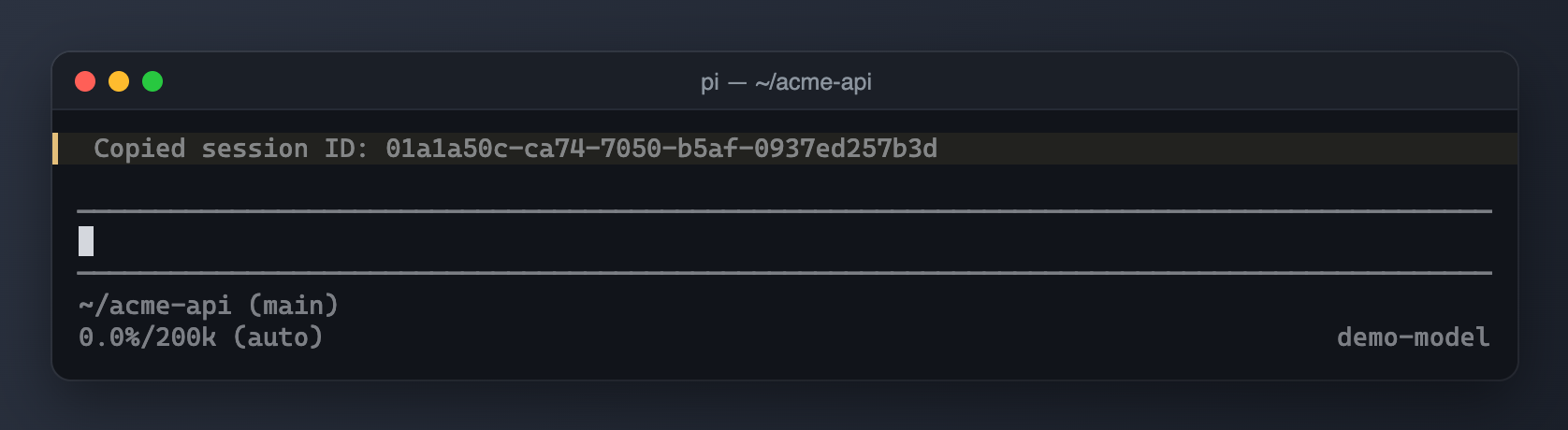
/session-id copies the current session ID to the clipboard.
Copy the current session ID to the system clipboard.
Running locally
From the monorepo root:
pi -e ./packages/pi-session-id
Warning: this extension uses your existing Pi resources and settings unless you load it in an isolated home (see the root README). Do not load two copies of the same extension (for example an older standalone file alongside this package): commands and hooks can duplicate. The package never installs or relocates personal settings.
Commands and shortcuts
/session-id— copies the current ID; on failure, the notification includes the ID for manual copying.
Settings and storage
No settings file or persistent state.
Privacy and operations
Writes the ID to your system clipboard (which may be synchronized by your OS). Clipboard failures are reported; there are no model requests or session-file mutations.
Compatibility
Node.js >=24 for development checks; run extensions through Pi's TypeScript loader. Host imports are wildcard peers, not bundled runtime copies. Requires Pi's copyToClipboard export and working OS clipboard support. Notifications require a UI-capable host.
See NOTICE.md for provenance. Tests use the monorepo's TypeScript dev dependency and VM loader; they do not contact services or write to user-home resources.